Photo Gallery Module
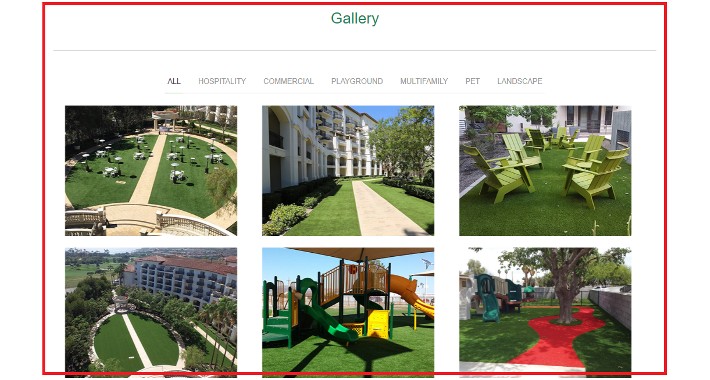
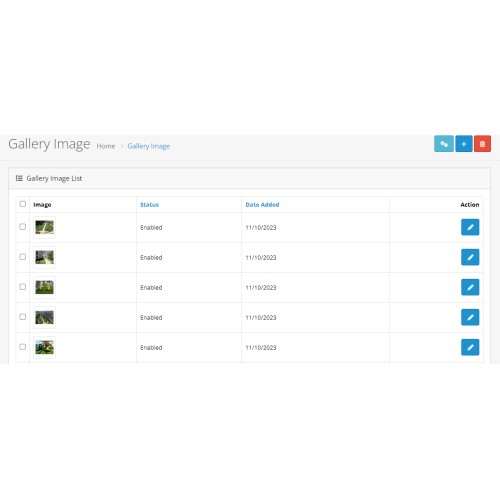
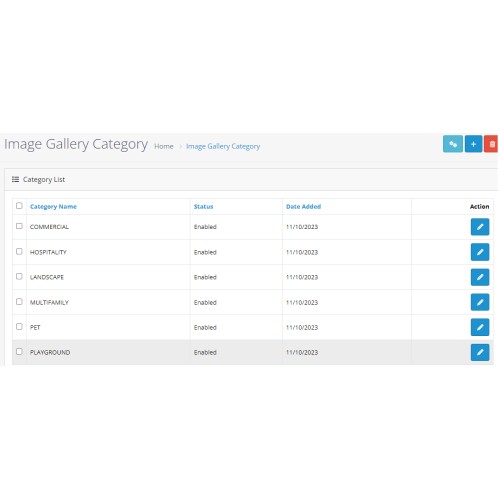

A photo gallery designed for the web is often used as an online catalog for an e-commerce website. add gallery any of pages on opencart using opencart->admin design->layout feature.
A picture speaks a thousand words, so implementing a photo gallery on your website is an added advantage for your e-commerce business.
The module is very easy to install and use. Once installed, it does not require any additional configurations or tweaking of settings.
Features
• It is very simple and easy to use.
• Free Installation and Free Support
• No Hidden/Extra Cost
Live demo OPENCART 4.X
Frontend Demo
Admin Demo
Admin Login Details:
Username: demo
Password: demo
Install instructions
1. In the Opencart administration section Goto 'Extensions -> Installer' and upload "stgallery.ocmod.zip", after upload done then click on green plus button icon.
2. Then navigate to 'Extensions ->Extensions->"Choose the extension type" Module. after choose extension type module then "Sprexe Technologies - Image Gallery" install plus green button and enaled it.
3. Check it in a administration section -> Extensions -> Image Gallery.
About plugin Support Contact Below Details
Support Email: info@sprexetechnologies.com
Support Site : http://sprexetechnologies.com
Check all of our extensions here
==============================================

Thanks for your choise!
If you liked this module - please Comment / rate him on module page or into your downloads
Price
$20.00
- Developed by OpenCart Community
- Documentation Included
Rating
Compatibility
4.0.0.0, 4.0.1.0, 4.0.1.1, 4.0.2.0, 4.0.2.1, 4.0.2.2, 4.0.2.3
Last Update
20 Oct 2023
Created
20 Oct 2023
0 Sales
0 Comments

Login and write down your comment.
Login my OpenCart Account