Required System Information
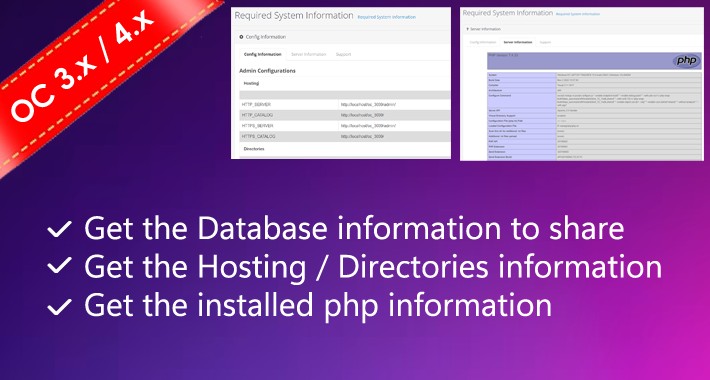
Required System Information must have plugin to see the server information and database details by site administrator.
It's allowed admin to manage the server configuration / database details & php information.
How To Install
Please follow the following steps to install the extensions in the OpenCart 3.x
Step 1 Download the zip file of Server Information extensions. Please make sure that you are downloading the correct version extension.
Step 2 Open the following installer page admin section of OpenCart 3.x.
Admin >> Extensions >> Installer
Step 3 On the above installer page upload the downloaded extension zip file.
Step 4 After successfully installed the extension from Step-3, now open the following Modifications page and click on “Clear” button on top right side to clear all modifications.
Admin >> Extensions >> Modifications
Step 5 Now, go to the following Module page and click on the “Install” button to install the extension completely:
Admin >> Extensions >> Modules
Great!! You installed the extension successfully. Please read our blog post to read it more or contact us, If face any problem there.
It's allowed admin to manage the server configuration / database details & php information.
How To Install
Please follow the following steps to install the extensions in the OpenCart 3.x
Step 1 Download the zip file of Server Information extensions. Please make sure that you are downloading the correct version extension.
Step 2 Open the following installer page admin section of OpenCart 3.x.
Admin >> Extensions >> Installer
Step 3 On the above installer page upload the downloaded extension zip file.
Step 4 After successfully installed the extension from Step-3, now open the following Modifications page and click on “Clear” button on top right side to clear all modifications.
Admin >> Extensions >> Modifications
Step 5 Now, go to the following Module page and click on the “Install” button to install the extension completely:
Admin >> Extensions >> Modules
Great!! You installed the extension successfully. Please read our blog post to read it more or contact us, If face any problem there.
Download
- Developed by OpenCart Community
- Documentation Included
Rating
Compatibility
4.x.x.x, 4.0.0.0, 4.0.1.0, 4.0.1.1, 4.0.2.0, 4.0.2.1, 4.0.2.2, 4.0.2.3, 3.0.0.0, 3.0.1.0, 3.0.1.1, 3.0.1.2, 3.0.1.3, 3.0.2.0, 3.0.3.0, 3.0.3.1, 3.0.3.2, 3.0.3.3, 3.0.3.5, 3.0.3.6, 3.0.3.7, 3.0.3.8, 3.x.x.x, 3.0.3.9
Last Update
24 Jan 2024
Created
23 Jan 2024
94 Downloads
0 Comments

Login and write down your comment.
Login my OpenCart Account