Category By Customer Group

Email Support: opencarttools@gmail.com
WhatsApp Live Chat: Click Here
Live Demo
See the module in action before purchase.
Admin
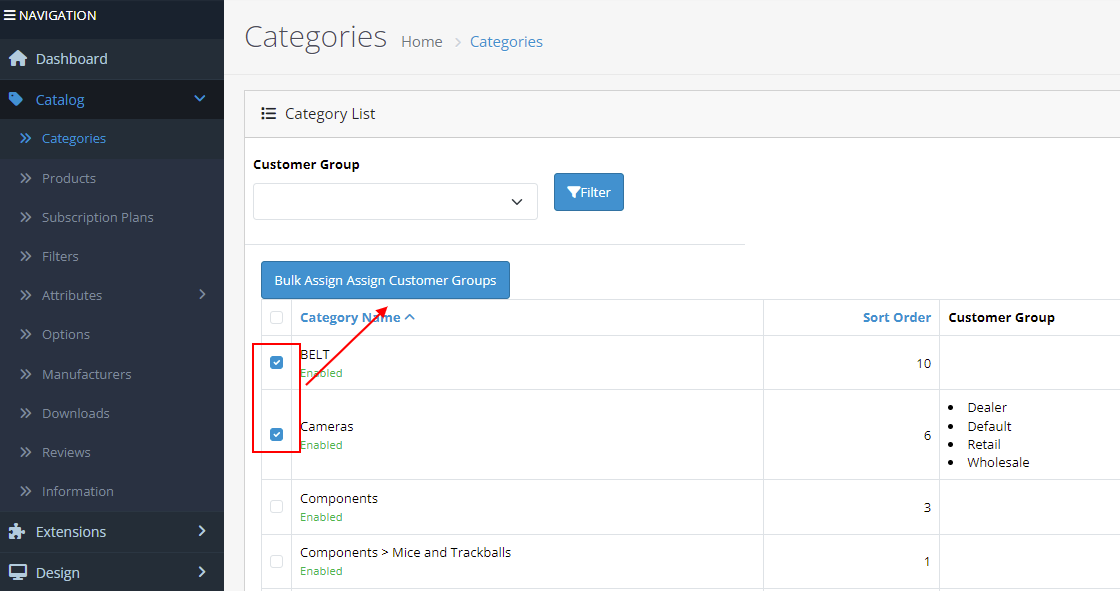
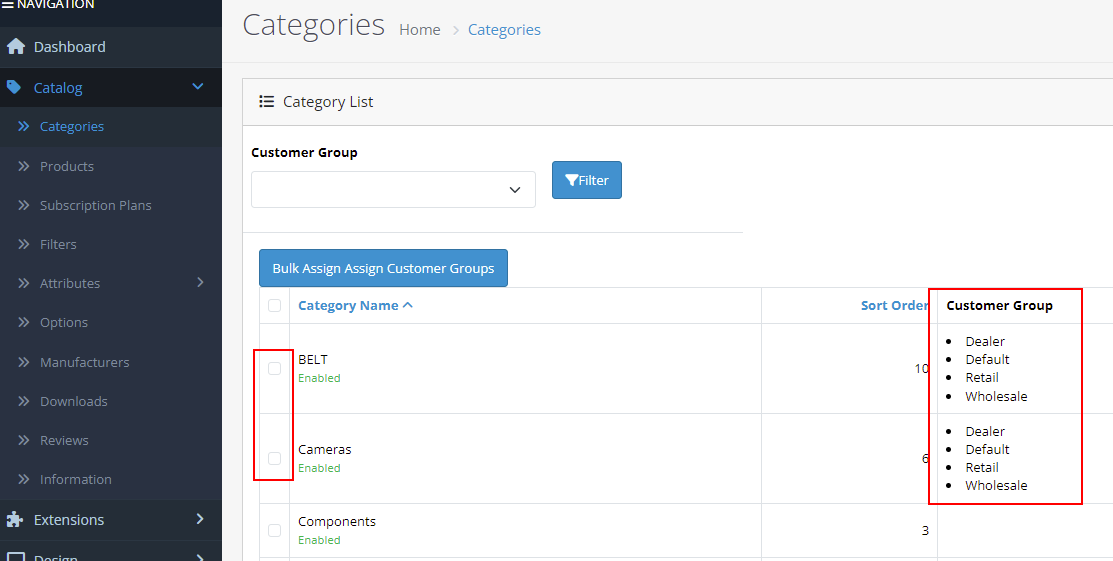
Admin > Category List
Admin > Category > Add/edit > Data tab
Front
"Camera" Category - Only available for "Wholesale" customer group
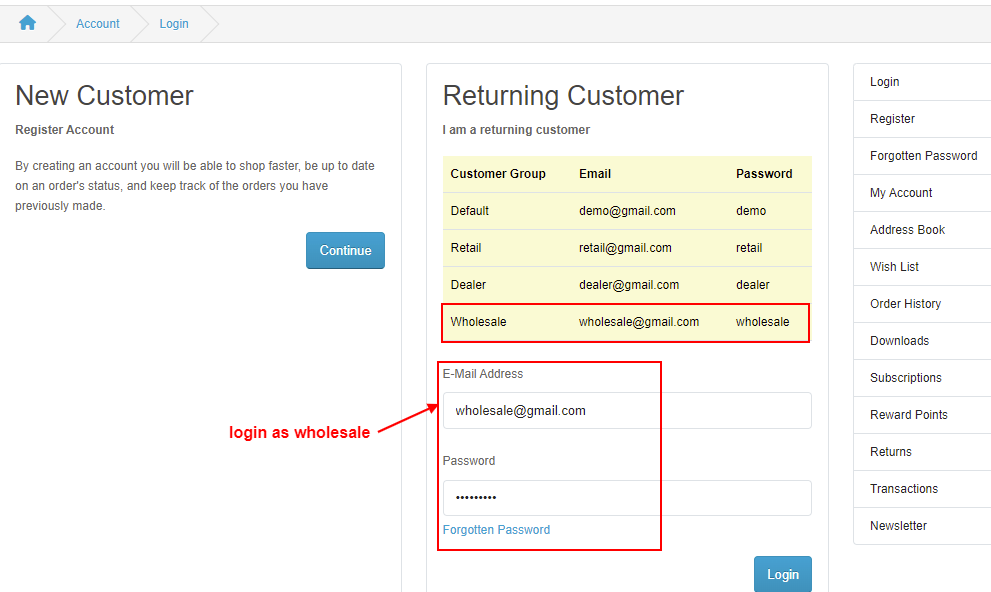
Login as "Wholesale" Customer Group
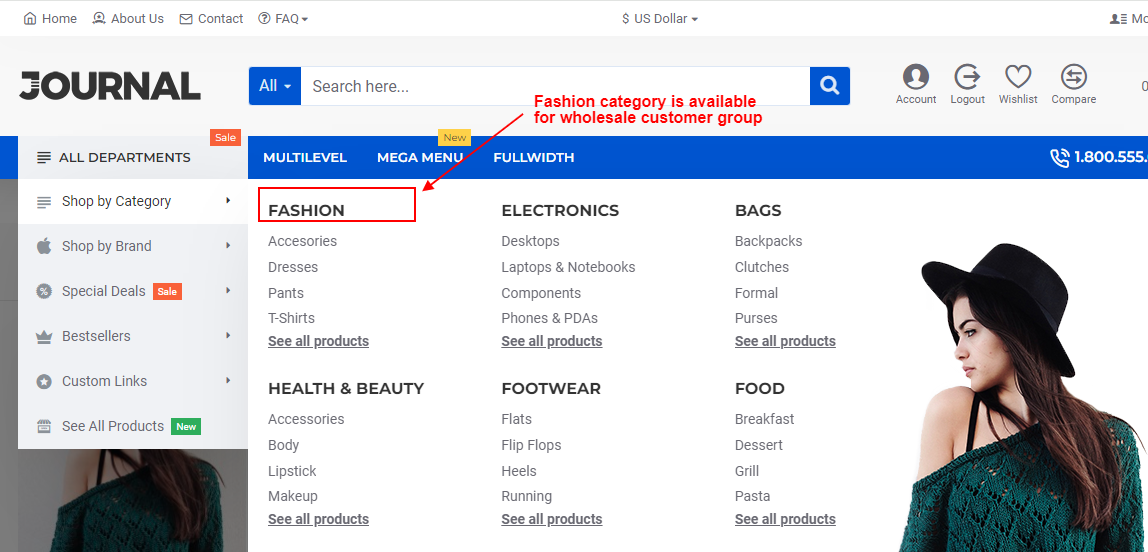
Now you can see "Camera" Category
Title
Category By Customer Group – OpenCart 2.x + 3.x + 4.x
Short Description
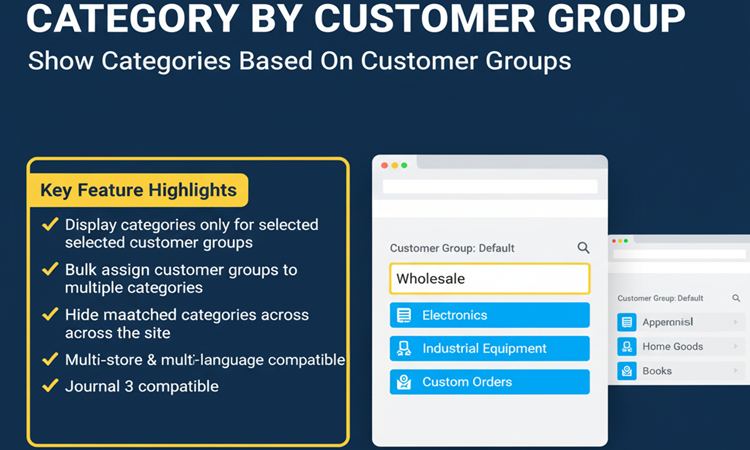
Display categories on the front-end based on customer groups.
Categories remain hidden from users whose group does not match, allowing precise content control and segmented catalog visibility for wholesale, VIP, or B2B customers.
Free Dedicated Support Included
We provide dedicated technical support to ensure smooth installation and usage of this module.
✔ Fast response time
✔ Installation guidance
✔ Bug fixes assistance
Key Features
Customer Group Based Category Visibility
✔ Show categories to specific customer groups only
✔ Hide categories from all other customer groups
✔ Works dynamically based on logged-in user group
✔ Perfect for B2B and wholesale stores
Flexible Category Assignment
✔ Assign customer groups in Category → Add/Edit → Data tab
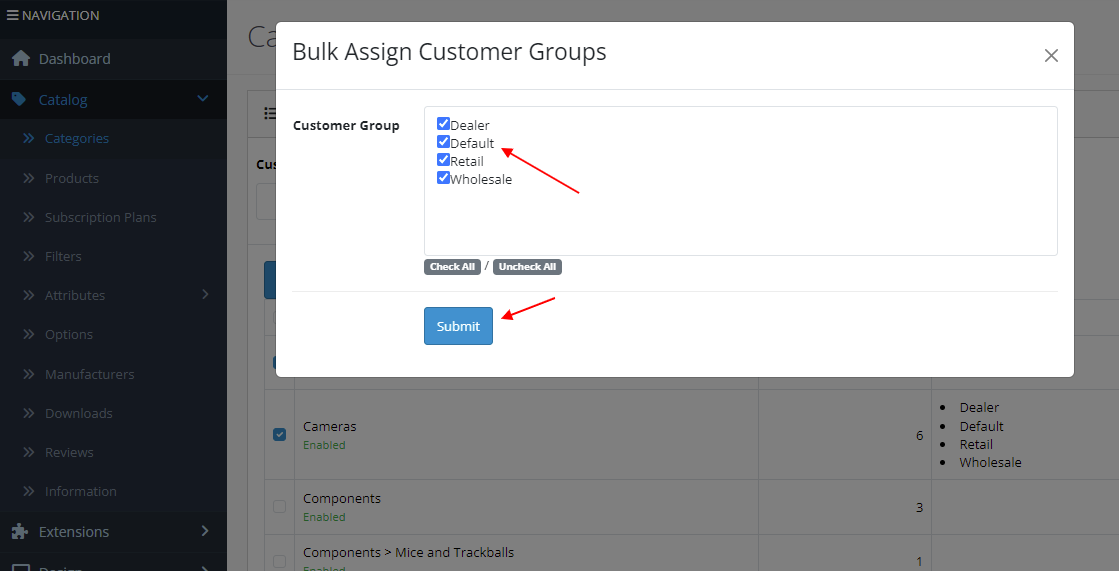
✔ Bulk assign customer groups to multiple categories
✔ Categories without assigned groups remain visible to all
✔ Simple and intuitive admin configuration
Secure Front-End Control
✔ Categories visible only when customer group matches
✔ Works automatically after login
✔ No impact on category-linked products
✔ Prevents unauthorized browsing
Multi-Store & Multi-Language Support
✔ Multi-store compatible
✔ Multi-language supported
✔ Works across all storefronts
✔ Ideal for multi-segment businesses
Smart Logic Behavior
✔ Works only when category has linked customer groups
✔ Default behavior preserved for public categories
✔ No interference with existing category structure
Technical Highlights
✔ 100% OCMOD Based
✔ No Core File Changes
✔ Lightweight & Performance Friendly
✔ Built using OpenCart Coding Standards
✔ Compatible with OpenCart 2.x, 3.x & 4.x
✔ Supports PHP 5.6 – 8.3
✔ Tested with Default Theme & Journal 3
Installation Steps
✔ Upload the extension via Admin → Extensions → Installer
✔ Go to Admin → Extensions → Modules
✔ Install and enable the module
✔ Assign customer groups in Category → Data tab
✔ Save settings
How It Works
✔ Admin assigns customer groups to categories
✔ Customer logs into account
✔ System checks customer group
✔ Only allowed categories appear in front-end
✔ Hidden categories remain invisible to other groups
Automatic and secure visibility control.
Why Choose This Module
✔ Control category visibility by customer group
✔ Perfect for wholesale and B2B segmentation
✔ Hide premium or restricted categories
✔ Bulk assign groups for faster setup
✔ No impact on product data
✔ Safe and lightweight implementation
Money-Back Guarantee
We stand behind the quality of our module.
If the extension does not work as described or is incompatible with your supported OpenCart version, we offer a 7-Day Money-Back Guarantee.
✔ Full refund if confirmed technical issue
✔ Dedicated support before refund decision
✔ Transparent and fair resolution process
Your satisfaction and store performance are our priority.
Requirements
✔ OpenCart 2.X + 3.X + 4.X
✔ Supports PHP 5.6 – 8.3
✔ No core file changes
✔ Built using OpenCart coding standards
Ideal For
✔ Wholesale stores
✔ B2B businesses
✔ VIP customer programs
✔ Distributor networks
✔ Multi-store OpenCart setups
✔ Stores requiring restricted catalog access
Images & Screenshots View all screenshots
✔ Bulk assign customer groups to multiple categories
✔ Front-end showing categories visible for selected customer groups only
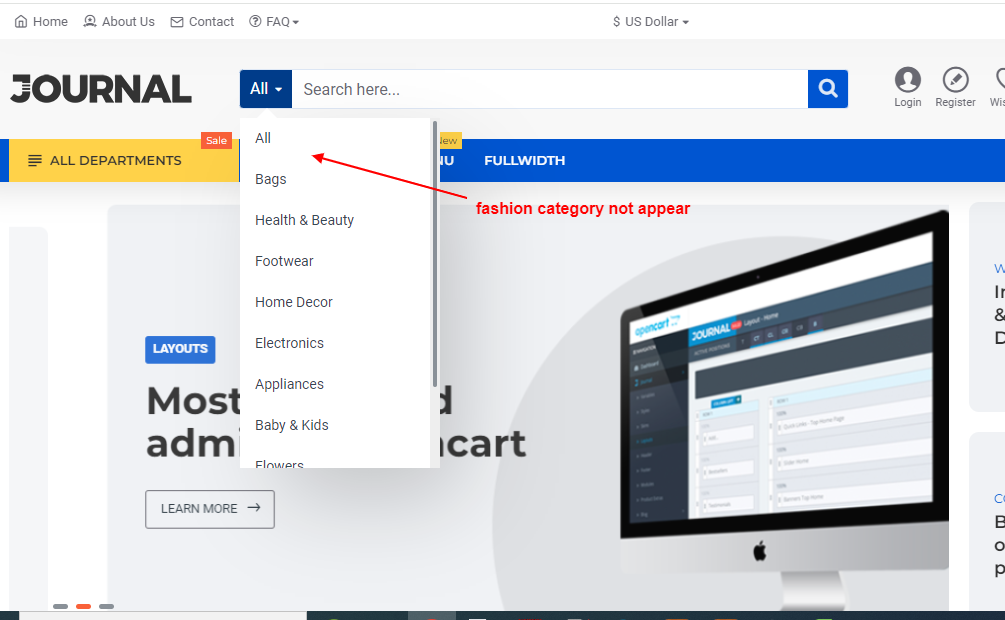
✔ Example with categories hidden for unmatched groups
Price
$20.00
- Developed by OpenCart Community
- 12 Months Free Support
- Documentation Included
Rating
Compatibility
2.0.0.0, 2.0.1.0, 2.0.1.1, 2.0.2.0, 2.0.3.1, 2.1.0.1, 2.1.0.2, 2.2.0.0, 2.3.0.0, 2.3.0.1, 2.3.0.2, 3.0.0.0, 3.0.1.0, 3.0.1.1, 3.0.1.2, 3.0.1.3, 3.0.2.0, 4.x.x.x, 3.0.3.0, 3.0.3.1, 3.0.3.2, 3.0.3.3, 3.0.3.5, 3.0.3.6, 3.0.3.7, 3.0.3.8, 4.0.0.0, 4.0.1.0, 4.0.1.1, 3.x.x.x, 4.0.2.0, 4.0.2.1, 4.0.2.2, 4.0.2.3, 3.0.3.9, 3.0.4.0, 4.1.0.0, 4.1.0.1, 4.1.0.2, 4.1.0.3, 3.0.4.1, 3.0.5.0
Last Update
4 May 2026
Created
18 Apr 2024
6 Sales
0 Comments

Login and write down your comment.
Login my OpenCart Account