One Page Quick Checkout(Super Checkout,One Page Checkout)
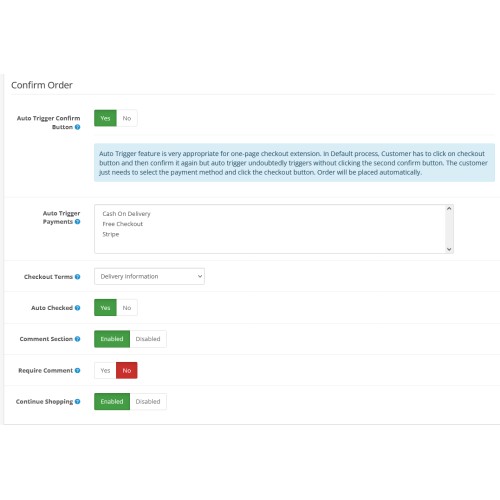
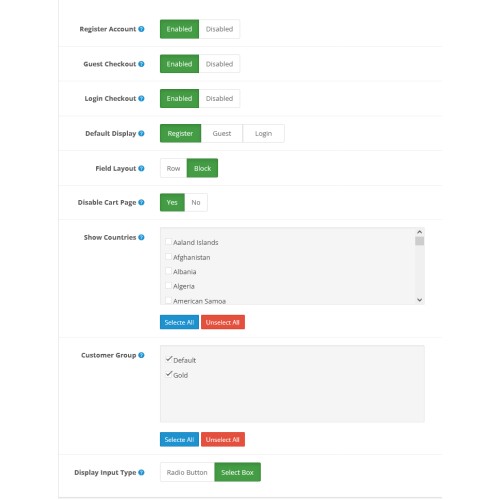
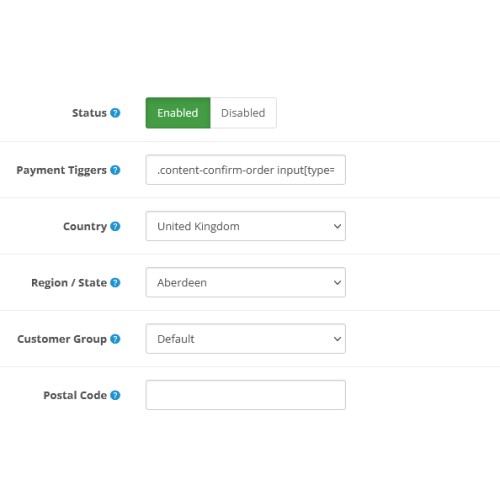
In the fast-paced world of e-commerce, providing a seamless and efficient shopping experience is paramount. One critical component of this experience is the checkout process. The traditional multi-page checkout process often involves several steps, such as entering shipping information, selecting payment methods, and reviewing the order. While this method is straightforward, it can also be time-consuming and daunting for customers, leading to higher cart abandonment rates.
An on-page checkout system simplifies this process by consolidating all the necessary steps into a single page. This streamlined approach offers several benefits:
1. Customers can complete their purchases quickly without navigating through multiple pages.
2. A faster checkout process can lead to lower cart abandonment rates.
3. Experience: A simplified checkout enhances the overall shopping experience, encouraging repeat business.
4. A single-page checkout is often more responsive and easier to navigate on mobile devices, catering to the growing
number of mobile shoppers.
What is the One Page SuperCheckout Extension?
The One Page SuperCheckout Extension for OpenCart, developed by Reliable Automation, streamlines the checkout process by eliminating the default multi-step checkout. It provides a single-page interface for customers to complete their orders, significantly enhancing user experience and reducing cart abandonment rates, thereby boosting sales.
Compatibility and Support
If any compatibility issues arise, the support team is available to resolve them at no additional cost.
Features
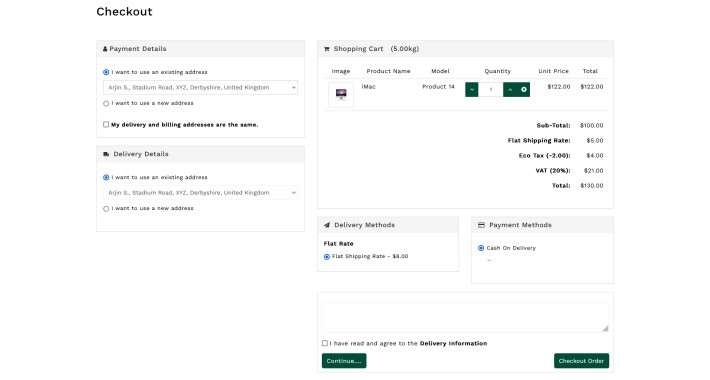
Single Page Completion: Entire order process on one page.
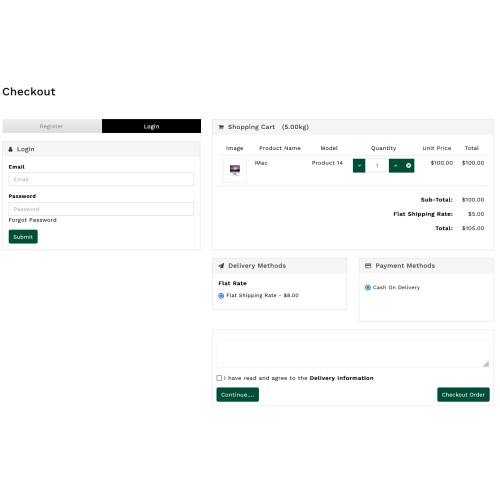
Cart Management: Customers can view and update item quantities directly on the checkout page.
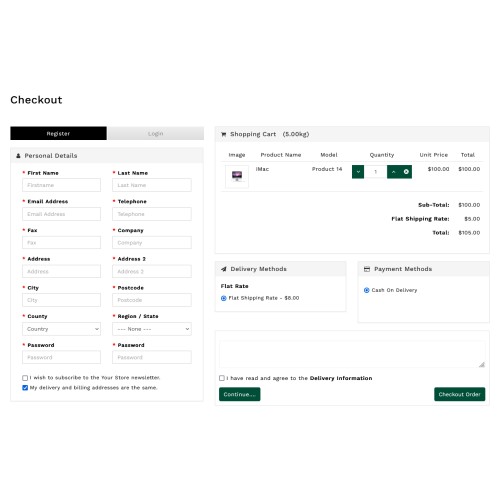
Account Creation: Option to create an account during checkout.
Newsletter Subscription: Option to subscribe to newsletters from the checkout page.
Guest Checkout: Allows customers to checkout without creating an account.
Social Media Login: Easy login via social media accounts.
Shipping and Payment Options: Selection of shipping and payment methods directly on the checkout page.
Key Features for Store Admins
Easy Installation and Configuration
Admins can easily install and configure the extension using the provided documentation. Reliable Automation offers three months of free support for any installation or configuration assistance.
Login Options
Customers can choose to log in, register, or checkout as guests, simplifying the purchase process.
Cart Summary Display
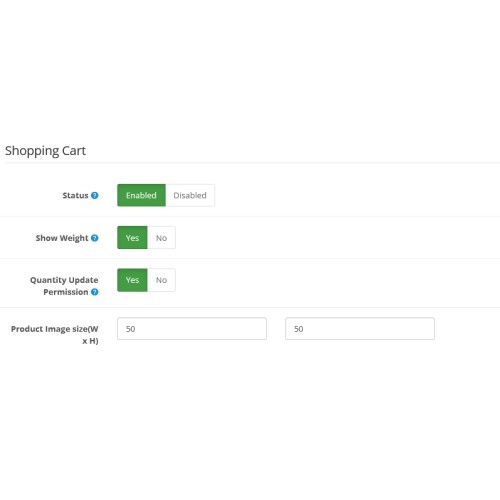
Admins can display a detailed cart summary, including product images, names, models, quantities, prices, and total order cost. Customers can modify item quantities on this page.
Payment and Shipping Methods
The extension supports all major payment and shipping methods. For any specific method not initially supported, the support team can make necessary adjustments post-purchase.
Customizable Checkout Page Design
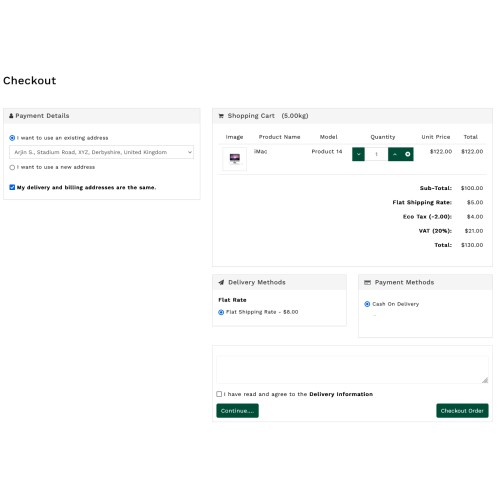
Admins can select from 1-column, 2-column, or 3-column layouts for the checkout page and adjust column widths for optimal display.
Address Management
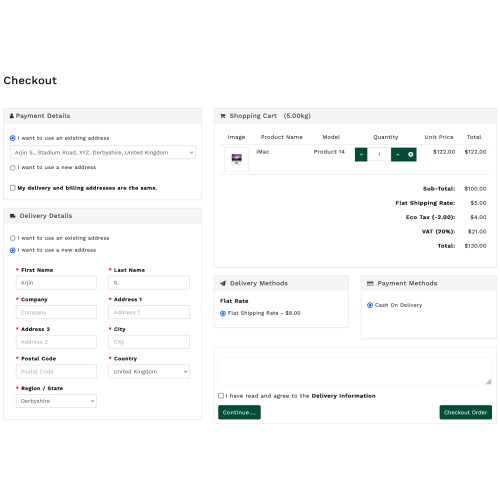
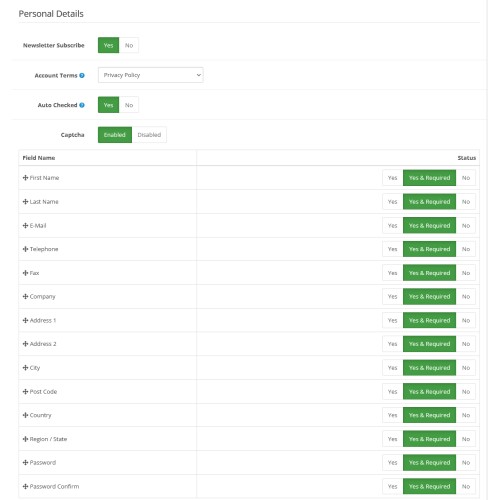
Admins can choose which fields to display and mark mandatory for both payment and shipping addresses. The sequence of these fields can be set via drag-and-drop.
Multi-store and Custom Field Support
The extension supports multi-store setups and allows admins to add custom fields to the checkout page.
Additional Functionalities
Free Shipping Bar: Display a free shipping bar based on a minimum order amount.
Coupon and Comment Fields: Option to display coupon fields and a comment box on the checkout page.
Default Settings: Set default login, payment, and shipping options.
Design Customization: Customize the checkout module's design using CSS .
An on-page checkout system simplifies this process by consolidating all the necessary steps into a single page. This streamlined approach offers several benefits:
1. Customers can complete their purchases quickly without navigating through multiple pages.
2. A faster checkout process can lead to lower cart abandonment rates.
3. Experience: A simplified checkout enhances the overall shopping experience, encouraging repeat business.
4. A single-page checkout is often more responsive and easier to navigate on mobile devices, catering to the growing
number of mobile shoppers.
What is the One Page SuperCheckout Extension?
The One Page SuperCheckout Extension for OpenCart, developed by Reliable Automation, streamlines the checkout process by eliminating the default multi-step checkout. It provides a single-page interface for customers to complete their orders, significantly enhancing user experience and reducing cart abandonment rates, thereby boosting sales.
Compatibility and Support
If any compatibility issues arise, the support team is available to resolve them at no additional cost.
Features
Single Page Completion: Entire order process on one page.
Cart Management: Customers can view and update item quantities directly on the checkout page.
Account Creation: Option to create an account during checkout.
Newsletter Subscription: Option to subscribe to newsletters from the checkout page.
Guest Checkout: Allows customers to checkout without creating an account.
Social Media Login: Easy login via social media accounts.
Shipping and Payment Options: Selection of shipping and payment methods directly on the checkout page.
Key Features for Store Admins
Easy Installation and Configuration
Admins can easily install and configure the extension using the provided documentation. Reliable Automation offers three months of free support for any installation or configuration assistance.
Login Options
Customers can choose to log in, register, or checkout as guests, simplifying the purchase process.
Cart Summary Display
Admins can display a detailed cart summary, including product images, names, models, quantities, prices, and total order cost. Customers can modify item quantities on this page.
Payment and Shipping Methods
The extension supports all major payment and shipping methods. For any specific method not initially supported, the support team can make necessary adjustments post-purchase.
Customizable Checkout Page Design
Admins can select from 1-column, 2-column, or 3-column layouts for the checkout page and adjust column widths for optimal display.
Address Management
Admins can choose which fields to display and mark mandatory for both payment and shipping addresses. The sequence of these fields can be set via drag-and-drop.
Multi-store and Custom Field Support
The extension supports multi-store setups and allows admins to add custom fields to the checkout page.
Additional Functionalities
Free Shipping Bar: Display a free shipping bar based on a minimum order amount.
Coupon and Comment Fields: Option to display coupon fields and a comment box on the checkout page.
Default Settings: Set default login, payment, and shipping options.
Design Customization: Customize the checkout module's design using CSS .
Price
$20.00
- Developed by OpenCart Community
- 12 Months Free Support
- Documentation Included
Rating
Compatibility
3.0.3.9, 3.0.4.0
Last Update
25 Jul 2024
Created
24 Jul 2024
0 Sales
1 Comments

Login and write down your comment.
Login my OpenCart Account