Chat Online

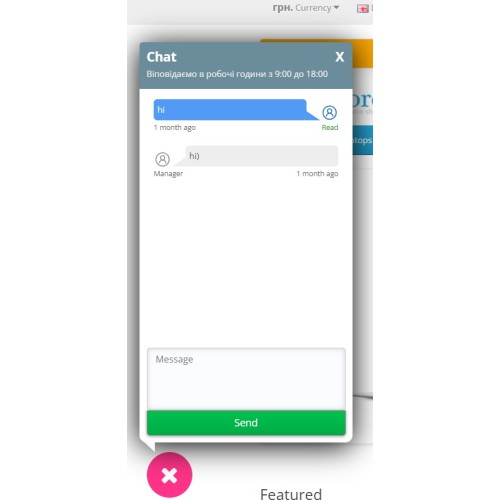
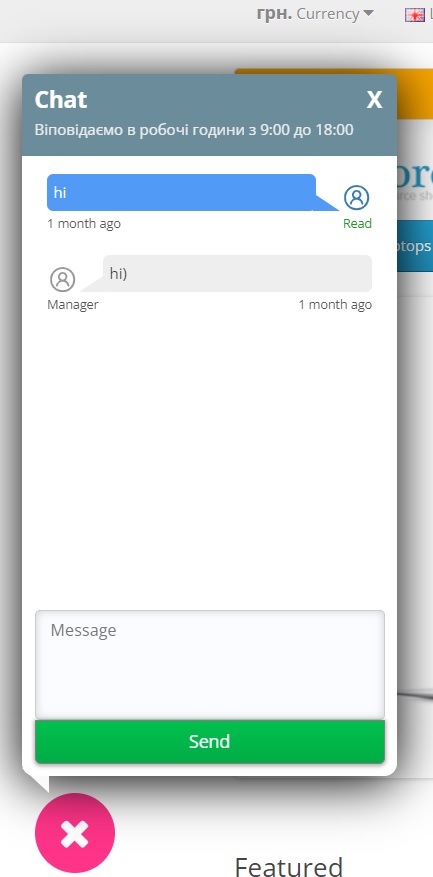
Using this module, your clients will be able to communicate with you online without leaving your website. One of the many advantages of this module is the absence of a monthly subscription fee for use; also, for each message from the user, you will see from which page he wrote this message and many other convenient functions for working with clients.
The chat is an independent module and can work on its own, but the demo chat is already presented with adaptation/integrated into the Messengers + Reverse module
DEMO 2х: http://opencart-2.parallax.com.ua/
Admin 2х: http://opencart-2.parallax.com.ua/admin/
Login and password: demo
DEMO 3х: http://opencart-3.parallax.com.ua/
Admin 3х: http://opencart-3.parallax.com.ua/admin/
Login and password: demo
Ready-made adaptation with the Messengers + Call Back module
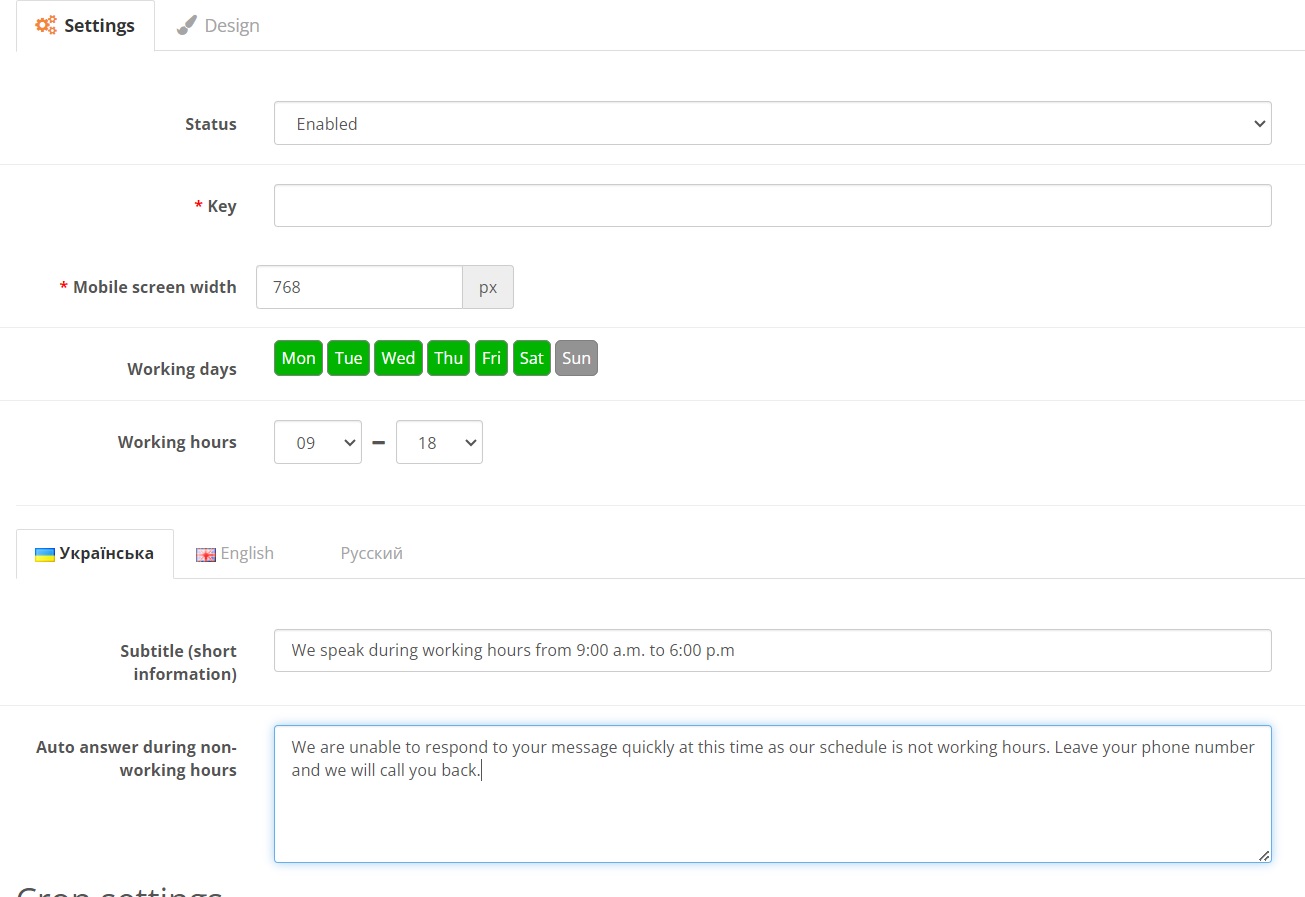
General settings:
- Maximum compatibility with templates.
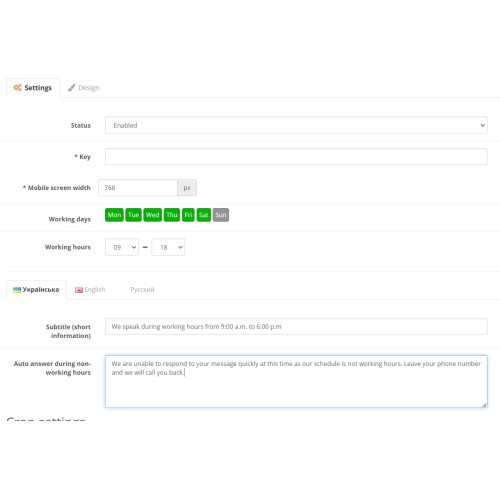
– You can set working days and hours.
– An automatic reply is sent during non-working hours.
- You can set the auto-reply text.
- You can set the subtitle text.
– You can set the message lifetime.
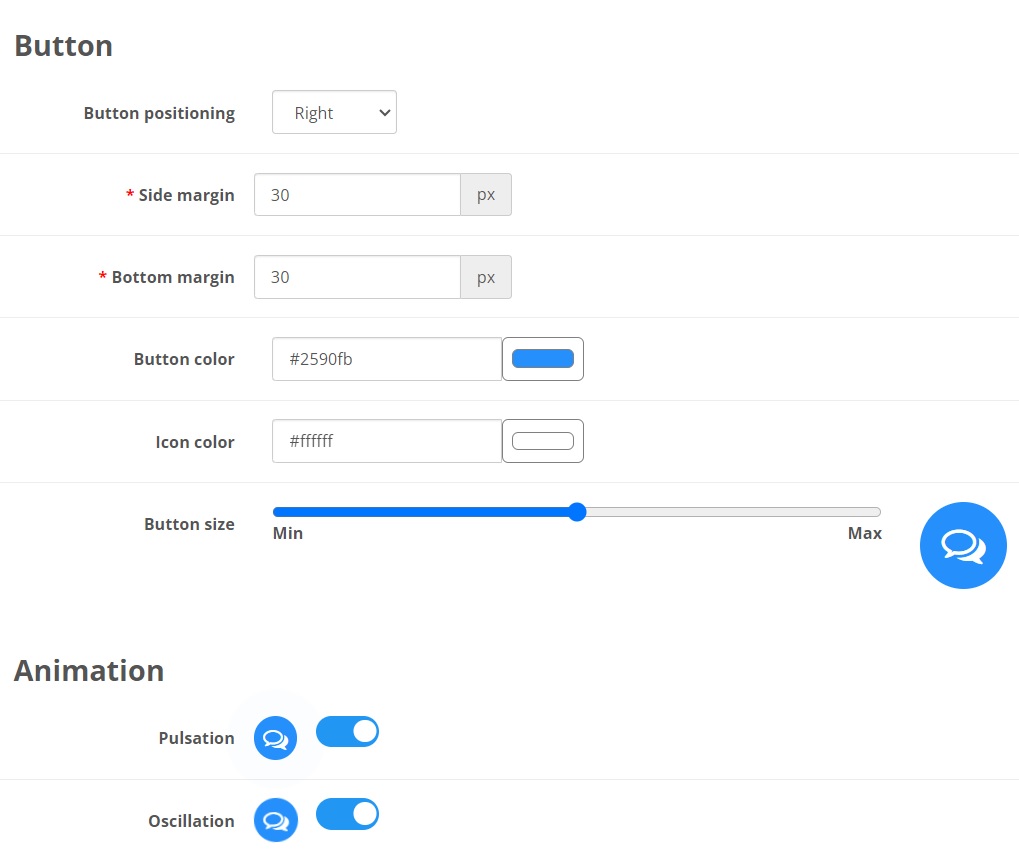
Design:
- You can set individual styles for both PC and mobile versions
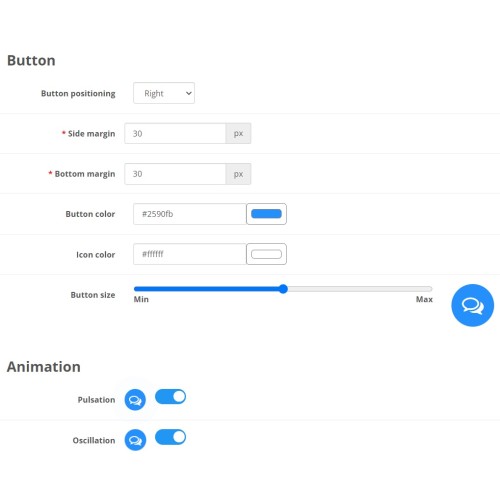
- Customize the size of the color button and its placement.
- Customize button animation.
Message:
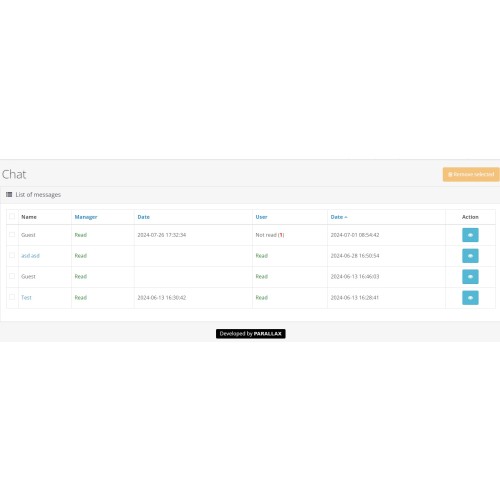
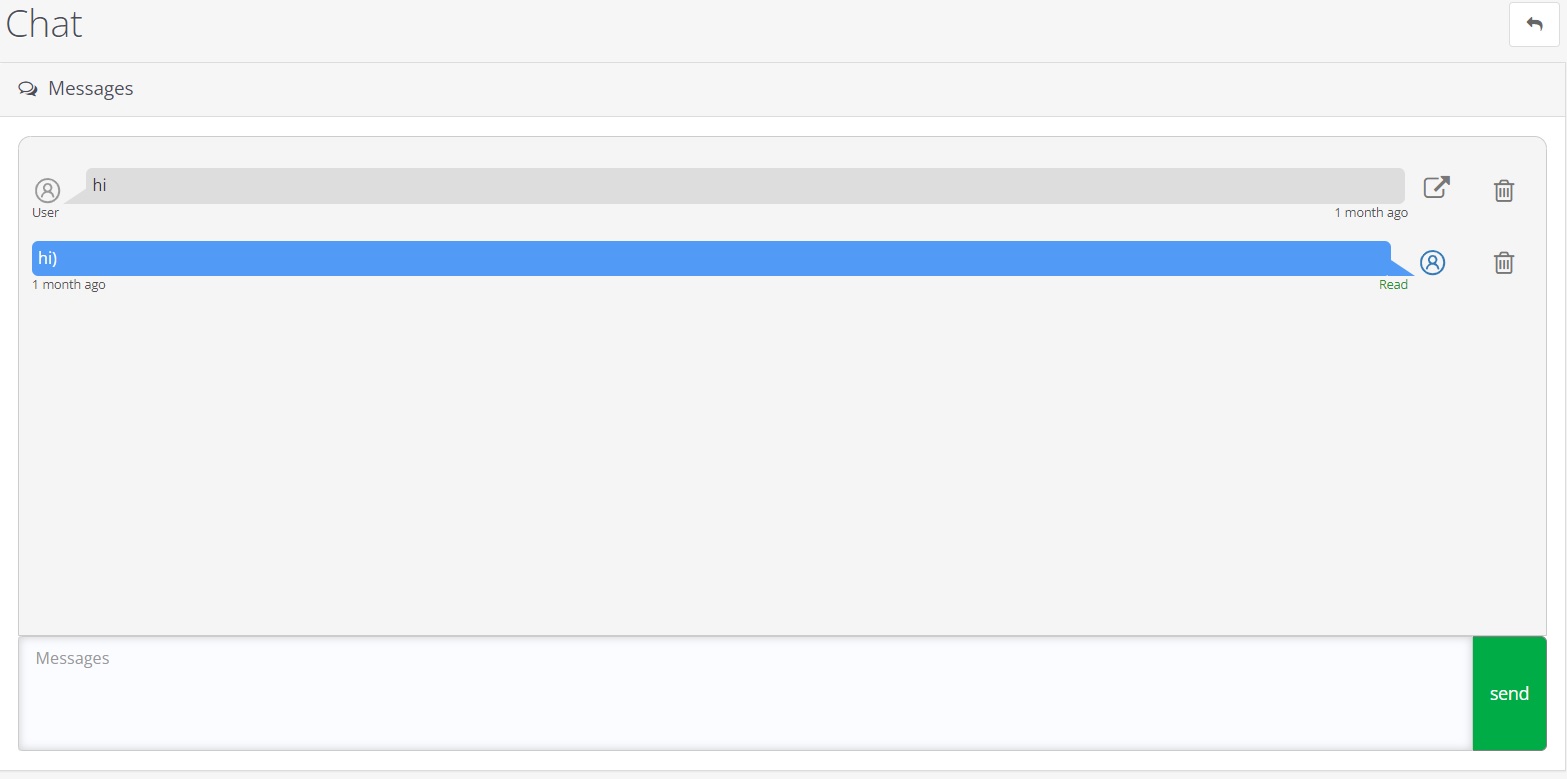
- There is a sound and visual notification in the admin panel for new messages.
- On the chat list page you can sort them by different criteria, both by last date and by unread messages and other criteria.
- If the user is registered, his information from the account link will be displayed.
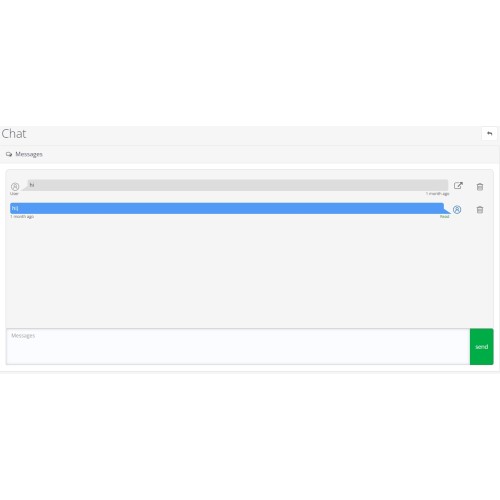
- When viewing a chat, you can delete any message.
– You can view each client’s message from which page he wrote it.
- You can insert a link into a message - it will appear as a hyperlink in the chat.
The chat is an independent module and can work on its own, but the demo chat is already presented with adaptation/integrated into the Messengers + Reverse module
DEMO 2х: http://opencart-2.parallax.com.ua/
Admin 2х: http://opencart-2.parallax.com.ua/admin/
Login and password: demo
DEMO 3х: http://opencart-3.parallax.com.ua/
Admin 3х: http://opencart-3.parallax.com.ua/admin/
Login and password: demo
Ready-made adaptation with the Messengers + Call Back module
General settings:
- Maximum compatibility with templates.
– You can set working days and hours.
– An automatic reply is sent during non-working hours.
- You can set the auto-reply text.
- You can set the subtitle text.
– You can set the message lifetime.
Design:
- You can set individual styles for both PC and mobile versions
- Customize the size of the color button and its placement.
- Customize button animation.
Message:
- There is a sound and visual notification in the admin panel for new messages.
- On the chat list page you can sort them by different criteria, both by last date and by unread messages and other criteria.
- If the user is registered, his information from the account link will be displayed.
- When viewing a chat, you can delete any message.
– You can view each client’s message from which page he wrote it.
- You can insert a link into a message - it will appear as a hyperlink in the chat.
Price
$25.00
- Developed by OpenCart Community
- 6 Months Free Support
- Documentation Included
Rating
Compatibility
2.3.0.0, 2.3.0.1, 2.3.0.2, 3.0.0.0, 3.0.1.0, 3.0.1.1, 3.0.1.2, 3.0.1.3, 3.0.2.0, 3.0.3.0, 3.0.3.1, 3.0.3.2, 3.0.3.3, 3.0.3.5, 3.0.3.6, 3.0.3.7, 3.0.3.8, 3.0.3.9
Last Update
27 Jul 2024
Created
27 Jul 2024
0 Sales
0 Comments

Login and write down your comment.
Login my OpenCart Account