Mail Log


Mail Log Module for OpenCart
Overview
The Mail Log Module for OpenCart is an essential extension designed to maintain a comprehensive record of all outgoing emails from your OpenCart store. This module logs detailed information about each email and provides an easy-to-use interface for administrators to review, manage, and troubleshoot email communications.
Key Features
1. Detailed Email Logging:
- Logs all outgoing emails with details such as the recipient, sender, subject, text, HTML content, attachments, and timestamp.
- Stores logs in a structured JSON format within a secure directory.
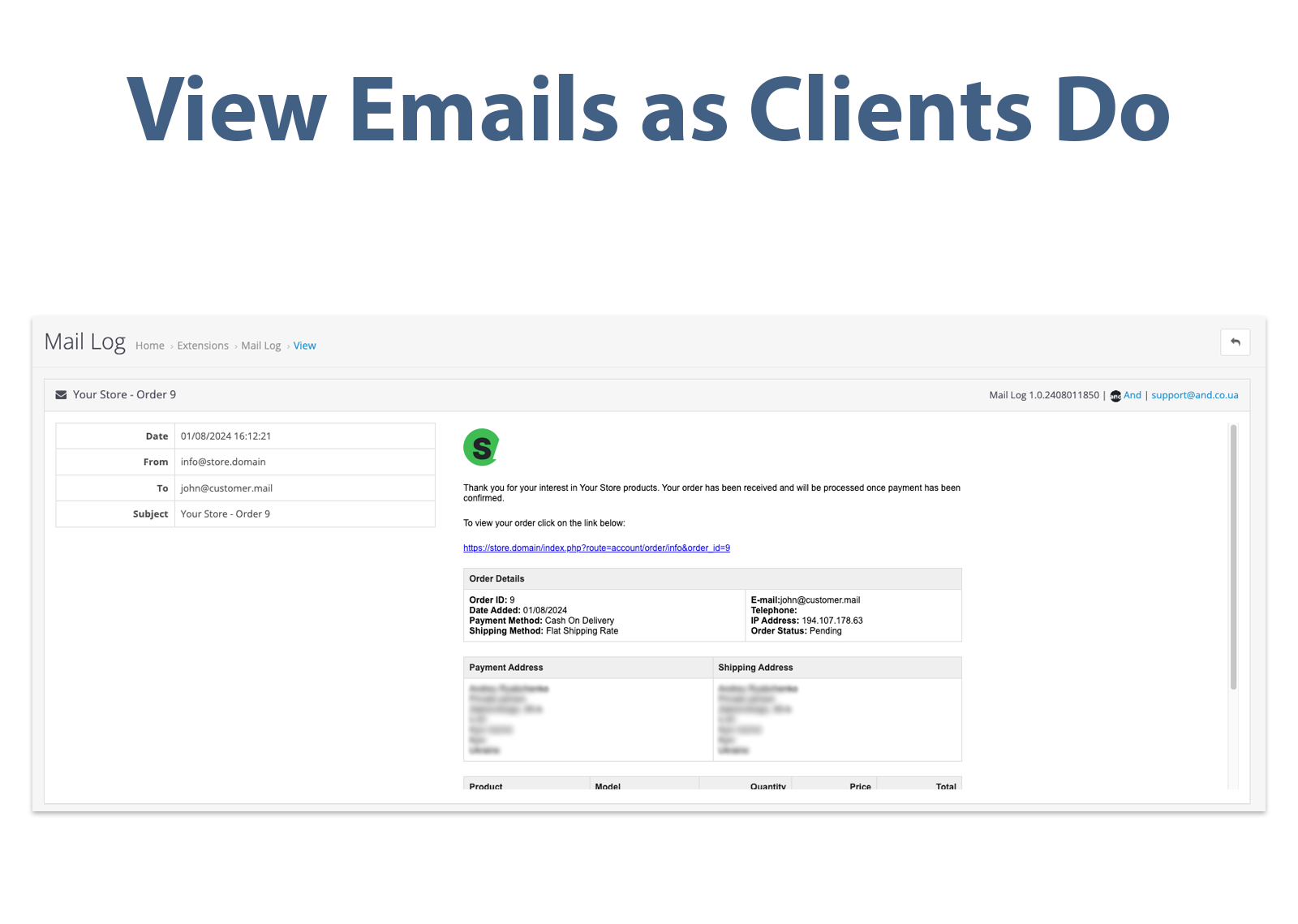
2. View Emails as Clients Do:
- Allows administrators to view emails exactly as they are received by clients, including both HTML and plain text formats.
3. User-Friendly Interface:
- Integrates seamlessly into the OpenCart admin panel with a new menu item under 'Mail Log' for easy access.
- Provides a detailed view of each email log, displaying comprehensive information including content, sender, recipient, and subject.
4. Multilingual Support:
- Includes language support for English, Russian, and Ukrainian, making it accessible to a wide range of users.
5. Permission-Based Access:
- Ensures that only authorized personnel can view email logs based on user permissions.
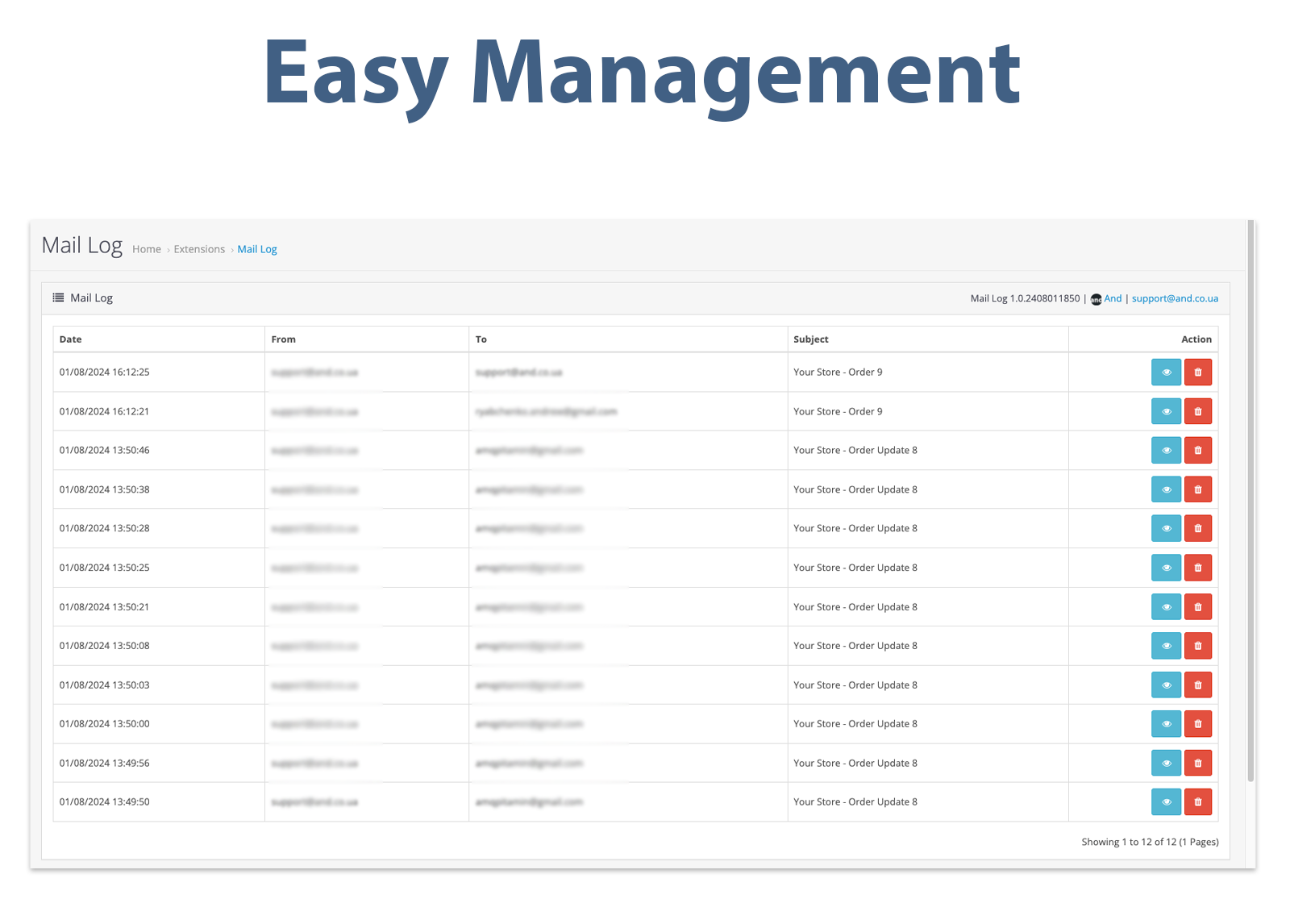
6. Easy Management:
- Offers pagination and search functionalities for efficient navigation through large sets of email logs.
- Enables administrators to delete individual email logs directly from the admin panel.
7. Non-Intrusive Integration:
- Does not replace any OpenCart core files, ensuring compatibility and stability of your store.
Installation
1. Upload the Extension:
- Use the standard OpenCart Extension Installer to upload the `mail_log.ocmod.zip` file.
2. Configuration:
- Navigate to Extensions > Extensions > Modules.
- Install and configure the Mail Log module.
- Refresh your Modifications.
- Done!
Usage
1. Accessing Mail Logs:
- Go to the admin panel and navigate to the Mail Log menu item.
- View a list of all logged emails, including details such as date, sender, recipient, and subject.
2. Viewing Email Details:
- Click on the 'View' button next to an email log entry to see detailed information about the email.
- The detailed view includes the email's subject, date, sender, recipient, and the full content of the email in both HTML and plain text formats.
3. Managing Logs:
- Delete individual email logs by clicking the 'Delete' button.
- Use pagination controls to navigate through the logs if there are multiple pages of entries.
By installing the Mail Log Module, you ensure that every outgoing email from your OpenCart store is logged and easily accessible, providing transparency and ease of troubleshooting for your email communications. This module is an essential tool for any store owner looking to maintain a clear record of their email activities, view emails as clients do, and manage logs efficiently without altering any core OpenCart files.
Overview
The Mail Log Module for OpenCart is an essential extension designed to maintain a comprehensive record of all outgoing emails from your OpenCart store. This module logs detailed information about each email and provides an easy-to-use interface for administrators to review, manage, and troubleshoot email communications.
Key Features
1. Detailed Email Logging:
- Logs all outgoing emails with details such as the recipient, sender, subject, text, HTML content, attachments, and timestamp.
- Stores logs in a structured JSON format within a secure directory.
2. View Emails as Clients Do:
- Allows administrators to view emails exactly as they are received by clients, including both HTML and plain text formats.
3. User-Friendly Interface:
- Integrates seamlessly into the OpenCart admin panel with a new menu item under 'Mail Log' for easy access.
- Provides a detailed view of each email log, displaying comprehensive information including content, sender, recipient, and subject.
4. Multilingual Support:
- Includes language support for English, Russian, and Ukrainian, making it accessible to a wide range of users.
5. Permission-Based Access:
- Ensures that only authorized personnel can view email logs based on user permissions.
6. Easy Management:
- Offers pagination and search functionalities for efficient navigation through large sets of email logs.
- Enables administrators to delete individual email logs directly from the admin panel.
7. Non-Intrusive Integration:
- Does not replace any OpenCart core files, ensuring compatibility and stability of your store.
Installation
1. Upload the Extension:
- Use the standard OpenCart Extension Installer to upload the `mail_log.ocmod.zip` file.
2. Configuration:
- Navigate to Extensions > Extensions > Modules.
- Install and configure the Mail Log module.
- Refresh your Modifications.
- Done!
Usage
1. Accessing Mail Logs:
- Go to the admin panel and navigate to the Mail Log menu item.
- View a list of all logged emails, including details such as date, sender, recipient, and subject.
2. Viewing Email Details:
- Click on the 'View' button next to an email log entry to see detailed information about the email.
- The detailed view includes the email's subject, date, sender, recipient, and the full content of the email in both HTML and plain text formats.
3. Managing Logs:
- Delete individual email logs by clicking the 'Delete' button.
- Use pagination controls to navigate through the logs if there are multiple pages of entries.
By installing the Mail Log Module, you ensure that every outgoing email from your OpenCart store is logged and easily accessible, providing transparency and ease of troubleshooting for your email communications. This module is an essential tool for any store owner looking to maintain a clear record of their email activities, view emails as clients do, and manage logs efficiently without altering any core OpenCart files.
Price
$29.99
- Developed by OpenCart Community
- 3 Months Free Support
- Documentation Included
Rating
Compatibility
3.0.0.0, 3.0.1.0, 3.0.1.1, 3.0.1.2, 3.0.1.3, 3.0.2.0, 3.0.3.0, 3.0.3.1, 3.0.3.2, 3.0.3.3, 3.0.3.5, 3.0.3.6, 3.0.3.7, 3.0.3.8, 3.x.x.x, 3.0.3.9, 3.0.4.0
Last Update
2 May 2025
Created
2 Aug 2024
4 Sales
0 Comments

Login and write down your comment.
Login my OpenCart Account