TikTok Pixel + Conversion API

Email Support: opencarttools@gmail.com
WhatsApp Live Chat: Click Here
Live Demo
See the module in action before purchase.
Admin
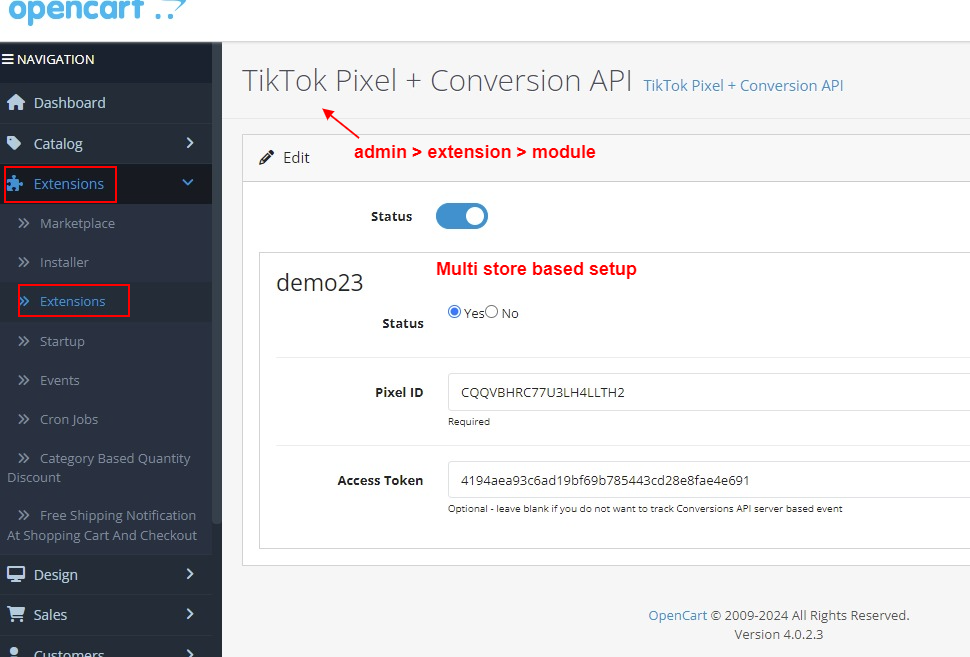
Admin > Extension > Module
Front
Home Page
Title
TikTok Pixel + Conversion API – OpenCart 2.x + 3.x + 4.x
Short Description
Track TikTok web and server events accurately using combined TikTok Pixel and Conversions API.
Monitor page views, product interactions, cart activity, and order conversions to improve ad performance, audience targeting, and campaign optimization.
Free Dedicated Support Included
We provide dedicated technical support to ensure smooth installation and usage of this module.
✔ Fast response time
✔ Installation guidance
✔ Bug fixes assistance
Key Features
Complete TikTok Tracking Integration
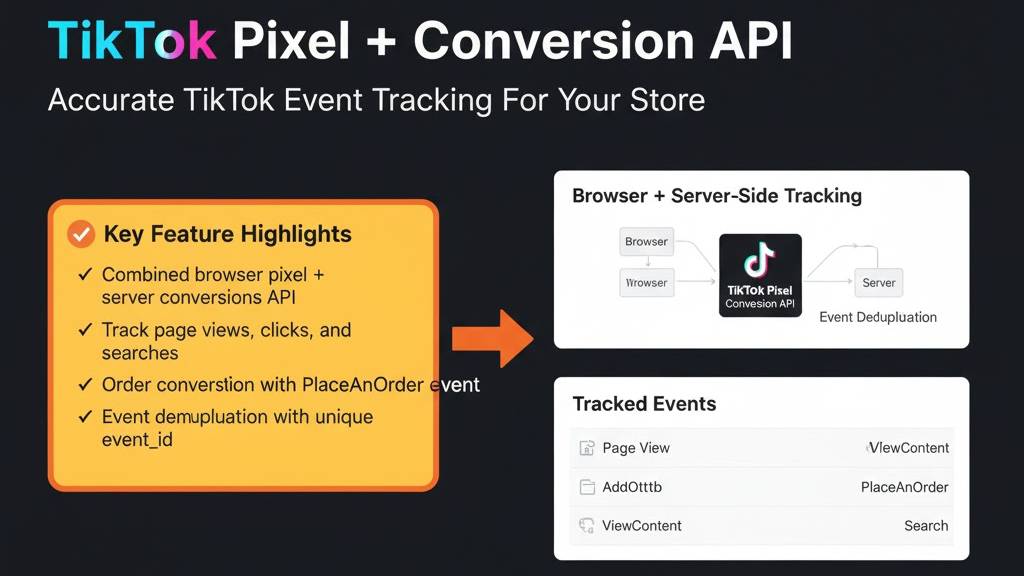
✔ Combined TikTok Pixel (Browser) + Conversions API (Server)
✔ Dual tracking for maximum event accuracy
✔ Advanced event deduplication using event_id
✔ Reliable reporting even when browser tracking is limited
If both browser and server events trigger, TikTok keeps the first valid event and removes the duplicate.
If events arrive within approximately 15 seconds, TikTok prioritizes the browser event.
Events Covered
Standard & E-commerce Events
✔ PageView
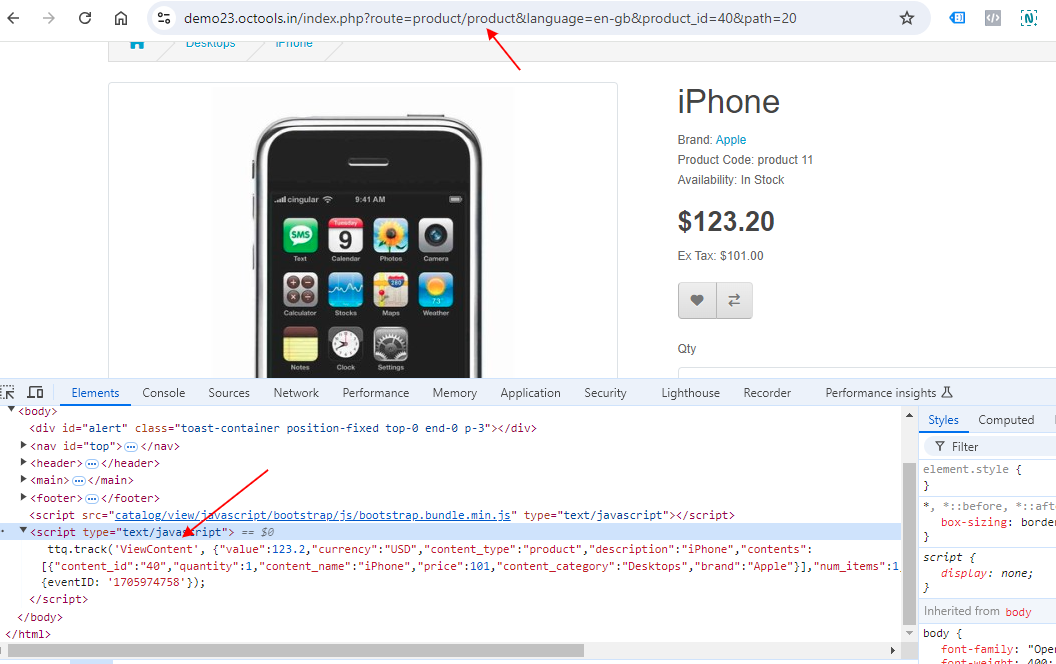
✔ ViewContent
✔ ViewCategory
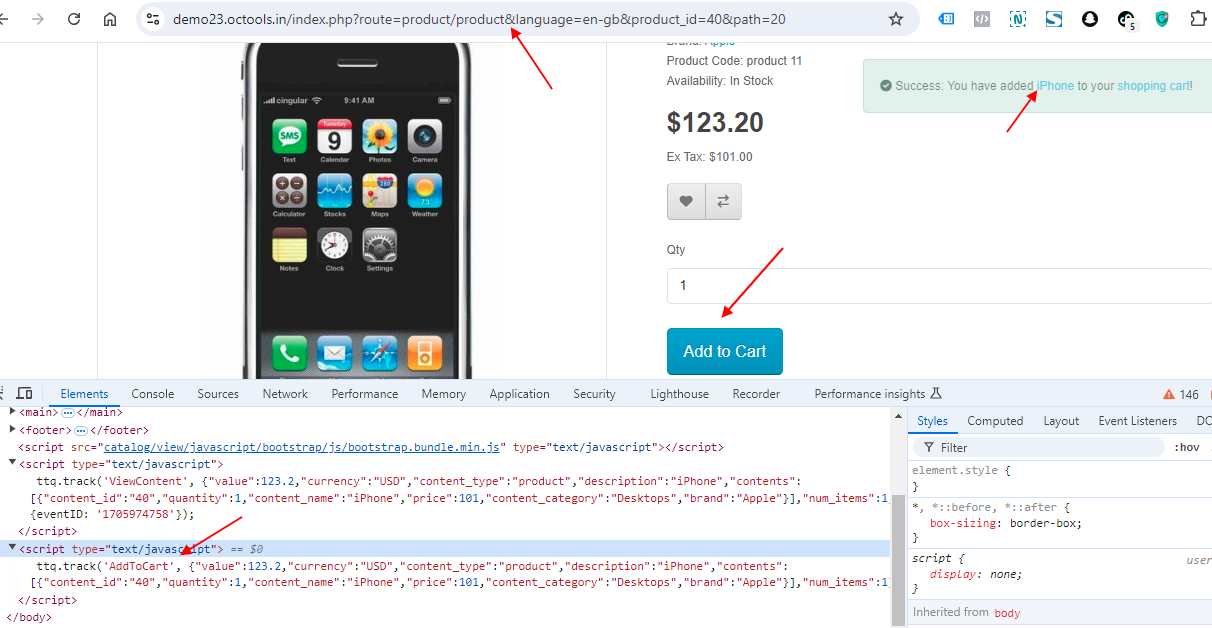
✔ AddToCart
✔ AddToWishlist
✔ InitiateCheckout
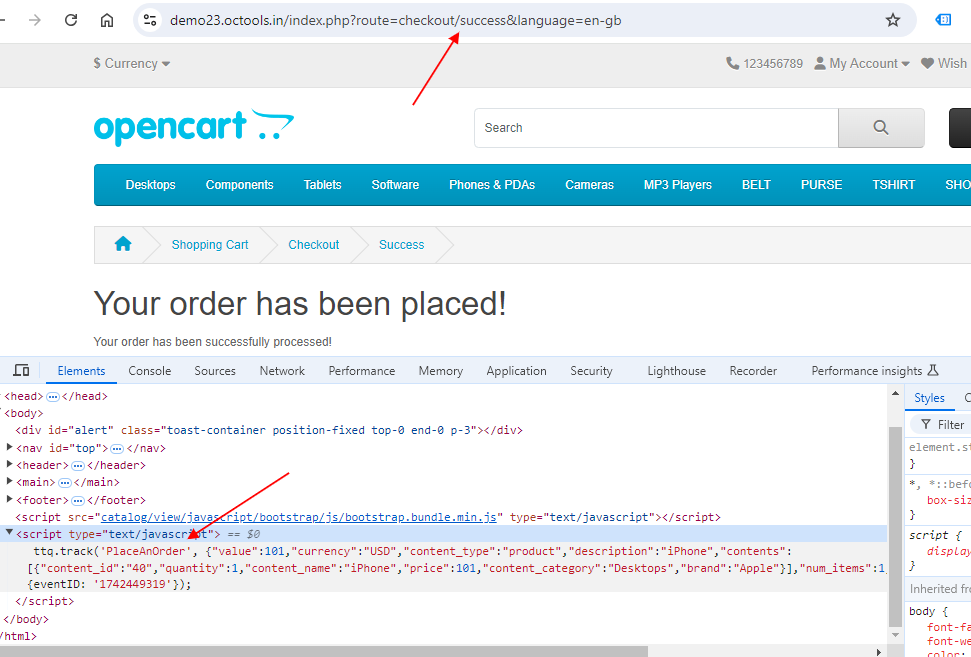
✔ PlaceAnOrder
✔ Search
✔ CompleteRegistration
✔ Contact
Custom & Engagement Events
✔ Login
✔ ViewCart
PlaceAnOrder event is automatically sent when the customer lands on the Success / Thank You page.
Conversion API user_data Parameters
Securely sends customer data to improve match rate and ad optimization:
✔ phone
✔ fn (First Name)
✔ ln (Last Name)
✔ ct (City)
✔ st (State / Zone)
✔ zp (Zipcode)
✔ country
✔ user_agent
✔ ip
✔ ttclid (TikTok Click ID)
✔ _ttp (TikTok Cookie ID)
Improves conversion accuracy and audience insights.
Order & Performance Tracking
✔ Real-time order tracking using PlaceAnOrder event
✔ Product detail and product performance tracking
✔ Product search tracking
✔ Cart and checkout behavior tracking
✔ Accurate conversion attribution
Technical Highlights
✔ 100% OCMOD Based
✔ No Core File Changes
✔ Lightweight & Performance Friendly
✔ Built using OpenCart Coding Standards
✔ Multi-language & Multi-store Supported
✔ Compatible with OpenCart 2.x, 3.x & 4.x
✔ Supports PHP 5.6 – 8.3
✔ Tested with Default Theme & Journal 3
Installation Steps
✔ Upload the extension via Admin → Extensions → Installer
✔ Go to Admin → Extensions → Modules
✔ Install and enable the module
✔ Enter TikTok Pixel ID and Conversions API credentials
✔ Configure events and save settings
How It Works
✔ TikTok Pixel tracks browser-based events
✔ Conversions API sends secure server-side events
✔ event_id prevents duplicate reporting
✔ Customer actions are automatically tracked
✔ Order confirmation triggers PlaceAnOrder event
Fully automatic tracking without modifying core files.
Why Choose This Module
✔ Gain precise insights into TikTok ad performance
✔ Accurate browser + server-side tracking
✔ Avoid duplicate event reporting
✔ Improve campaign optimization and targeting
✔ Track complete e-commerce journey
✔ Fully compatible with multi-store and multi-language setups
Money-Back Guarantee
We stand behind the quality of our module.
If the extension does not work as described or is incompatible with your supported OpenCart version, we offer a 7-Day Money-Back Guarantee.
✔ Full refund if confirmed technical issue
✔ Dedicated support before refund decision
✔ Transparent and fair resolution process
Your satisfaction and store performance are our priority.
Requirements
✔ OpenCart 2.X + 3.X + 4.X
✔ Supports PHP 5.6 – 8.3
✔ No core file changes
✔ Built using OpenCart coding standards
Ideal For
✔ Businesses running TikTok Ads
✔ E-commerce stores targeting Gen-Z & mobile users
✔ Brands focused on performance marketing
✔ Agencies managing TikTok campaigns
✔ Stores wanting server-side conversion tracking
Images & Screenshots View all screenshots
✔ Admin - module setting
✔ Track product page views, clicks, and search events
✔ Add to cart, wishlist events captured
✔ Order “PlaceAnOrder” event tracked accurately
What customers say about TikTok Pixel + Conversion API

I had a question, they solved it very quickly, and the extension works very well. Thank you
~rightlinez
~rightlinez
Price
$40.00
- Developed by OpenCart Community
- 12 Months Free Support
- Documentation Included
Rating
Compatibility
2.0.0.0, 2.0.1.0, 2.0.1.1, 2.0.2.0, 2.0.3.1, 2.1.0.1, 2.1.0.2, 2.2.0.0, 2.3.0.0, 2.3.0.1, 2.3.0.2, 3.0.0.0, 3.0.1.0, 3.0.1.1, 3.0.1.2, 3.0.1.3, 3.0.2.0, 4.x.x.x, 3.0.3.0, 3.0.3.1, 3.0.3.2, 3.0.3.3, 3.0.3.5, 3.0.3.6, 3.0.3.7, 3.0.3.8, 4.0.0.0, 4.0.1.0, 4.0.1.1, 3.x.x.x, 4.0.2.0, 4.0.2.1, 4.0.2.2, 4.0.2.3, 3.0.3.9, 3.0.4.0, 4.1.0.0, 4.1.0.1, 4.1.0.2, 4.1.0.3, 3.0.4.1, 3.0.5.0
Last Update
26 May 2026
Created
12 Aug 2024
36 Sales
1 Comments

Login and write down your comment.
Login my OpenCart Account