Auto Switch Language and Currency
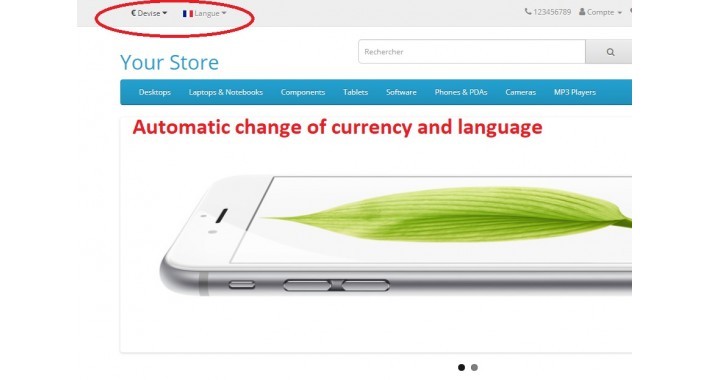
Auto Switch Language & Currency for OpenCart v3.x and Journal 3
Version: 1.0.0
Compatibility: OpenCart 3.x, Journal 3 Theme
Developer: BoostCart
Description:
The Auto Switch Language & Currency extension for OpenCart v3.x and Journal 3 automatically switches the currency based on the selected language. This extension simplifies the shopping experience for users by matching their preferred language with the appropriate currency. For example, when a user selects English, the currency automatically switches to EUR, and when Romanian is selected, it switches to RON.
This feature is especially useful for multilingual stores targeting different regions with specific currencies, ensuring that the users always see prices in the currency relevant to the language they are browsing in.
Key Features:
Automatically switches currency based on the selected language.
Pre-configured for:
English (en-gb) → Euro (EUR)
Romanian (ro-ro) → Romanian Leu (RON)
Easy to install and configure using OpenCart's OCMOD system.
Full compatibility with Journal 3 theme and OpenCart 3.x.
No core file modifications required.
How It Works:
When a customer selects a language from the language dropdown, the extension automatically updates the currency.
The extension checks the language code (en-gb, ro-ro) and assigns the corresponding currency (EUR, RON).
Installation Instructions:
Upload the extension XML file using the OpenCart Extensions > Installer.
Go to Extensions > Modifications and click Refresh.
Your store will now automatically switch currencies based on the selected language!
Support: For any issues or questions, feel free to contact us at huiuionut92@gmail.com
Version: 1.0.0
Compatibility: OpenCart 3.x, Journal 3 Theme
Developer: BoostCart
Description:
The Auto Switch Language & Currency extension for OpenCart v3.x and Journal 3 automatically switches the currency based on the selected language. This extension simplifies the shopping experience for users by matching their preferred language with the appropriate currency. For example, when a user selects English, the currency automatically switches to EUR, and when Romanian is selected, it switches to RON.
This feature is especially useful for multilingual stores targeting different regions with specific currencies, ensuring that the users always see prices in the currency relevant to the language they are browsing in.
Key Features:
Automatically switches currency based on the selected language.
Pre-configured for:
English (en-gb) → Euro (EUR)
Romanian (ro-ro) → Romanian Leu (RON)
Easy to install and configure using OpenCart's OCMOD system.
Full compatibility with Journal 3 theme and OpenCart 3.x.
No core file modifications required.
How It Works:
When a customer selects a language from the language dropdown, the extension automatically updates the currency.
The extension checks the language code (en-gb, ro-ro) and assigns the corresponding currency (EUR, RON).
Installation Instructions:
Upload the extension XML file using the OpenCart Extensions > Installer.
Go to Extensions > Modifications and click Refresh.
Your store will now automatically switch currencies based on the selected language!
Support: For any issues or questions, feel free to contact us at huiuionut92@gmail.com
Price
$20.00
- Developed by OpenCart Partner
- 3 Months Free Support
- Documentation Included
Rating
Compatibility
3.0.0.0, 3.0.1.0, 3.0.1.1, 3.0.1.2, 3.0.1.3, 3.0.2.0, 3.0.3.0, 3.0.3.1, 3.0.3.2, 3.0.3.3, 3.0.3.5, 3.0.3.6, 3.0.3.7, 3.0.3.8, 3.x.x.x, 3.0.3.9, 3.0.4.0
Last Update
23 Sep 2024
Created
23 Sep 2024
1 Sales
0 Comments

Login and write down your comment.
Login my OpenCart Account