Google Analytics (GA4)

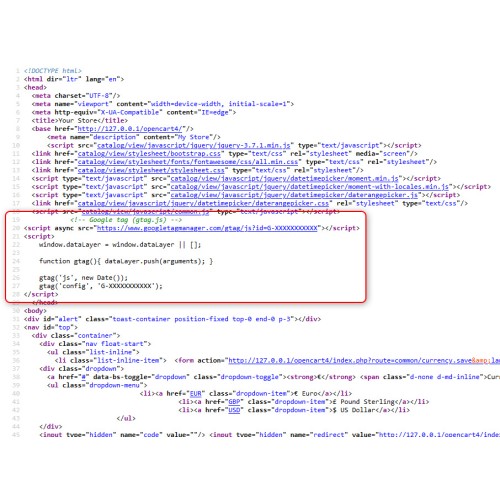
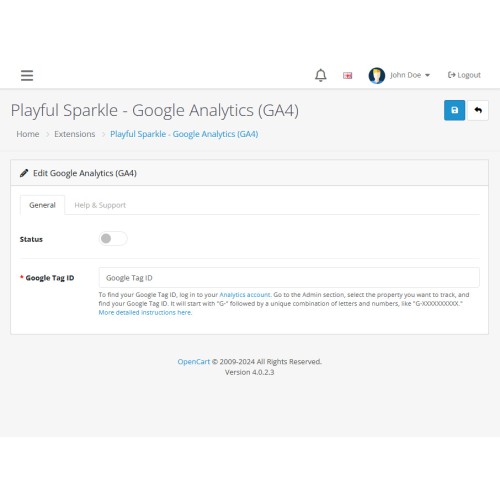
Playful Sparkle - Google Analytics extension for OpenCart 3.x+, 4.x+ is an easy-to-use solution for integrating Google Analytics (GA4) into your OpenCart store, even if you have no coding experience. This extension allows you to simply enter your Google Tag ID through the user-friendly interface, and it automatically inserts the tracking code on your website, making data collection effortless.
About Google Analytics and Google Analytics (GA4)
Google Analytics (GA4) is the latest version of Google’s powerful analytics tool, designed to track and analyze customer interactions across your website. By implementing GA4, you can gain insights into user behavior, traffic sources, and conversion metrics to optimize your online store and enhance your marketing strategies.
Features
⚠ Note: This extension does not support Enhanced Ecommerce tracking. It only integrates basic Google Analytics tracking for your OpenCart store. If you’re looking to track Google eCommerce events or Google Ads conversions, we recommend exploring our Google Analytics (GA4) / Ads Conversion Enhanced Measurement extension.
For more information, visit the extension's GitHub page at https://github.com/playfulsparkle/oc3_google_analytics or https://github.com/playfulsparkle/oc4_google_analytics.




Installation Instructions
Installation Instructions for OpenCart 3.x+
MD5 Checksum: 53ee7116c10677c7a1c6cdfa97f9433a
SHA256 Checksum: 33699b7b6b45af9b86c9db44d0f379a3e158b55dc407a41bb87a59ef501d0224
Installation Instructions for OpenCart 4.x+
MD5 Checksum: 19c05c32f5b2b18098278077be455719
SHA256 Checksum: 462c3669715681ec826bb1710dc9f3c4f2b2c92e3e55f052c7b9cc057542f4c3
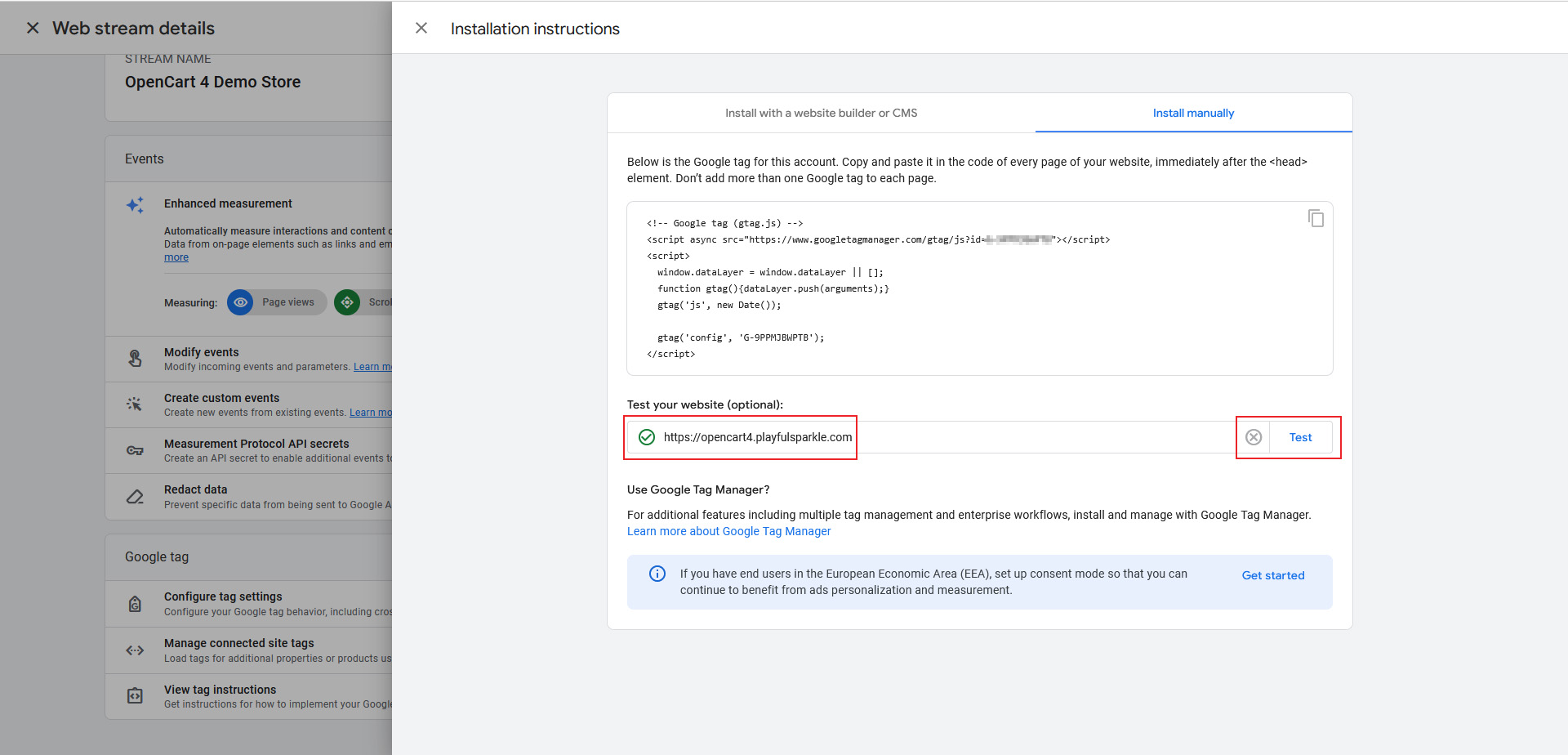
After installing the extension and set-up, visit your Google Analytics Data Stream > View Tag Instructions section click on the Install Manually tab to verify the set-up.
Support & Inquiries
For assistance or inquiries regarding this extension, please visit our support website or contact us via email at support@playfulsparkle.com.
About Google Analytics and Google Analytics (GA4)
Google Analytics (GA4) is the latest version of Google’s powerful analytics tool, designed to track and analyze customer interactions across your website. By implementing GA4, you can gain insights into user behavior, traffic sources, and conversion metrics to optimize your online store and enhance your marketing strategies.
Features
- No-Code Integration: Easily integrate Google Analytics by entering your Google Tag ID, with no coding required.
- Compatibility: Integrates smoothly with OpenCart 3.x+, 4.x+, supporting a range of online store setups.
- Multi-store Support: Supports multi-store setups by default, making it easy to integrate across multiple OpenCart stores.
- Multilingual Support: Ready for international use with languages including العربية (ar), Български (bg), 中文(简体) (zh-cn), 中文(繁體) (zh-tw), Čeština (cs-cz), English (UK) (en-gb), English (US) (en-us), Français (fr-fr), Deutsch (de-de), Ελληνικά (el-gr), Magyar (hu-hu), Italiano (it-it), 日本語 (ja), 한국어 (ko-kr), Polski (pl-pl), Português (Brasil) (pt-br), Русский (ru-ru), Slovenčina (sk-sk), Español (es-es), and Türkçe (tr-tr).
⚠ Note: This extension does not support Enhanced Ecommerce tracking. It only integrates basic Google Analytics tracking for your OpenCart store. If you’re looking to track Google eCommerce events or Google Ads conversions, we recommend exploring our Google Analytics (GA4) / Ads Conversion Enhanced Measurement extension.
For more information, visit the extension's GitHub page at https://github.com/playfulsparkle/oc3_google_analytics or https://github.com/playfulsparkle/oc4_google_analytics.
Installation Instructions
Installation Instructions for OpenCart 3.x+
- 1) Download the latest version from the OpenCart Marketplace.
2) Log in to your OpenCart admin panel.
3) Navigate to Extensions > Installer.
4) Click the Upload button and upload the ps_google_analytics.ocmod.zip file.
5) Navigate to Extensions > Extensions and select Analytics from the Choose the extension type dropdown list.
6) Locate the extension in the Analytics list and click the Install button.
7) Click the Edit button, configure the extension parameters, and click the Save button to save your settings.
MD5 Checksum: 53ee7116c10677c7a1c6cdfa97f9433a
SHA256 Checksum: 33699b7b6b45af9b86c9db44d0f379a3e158b55dc407a41bb87a59ef501d0224
Installation Instructions for OpenCart 4.x+
- 1) Download the latest version from the OpenCart Marketplace.
2) Log in to your OpenCart admin panel.
3) Navigate to Extensions > Installer.
4) Click the Upload button and upload the ps_google_analytics.ocmod.zip file.
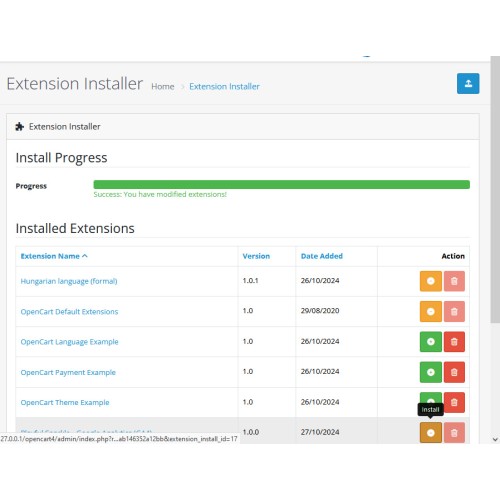
5) Locate the extension in the Installed Extensions list and click the Install button.
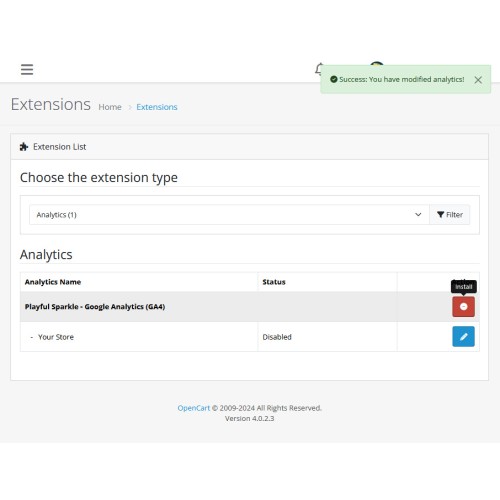
6) Navigate to Extensions > Extensions and select Analytics from the Choose the extension type dropdown list.
7) Locate the extension in the Analytics list and click the Install button.
8) Click the Edit button, configure the extension parameters, and click the Save button to save your settings.
MD5 Checksum: 19c05c32f5b2b18098278077be455719
SHA256 Checksum: 462c3669715681ec826bb1710dc9f3c4f2b2c92e3e55f052c7b9cc057542f4c3
After installing the extension and set-up, visit your Google Analytics Data Stream > View Tag Instructions section click on the Install Manually tab to verify the set-up.
Support & Inquiries
For assistance or inquiries regarding this extension, please visit our support website or contact us via email at support@playfulsparkle.com.
Download
- Developed by OpenCart Community
- 3 Months Free Support
- Documentation Included
Rating
Compatibility
3.0.0.0, 3.0.1.0, 3.0.1.1, 3.0.1.2, 3.0.1.3, 3.0.2.0, 3.0.3.0, 3.0.3.1, 3.0.3.2, 3.0.3.3, 3.0.3.5, 3.0.3.6, 3.0.3.7, 3.0.3.8, 3.x.x.x, 3.0.3.9, 3.0.4.0, 3.0.4.1, 3.0.5.0, 4.x.x.x, 4.0.0.0, 4.0.1.0, 4.0.1.1, 4.0.2.0, 4.0.2.1, 4.0.2.2, 4.0.2.3, 4.1.0.0, 4.1.0.1, 4.1.0.2, 4.1.0.3
Last Update
1 Apr 2026
Created
27 Oct 2024
374 Downloads
1 Comments

Login and write down your comment.
Login my OpenCart Account