Product to Category Filter
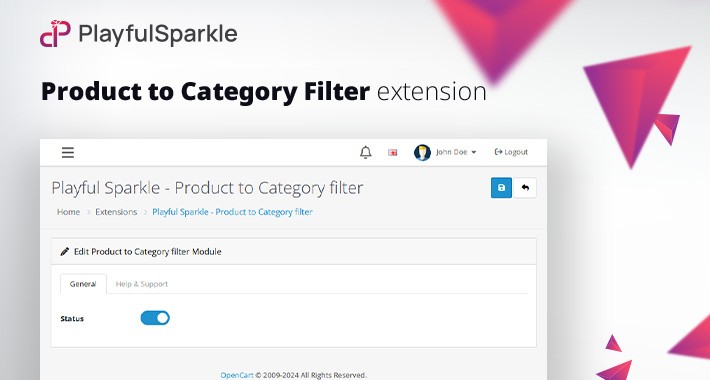
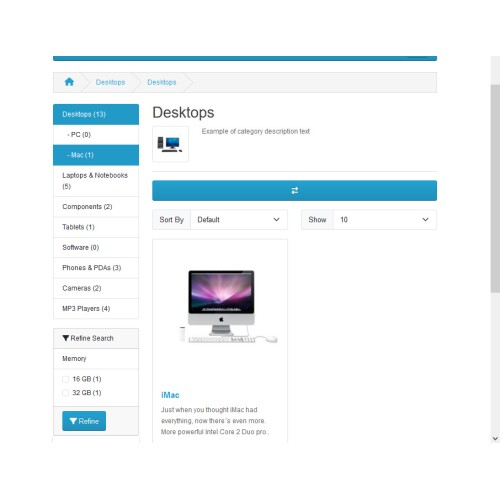
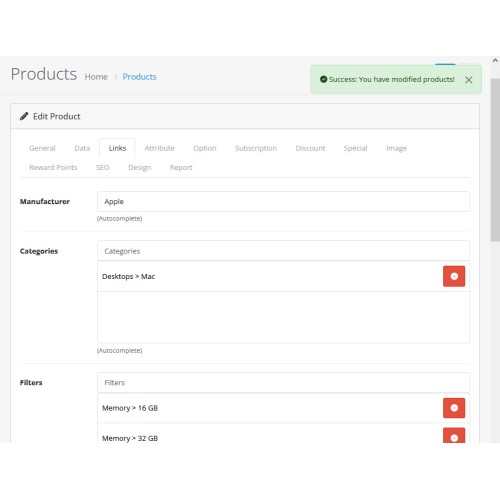
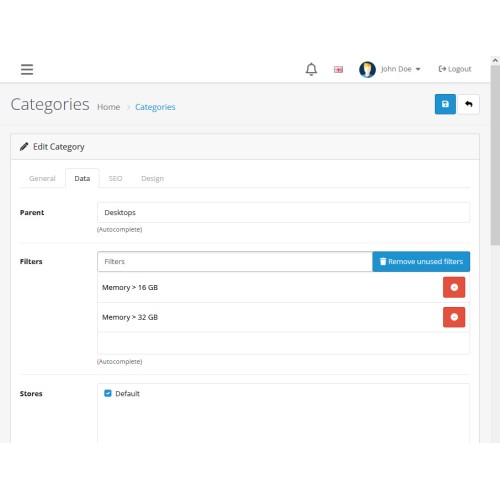
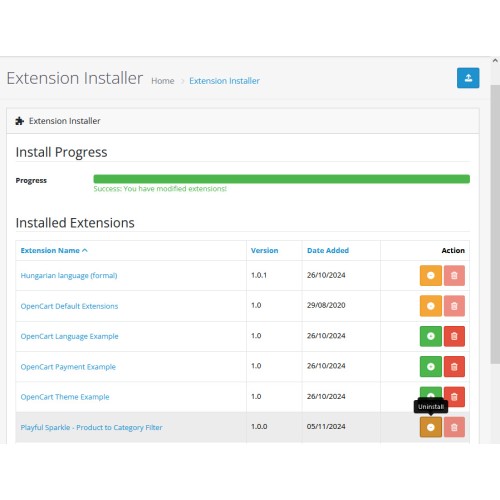
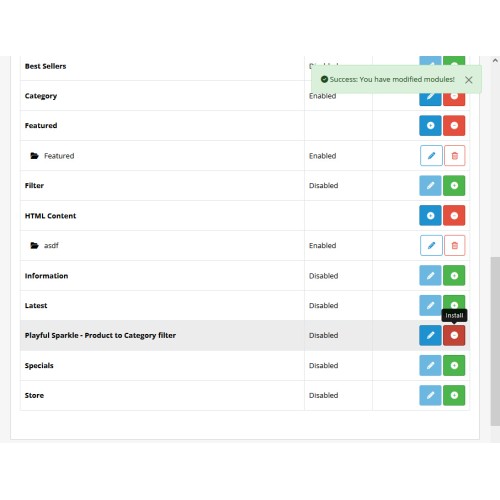
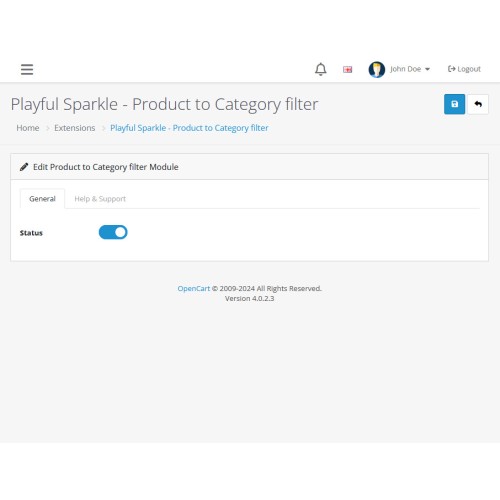
Playful Sparkle - Product to Category Filter extension for OpenCart 3.x+, 4.x+ streamlines the process of managing product filters. When you save a product, the extension automatically adds any relevant filters from that product to the associated categories, eliminating the need to manually update each category with new filters. This not only saves time but also reduces repetitive tasks, ensuring that your store’s categories stay up-to-date effortlessly. Additionally, the extension allows for the easy removal of unused filters from product categories, and improving page load times by eliminating unnecessary filters.
Features
For more information, visit the extension's GitHub page at https://github.com/playfulsparkle/oc3_product_category_filter or https://github.com/playfulsparkle/oc4_product_category_filter.




Installation Instructions
Installation Instructions for OpenCart 3.x+
MD5 Checksum: b2980609fea6fc141e2ff8ff69ca3413
SHA256 Checksum: a99fe63677e15ac1effc6202c8c30a7360716b4c450dfdbad3ef4d43fd098f0a
Installation Instructions for OpenCart 4.x+
MD5 Checksum: 00aff5e73473069487c8301ef1a565cd
SHA256 Checksum: f58a66dbe729e2df2715544c6a4a939770bdbaf17103c9479f6d7a3b36b54cd5
Support & Inquiries
For assistance or inquiries regarding this extension, please visit our support website or contact us via email at support@playfulsparkle.com.
Features
- Automatic Filter Assignment: Automatically adds relevant product filters to associated categories when a product is saved, eliminating the need for manual updates.
- Efficient Product Filter Management: Streamlines product filter management, saving time and reducing repetitive tasks.
- Easy Filter Removal: Allows for the easy removal of unused filters from product categories, reducing unnecessary database queries and improving page load speeds.
- Compatibility: Integrates smoothly with OpenCart 3.x+, 4.x+, supporting a range of online store setups.
- Multilingual Support: Ready for international use with languages including العربية (ar), Български (bg), 中文(简体) (zh-cn), 中文(繁體) (zh-tw), Čeština (cs-cz), English (UK) (en-gb), English (US) (en-us), Français (fr-fr), Deutsch (de-de), Ελληνικά (el-gr), Magyar (hu-hu), Italiano (it-it), 日本語 (ja), 한국어 (ko-kr), Polski (pl-pl), Português (Brasil) (pt-br), Русский (ru-ru), Slovenčina (sk-sk), Español (es-es), and Türkçe (tr-tr).
For more information, visit the extension's GitHub page at https://github.com/playfulsparkle/oc3_product_category_filter or https://github.com/playfulsparkle/oc4_product_category_filter.
Installation Instructions
Installation Instructions for OpenCart 3.x+
- 1) Download the latest version from the OpenCart Marketplace.
2) Log in to your OpenCart admin panel.
3) Navigate to Extensions > Installer.
4) Click the Upload button and upload the ps_product_category_filter.ocmod.zip file.
5) Navigate to Extensions > Extensions and select Modules from the Choose the extension type dropdown list.
6) Locate the extension in the Modules list and click the Install button.
7) Click the Edit button, configure the extension parameters, and click the Save button to save your settings.
8) Navigate to Extensions > Modifications, select all your modifications and click the Refresh button to update the modification cache and apply the changes.
MD5 Checksum: b2980609fea6fc141e2ff8ff69ca3413
SHA256 Checksum: a99fe63677e15ac1effc6202c8c30a7360716b4c450dfdbad3ef4d43fd098f0a
Installation Instructions for OpenCart 4.x+
- 1) Download the latest version from the OpenCart Marketplace.
2) Log in to your OpenCart admin panel.
3) Navigate to Extensions > Installer.
4) Click the Upload button and upload the ps_product_category_filter.ocmod.zip file.
5) Locate the extension in the Installed Extensions list and click the Install button.
6) Navigate to Extensions > Extensions and select Modules from the Choose the extension type dropdown list.
7) Locate the extension in the Modules list and click the Install button.
8) Click the Edit button, configure the extension parameters, and click the Save button to save your settings.
MD5 Checksum: 00aff5e73473069487c8301ef1a565cd
SHA256 Checksum: f58a66dbe729e2df2715544c6a4a939770bdbaf17103c9479f6d7a3b36b54cd5
Support & Inquiries
For assistance or inquiries regarding this extension, please visit our support website or contact us via email at support@playfulsparkle.com.
Download
- Developed by OpenCart Community
- 3 Months Free Support
- Documentation Included
Rating
Compatibility
4.x.x.x, 4.0.0.0, 4.0.1.0, 4.0.1.1, 4.0.2.0, 4.0.2.1, 4.0.2.2, 4.0.2.3, 4.1.0.0, 4.1.0.1, 4.1.0.2, 4.1.0.3, 3.0.0.0, 3.0.1.0, 3.0.1.1, 3.0.1.2, 3.0.1.3, 3.0.2.0, 3.0.3.0, 3.0.3.1, 3.0.3.2, 3.0.3.3, 3.0.3.5, 3.0.3.6, 3.0.3.7, 3.0.3.8, 3.x.x.x, 3.0.3.9, 3.0.4.0, 3.0.4.1, 3.0.5.0
Last Update
1 Apr 2026
Created
5 Nov 2024
227 Downloads
1 Comments

Login and write down your comment.
Login my OpenCart Account