Live Search

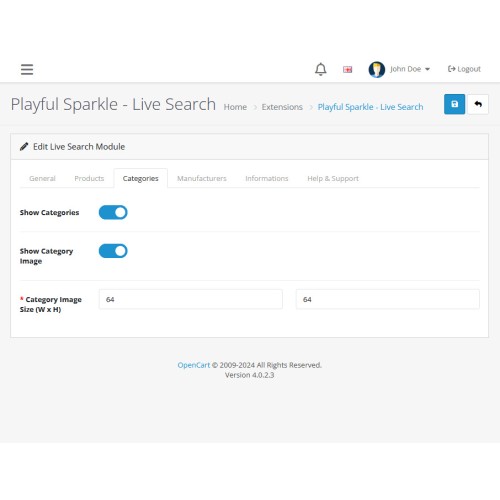
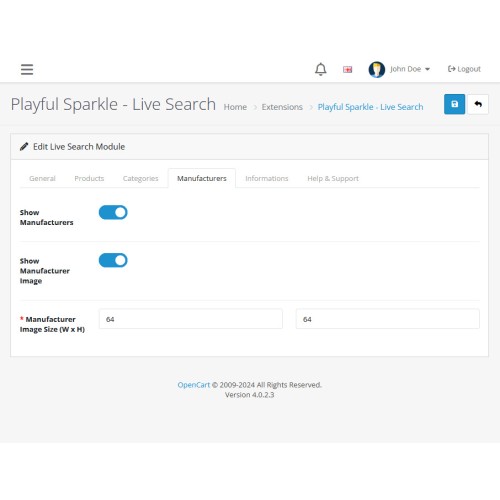
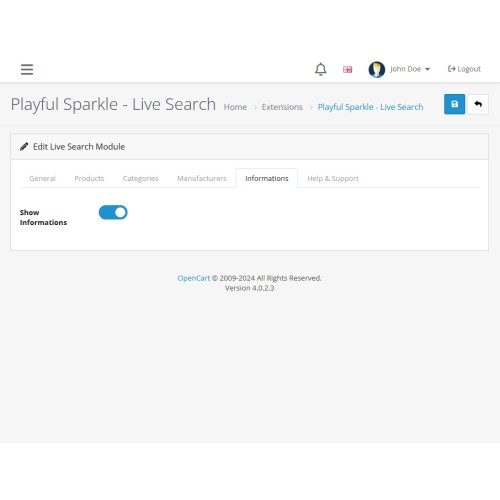
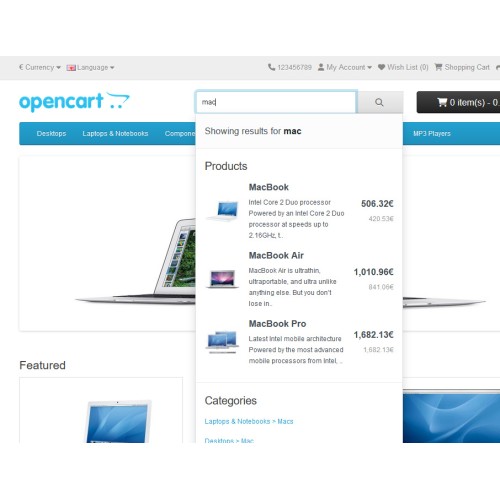
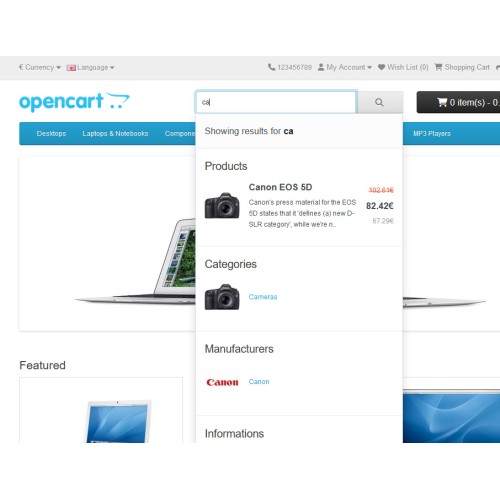
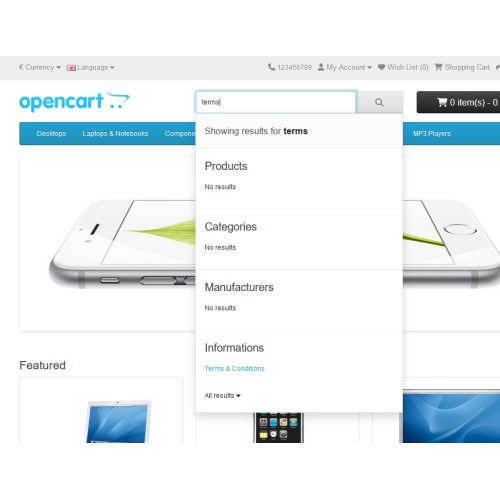
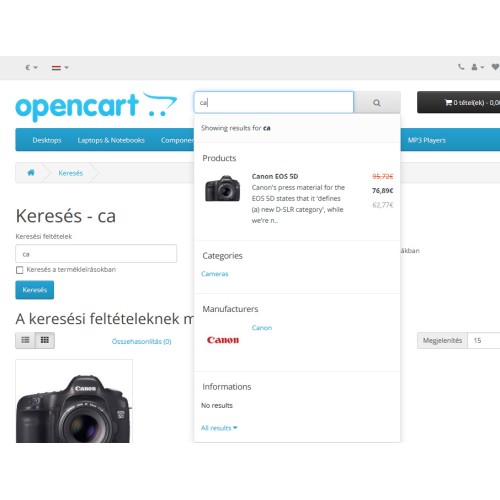
The Playful Sparkle - Live Search extension for OpenCart 3.x+, 4.x+ revolutionizes the search functionality by offering real-time, autocomplete suggestions as users type, making it easier to find relevant products, categories, manufacturers, and information pages. With the flexibility to customize the search results, store owners can enable or disable different types of suggestions, control the length of product descriptions, and adjust the visibility and size of product, category, and manufacturer images. The extension also supports multi-language and multi-store setups, ensuring a seamless experience across various regions and storefronts. Whether you’re running a single store or multiple, this extension adapts to your needs, offering an efficient and user-friendly search solution for your eCommerce platform.

Features
Live Search Scope
This extension allows you to instantly search through the following data from your store:
For more information, visit the extension's GitHub page at https://github.com/playfulsparkle/oc3_live_search or https://github.com/playfulsparkle/oc4_live_search.




Installation Instructions
Installation Instructions for OpenCart 3.x+
MD5 Checksum: 4ccde762dcc629b28cd8c3bcbf5348cd
SHA256 Checksum: 77509391d722238a78b9ee86f96051a6e8bf8e4f8211993e8adec5bedf82bab9
Installation Instructions for OpenCart 4.x+
MD5 Checksum: eeac7d595265df41ca87f1ca220ec6ea
SHA256 Checksum: a045526d0eec4198f128cd783f89392ebc2043a861b408e654bf11870d923aad
Support & Inquiries
For assistance or inquiries regarding this extension, please visit our support website or contact us via email at support@playfulsparkle.com.
Features
- Real-time Autocomplete Suggestions: Displays instant, real-time search suggestions as customers type, making it faster and easier for users to find products, categories, manufacturers, and information pages.
- Customizable Search Results: Administrators can enable or disable specific suggestion categories like products, categories, manufacturers, and information pages, offering full control over the search experience.
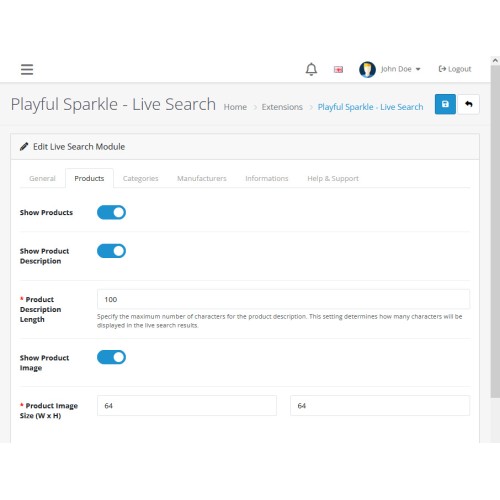
- Adjustable Product Descriptions: Customize the length and display of product descriptions in the search results, allowing for a clean and informative layout tailored to your preferences.
- Image Display Customization: Choose whether to display product, category, and manufacturer images in the search results and control their visibility and size, offering a visually appealing user experience.
- Enhanced User Experience: With an intuitive search interface and customizable display options, customers can find exactly what they’re looking for quickly and easily, leading to a better shopping experience.
- Compatibility: Integrates smoothly with OpenCart 3.x+, 4.x+, supporting a range of online store setups.
- Multi-store Support: Supports multi-store setups by default, making it easy to integrate across multiple OpenCart stores.
- Multilingual Support: Ready for international use with languages including العربية (ar), Български (bg), 中文(简体) (zh-cn), 中文(繁體) (zh-tw), Čeština (cs-cz), English (UK) (en-gb), English (US) (en-us), Français (fr-fr), Deutsch (de-de), Ελληνικά (el-gr), Magyar (hu-hu), Italiano (it-it), 日本語 (ja), 한국어 (ko-kr), Polski (pl-pl), Português (Brasil) (pt-br), Русский (ru-ru), Slovenčina (sk-sk), Español (es-es), and Türkçe (tr-tr).
Live Search Scope
This extension allows you to instantly search through the following data from your store:
- Product Name
- Product Tags
- Model
- SKU (Stock Keeping Unit)
- UPC (Universal Product Code)
- EAN (European Article Number)
- JAN (Japanese Article Number)
- ISBN (International Standard Book Number)
- MPN (Manufacturer Part Number)
- Category Name
- Manufacturer Name
- Information Title
For more information, visit the extension's GitHub page at https://github.com/playfulsparkle/oc3_live_search or https://github.com/playfulsparkle/oc4_live_search.
Installation Instructions
Installation Instructions for OpenCart 3.x+
- 1) Download the latest version from the OpenCart Marketplace.
2) Log in to your OpenCart admin panel.
3) Navigate to Extensions > Installer.
4) Click the Upload button and upload the ps_live_search.ocmod.zip file.
5) Navigate to Extensions > Extensions and select Modules from the Choose the extension type dropdown list.
6) Locate the extension in the Modules list and click the Install button.
7) Click the Edit button, configure the extension parameters, and click the Save button to save your settings.
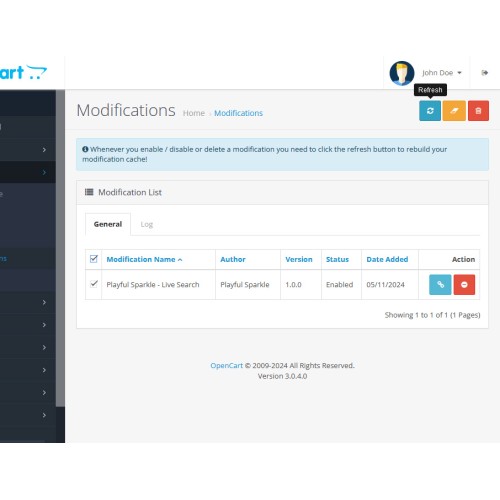
8) Navigate to Extensions > Modifications, select all your modifications and click the Refresh button to update the modification cache and apply the changes.
MD5 Checksum: 4ccde762dcc629b28cd8c3bcbf5348cd
SHA256 Checksum: 77509391d722238a78b9ee86f96051a6e8bf8e4f8211993e8adec5bedf82bab9
Installation Instructions for OpenCart 4.x+
- 1) Download the latest version from the OpenCart Marketplace.
2) Log in to your OpenCart admin panel.
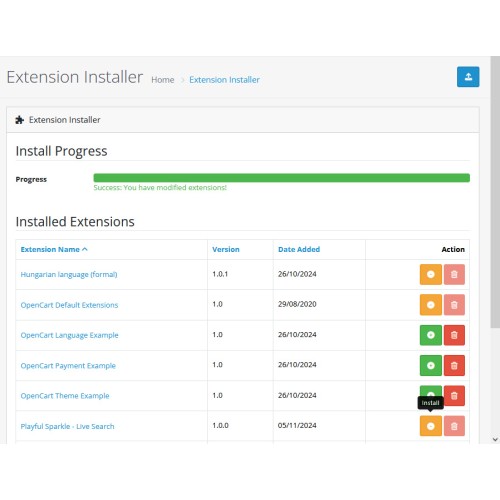
3) Navigate to Extensions > Installer.
4) Click the Upload button and upload the ps_live_search.ocmod.zip file.
5) Locate the extension in the Installed Extensions list and click the Install button.
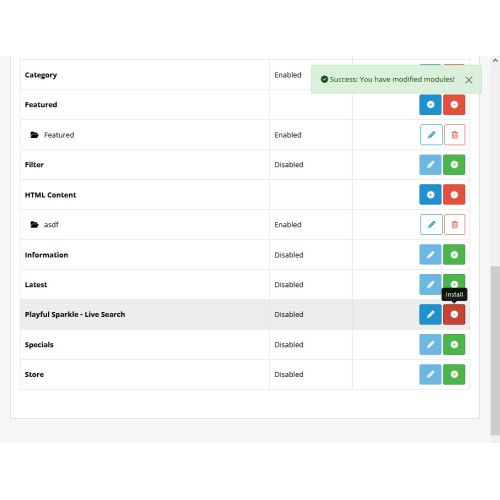
6) Navigate to Extensions > Extensions and select Modules from the Choose the extension type dropdown list.
7) Locate the extension in the Modules list and click the Install button.
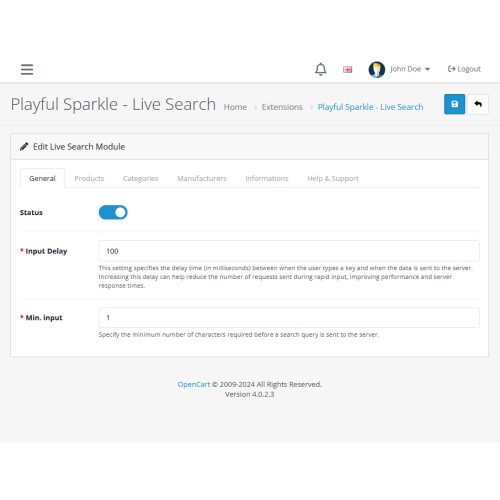
8) Click the Edit button, configure the extension parameters, and click the Save button to save your settings.
MD5 Checksum: eeac7d595265df41ca87f1ca220ec6ea
SHA256 Checksum: a045526d0eec4198f128cd783f89392ebc2043a861b408e654bf11870d923aad
Support & Inquiries
For assistance or inquiries regarding this extension, please visit our support website or contact us via email at support@playfulsparkle.com.
Download
- Developed by OpenCart Community
- 3 Months Free Support
- Documentation Included
Rating
Compatibility
4.x.x.x, 4.0.0.0, 4.0.1.0, 4.0.1.1, 4.0.2.0, 4.0.2.1, 4.0.2.2, 4.0.2.3, 4.1.0.0, 4.1.0.1, 4.1.0.2, 4.1.0.3, 3.0.0.0, 3.0.1.0, 3.0.1.1, 3.0.1.2, 3.0.1.3, 3.0.2.0, 3.0.3.0, 3.0.3.1, 3.0.3.2, 3.0.3.3, 3.0.3.5, 3.0.3.6, 3.0.3.7, 3.0.3.8, 3.x.x.x, 3.0.3.9, 3.0.4.0, 3.0.4.1, 3.0.5.0
Last Update
8 May 2026
Created
5 Nov 2024
91 Downloads
2 Comments

Login and write down your comment.
Login my OpenCart Account