Google Analytics (GA4)/Ads Conversion Enhanced Measurement
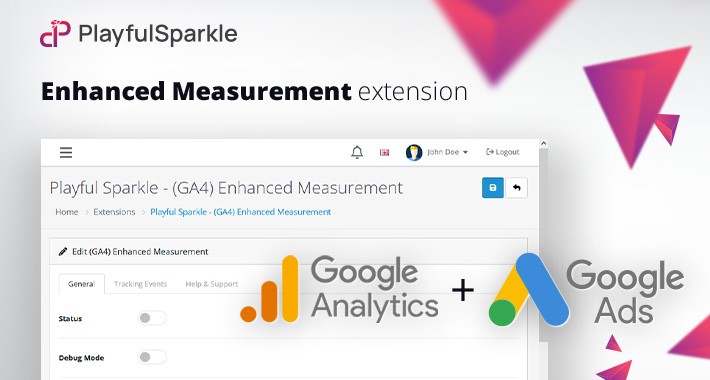
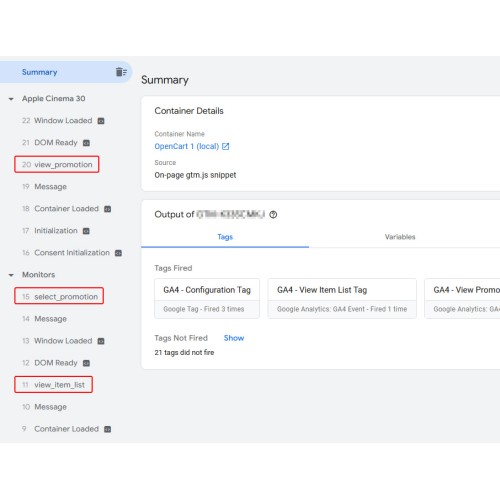
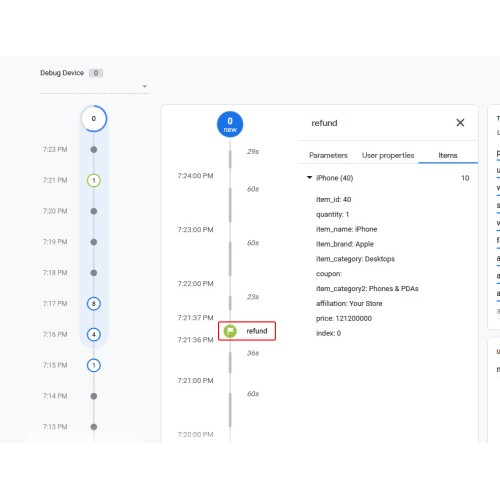
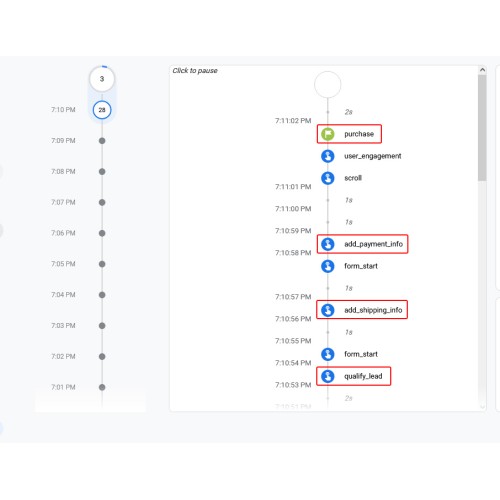
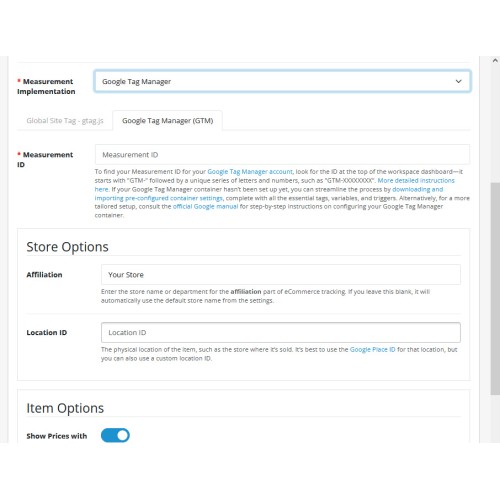
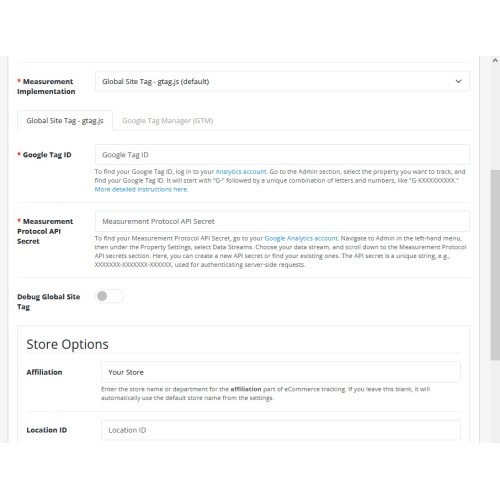
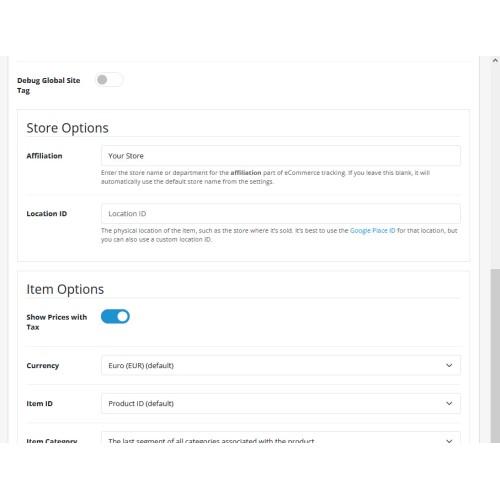
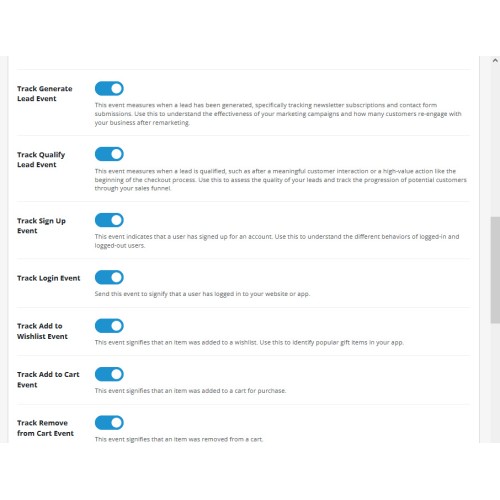
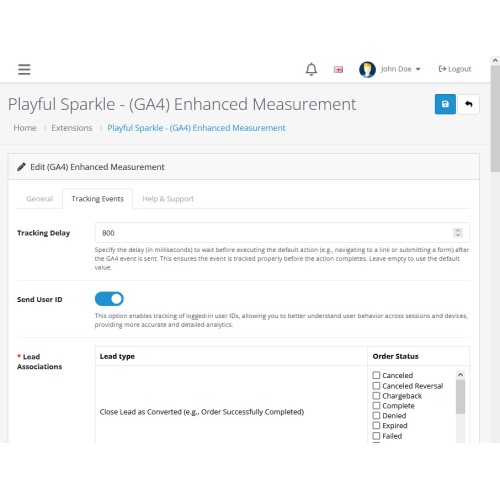
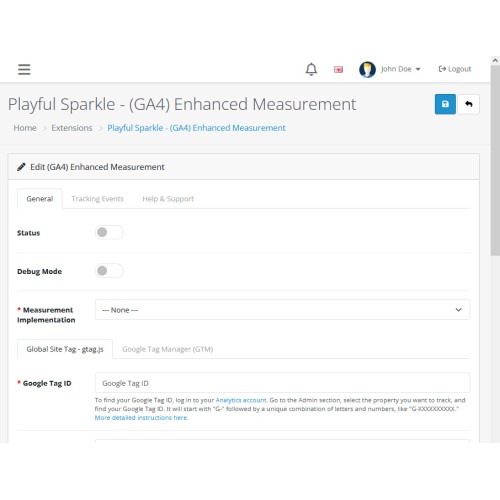
The Playful Sparkle - Enhanced Measurement extension for OpenCart 4.x+ makes it easy to integrate Google Analytics GA4 and Google Ads Conversion Tracking into your eCommerce store. It enables detailed tracking of user behavior, cart activities, and purchase events, providing valuable insights into how customers interact with your store. Whether you're an experienced marketer or a beginner, this extension simplifies tracking, helping you optimize your marketing strategies and improve performance. It also supports Google Consent Mode (GCM) with predefined profiles, ensuring your store remains compliant with privacy regulations when using Google Tag Manager.
This extension makes tracking your store’s performance easier than ever, ensuring you have all the tools needed to grow your business while staying compliant with privacy regulations. Whether you’re new to analytics or a seasoned marketer, this tool simplifies complex tracking tasks and helps you focus on what matters most—your customers.
(GA4) Enhanced Ecommerce Tracked by This Extension
Simplified Examples
Ads Conversion Tracking Events Supported by This Extension
Features
For more information, visit the extension's GitHub page at https://github.com/playfulsparkle/oc4_enhanced_measurement.


Installation Instructions
Installation Instructions for OpenCart 4.x+
MD5 Checksum: 7ea519bffd13e18e9cce03ad4780f89b
SHA256 Checksum: 5061bcc42adfb3c4f8d81602ccb6548205141607f82ed68f2351f5470df3d328
Support & Inquiries
For assistance or inquiries regarding this extension, please visit our support website or contact us via email at support@playfulsparkle.com.
This extension makes tracking your store’s performance easier than ever, ensuring you have all the tools needed to grow your business while staying compliant with privacy regulations. Whether you’re new to analytics or a seasoned marketer, this tool simplifies complex tracking tasks and helps you focus on what matters most—your customers.
(GA4) Enhanced Ecommerce Tracked by This Extension
- Add Payment Info - When a customer enters their payment details during checkout.
- Add Shipping Info - When a customer selects or provides shipping details during checkout.
- Add to Cart - When a product is added to the shopping cart.
- Add to Wishlist - When a product is saved to a wishlist for later.
- Begin Checkout - When a customer starts the checkout process.
- Login - When a customer logs into their account.
- Purchase - When a customer completes an order, including the total spent and items purchased.
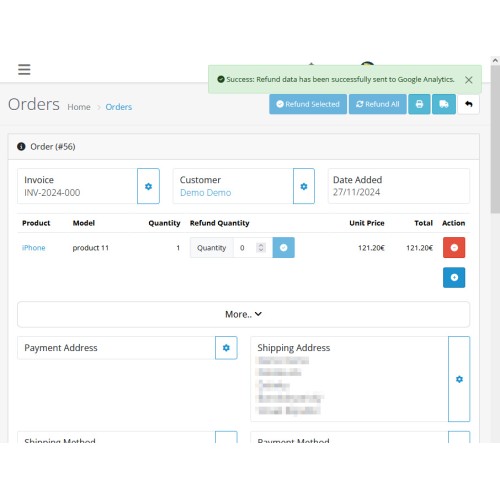
- Refund - When a refund is issued for an order.
- Remove from Cart - When a product is removed from the shopping cart.
- Search - When a customer searches for something on your website.
- Select Item - When a customer chooses a product to view, especially if it has options like sizes or colors.
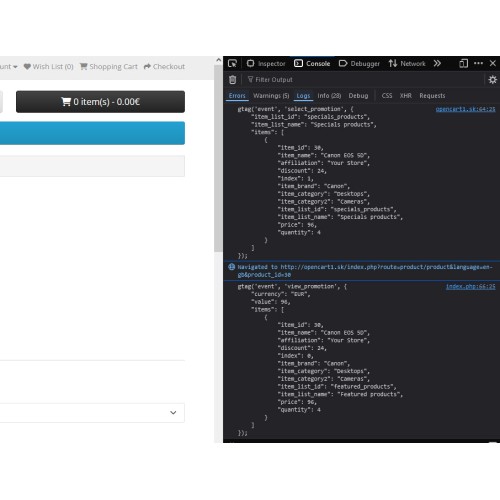
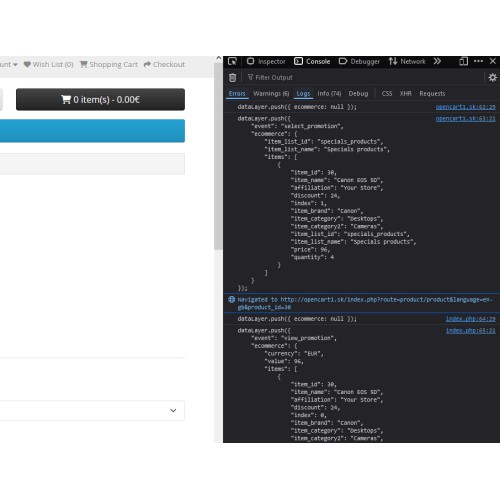
- Select Promotion - When a customer interacts with a special promotion or offer.
- Sign Up - When a customer creates an account or registers for something.
- View Cart - When a customer views the items in their shopping cart.
- View Item - When a customer views a single product page.
- View Item List - When a customer views a list of products, like on a category or search results page.
- View Promotion - When a customer sees promotional content, such as banners or ads.
- Generate Lead - When a customer shows interest, such as by filling out a contact form.
- Close Convert Lead - When a potential lead is marked as converted, e.g., when an order is successfully completed.
- Close Unconvert Lead - When a potential lead is marked as unconverted, e.g., when an order is canceled.
- Disqualify Lead - When a potential lead is disqualified, e.g., due to an abandoned cart.
- Qualify Lead - When a potential lead is qualified, e.g., when a customer shows interest or proceeds to checkout.
- Working Lead - When a lead is being worked on, e.g., when a customer is contacted or engaged.
- File Download - When a user clicks to download a file from the website.
Simplified Examples
- Add to Cart: This event is triggered only when a product is successfully added to the cart. If the product has additional options (like size, color, or subscription plans), the system triggers a select_item or select_promotion event instead.
- Refund: This tracks when you process a refund for an order. It can be partial (e.g., for one item) or full (for the entire order).
- Search: When a customer uses the search bar on your website, this event records what they are looking for, helping you understand popular keywords.
Ads Conversion Tracking Events Supported by This Extension
- Purchase - When a customer completes an order, including the total spent and items purchased.
- Add to Cart - When a product is added to the shopping cart.
- Begin Checkout - When a customer starts the checkout process.
- Submit Lead Form - When a customer shows interest, such as by filling out a contact form.
- Sign-Up - When a customer creates an account or registers for something.
Features
- Advanced Tracking Made Simple: Automatically tracks important user interactions such as: product views, category browsing, and search activity; cart interactions like adding or removing items; checkout steps and completed purchases.
- Two Setup Options to Suit Your Needs: Google Tag Manager (GTM): Perfect for users who need advanced customization or manage multiple tags. Requires only the Measurement ID. Global Site Tag (gtag.js): A straightforward option for quick integration with Google Analytics. Requires Google Tag ID and Measurement Protocol API Secret.
- Adwords Conversion Tracking: Supports tracking conversions using Google Ads. Simply provide your Google Adwords ID and Google Adwords Label for specific events.
- Google Consent Mode Integration: Supports configuring user consent preferences for storage and ad data, with advanced options like Ads Data Redaction and Wait for Update to meet privacy requirements.
- Automatic Event Tracking: Captures eCommerce-specific events such as page views, product impressions, add-to-cart actions, checkout progress, and purchase confirmations—no manual configuration required.
- Easy Setup and Management: No technical skills needed. Simply input your required Google IDs and API secrets, and the extension handles the rest.
- Supports Multi-Store Environments: Track and manage analytics for multiple stores from a single setup.
- Enhanced Insights for Better Decisions: Use Google Analytics GA4's robust features to optimize your store's performance, improve customer experience, and maximize your revenue.
- Multilingual Support: Ready for international use with languages including العربية (ar), Български (bg), 中文(简体) (zh-cn), 中文(繁體) (zh-tw), Čeština (cs-cz), English (UK) (en-gb), English (US) (en-us), Français (fr-fr), Deutsch (de-de), Ελληνικά (el-gr), Magyar (hu-hu), Italiano (it-it), 日本語 (ja), 한국어 (ko-kr), Polski (pl-pl), Português (Brasil) (pt-br), Русский (ru-ru), Slovenčina (sk-sk), Español (es-es), and Türkçe (tr-tr).
For more information, visit the extension's GitHub page at https://github.com/playfulsparkle/oc4_enhanced_measurement.
Installation Instructions
Installation Instructions for OpenCart 4.x+
- 1) Download the latest version from the OpenCart Marketplace.
2) Log in to your OpenCart admin panel.
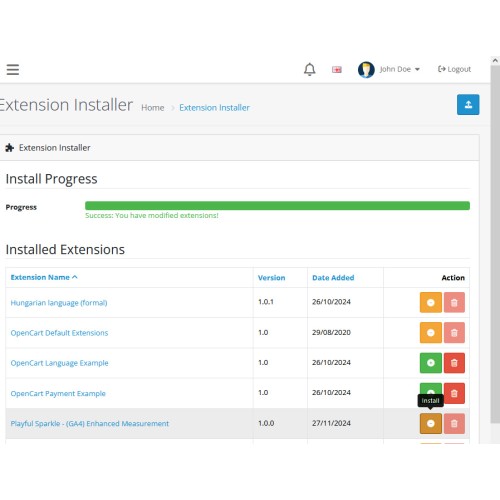
3) Navigate to Extensions > Installer.
4) Click the Upload button and upload the ps_enhanced_measurement.ocmod.zip file.
5) Locate the extension in the Installed Extensions list and click the Install button.
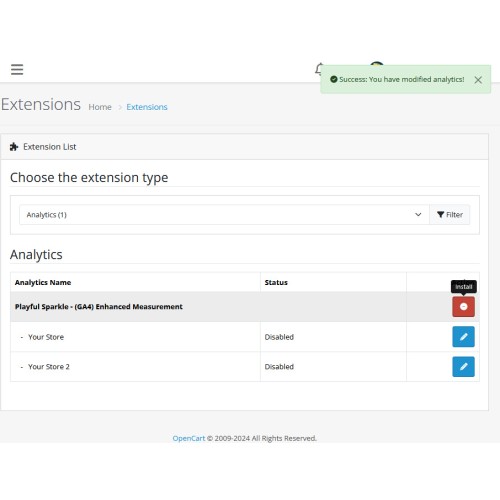
6) Navigate to Extensions > Extensions and select Analytics from the Choose the extension type dropdown list.
7) Locate the extension in the Analytics list and click the Install button.
8) Click the Edit button, configure the extension parameters, and click the Save button to save your settings.
MD5 Checksum: 7ea519bffd13e18e9cce03ad4780f89b
SHA256 Checksum: 5061bcc42adfb3c4f8d81602ccb6548205141607f82ed68f2351f5470df3d328
Support & Inquiries
For assistance or inquiries regarding this extension, please visit our support website or contact us via email at support@playfulsparkle.com.
Download
- Developed by OpenCart Community
- 3 Months Free Support
- Documentation Included
Rating
Compatibility
4.x.x.x, 4.0.0.0, 4.0.1.0, 4.0.1.1, 4.0.2.0, 4.0.2.1, 4.0.2.2, 4.0.2.3, 4.1.0.0, 4.1.0.1, 4.1.0.2, 4.1.0.3
Last Update
1 Apr 2026
Created
28 Nov 2024
57 Downloads
1 Comments

Login and write down your comment.
Login my OpenCart Account