Gift Voucher Bonus - Give a bonus on gift voucher purchases

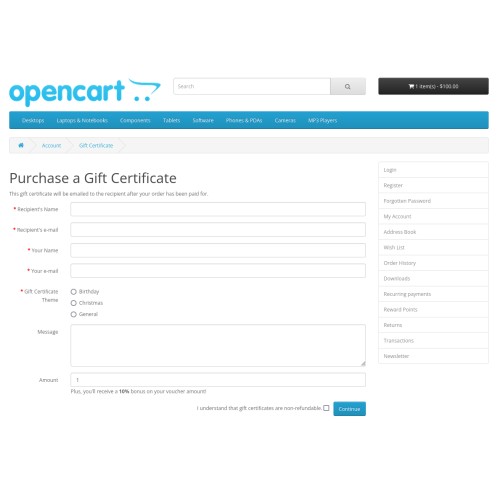
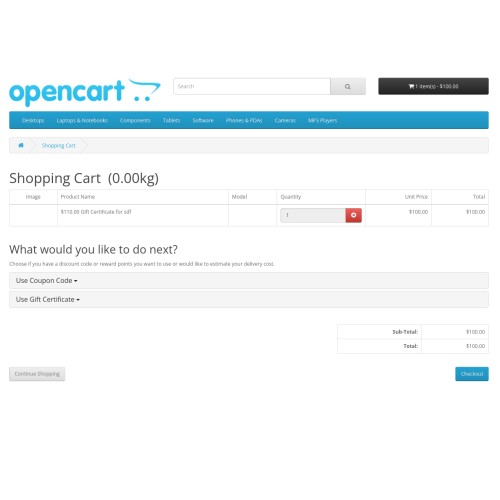
This extension adds the ability to provide a bonus percentage to gift voucher purchases. When a customer purchases a gift voucher, they pay the original amount but the voucher is created with an additional bonus amount based on the configured percentage.
Demo
Front-End (add a gift voucher to your cart)
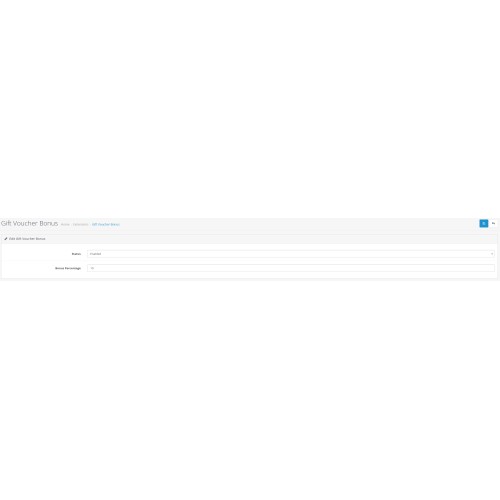
Admin - demo/demo (Go to Extensions -> Modules -> Gift Voucher Bonus)
Features
- Configure bonus percentage from admin panel
- Automatic calculation of bonus amount
- Easy to install and configure
- No core file modifications (uses OCMOD)
Installation
1. Login to your OpenCart admin panel
2. Go to Extensions > Installer
3. Upload the gift_voucher_bonus.ocmod.zip file
4. Go to Extensions > Modifications and click the refresh button
5. Go to Extensions > Extensions
6. Choose "Modules" from the extension type dropdown
7. Find "Gift Voucher Bonus" and click Install
Configuration
1. After installation, click Edit on the Gift Voucher Bonus module
2. Set the Status to Enabled
3. Enter the desired bonus percentage (e.g., 10 for 10% bonus)
4. Click Save
How It Works
When a customer purchases a gift voucher:
1. They pay the original amount (e.g., $100)
2. The system automatically adds the bonus amount based on the configured percentage
3. The voucher is created with the increased amount (e.g., $110 for a 10% bonus)
Support
For support, please contact us through the Opencart Marketplace.
Demo
Front-End (add a gift voucher to your cart)
Admin - demo/demo (Go to Extensions -> Modules -> Gift Voucher Bonus)
Features
- Configure bonus percentage from admin panel
- Automatic calculation of bonus amount
- Easy to install and configure
- No core file modifications (uses OCMOD)
Installation
1. Login to your OpenCart admin panel
2. Go to Extensions > Installer
3. Upload the gift_voucher_bonus.ocmod.zip file
4. Go to Extensions > Modifications and click the refresh button
5. Go to Extensions > Extensions
6. Choose "Modules" from the extension type dropdown
7. Find "Gift Voucher Bonus" and click Install
Configuration
1. After installation, click Edit on the Gift Voucher Bonus module
2. Set the Status to Enabled
3. Enter the desired bonus percentage (e.g., 10 for 10% bonus)
4. Click Save
How It Works
When a customer purchases a gift voucher:
1. They pay the original amount (e.g., $100)
2. The system automatically adds the bonus amount based on the configured percentage
3. The voucher is created with the increased amount (e.g., $110 for a 10% bonus)
Support
For support, please contact us through the Opencart Marketplace.
Price
$10.00
- Developed by OpenCart Community
- 12 Months Free Support
- Documentation Included
Rating
Compatibility
3.0.3.0, 3.0.3.1, 3.0.3.2, 3.0.3.3, 3.0.3.5, 3.0.3.6, 3.0.3.7, 3.0.3.8, 3.x.x.x, 3.0.3.9, 3.0.4.0
Last Update
4 Jan 2025
Created
19 Dec 2024
0 Sales
0 Comments

Login and write down your comment.
Login my OpenCart Account