IndexNow - Notifying Search Engines About New URLs

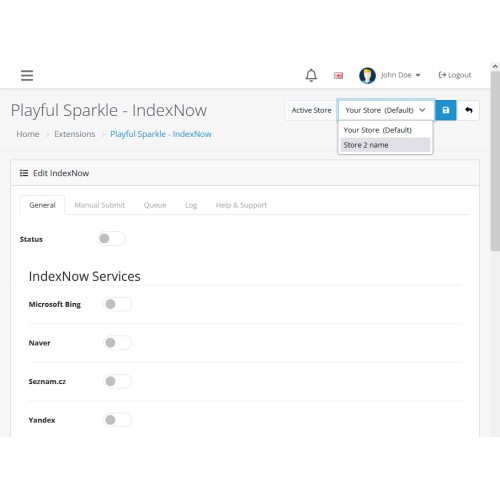
The Playful Sparkle - IndexNow extension for OpenCart 3.x+, 4.x+ revolutionizes how your store communicates with search engines by leveraging the powerful IndexNow protocol. This innovative extension allows your store to quickly and automatically notify supported search engines like Bing and Yandex whenever content such as products, categories, or articles is added, updated, or deleted. By ensuring these changes are indexed faster than traditional crawling methods, the extension significantly improves your store's visibility and search performance.
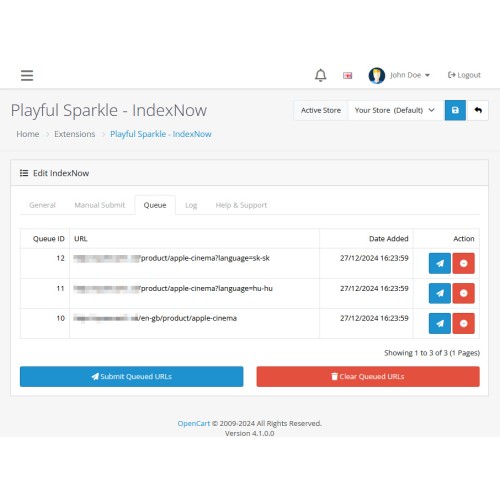
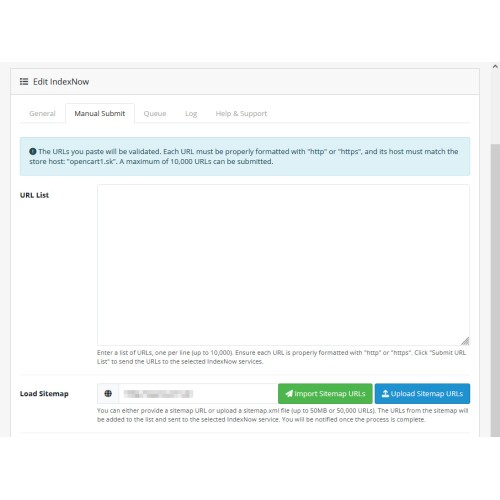
The extension comes packed with advanced features, including queue management, which enables you to submit URLs individually or in bulk, with the ability to clear the queue as needed. It offers multiple URL submission options, such as importing URLs from an XML sitemap via a URL, uploading an XML sitemap, or manually entering URLs. To further enhance usability, it provides effortless management of service keys, including the ability to regenerate keys for each store individually.
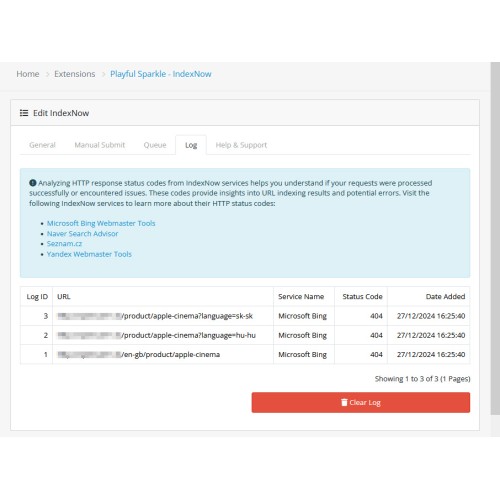
Automated processes are made possible with cron support, ensuring that queued URLs are submitted regularly without manual intervention. Detailed log tracking provides clear insights into the status of submitted URLs, with options to clear logs when necessary for better maintenance. The extension's customizable store settings allow you to enable or disable IndexNow services for each store and tailor URL submission and notification settings to fit your unique requirements.
With its easy integration, seamless installation, and setup process, the extension is designed to deliver maximum efficiency. By harnessing the power of IndexNow, this extension ensures your store’s content changes are indexed faster and more effectively than ever before.
Features
For more information, visit the extension's GitHub page at https://github.com/playfulsparkle/oc3_indexnow or https://github.com/playfulsparkle/oc4_indexnow.




Installation Instructions
Installation Instructions for OpenCart 3.x+
MD5 Checksum: e1caff92fff4b050d80ce89603417ebf
SHA256 Checksum: 6f1d565d688a3bd55e914518cf3e613419ccbeaa587eb7e635994cd752b549e7
Installation Instructions for OpenCart 4.x+
MD5 Checksum: cfe35ff9898e5cb1e38d488222601e2a
SHA256 Checksum: fe66473c2aa9ae0f061d9fd53faf90d575d0755cbf4ef5954611480c2b114535
Support & Inquiries
For assistance or inquiries regarding this extension, please visit our support website or contact us via email at support@playfulsparkle.com.
The extension comes packed with advanced features, including queue management, which enables you to submit URLs individually or in bulk, with the ability to clear the queue as needed. It offers multiple URL submission options, such as importing URLs from an XML sitemap via a URL, uploading an XML sitemap, or manually entering URLs. To further enhance usability, it provides effortless management of service keys, including the ability to regenerate keys for each store individually.
Automated processes are made possible with cron support, ensuring that queued URLs are submitted regularly without manual intervention. Detailed log tracking provides clear insights into the status of submitted URLs, with options to clear logs when necessary for better maintenance. The extension's customizable store settings allow you to enable or disable IndexNow services for each store and tailor URL submission and notification settings to fit your unique requirements.
With its easy integration, seamless installation, and setup process, the extension is designed to deliver maximum efficiency. By harnessing the power of IndexNow, this extension ensures your store’s content changes are indexed faster and more effectively than ever before.
Features
- Queue Management: Submit queue item individually or all at once, with the ability to clear the queue.
- Multiple URL Submission Options: Submit URLs via imported sitemaps, XML file uploads, or manually entered URLs.
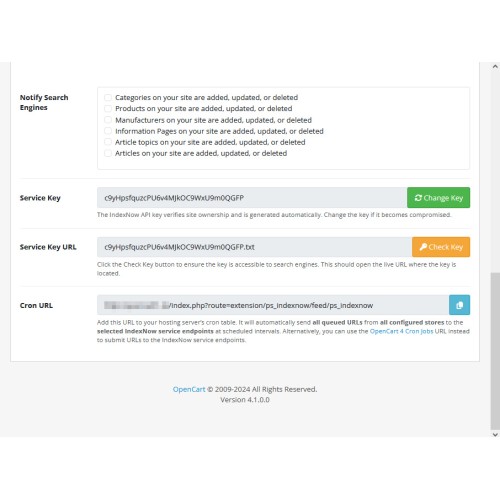
- Service Key Management: Regenerate your service key for each store individually, as needed.
- Cron Support: Use the extension-provided cron URL to send queued URLs to the IndexNow services.
- Detailed Log Tracking: Monitor the status of submitted URLs in the logs and clear the logs when necessary.
- Customizable Store Settings: Enable or disable IndexNow services for each store separately and configure URL submission and notification settings per store.
- Easy Integration: Simple installation and configuration, with an automatically generated service key for each store.
- Compatibility: Integrates smoothly with OpenCart 3.x+, 4.x+, supporting a range of online store setups.
- Multilingual Support: Ready for international use with languages including العربية (ar), Български (bg), 中文(简体) (zh-cn), 中文(繁體) (zh-tw), Čeština (cs-cz), English (UK) (en-gb), English (US) (en-us), Français (fr-fr), Deutsch (de-de), Ελληνικά (el-gr), Magyar (hu-hu), Italiano (it-it), 日本語 (ja), 한국어 (ko-kr), Polski (pl-pl), Português (Brasil) (pt-br), Русский (ru-ru), Slovenčina (sk-sk), Español (es-es), and Türkçe (tr-tr).
For more information, visit the extension's GitHub page at https://github.com/playfulsparkle/oc3_indexnow or https://github.com/playfulsparkle/oc4_indexnow.
Installation Instructions
Installation Instructions for OpenCart 3.x+
- 1) Download the latest version from the OpenCart Marketplace.
2) Log in to your OpenCart admin panel.
3) Navigate to Extensions > Installer.
4) Click the Upload button and upload the ps_indexnow.ocmod.zip file.
5) Navigate to Extensions > Extensions and select Feeds from the Choose the extension type dropdown list.
6) Locate the extension in the Feeds list and click the Install button.
7) Click the Edit button, configure the extension parameters, and click the Save button to save your settings.
8) Navigate to Extensions > Modifications, select all your modifications and click the Refresh button to update the modification cache and apply the changes.
MD5 Checksum: e1caff92fff4b050d80ce89603417ebf
SHA256 Checksum: 6f1d565d688a3bd55e914518cf3e613419ccbeaa587eb7e635994cd752b549e7
Installation Instructions for OpenCart 4.x+
- 1) Download the latest version from the OpenCart Marketplace.
2) Log in to your OpenCart admin panel.
3) Navigate to Extensions > Installer.
4) Click the Upload button and upload the ps_indexnow.ocmod.zip file.
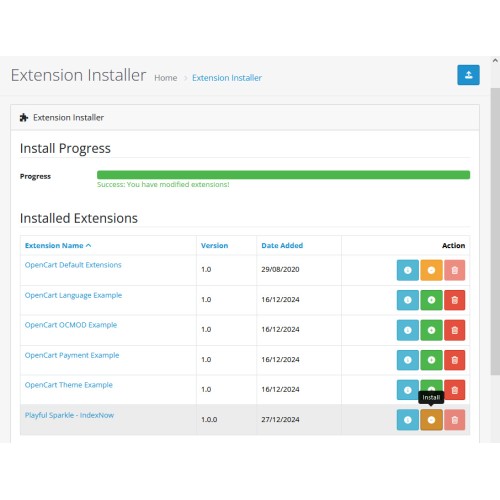
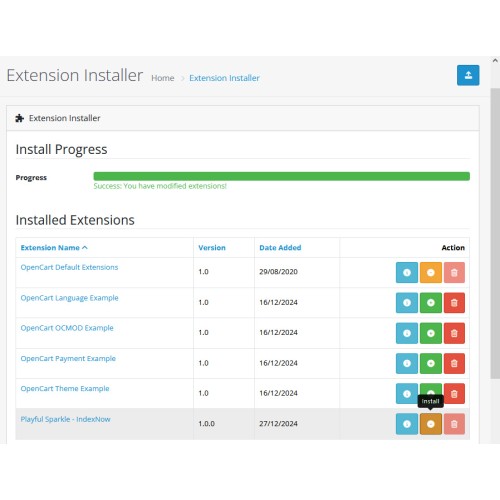
5) Locate the extension in the Installed Extensions list and click the Install button.
6) Navigate to Extensions > Extensions and select Feeds from the Choose the extension type dropdown list.
7) Locate the extension in the Feeds list and click the Install button.
8) Click the Edit button, configure the extension parameters, and click the Save button to save your settings.
MD5 Checksum: cfe35ff9898e5cb1e38d488222601e2a
SHA256 Checksum: fe66473c2aa9ae0f061d9fd53faf90d575d0755cbf4ef5954611480c2b114535
Support & Inquiries
For assistance or inquiries regarding this extension, please visit our support website or contact us via email at support@playfulsparkle.com.
Download
- Developed by OpenCart Community
- 3 Months Free Support
- Documentation Included
Rating
Compatibility
3.0.0.0, 3.0.1.0, 3.0.1.1, 3.0.1.2, 3.0.1.3, 3.0.2.0, 3.0.3.0, 3.0.3.1, 3.0.3.2, 3.0.3.3, 3.0.3.5, 3.0.3.6, 3.0.3.7, 3.0.3.8, 3.x.x.x, 3.0.3.9, 3.0.4.0, 3.0.4.1, 3.0.5.0, 4.x.x.x, 4.0.0.0, 4.0.1.0, 4.0.1.1, 4.0.2.0, 4.0.2.1, 4.0.2.2, 4.0.2.3, 4.1.0.0, 4.1.0.1, 4.1.0.2, 4.1.0.3
Last Update
1 Apr 2026
Created
28 Dec 2024
111 Downloads
1 Comments

Login and write down your comment.
Login my OpenCart Account