Stylish Admin Panel Theme (Trxtile Admin Theme) v1.0.10
Please Note!
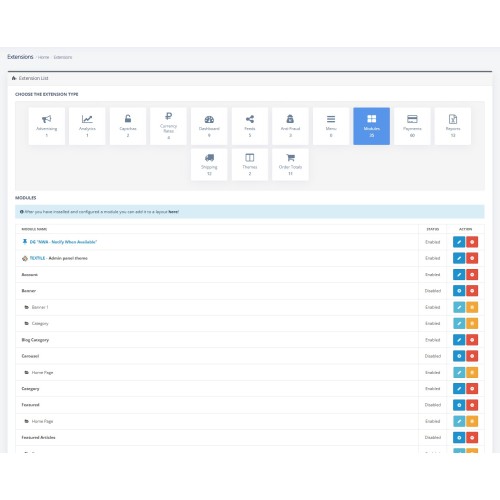
Trxtile Admin Theme is a module for OpenCart, compatible with versions 3.x.
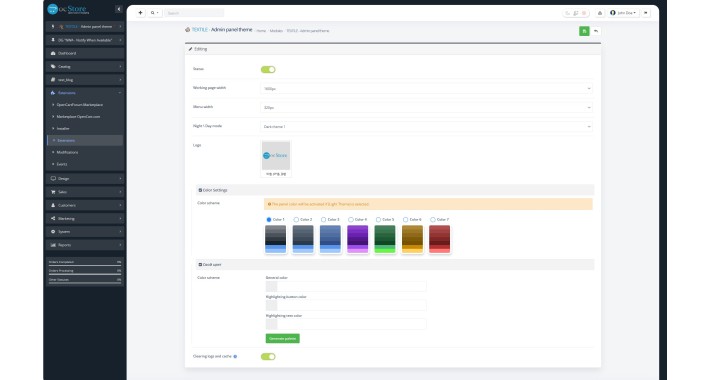
It changes the appearance of the admin panel, giving it a modern style, without replacing engine files.
Updates
Module Features
Installation Instructions
If you encounter installation issues or have other questions, please feel free to contact me — I will be happy to assist you!
Trxtile Admin Theme is a module for OpenCart, compatible with versions 3.x.
It changes the appearance of the admin panel, giving it a modern style, without replacing engine files.
Updates
- OrderPRO Module: Styles have been added for the correct display of all lists, blocks, and forms. Issues with the positioning of dropdown lists and their behavior when entering queries have been fixed.
Batch Editor Module: Corrections have been made to improve the module's functionality.
Sidebar Menu: The interaction code has been completely rewritten. Issues with disappearing menu items and the display of third-party module icons have been resolved. Support for SVG icons for logos has been added.
Styles: Rewritten by 20% to enhance the appearance.
Settings for Third-Party Modules: Adjustments have been made for optimal theme performance with other modules.
Cache and Log Cleanup: A button has been added to display all errors in a popup window.
Summernote Editor: A bug preventing the creation of tables has been fixed.
Icons in the Sidebar Menu: The display of icons for templates has been corrected.
Script Optimization: The module's speed has been improved.
Dark Theme: A new experimental dark theme has been added.
Logo Change: The ability to change the admin panel logo to your own has been introduced.
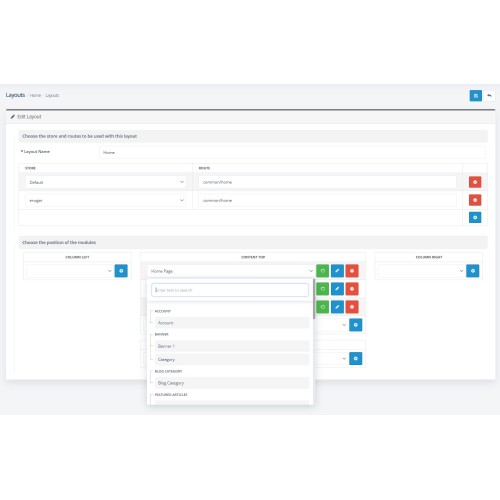
Dropdown Lists: Errors in the operation of dropdown lists with search functionality have been corrected.
Header and Menu Customization: Settings have been added to change the color of the sidebar menu and header.
Color Mode Switch Button: The ability to toggle between light and dark themes has been added.
Cache and Log Cleanup Module Integration: The option to display a button in the header has been included.
Module Features
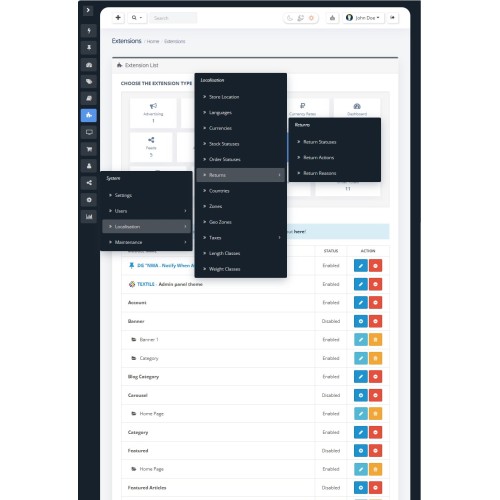
- Sidebar Menu: A button for collapsing the sidebar menu has been added, which automatically adapts to screen size. The menu remembers its state, remaining collapsed even after page refreshes.
Header: Minor customization for improved functionality with the search panel.
Select: The module customizes the standard dropdown list, adding built-in search functionality for easier navigation through large lists.
Appearance: The appearance of all panels has been enhanced, and mobile device adaptation has been added for comfortable viewing on tablets and phones.
Installation Instructions
- Go to the “Extensions/Modules” section and click the “Upload” button.
Select the downloaded file and wait for the message “Extension successfully installed” to appear.
Navigate to “(Extensions/Modules) / Modifiers” and click the “Refresh” button.
Find the Trxtile Admin Theme module and activate it.
If you encounter installation issues or have other questions, please feel free to contact me — I will be happy to assist you!
Price
$25.00
- Developed by OpenCart Community
- Documentation Included
Rating
Compatibility
3.x.x.x
Last Update
8 Jan 2025
Created
7 Jan 2025
0 Sales
1 Comments

Login and write down your comment.
Login my OpenCart Account