Barcode LabelManager
Enhance Retail Operations with the Barcode LabelManager for OpenCart:
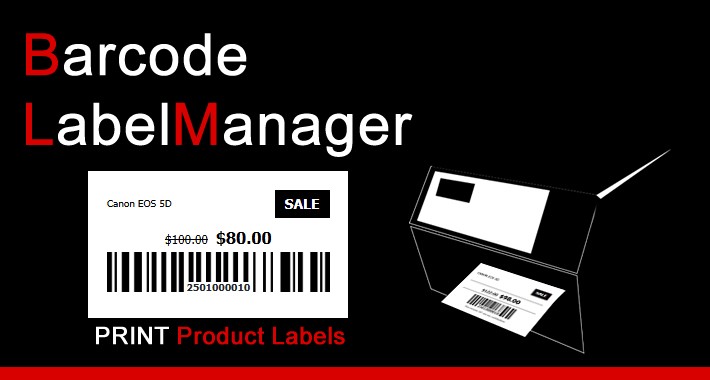
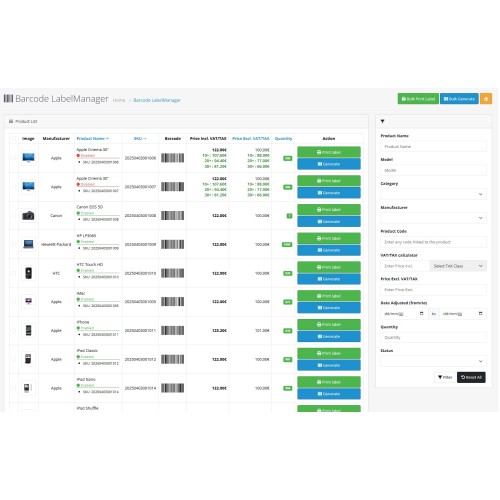
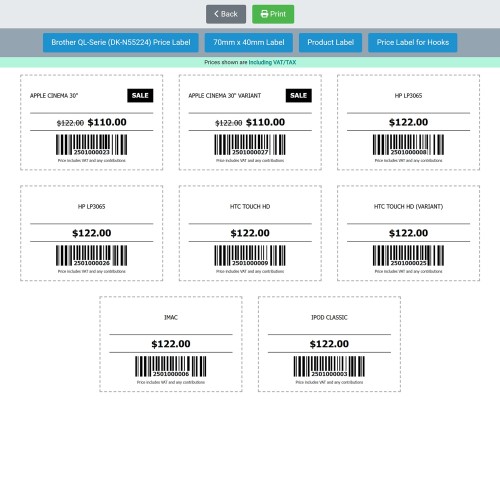
Transform your retail processes with the Barcode LabelManager for OpenCart, the ultimate solution for creating and printing professional barcode labels directly from your store. Tailored for retailers, this module streamlines the labeling process, providing flexibility in choosing product codes (SKU, EAN, MPN, JAN, and more). It ensures both accuracy and efficiency, helping you manage your inventory and labeling needs seamlessly. You can also create price tags in all sizes, making it the ideal tool for all your retail and inventory operations.
KEY FEATURES
Barcode Generation with Code 128:
Generate barcodes using the highly versatile and efficient Code 128 standard, ideal for retail and inventory management. Code 128 is a high-density, alphanumeric barcode format that can encode letters, numbers, and special characters, making it perfect for product labels, shelf tags, and stock tracking.
Bulk Barcode Creation:
Generate barcodes for multiple products at once, saving time and effort in inventory management.
Customizable Label Layouts:
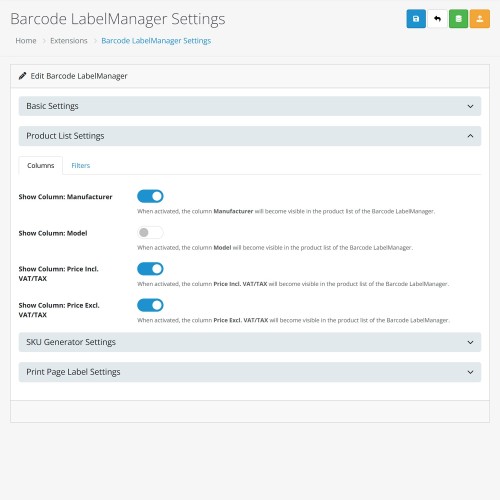
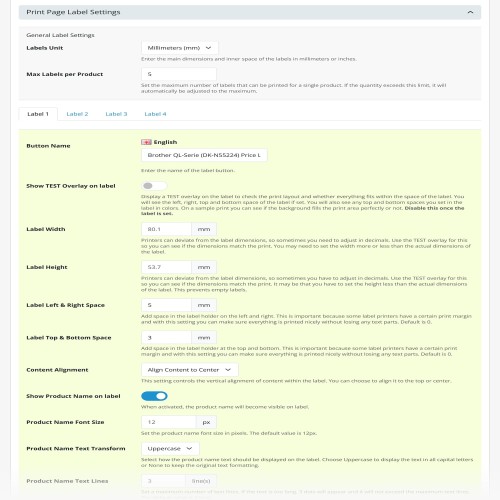
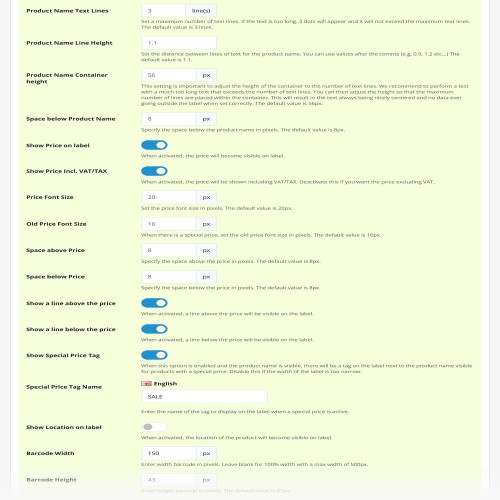
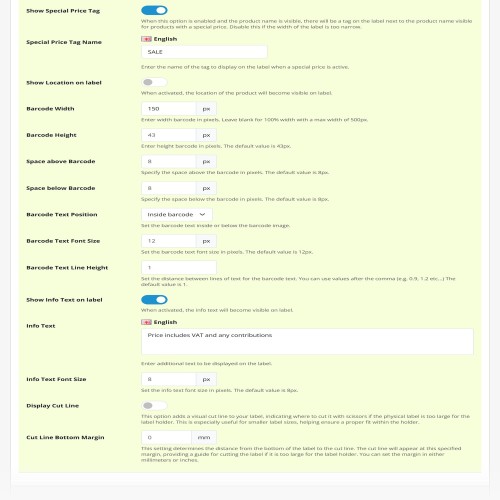
Design labels that meet your specific needs with adjustable dimensions, fonts, alignment, and styles.
Multi-Label Printing:
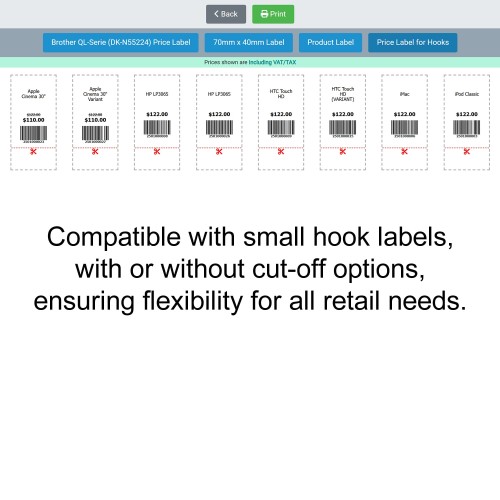
Quickly print up to 4 different labels for each product, or print labels in bulk for multiple products simultaneously, streamlining high-volume retail operations.
Print on a Label Printer or Regular Printer (From OC 4.1.0.1):
You now have the flexibility to choose between printing on a label printer or a regular printer, offering enhanced customization for your printing needs.
Flexible Measurement Units:
Choose between millimeters or inches for label dimensions, ensuring compatibility with any printer.
Retail-Focused Features:
Optimized for retail businesses, providing consistent and professional labeling for shelves, packaging, and inventory.
Label Printer Compatibility:
Works seamlessly with popular label printers, including the Brother QL-SERIE.
Text Transformation Options:
Automatically convert text to uppercase or leave it unchanged for precise and uniform labeling.
Tax-Inclusive Pricing:
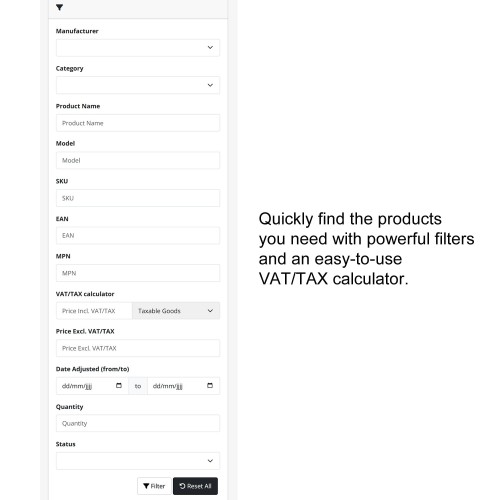
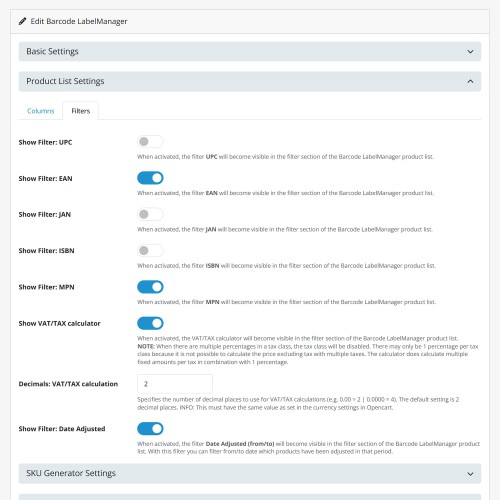
Filter and print labels based on VAT-inclusive prices, fully integrated with OpenCart tax calculations.
Product Code Selection for Labels and Barcodes (From OC 4.1.0.1):
You can now choose which product code (SKU, EAN, MPN, JAN, etc.) to use for generating labels and barcodes. This allows you to customize the identifier based on your needs, ensuring the correct code is used for labeling and barcode generation across your store. (Previously limited to SKU - till OC4.1.0.0)
Barcode Validation:
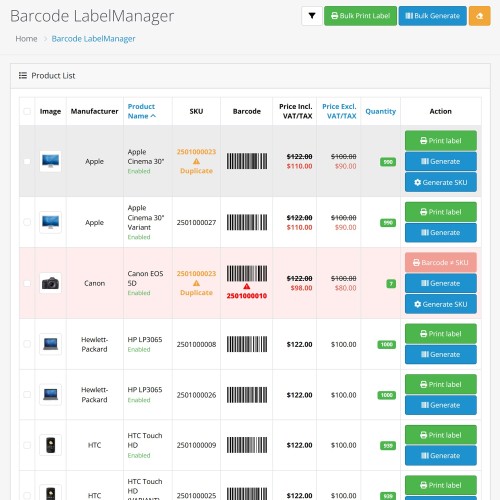
Receive an error message when the barcode doesn’t match the product code, when no product code is created, or when multiple products share the same product code, ensuring product data remains accurate and preventing errors on the shop floor. This feature enhances operational efficiency and minimizes potential discrepancies, supporting a smoother workflow.
Product Code Generator in Admin Product Edit Page:
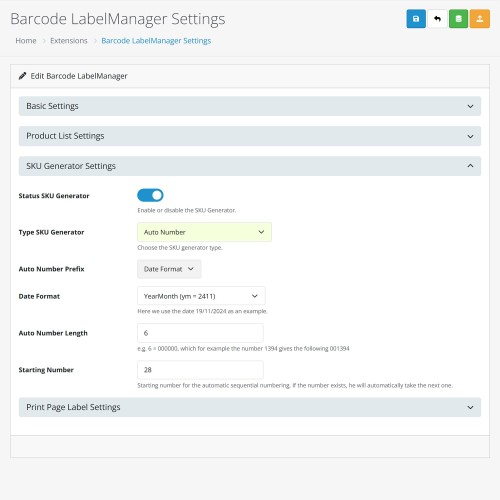
Generate product codes directly from the product edit page using the built-in Product Code Generator. This feature ensures consistent and valid codes across your catalog without leaving the product form, improving efficiency and accuracy.
Backup & Restore Settings:
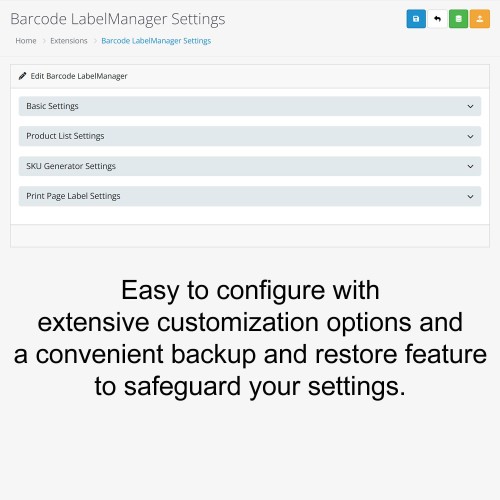
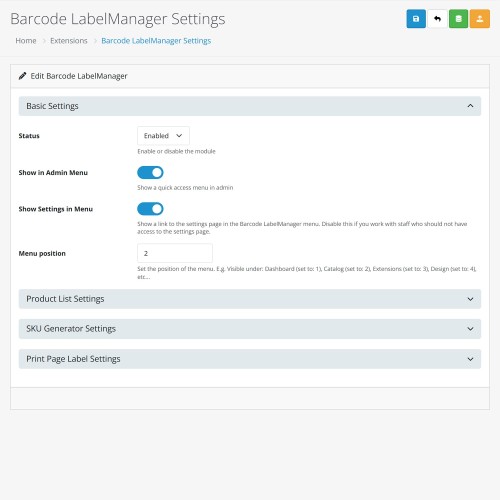
Save your configurations and restore them anytime to keep your workflow uninterrupted.
Languages already included:
English, French, Dutch.
Quantity Discounts on Labels (from OC 4.1.0.0):
You can now choose whether to display quantity discounts on the label, streamlining the display of discount information for your products.
Event-Based Integration:
Uses OpenCart Events — no core file overrides!
With support for the Code 128 barcode standard, this module ensures your labels are universally scannable and compliant with retail and logistics systems. Whether you’re managing inventory, labeling shelves, or preparing products for sale, the Barcode Label Manager for OpenCart is the ultimate solution to enhance your retail efficiency.
The Importance of Product Codes for Label Creation:
Product codes, such as SKU, EAN, MPN, JAN, or other identifiers, are essential for efficient inventory management, product identification, and seamless operations across retail, warehouses, and online stores. These codes provide unique identifiers for each product, ensuring quick and accurate transactions in retail environments, including POS systems.
They are crucial for generating barcodes, streamlining stocktaking, and associating vital product details such as price, description, and location. Accurate product codes help reduce errors during sales, simplify inventory tracking, and maintain consistency across all touchpoints, from the warehouse to the cash register.
By using product codes in labels, businesses can ensure smooth operations, accurate sales, and effective stock control, making them indispensable for any retail or warehouse setting.
Start labeling smarter today!
PHP Support: PHP 8.2+
DEMO
Click here to test Barcode LabelManager
User: demo
Password: demo
Transform your retail processes with the Barcode LabelManager for OpenCart, the ultimate solution for creating and printing professional barcode labels directly from your store. Tailored for retailers, this module streamlines the labeling process, providing flexibility in choosing product codes (SKU, EAN, MPN, JAN, and more). It ensures both accuracy and efficiency, helping you manage your inventory and labeling needs seamlessly. You can also create price tags in all sizes, making it the ideal tool for all your retail and inventory operations.
KEY FEATURES
Barcode Generation with Code 128:
Generate barcodes using the highly versatile and efficient Code 128 standard, ideal for retail and inventory management. Code 128 is a high-density, alphanumeric barcode format that can encode letters, numbers, and special characters, making it perfect for product labels, shelf tags, and stock tracking.
Bulk Barcode Creation:
Generate barcodes for multiple products at once, saving time and effort in inventory management.
Customizable Label Layouts:
Design labels that meet your specific needs with adjustable dimensions, fonts, alignment, and styles.
Multi-Label Printing:
Quickly print up to 4 different labels for each product, or print labels in bulk for multiple products simultaneously, streamlining high-volume retail operations.
Print on a Label Printer or Regular Printer (From OC 4.1.0.1):
You now have the flexibility to choose between printing on a label printer or a regular printer, offering enhanced customization for your printing needs.
Flexible Measurement Units:
Choose between millimeters or inches for label dimensions, ensuring compatibility with any printer.
Retail-Focused Features:
Optimized for retail businesses, providing consistent and professional labeling for shelves, packaging, and inventory.
Label Printer Compatibility:
Works seamlessly with popular label printers, including the Brother QL-SERIE.
Text Transformation Options:
Automatically convert text to uppercase or leave it unchanged for precise and uniform labeling.
Tax-Inclusive Pricing:
Filter and print labels based on VAT-inclusive prices, fully integrated with OpenCart tax calculations.
Product Code Selection for Labels and Barcodes (From OC 4.1.0.1):
You can now choose which product code (SKU, EAN, MPN, JAN, etc.) to use for generating labels and barcodes. This allows you to customize the identifier based on your needs, ensuring the correct code is used for labeling and barcode generation across your store. (Previously limited to SKU - till OC4.1.0.0)
Barcode Validation:
Receive an error message when the barcode doesn’t match the product code, when no product code is created, or when multiple products share the same product code, ensuring product data remains accurate and preventing errors on the shop floor. This feature enhances operational efficiency and minimizes potential discrepancies, supporting a smoother workflow.
Product Code Generator in Admin Product Edit Page:
Generate product codes directly from the product edit page using the built-in Product Code Generator. This feature ensures consistent and valid codes across your catalog without leaving the product form, improving efficiency and accuracy.
Backup & Restore Settings:
Save your configurations and restore them anytime to keep your workflow uninterrupted.
Languages already included:
English, French, Dutch.
Quantity Discounts on Labels (from OC 4.1.0.0):
You can now choose whether to display quantity discounts on the label, streamlining the display of discount information for your products.
Event-Based Integration:
Uses OpenCart Events — no core file overrides!
With support for the Code 128 barcode standard, this module ensures your labels are universally scannable and compliant with retail and logistics systems. Whether you’re managing inventory, labeling shelves, or preparing products for sale, the Barcode Label Manager for OpenCart is the ultimate solution to enhance your retail efficiency.
The Importance of Product Codes for Label Creation:
Product codes, such as SKU, EAN, MPN, JAN, or other identifiers, are essential for efficient inventory management, product identification, and seamless operations across retail, warehouses, and online stores. These codes provide unique identifiers for each product, ensuring quick and accurate transactions in retail environments, including POS systems.
They are crucial for generating barcodes, streamlining stocktaking, and associating vital product details such as price, description, and location. Accurate product codes help reduce errors during sales, simplify inventory tracking, and maintain consistency across all touchpoints, from the warehouse to the cash register.
By using product codes in labels, businesses can ensure smooth operations, accurate sales, and effective stock control, making them indispensable for any retail or warehouse setting.
Start labeling smarter today!
PHP Support: PHP 8.2+
DEMO
Click here to test Barcode LabelManager
User: demo
Password: demo
Price
$79.00
- Developed by OpenCart Community
- 12 Months Free Support
- Documentation Included
Rating
Compatibility
4.1.0.1, 4.1.0.2, 4.1.0.3, 4.1.0.0, 4.0.2.3
Last Update
21 May 2025
Created
24 Jan 2025
1 Sales
0 Comments

Login and write down your comment.
Login my OpenCart Account