Size Guide For The Product

Using this module, you can add a new field called "Image Size" on the "Edit Product" or "Create Product" page. This allows you to upload a photo when entering this section.
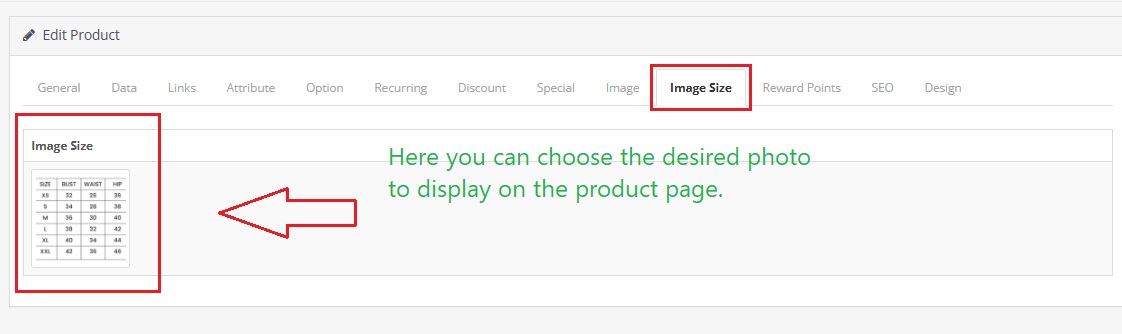
This photo can relate to the size of the product; for example, for jewelry or clothing that requires precise measurements. This way, customers can find their desired size by viewing the image you have uploaded.

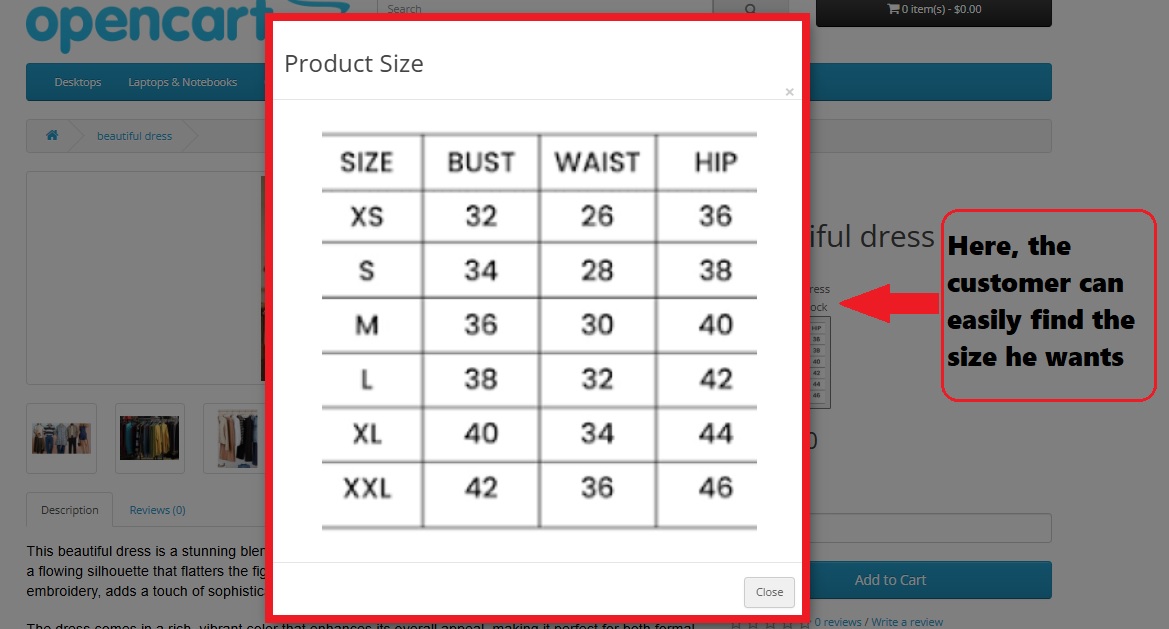
This feature not only helps improve the shopping experience for customers but also ensures that they have better choices and greater satisfaction with their purchases. By providing visual and accurate information about product sizes, you can assist your customers in making better decisions and being more satisfied with their purchases.
Install:
First download the ZIP file.
Then go to Extension>Installer:
Click on the (Upload) button
And upload the downloaded ZIP file.
Then go to:
Extension>Modifications
Click on the (Refresh) button in the upper right corner to apply the new changes.
Support:
cartcraft.oc@gmail.com
This photo can relate to the size of the product; for example, for jewelry or clothing that requires precise measurements. This way, customers can find their desired size by viewing the image you have uploaded.
This feature not only helps improve the shopping experience for customers but also ensures that they have better choices and greater satisfaction with their purchases. By providing visual and accurate information about product sizes, you can assist your customers in making better decisions and being more satisfied with their purchases.
Install:
First download the ZIP file.
Then go to Extension>Installer:
Click on the (Upload) button
And upload the downloaded ZIP file.
Then go to:
Extension>Modifications
Click on the (Refresh) button in the upper right corner to apply the new changes.
Support:
cartcraft.oc@gmail.com
Price
$20.00
- Developed by OpenCart Community
- 12 Months Free Support
- Documentation Included
Rating
Compatibility
3.0.0.0, 3.0.1.0, 3.0.1.1, 3.0.1.2, 3.0.1.3, 3.0.2.0, 3.0.3.0, 3.0.3.1, 3.0.3.2, 3.0.3.3, 3.0.3.5, 3.0.3.6, 3.0.3.7, 3.0.3.8, 3.x.x.x, 3.0.3.9, 3.0.4.0, 3.0.4.1, 3.0.5.0
Last Update
26 May 2026
Created
10 Feb 2025
0 Sales
0 Comments

Login and write down your comment.
Login my OpenCart Account