Hide Tax From Product


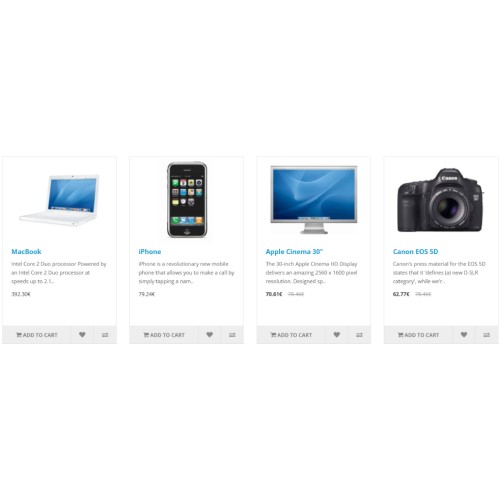
The Hide Tax Extension for OpenCart provides store owners with the ability to hide tax amounts from product prices, giving a cleaner and more customer-friendly shopping experience. This extension ensures that customers see prices without the added complexity of tax calculations, helping businesses cater to specific regional or customer group needs where tax visibility is not required.
.
.
.
Extension Installation Guide
Step 1: Download the Extension
Ensure the extension is compatible with your OpenCart version.
Step 2: Upload the Extension
Method 1: Using OpenCart Admin Panel
Log in to your OpenCart admin panel.
Navigate to Extensions → Installer.
Click Upload and select the .zip file.
Wait until the upload is complete. You should see a success message.
Method 2: Manual Upload via FTP (If Required)
Extract the extension .zip file on your computer.
Use an FTP client (like FileZilla) to connect to your server.
Upload files from the extracted folder to their respective directories in OpenCart (e.g., admin, catalog, system).
Overwrite existing files if required.
Step 3: Install the Extension
Go to Extensions → Extensions.
Select the appropriate Extension Type (e.g., Module, Payment, Shipping, etc.).
Find your extension and click Install (green "+" button).
Step 4: Configure the Extension
Click the Edit button (pencil icon) next to the extension.
Adjust the settings as needed (e.g., enable/disable).
Click Save to apply changes.
Step 5: Refresh Modifications
Go to Extensions → Modifications.
Click the Refresh button (top-right corner).
Step 6: Clear Cache (Optional but Recommended)
Navigate to Dashboard → Developer Settings (gear icon in the top-right corner).
Click Clear for Theme Cache and SASS Cache.
.
.
.
Extension Installation Guide
Step 1: Download the Extension
Ensure the extension is compatible with your OpenCart version.
Step 2: Upload the Extension
Method 1: Using OpenCart Admin Panel
Log in to your OpenCart admin panel.
Navigate to Extensions → Installer.
Click Upload and select the .zip file.
Wait until the upload is complete. You should see a success message.
Method 2: Manual Upload via FTP (If Required)
Extract the extension .zip file on your computer.
Use an FTP client (like FileZilla) to connect to your server.
Upload files from the extracted folder to their respective directories in OpenCart (e.g., admin, catalog, system).
Overwrite existing files if required.
Step 3: Install the Extension
Go to Extensions → Extensions.
Select the appropriate Extension Type (e.g., Module, Payment, Shipping, etc.).
Find your extension and click Install (green "+" button).
Step 4: Configure the Extension
Click the Edit button (pencil icon) next to the extension.
Adjust the settings as needed (e.g., enable/disable).
Click Save to apply changes.
Step 5: Refresh Modifications
Go to Extensions → Modifications.
Click the Refresh button (top-right corner).
Step 6: Clear Cache (Optional but Recommended)
Navigate to Dashboard → Developer Settings (gear icon in the top-right corner).
Click Clear for Theme Cache and SASS Cache.
Download
- Developed by OpenCart Community
- Documentation Included
Rating
Compatibility
3.0.0.0, 3.0.1.0, 3.0.1.1, 3.0.1.2, 3.0.1.3, 3.0.2.0, 4.x.x.x, 3.0.3.0, 3.0.3.1, 3.0.3.2, 3.0.3.3, 3.0.3.5, 3.0.3.6, 3.0.3.7, 3.0.3.8, 3.x.x.x, 3.0.3.9, 3.0.4.0
Last Update
17 Mar 2025
Created
18 Feb 2025
25 Downloads
0 Comments

Login and write down your comment.
Login my OpenCart Account