Opencart Quick Print
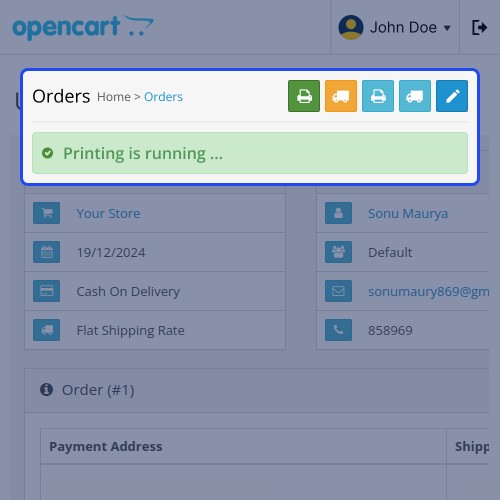
Opencart Quick Print: This extension allows admins to print invoices and shipping labels directly from the admin panel. It supports both single and bulk printing, making it ideal for stores handling medium to high order volumes.
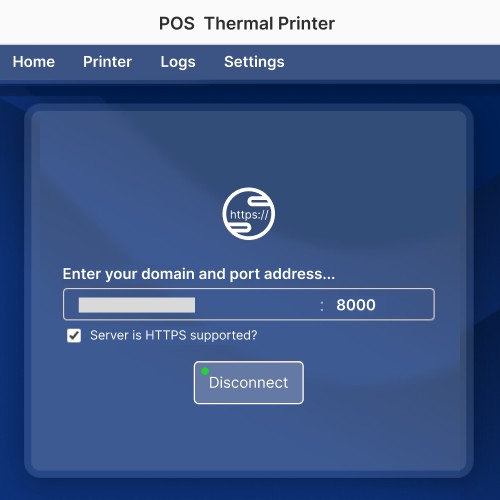
The module allows easy printer configuration using domain, port, and SSL settings. With the desktop application and automatic printer detection, it works smoothly with any standard printer.
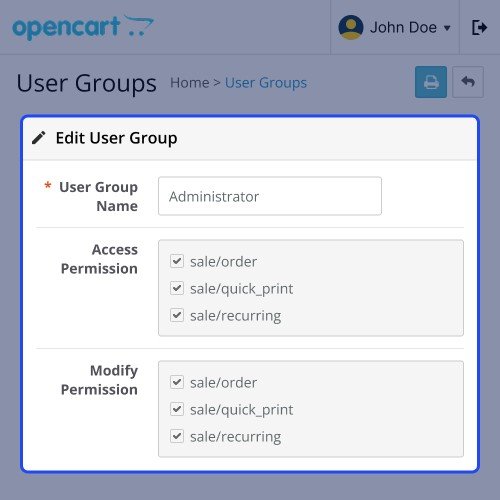
Integrated with OpenCart ACL, admins can manage user permissions for secure access. This helps reduce manual effort, speed up order processing, and improve operational efficiency.
Notes:




Use Case:
Features:
Workflow:
To start using the Quick Print module, first install and enable it from the Extensions section.
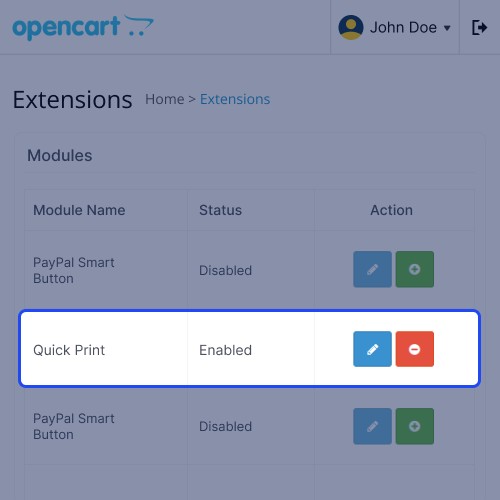
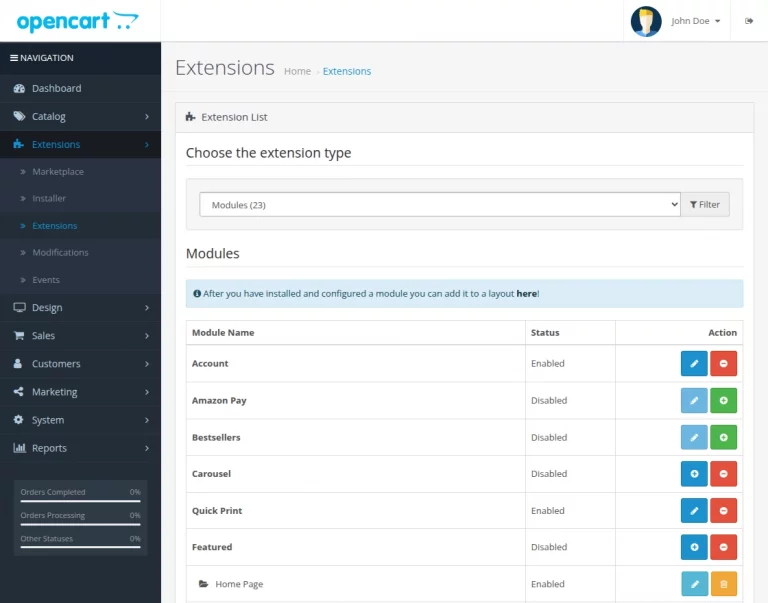
Go to Admin Panel > Extensions > Extensions, select Modules, and install or enable the Quick Print module from the list.
After enabling the module, configure the printer settings and download the desktop application to establish the connection.
Step:
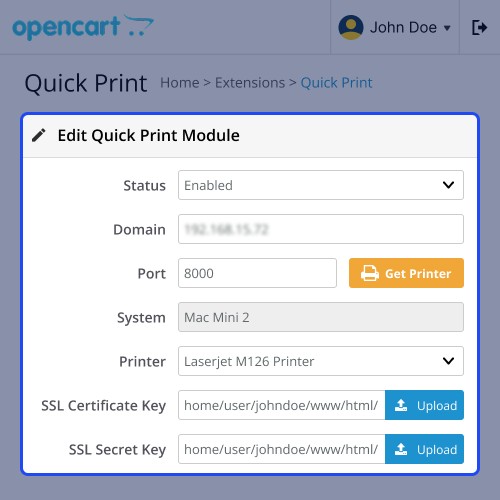
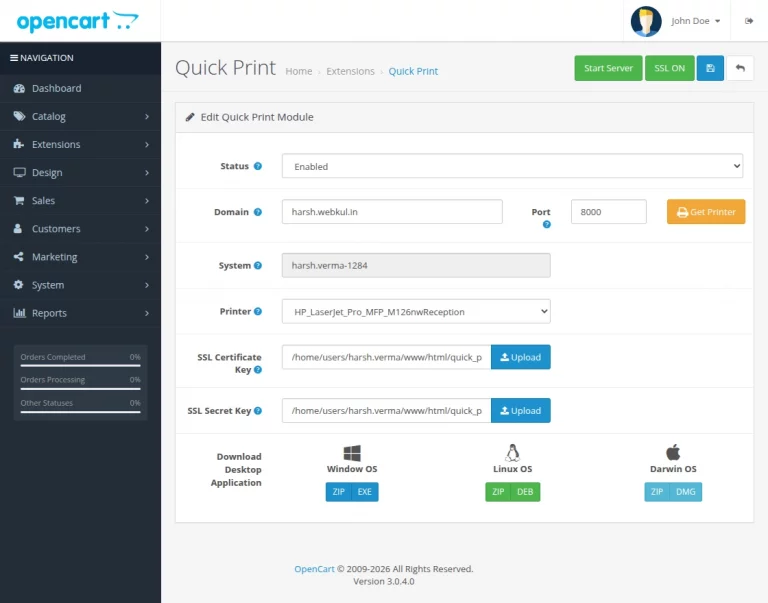
Go to Extensions > Quick Print, enter the domain and port, download and run the desktop application, then start the server and select the printer.
Here, the admin can enable the module, configure domain and port, download the desktop application, start the server, and select the system and printer.
After completing the setup, the admin can print invoices and shipping labels for the orders.
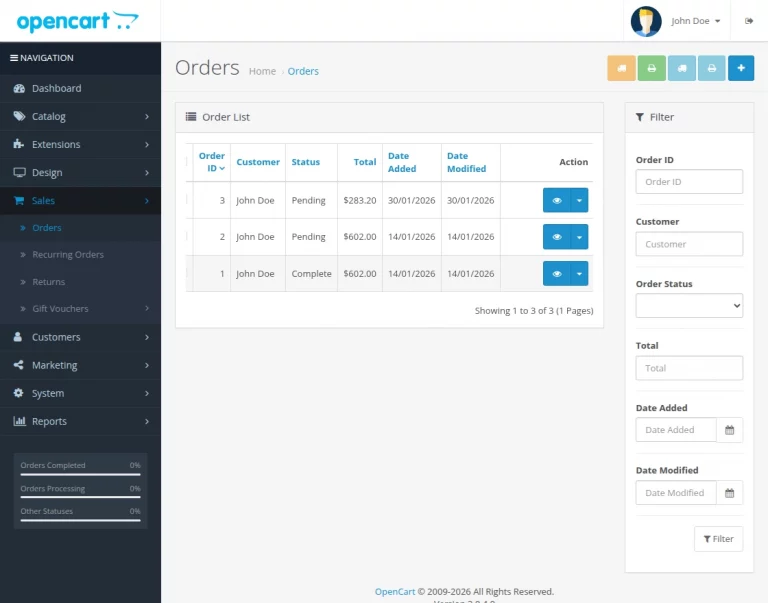
Go to Admin Dashboard >> Sales >> Orders and click on View icon.
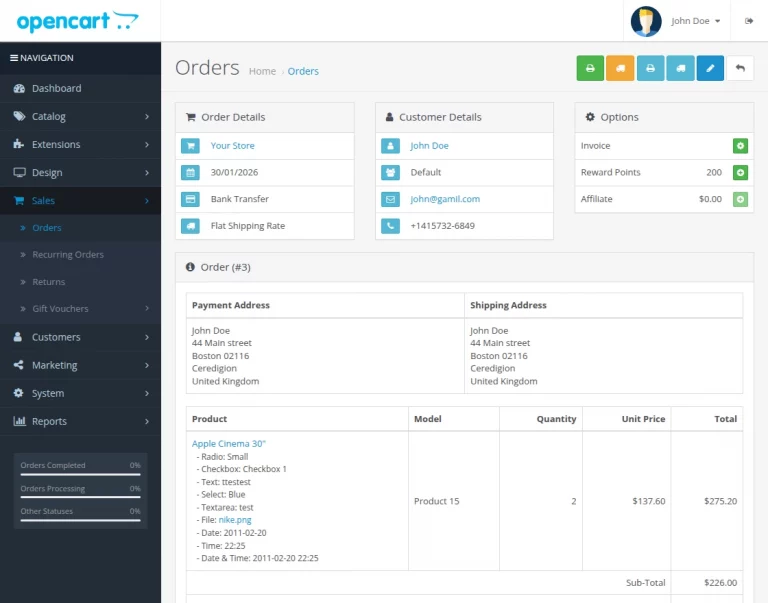
Click the icons at the top to print the shipping label and invoice for the order.
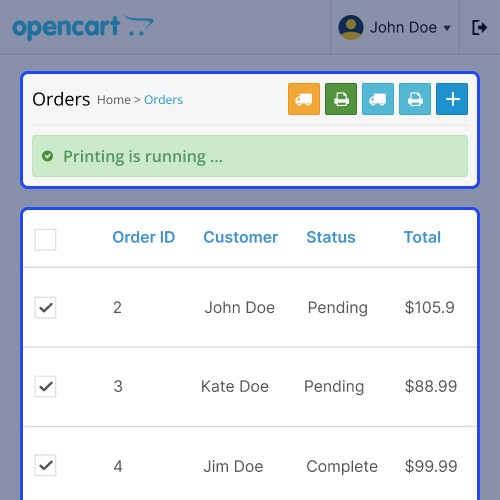
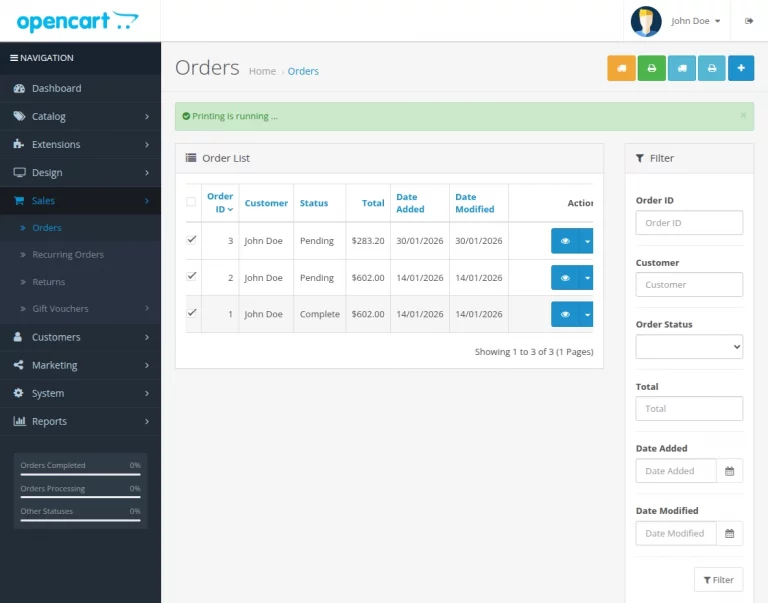
The admin can print invoices and shipping labels in bulk directly from the order grid page. The admin can select order checkboxes and click the relevant icons.

Some Moments Of Appreciation



Support Policy
The module allows easy printer configuration using domain, port, and SSL settings. With the desktop application and automatic printer detection, it works smoothly with any standard printer.
Integrated with OpenCart ACL, admins can manage user permissions for secure access. This helps reduce manual effort, speed up order processing, and improve operational efficiency.
Notes:
- Works with Any Printer: Compatible with all standard printers using the desktop application for easy connectivity.
- Bulk Printing: Print multiple invoices and shipping labels at once to save time and effort.
- Easy Setup: Quickly configure the printer using domain, port, and SSL settings.
- User Access Control: Uses OpenCart ACL to manage user permissions for secure module usage.
- Time-Saving: Ideal for high-volume stores by simplifying and speeding up the printing process.
Use Case:
- E-commerce Stores: deal for online stores that need to print invoices and shipping labels quickly from the admin panel.
- High-Volume Operations: Perfect for businesses handling large order volumes with bulk printing for faster processing.
- Admin Efficiency: Helps store admins streamline order management and reduce manual printing efforts.
- Secure Workflows: Suitable for businesses that require controlled access using OpenCart ACL permissions.
Features:
- Connect and detect any standard printer using the desktop application.
- Print multiple invoices and shipping labels in one go.
- Configure printer settings easily with domain, port, and SSL options.
- Manage user access and permissions using OpenCart ACL.
- Enable quick printing from the admin panel to speed up processing.
- Suitable for businesses handling medium to high order volumes.
Workflow:
To start using the Quick Print module, first install and enable it from the Extensions section.
Go to Admin Panel > Extensions > Extensions, select Modules, and install or enable the Quick Print module from the list.
After enabling the module, configure the printer settings and download the desktop application to establish the connection.
Step:
Go to Extensions > Quick Print, enter the domain and port, download and run the desktop application, then start the server and select the printer.
Here, the admin can enable the module, configure domain and port, download the desktop application, start the server, and select the system and printer.
- Status – Enable or disable the Quick Print module.
- Domain – Enter your store domain to establish the connection.
- Port – Set the communication port (default: 8000).
- System – Displays the system name automatically.
- Get Printer – Fetch and display available printers from the system.
- Printer – Select the printer to be used for printing.
- SSL Certificate Key – Upload the SSL certificate file for secure connection.
- SSL Secret Key – Upload the SSL key file for secure communication.
- Download Desktop Application – Download the application (Windows, Linux, or macOS) and run it to connect the system and enable printer detection.
- Start Server – Start the service to activate the printer connection.
- SSL ON – Enable secure communication between the module and the system.
After completing the setup, the admin can print invoices and shipping labels for the orders.
Go to Admin Dashboard >> Sales >> Orders and click on View icon.
Click the icons at the top to print the shipping label and invoice for the order.
- Green icon - Quick Print Invoice
- Orange icon - Quick Print Shipping Label
The admin can print invoices and shipping labels in bulk directly from the order grid page. The admin can select order checkboxes and click the relevant icons.
Some Moments Of Appreciation
Support Policy
Price
$99.00
- Developed by OpenCart Partner
- 3 Months Free Support
- Documentation Included
Rating
Compatibility
3.0.0.0, 3.0.1.0, 3.0.1.1, 3.0.1.2, 3.0.1.3, 3.0.2.0, 3.0.3.0, 3.0.3.1, 3.0.3.2, 3.0.3.3, 3.0.3.5, 3.0.3.6, 3.0.3.7, 3.0.3.8, 3.x.x.x
Last Update
13 Mar 2026
Created
4 Mar 2025
0 Sales
0 Comments

Login and write down your comment.
Login my OpenCart Account