SQL Query Tracker / SQL Profiler
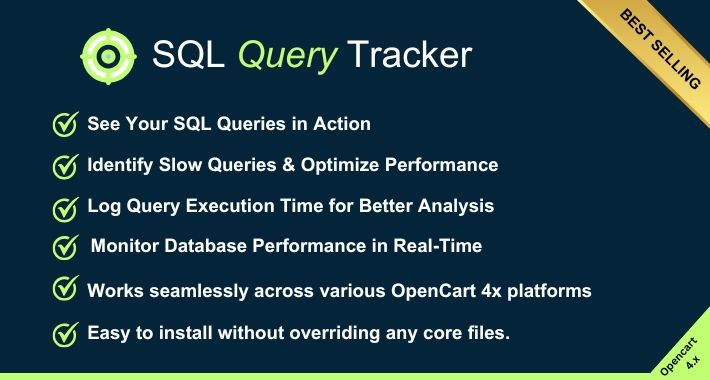
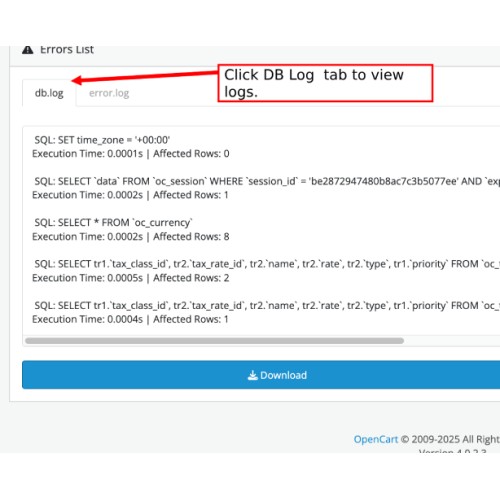
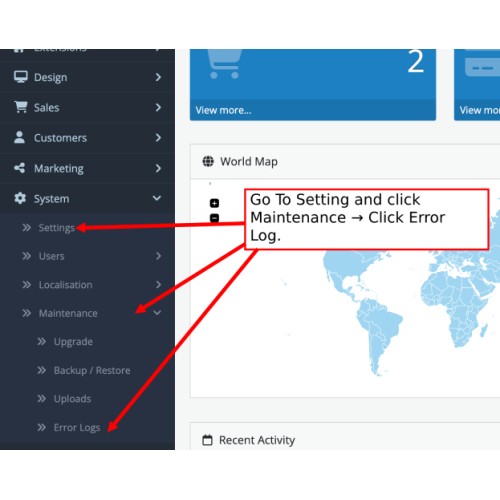
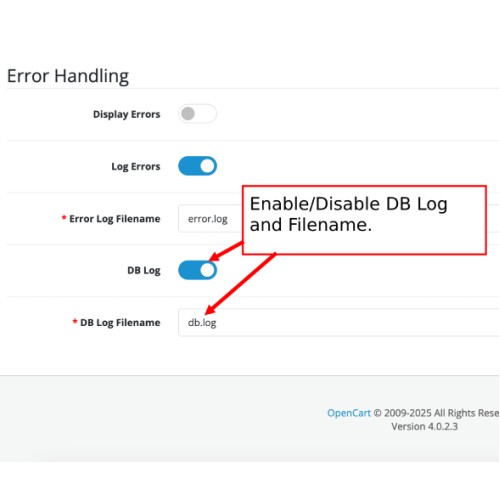
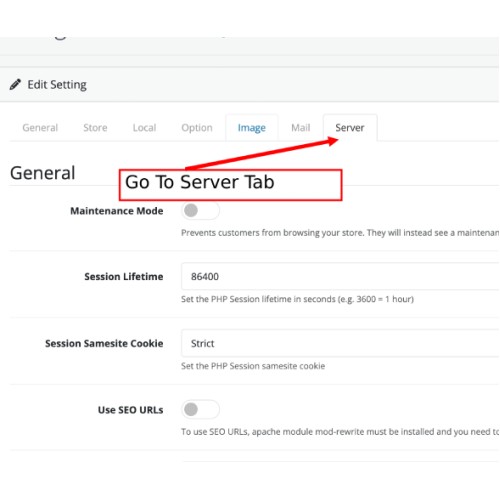
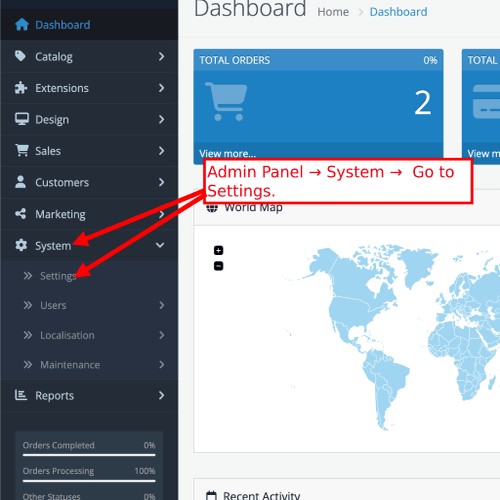
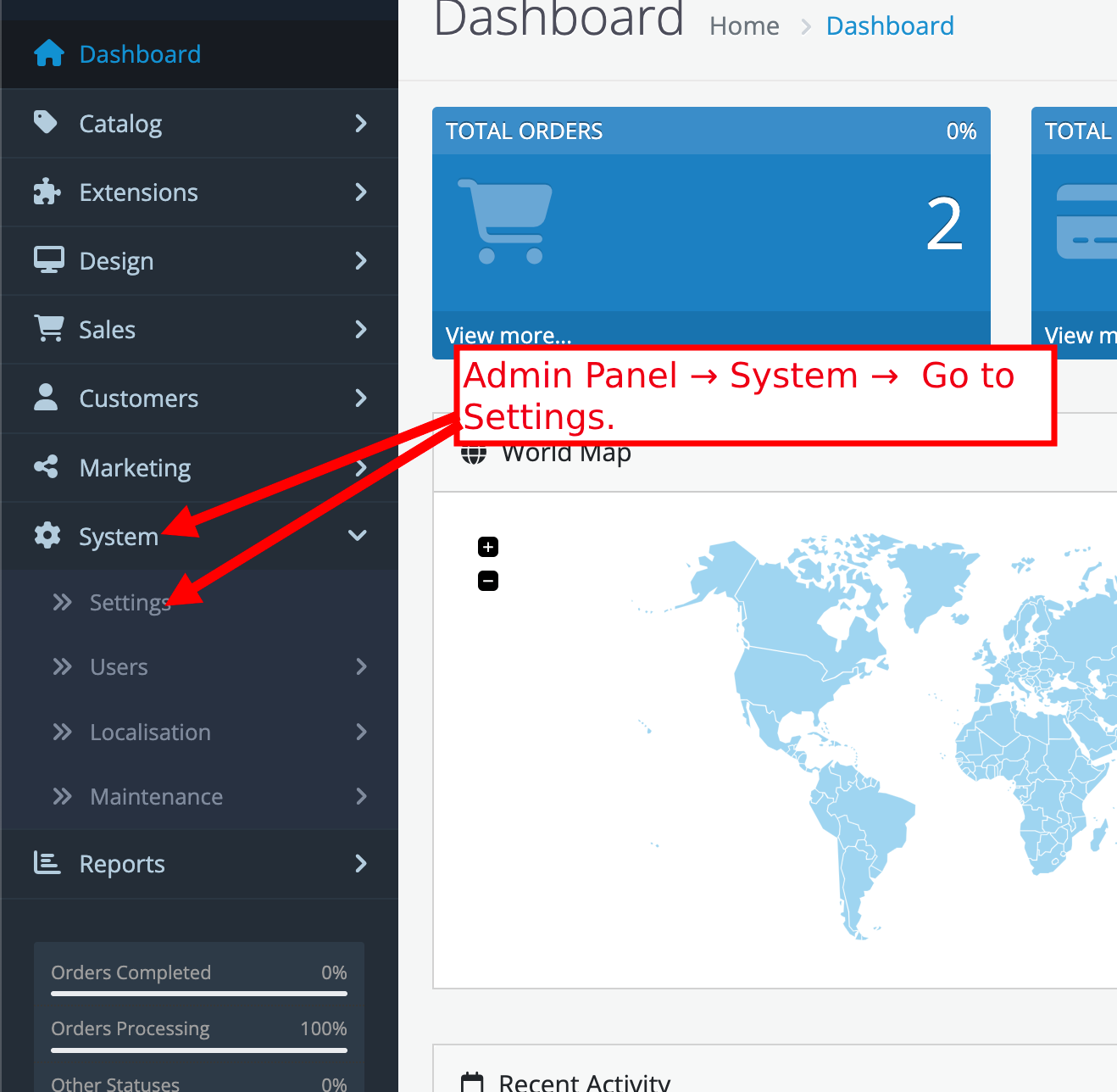
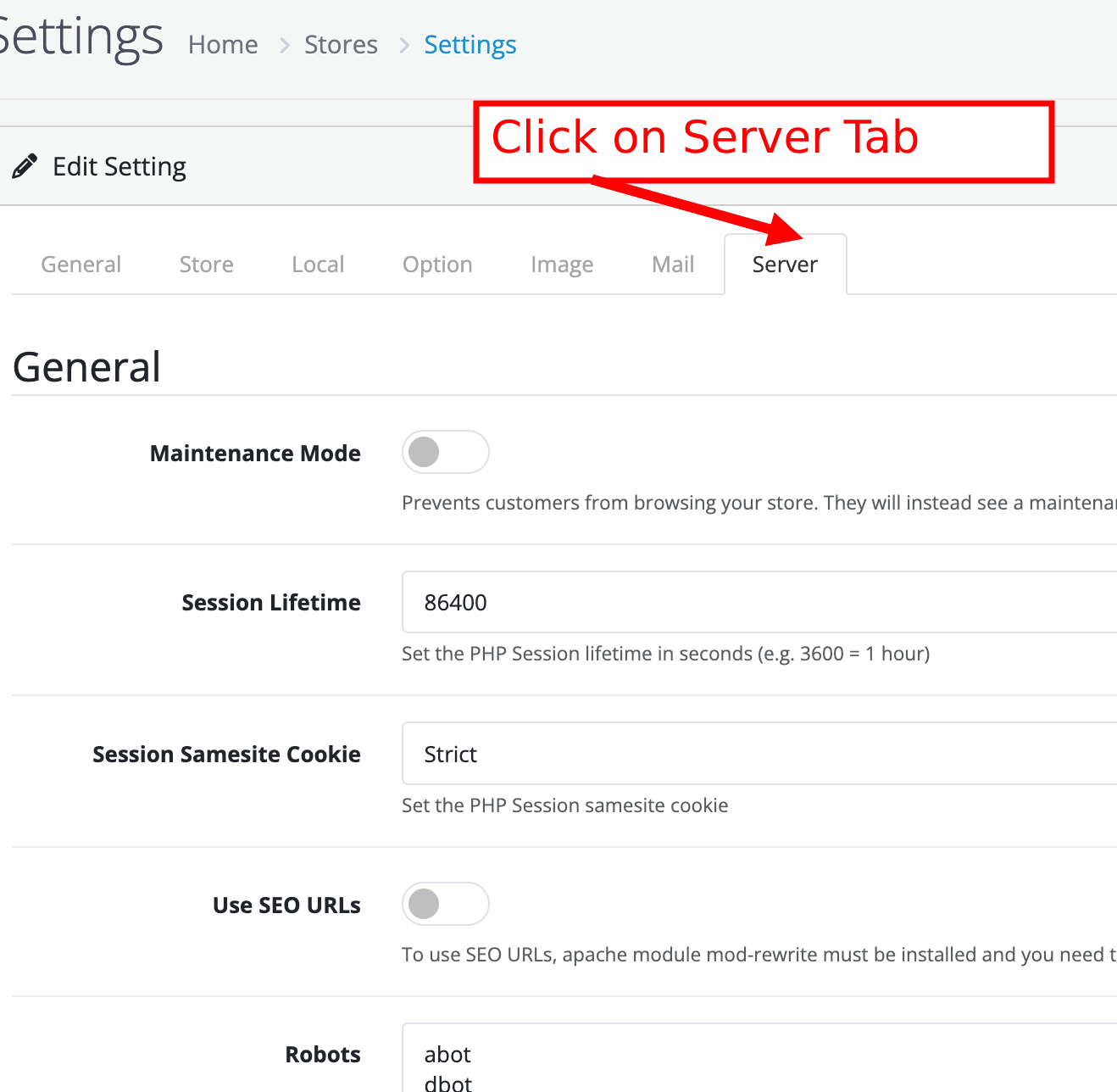
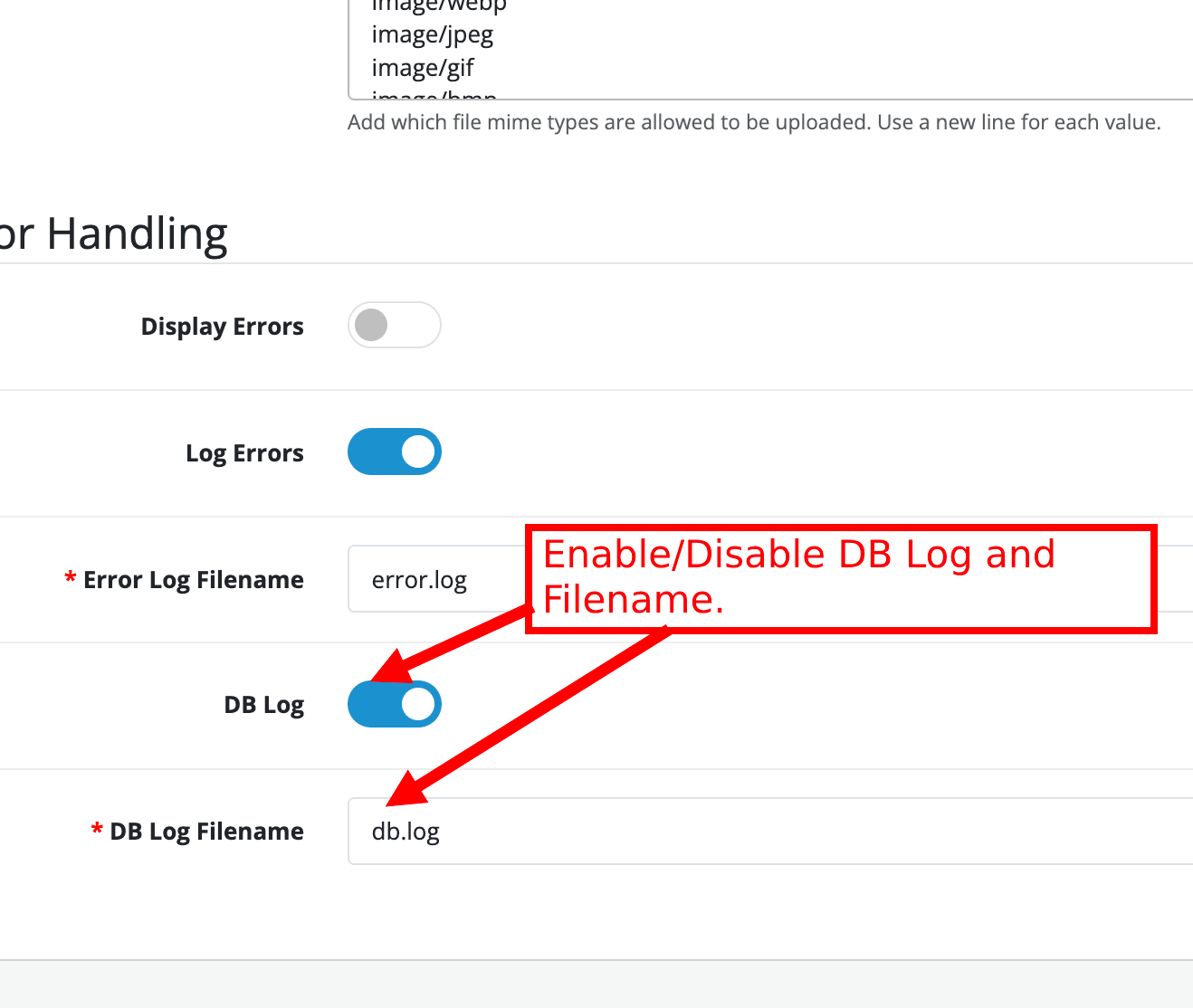
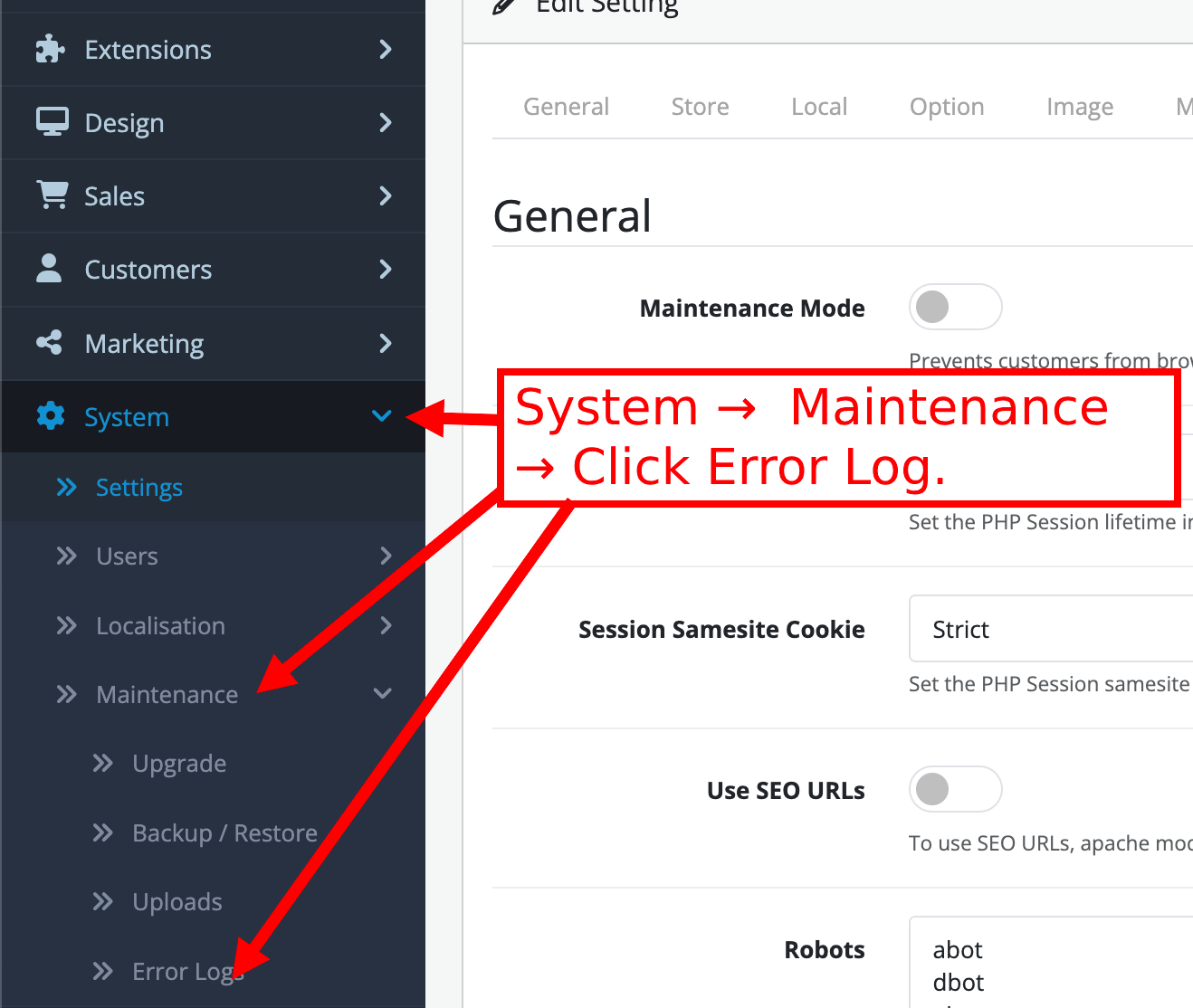
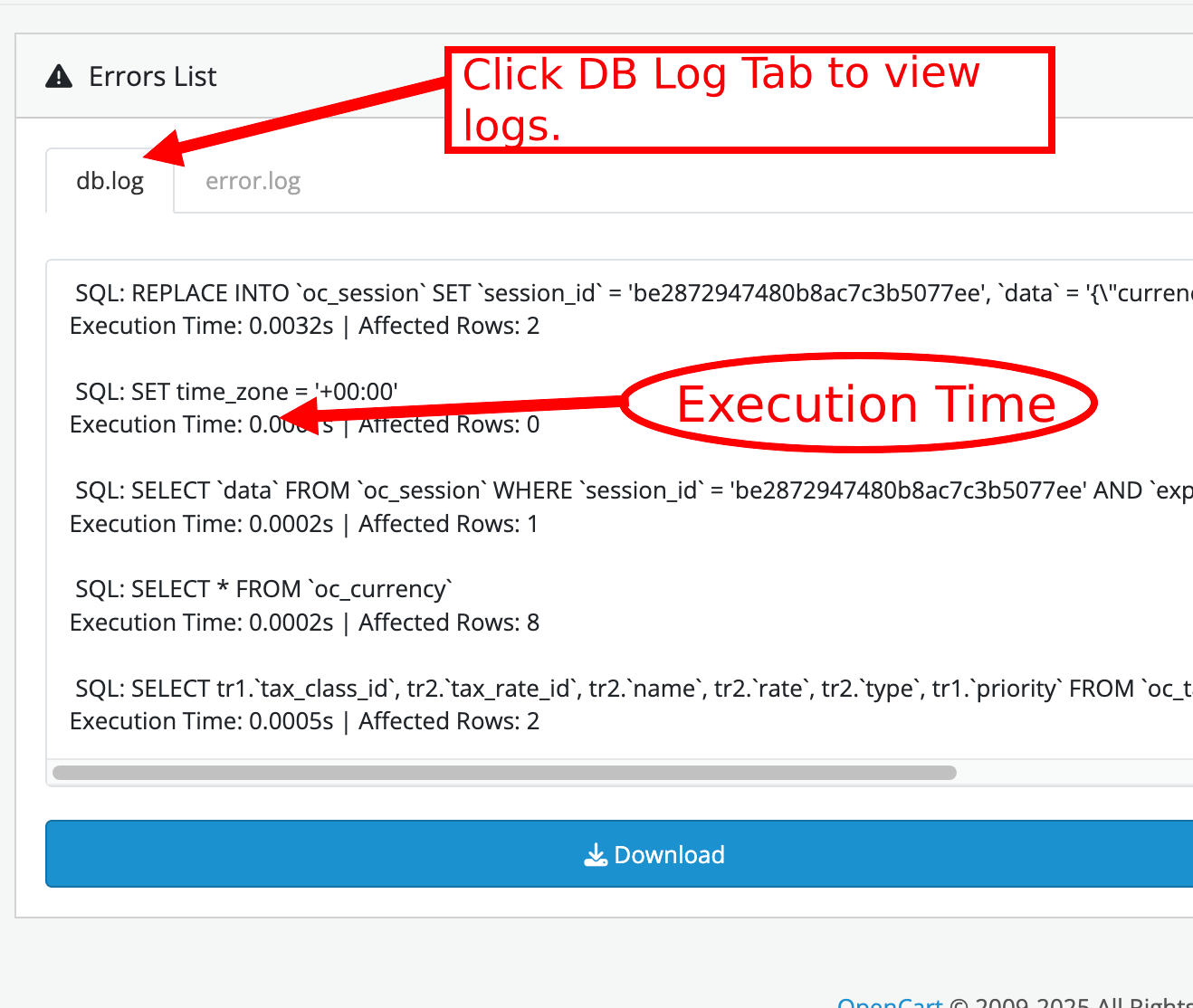
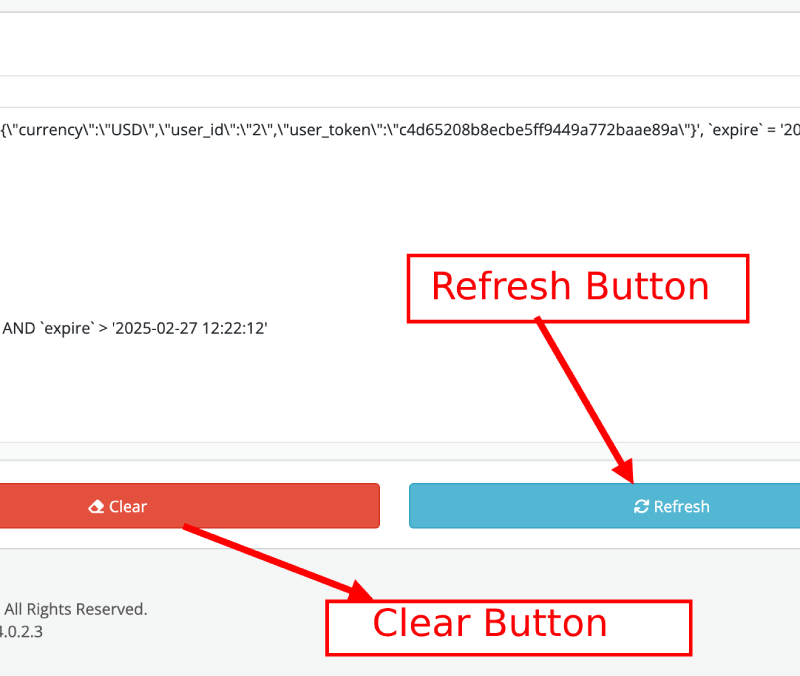
This extension adds a Database Log System to the Admin Panel, accessible under the Server Tab in Settings. It offers administrators the flexibility to enable or disable database logging based on their requirements and allows them to set a custom log filename for improved organization. All logged information is securely saved in the database and can be conveniently accessed and reviewed in the Maintenance > Error Logs section under db.log. This makes it easier to monitor database activities and efficiently troubleshoot any issues.
Admin Demo: 4.x.x.x (link)
Username: demo
Password: demo
----------------------
Key Features:
=> Integrated Database Logging: Adds a dedicated Database Log System under the Server Tab in Admin Settings.
=> Selective Filter Reset: Provides a "Clear Filter" button to reset only the Filter Column and Filter String fields.
=> Logging Control: Allows administrators to enable or disable database logging with a simple toggle.
=> Custom Log Naming: Allows admins to define a unique filename for log files, improving organization and tracking.
=> Centralized Log Storage: All logs are stored directly in the database, ensuring secure and centralized storage.
=> Quick Access to Logs: View logs instantly in the Maintenance > Error Logs section under db.log.
Benefits:
Improved Debugging: Simplifies troubleshooting by maintaining a detailed record of database activities and errors.
Flexible Log Management: Admins have full control over logging, enabling or disabling it as needed.
Enhanced Organization: Custom log filenames make it easier to categorize and locate specific logs.
Streamlined Maintenance: Centralized storage and easy access to logs save time and effort in system maintenance.
Better System Monitoring: Helps administrators monitor database health and performance effectively.
Admin Demo: 4.x.x.x (link)
Username: demo
Password: demo
----------------------
Key Features:
=> Integrated Database Logging: Adds a dedicated Database Log System under the Server Tab in Admin Settings.
=> Selective Filter Reset: Provides a "Clear Filter" button to reset only the Filter Column and Filter String fields.
=> Logging Control: Allows administrators to enable or disable database logging with a simple toggle.
=> Custom Log Naming: Allows admins to define a unique filename for log files, improving organization and tracking.
=> Centralized Log Storage: All logs are stored directly in the database, ensuring secure and centralized storage.
=> Quick Access to Logs: View logs instantly in the Maintenance > Error Logs section under db.log.
Benefits:
Improved Debugging: Simplifies troubleshooting by maintaining a detailed record of database activities and errors.
Flexible Log Management: Admins have full control over logging, enabling or disabling it as needed.
Enhanced Organization: Custom log filenames make it easier to categorize and locate specific logs.
Streamlined Maintenance: Centralized storage and easy access to logs save time and effort in system maintenance.
Better System Monitoring: Helps administrators monitor database health and performance effectively.
Price
$30.00
- Developed by OpenCart Community
- 12 Months Free Support
- Documentation Included
Rating
Compatibility
4.0.0.0, 4.0.1.0, 4.0.1.1, 4.0.2.0, 4.0.2.1, 4.0.2.2, 4.0.2.3, 4.0.0.0, 4.0.1.0, 4.0.1.1, 4.0.2.0, 4.0.2.1, 4.0.2.2, 4.0.2.3
Last Update
15 Mar 2025
Created
14 Mar 2025
0 Sales
0 Comments

Login and write down your comment.
Login my OpenCart Account