Manage Additional Images on Product List Page
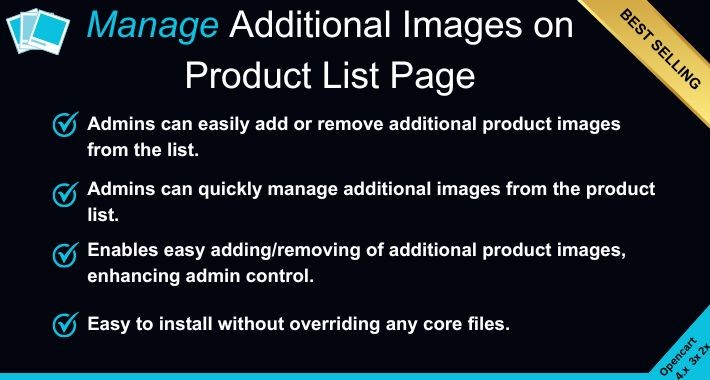
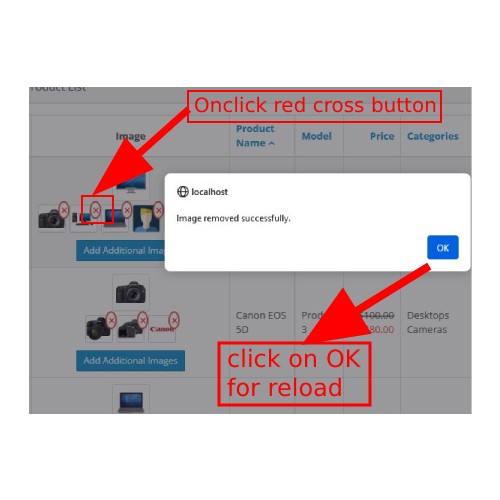
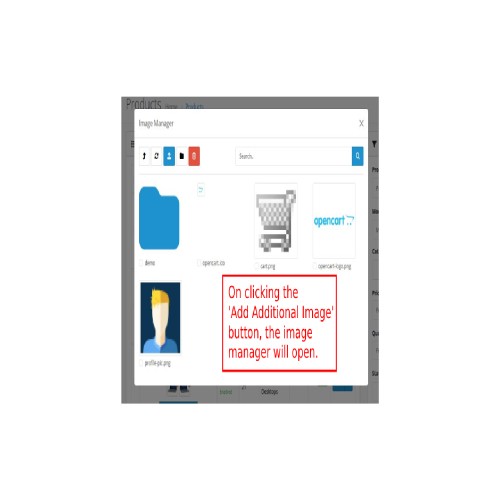
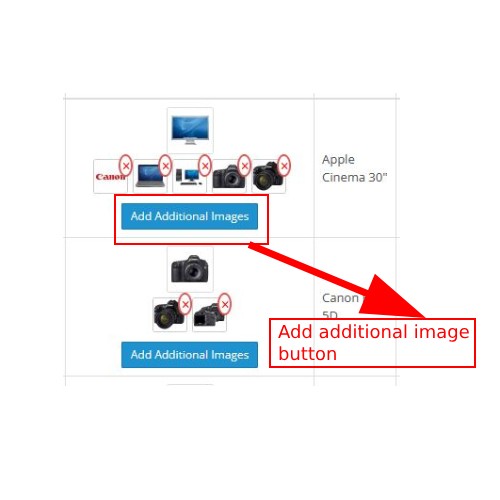
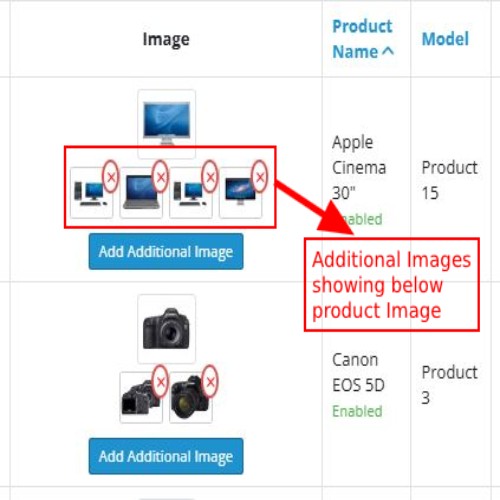
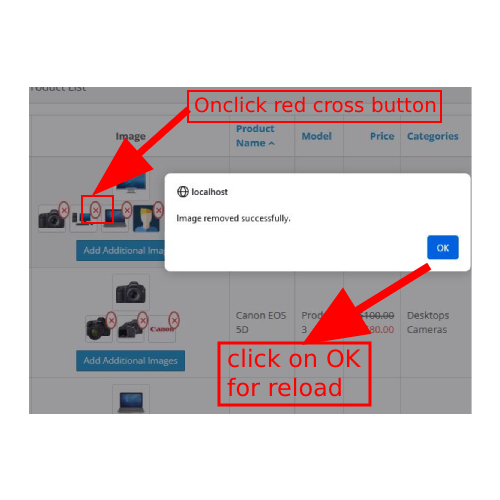
The "Admin Quick Add and Remove Additional Image" extension streamlines product management by allowing administrators to quickly add or remove extra images for products directly from the product list page. This feature displays additional images below the main product image, offering a more detailed and visual overview of your inventory. It enhances the admin experience by saving time and improving efficiency in managing product visuals.
Admin Demo: 4.x.x.x (link)
Username: demo
Password: demo
---------------------
Admin Demo: 3.x.x.x
Username: demo
Password: demo
-----------------------
Admin Demo: 2.x.x.x
username: demo
password: demo
-----------------------
Key Features:
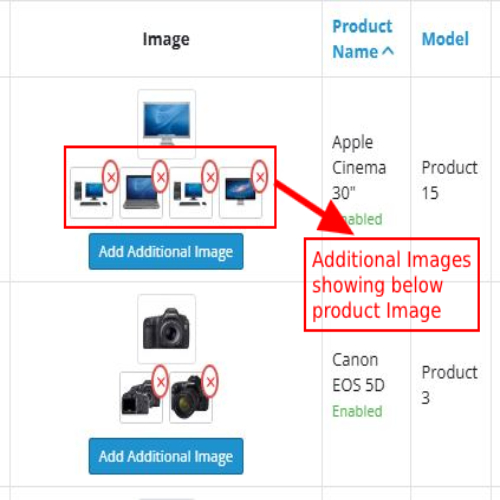
=> Showcase Additional Images – Display extra product images directly on the list page for a more comprehensive view.
=> Easy Image Removal – Remove any additional image effortlessly with a simple ‘Remove’ button.
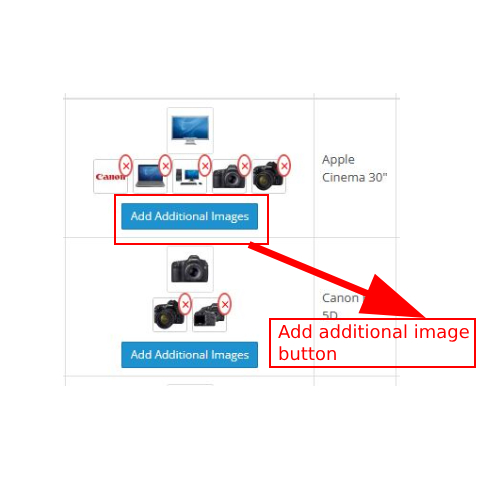
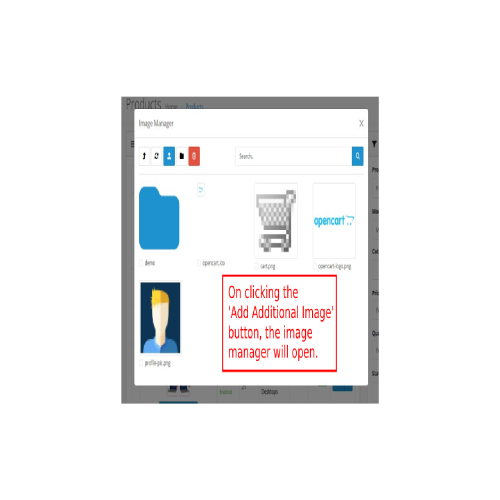
=> Quick Image Addition – Instantly upload new product images from the list page without extra steps.
Benefits:
Streamlined Product Management – Add and remove images without navigating away from the product list, saving time.
Better Visual Display – Improve product presentation with multiple images for a clearer preview.
Better Visual Display – Improve product presentation with multiple images for a clearer preview.
This extension integrates seamlessly into your admin panel, offering intuitive controls for managing product images. By enhancing the product list page with additional image functionalities, it significantly improves the efficiency and effectiveness of product management within your store.
Admin Demo: 4.x.x.x (link)
Username: demo
Password: demo
---------------------
Admin Demo: 3.x.x.x
Username: demo
Password: demo
-----------------------
Admin Demo: 2.x.x.x
username: demo
password: demo
-----------------------
Key Features:
=> Showcase Additional Images – Display extra product images directly on the list page for a more comprehensive view.
=> Easy Image Removal – Remove any additional image effortlessly with a simple ‘Remove’ button.
=> Quick Image Addition – Instantly upload new product images from the list page without extra steps.
Benefits:
Streamlined Product Management – Add and remove images without navigating away from the product list, saving time.
Better Visual Display – Improve product presentation with multiple images for a clearer preview.
Better Visual Display – Improve product presentation with multiple images for a clearer preview.
This extension integrates seamlessly into your admin panel, offering intuitive controls for managing product images. By enhancing the product list page with additional image functionalities, it significantly improves the efficiency and effectiveness of product management within your store.
Price
$30.00
- Developed by OpenCart Community
- 6 Months Free Support
- Documentation Included
Rating
Compatibility
2.0.2.0, 2.0.2.0, 2.2.0.0, 2.3.0.2, 2.2.0.0, 2.3.0.2, 3.0.0.0, 3.0.1.0, 3.0.1.1, 3.0.3.0, 3.0.3.1, 3.0.3.2, 3.0.3.3, 3.0.3.5, 3.0.3.6, 3.0.3.7, 3.0.3.8, 3.0.3.9, 3.0.4.0, 3.0.0.0, 3.0.1.0, 3.0.1.1, 3.0.2.0, 3.0.3.0, 3.0.3.1, 3.0.3.2, 3.0.3.3, 3.0.3.5, 3.0.3.6, 3.0.3.7, 3.0.3.8, 3.0.3.9, 3.0.4.0, 4.0.0.0, 4.0.1.0, 4.0.1.1, 4.0.2.0, 4.0.2.1, 4.0.2.2, 4.0.2.3, 4.0.0.0, 4.0.1.0, 4.0.1.1, 4.0.2.0, 4.0.2.1, 4.0.2.2, 4.0.2.3
Last Update
15 Mar 2025
Created
15 Mar 2025
0 Sales
0 Comments

Login and write down your comment.
Login my OpenCart Account