Product To Information

Using this module, you have a dedicated field in the admin panel on the (Create or Edit) information page.
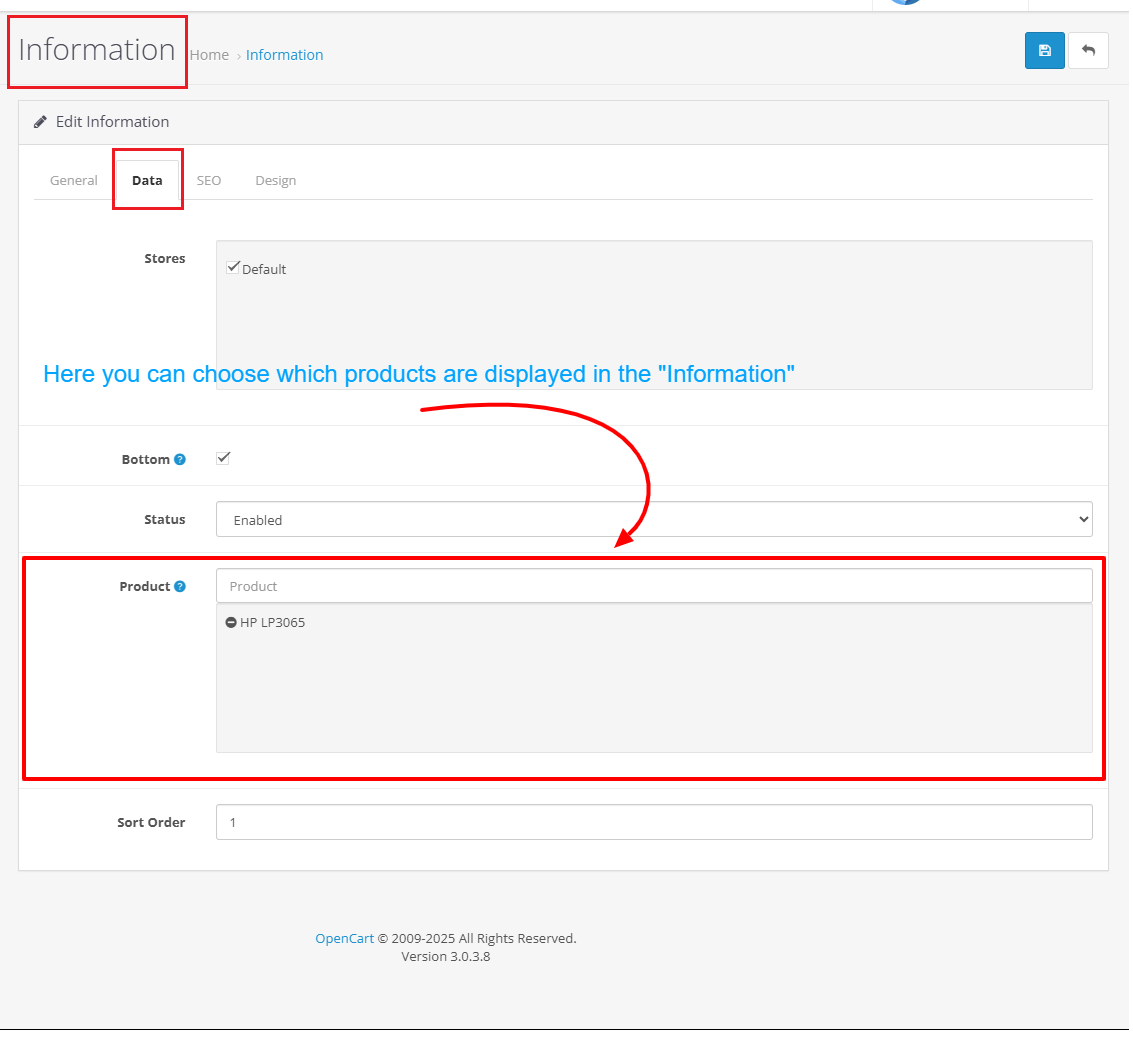
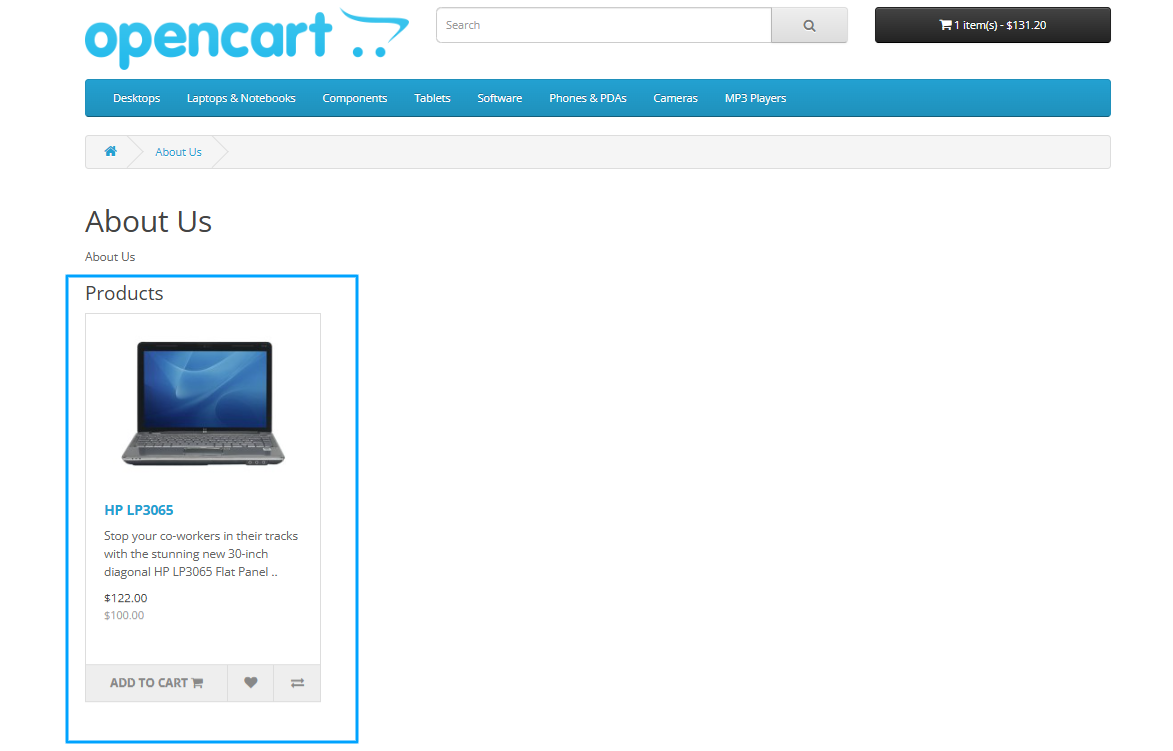
This feature allows you to effortlessly select products from your store to be displayed on the store information page.
This streamlined process ensures that you can effectively manage and showcase your products, enhancing the visibility of your offerings to potential customers.
By integrating this module, you can customize the information page to better represent your brand and make your store more appealing.
The ease of use and functionality of this module will significantly improve your store management experience and contribute to increased customer engagement.
Username: demo
Password: demo
Store Demo
Demo Panel Admin
Install:
First download the Zip file.
Then go to Extensions>Installer and click on the "Upload" button.
Then select the downloaded Zip file and upload it.
Go to Extensions>Modifications and hit the refresh button.
Support:
cartcraft.oc@gmail.com
This feature allows you to effortlessly select products from your store to be displayed on the store information page.
This streamlined process ensures that you can effectively manage and showcase your products, enhancing the visibility of your offerings to potential customers.
By integrating this module, you can customize the information page to better represent your brand and make your store more appealing.
The ease of use and functionality of this module will significantly improve your store management experience and contribute to increased customer engagement.
Username: demo
Password: demo
Store Demo
Demo Panel Admin
Install:
First download the Zip file.
Then go to Extensions>Installer and click on the "Upload" button.
Then select the downloaded Zip file and upload it.
Go to Extensions>Modifications and hit the refresh button.
Support:
cartcraft.oc@gmail.com
Price
$20.00
- Developed by OpenCart Community
- 12 Months Free Support
- Documentation Included
Rating
Compatibility
3.0.0.0, 3.0.1.0, 3.0.1.1, 3.0.1.2, 3.0.1.3, 3.0.2.0, 3.0.3.0, 3.0.3.1, 3.0.3.2, 3.0.3.3, 3.0.3.5, 3.0.3.6, 3.0.3.7, 3.0.3.8, 3.x.x.x, 3.0.3.9, 3.0.4.0, 3.0.4.1, 3.0.5.0
Last Update
26 May 2026
Created
12 Apr 2025
0 Sales
0 Comments

Login and write down your comment.
Login my OpenCart Account