OpenCart Trash: Slasoft OC Ver4.x — Restore Your Deleted Items
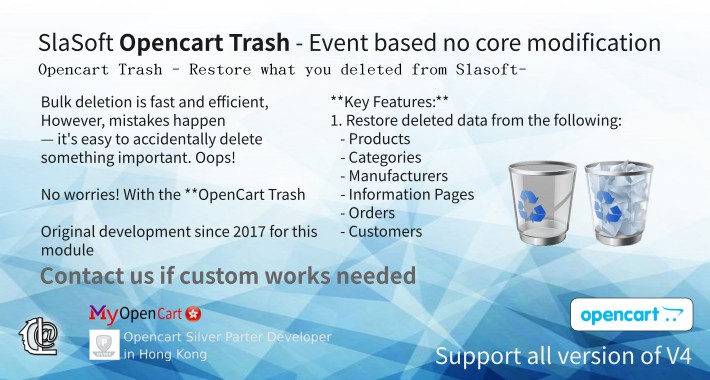
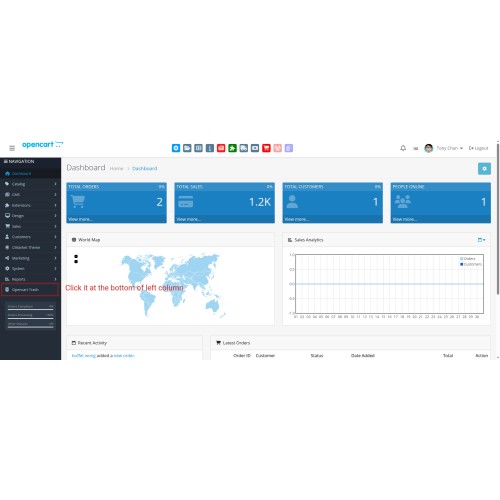
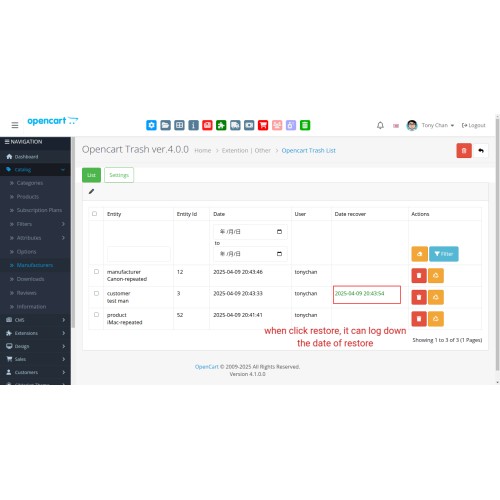
Bulk deletion is fast and efficient, especially when you've carefully selected the items to remove. However, mistakes happen — it's easy to accidentally delete something important. Oops!
No worries! With the **OpenCart Trash (Recycle Bin)** extension, you can restore deleted items in just a few clicks.
**Description:**
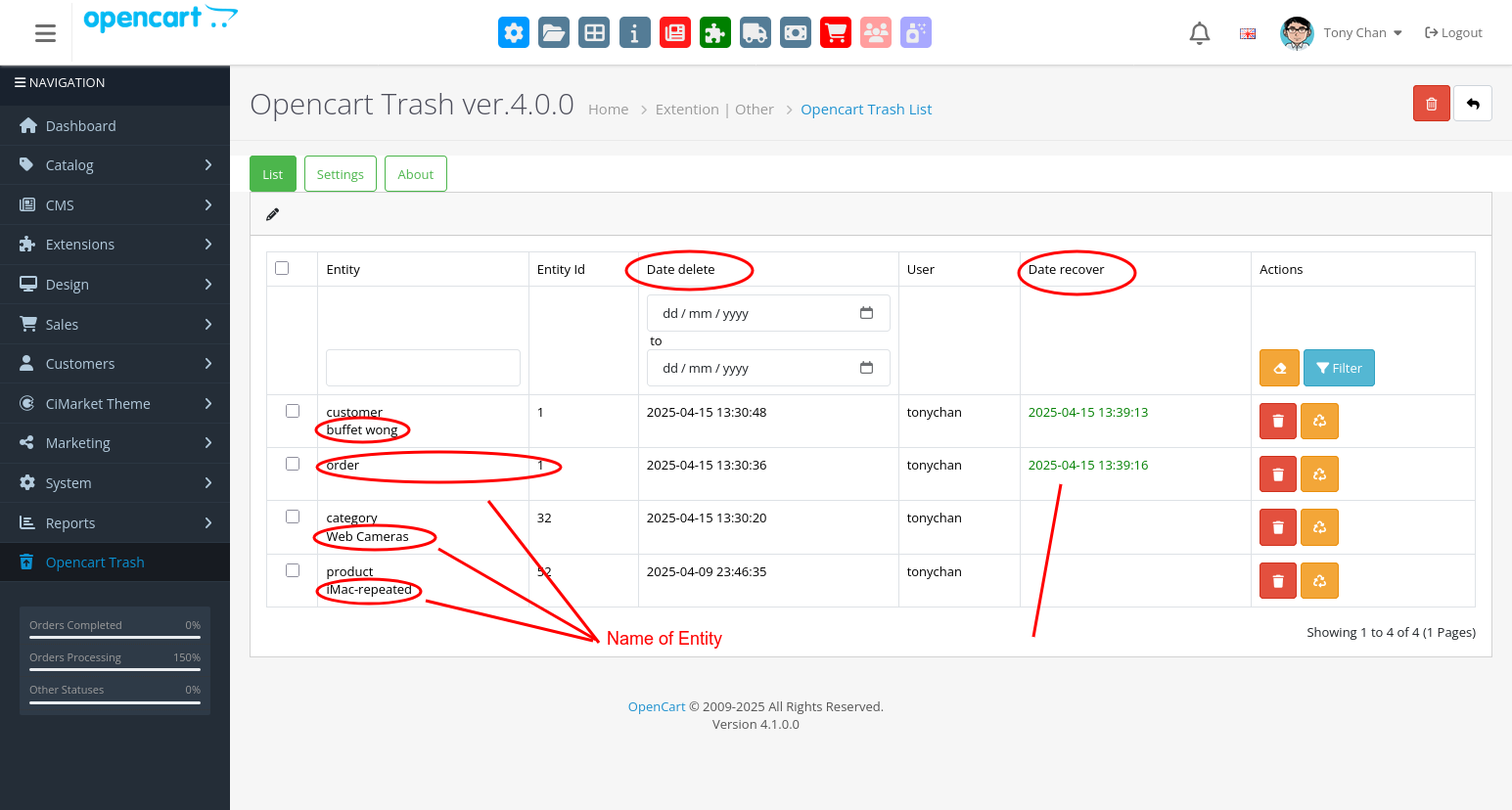
This extension allows you to recover deleted items directly from your OpenCart admin panel.
**Key Features:**
1. Restore deleted data from the following:
- Products
- Categories
- Manufacturers
- Information Pages
- Orders
- Customers
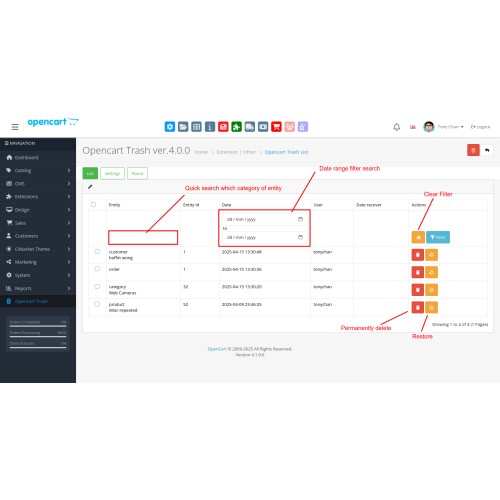
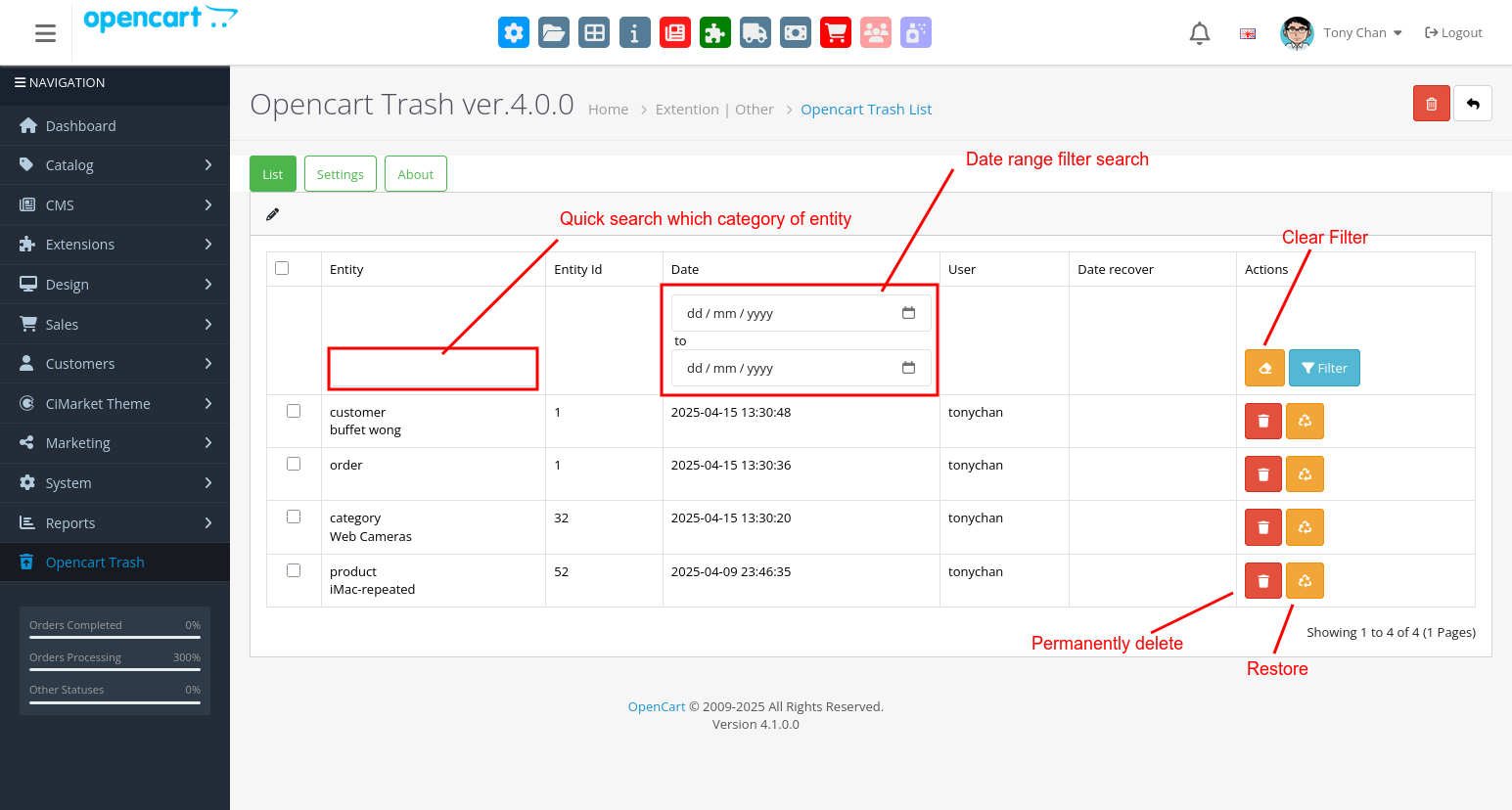
2. Option to permanently delete items.
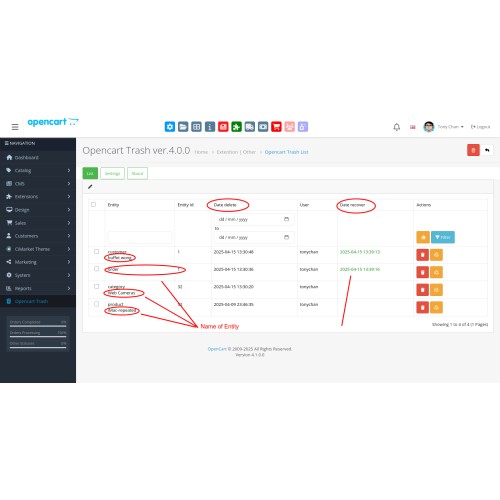
3. Advanced data filtering for quick and precise restoration.
4. Pagination enabled on all pages for better navigation.
**Smart Recovery:**
If you delete a parent category with nested child categories (e.g.,
Parent
— Child1
—— Child1_1
——— Child1_2
———— Child1_2_1, etc.),
**all** related subcategories will be recovered.
**FAQ**
**1. Can I restore items that were deleted before installing OpenCart Trash?**
No. You must install the extension first. After successful installation, any items deleted thereafter can be restored. You can also track deletion activity via the admin history, including the user responsible.
**2. Can I restore data types other than products, categories, orders, and customers?**
Custom restoration is available upon request. Please provide login credentials so we can assess your system and provide a quotation. Note: **Urgent requests are not accepted**. The standard turnaround is 7–14 working days, depending on the system's complexity.
---
【資源回收桶】救回被刪除的檔案
為了避免後台運作人員誤操作導致資料遺失,我們新增了復原站功能救回被刪除的檔案包括:
1. 可還原以下刪除項目:
- 商品
- 商品分類
- 品牌/製造商
- 資訊頁
- 訂單
- 客戶資料
Contact us if custom work needed.
No worries! With the **OpenCart Trash (Recycle Bin)** extension, you can restore deleted items in just a few clicks.
**Description:**
This extension allows you to recover deleted items directly from your OpenCart admin panel.
**Key Features:**
1. Restore deleted data from the following:
- Products
- Categories
- Manufacturers
- Information Pages
- Orders
- Customers
2. Option to permanently delete items.
3. Advanced data filtering for quick and precise restoration.
4. Pagination enabled on all pages for better navigation.
**Smart Recovery:**
If you delete a parent category with nested child categories (e.g.,
Parent
— Child1
—— Child1_1
——— Child1_2
———— Child1_2_1, etc.),
**all** related subcategories will be recovered.
**FAQ**
**1. Can I restore items that were deleted before installing OpenCart Trash?**
No. You must install the extension first. After successful installation, any items deleted thereafter can be restored. You can also track deletion activity via the admin history, including the user responsible.
**2. Can I restore data types other than products, categories, orders, and customers?**
Custom restoration is available upon request. Please provide login credentials so we can assess your system and provide a quotation. Note: **Urgent requests are not accepted**. The standard turnaround is 7–14 working days, depending on the system's complexity.
---
【資源回收桶】救回被刪除的檔案
為了避免後台運作人員誤操作導致資料遺失,我們新增了復原站功能救回被刪除的檔案包括:
1. 可還原以下刪除項目:
- 商品
- 商品分類
- 品牌/製造商
- 資訊頁
- 訂單
- 客戶資料
Contact us if custom work needed.
Price
$79.00
- Developed by OpenCart Partner
- 6 Months Free Support
- Documentation Included
Rating
Compatibility
4.0.0.0, 4.0.1.0, 4.0.1.1, 4.0.2.0, 4.0.2.1, 4.0.2.2, 4.0.2.3, 4.1.0.0, 4.1.0.1, 4.1.0.2, 4.1.0.3
Last Update
15 Apr 2025
Created
15 Apr 2025
0 Sales
0 Comments

Login and write down your comment.
Login my OpenCart Account