Return Product Stock When Orders Are Cancelled
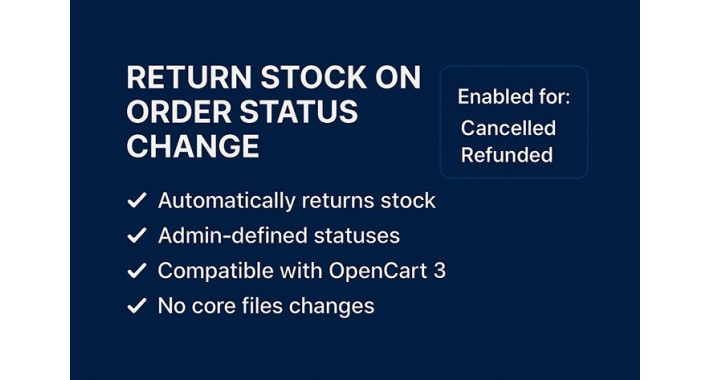
Automatically Return Product Stock When Orders Are Cancelled or Rejected
Tired of tracking down which orders should return products back to stock?
This lightweight and efficient OCMOD gives you full control over which order statuses should automatically trigger a stock return — without any core file changes.
Key Features
Selective Stock Return:
Easily choose which order statuses (e.g. Cancelled, Failed, Refunded) should automatically return the ordered product quantities back to inventory.
Admin Configuration Panel:
Configure it directly in your admin panel under Settings > Options. No coding required.
Order Status-Based Trigger:
The extension checks for status changes during order history updates — if the new status matches your selected ones, stock is returned instantly.
Safe & Reversible:
Because the logic is tied to OpenCart’s existing order status system, it works seamlessly and predictably — with no risk to unrelated actions.
Multi-Language Compatible:
Works regardless of the language used — matching is based on status IDs, not text.
100% OCMOD:
No core modifications. Clean, modular, and fully compatible with most OpenCart 3.x stores.
Who Is This For?
Store owners who want to avoid overselling due to unreturned cancelled stock.
Staff managing large volumes of orders and need automation for operational efficiency.
Developers who want to offer stock-smart behavior without reinventing the wheel.
Why You Need It
OpenCart does not return stock automatically on cancellation or failed orders by default.
This extension puts you in control of which order outcomes should reverse stock deduction — helping you maintain accurate inventory levels and avoid manual mistakes.
You decide the rule. The extension enforces it.
Easy Installation
Upload the .ocmod.xml file via Extensions > Extension Installer.
Refresh the modification cache in Extensions > Modifications.
Go to System > Settings > Options and select your preferred statuses.
Done! Stock is now returned automatically for the statuses you defined.
Tired of tracking down which orders should return products back to stock?
This lightweight and efficient OCMOD gives you full control over which order statuses should automatically trigger a stock return — without any core file changes.
Key Features
Selective Stock Return:
Easily choose which order statuses (e.g. Cancelled, Failed, Refunded) should automatically return the ordered product quantities back to inventory.
Admin Configuration Panel:
Configure it directly in your admin panel under Settings > Options. No coding required.
Order Status-Based Trigger:
The extension checks for status changes during order history updates — if the new status matches your selected ones, stock is returned instantly.
Safe & Reversible:
Because the logic is tied to OpenCart’s existing order status system, it works seamlessly and predictably — with no risk to unrelated actions.
Multi-Language Compatible:
Works regardless of the language used — matching is based on status IDs, not text.
100% OCMOD:
No core modifications. Clean, modular, and fully compatible with most OpenCart 3.x stores.
Who Is This For?
Store owners who want to avoid overselling due to unreturned cancelled stock.
Staff managing large volumes of orders and need automation for operational efficiency.
Developers who want to offer stock-smart behavior without reinventing the wheel.
Why You Need It
OpenCart does not return stock automatically on cancellation or failed orders by default.
This extension puts you in control of which order outcomes should reverse stock deduction — helping you maintain accurate inventory levels and avoid manual mistakes.
You decide the rule. The extension enforces it.
Easy Installation
Upload the .ocmod.xml file via Extensions > Extension Installer.
Refresh the modification cache in Extensions > Modifications.
Go to System > Settings > Options and select your preferred statuses.
Done! Stock is now returned automatically for the statuses you defined.
Price
$30.00
- Developed by OpenCart Community
- 12 Months Free Support
- Documentation Included
Rating
Compatibility
3.0.3.2, 3.0.3.3, 3.0.3.5, 3.0.3.6, 3.0.3.7, 3.0.3.8, 3.0.3.9, 3.0.4.0
Last Update
16 May 2025
Created
11 May 2025
2 Sales
0 Comments

Login and write down your comment.
Login my OpenCart Account