Point of Sale (POS)
Revolutionize Your Storefront with Our OpenCart POS
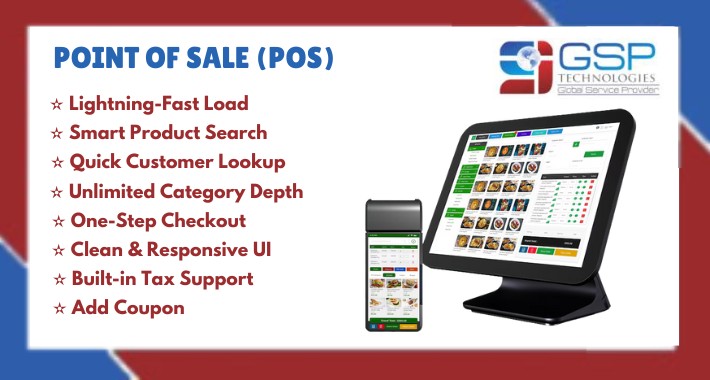
Experience lightning-fast transactions, seamless customer service, and full inventory control – all in one powerful POS system.
Features:
✦ Fast Load: Supports over 10,000+ products and customers with ease.
✦ Advanced Search: Quickly find products by name, model, SKU, JAN, UPC, EAN, ISBN, MPN, and customers by name or email.
✦ Unlimited Categories: Create infinite levels of nested categories for better organization.
✦ Quick Checkout: Minimal and essential fields only for fast processing.
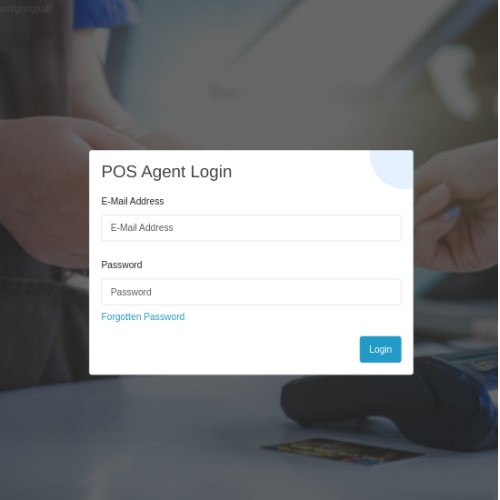
✦ POS Login: Dedicated login panel for POS users for better security.
✦ Dynamic Pricing Tools: Add coupons and taxes easily.
The agent will log in to the POS desktop application using their credentials.

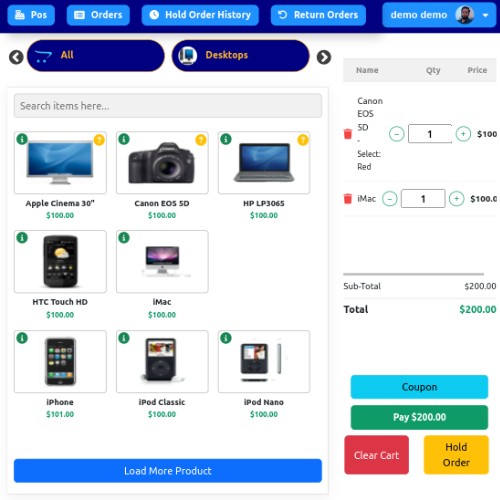
Once logged in, the sales agent can view all products listed in this section, organized by their respective categories.
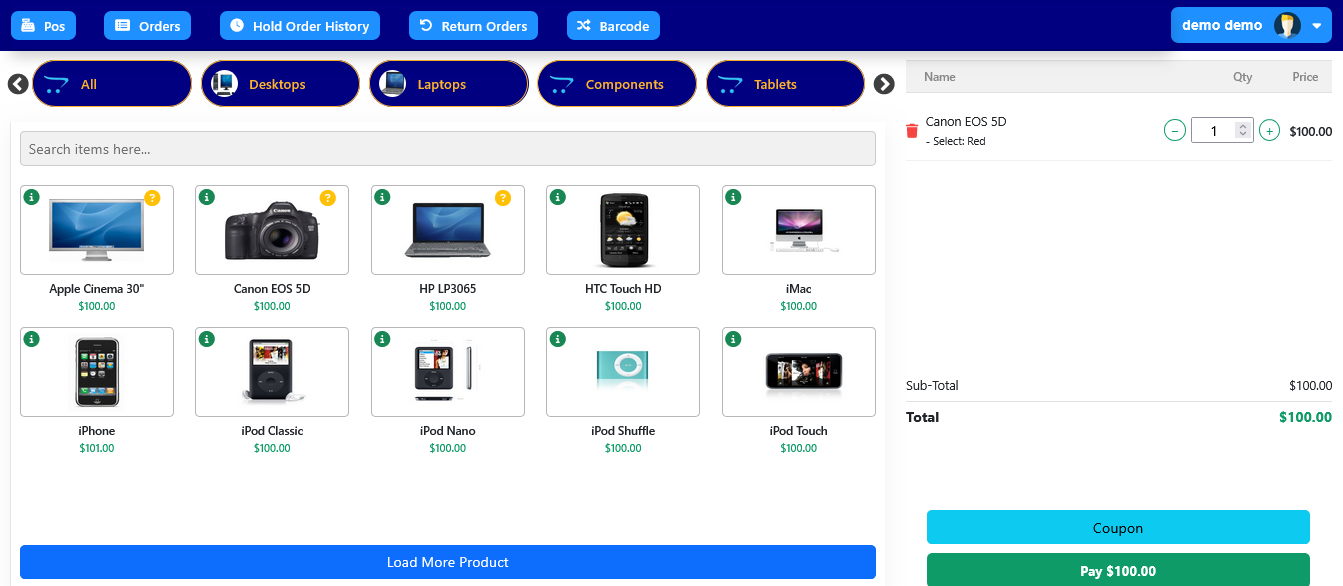
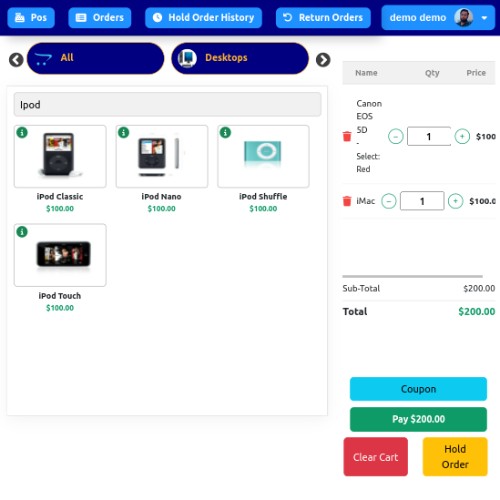
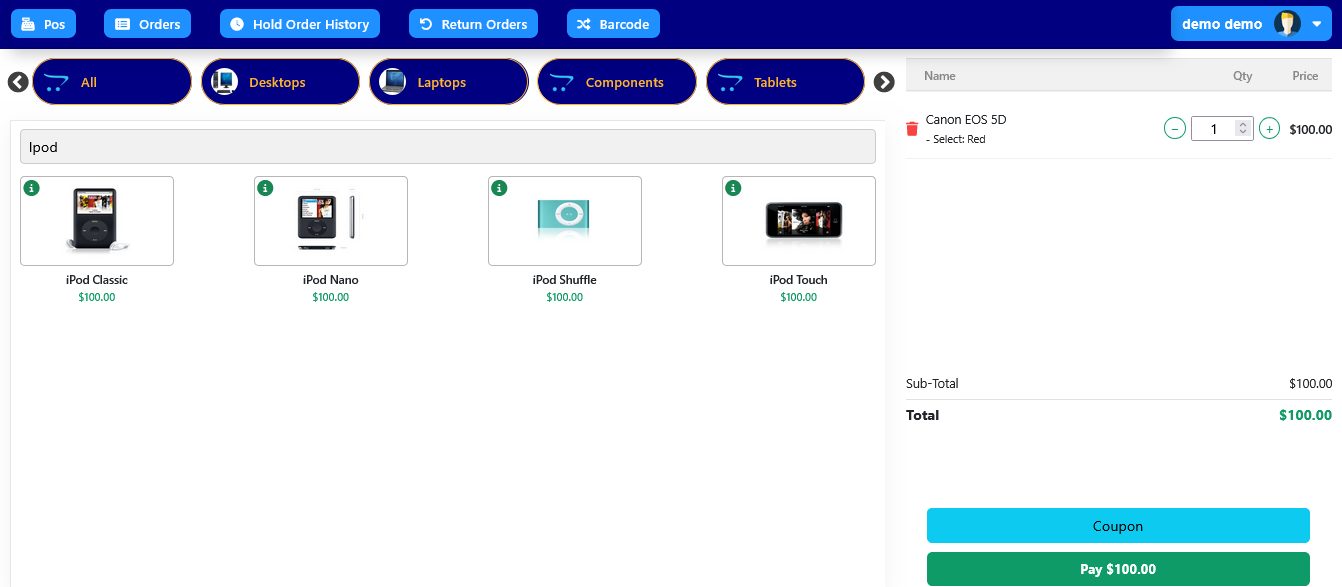
The sales agent can find a specific product by entering its name in the search box, as illustrated in the image.
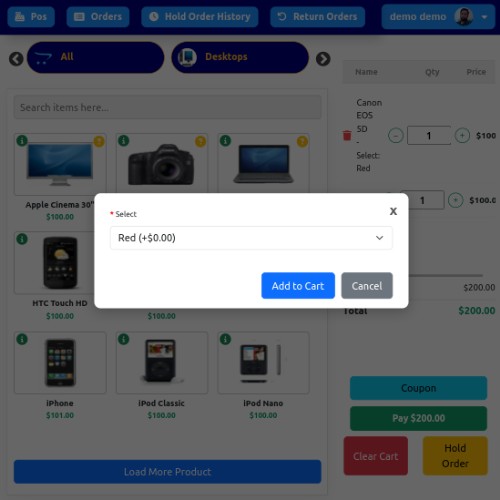
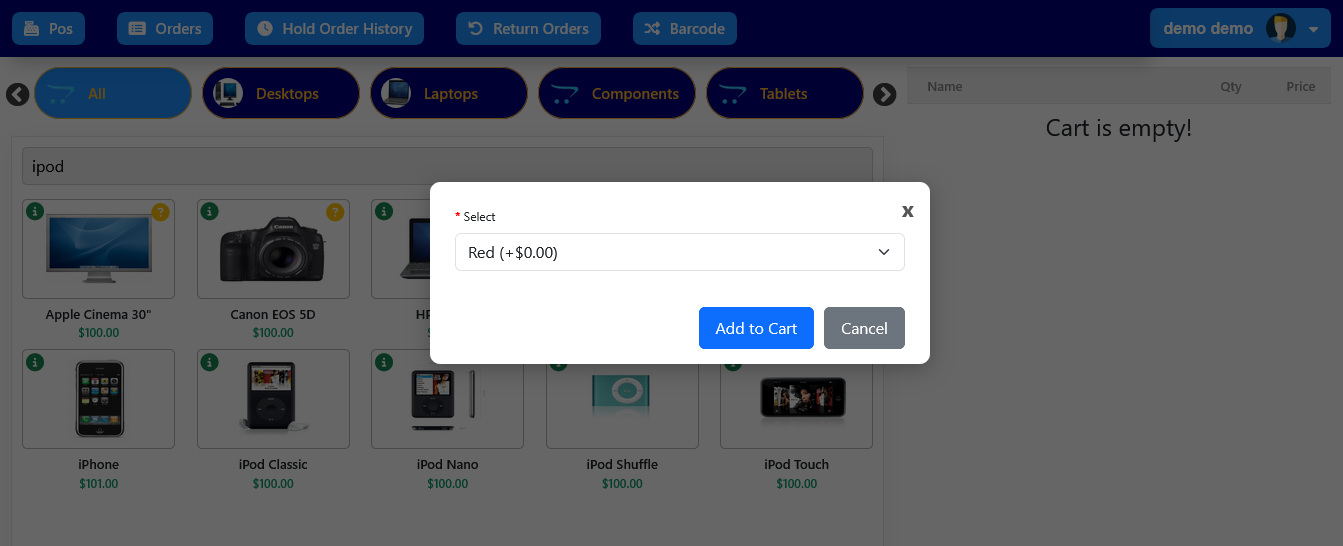
To add a product to the cart, select it from the displayed list. If the product has options, a popup will appear prompting you to choose the desired options. Once selected, the product will be added to the cart.
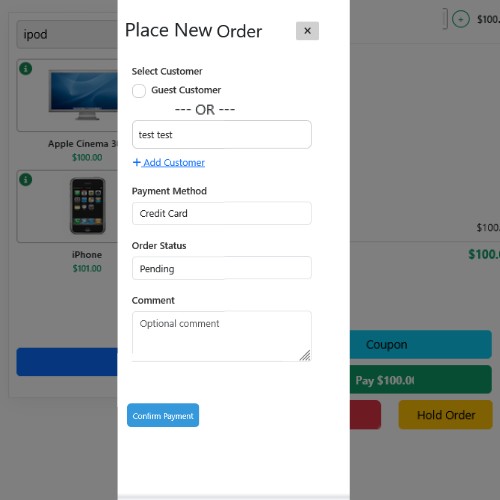
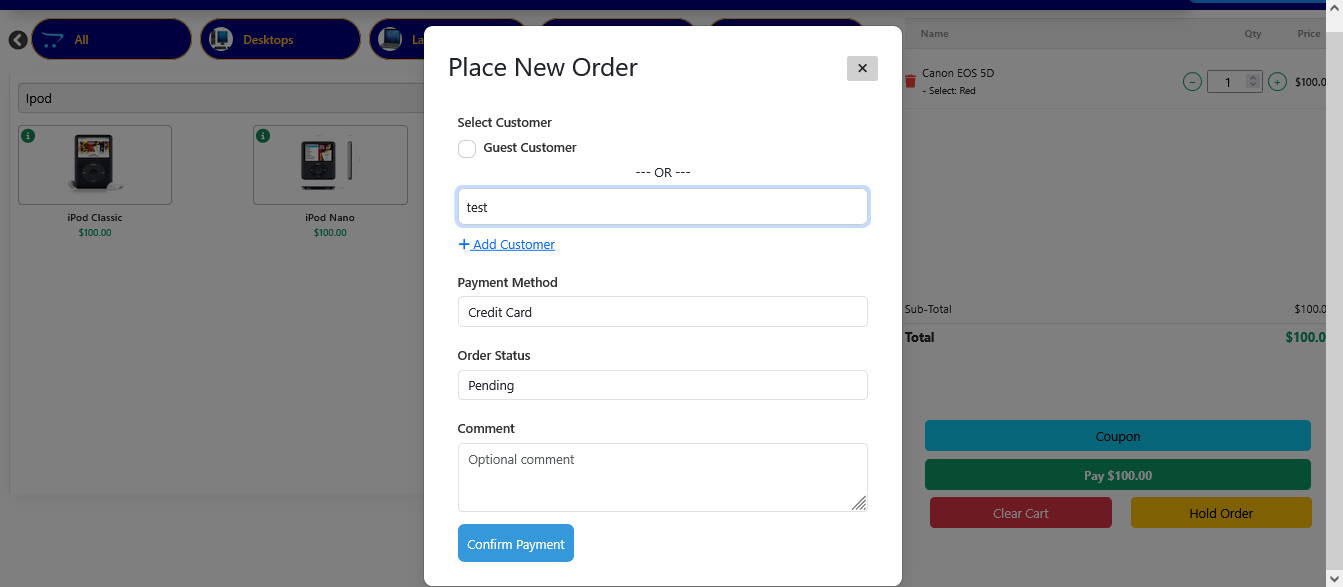
After selecting the product and quantity and assigning a customer, the sales agent can move forward with the checkout process.
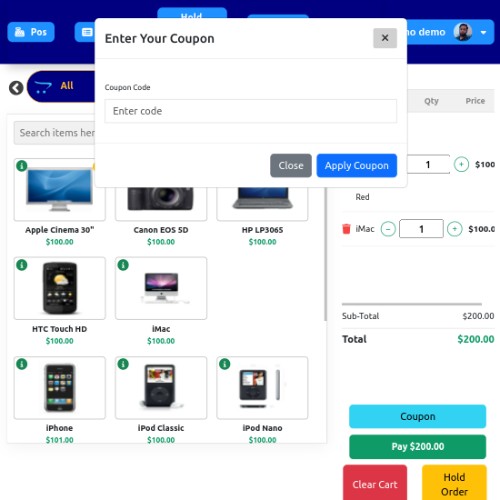
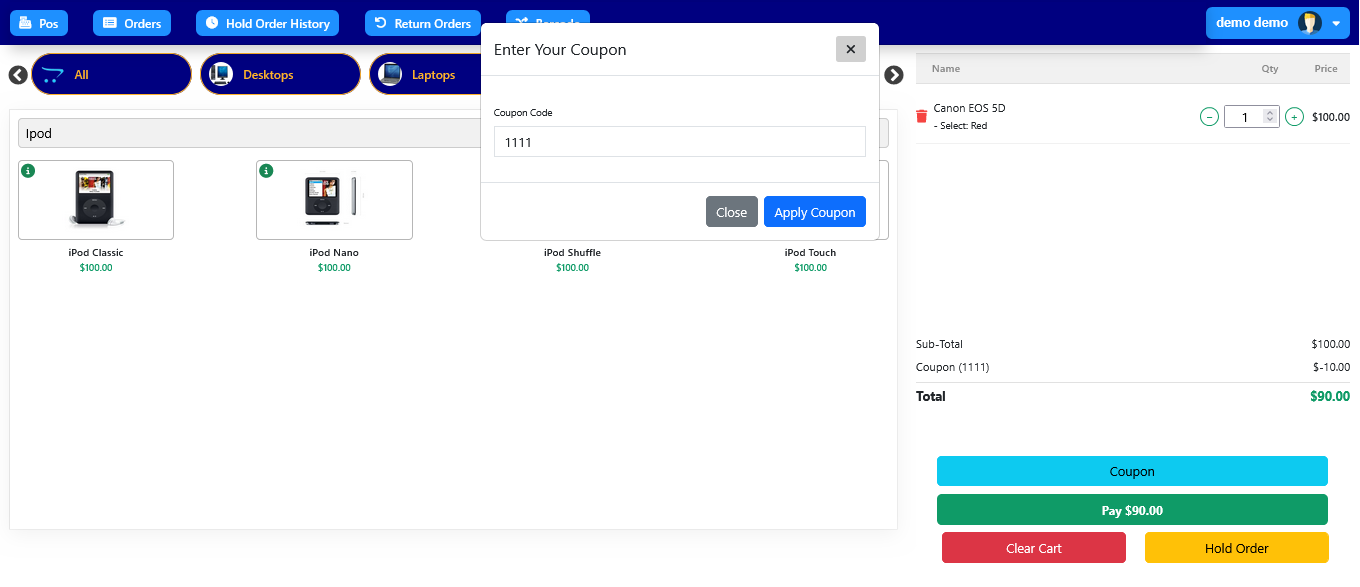
A coupon code can be entered by the sales agent to apply additional discounts.
ONLINE DEMO:
Login / Password: demo / demo

Login / Password: demoagent@gmail.com/ 123456

For any other OpenCart extensions or help, you can contact:
MS Teams / Email: aditya.palmia@gmail.com
Note: FTP details are required for any bug fixes or support.
Experience lightning-fast transactions, seamless customer service, and full inventory control – all in one powerful POS system.
Features:
✦ Fast Load: Supports over 10,000+ products and customers with ease.
✦ Advanced Search: Quickly find products by name, model, SKU, JAN, UPC, EAN, ISBN, MPN, and customers by name or email.
✦ Unlimited Categories: Create infinite levels of nested categories for better organization.
✦ Quick Checkout: Minimal and essential fields only for fast processing.
✦ POS Login: Dedicated login panel for POS users for better security.
✦ Dynamic Pricing Tools: Add coupons and taxes easily.
The agent will log in to the POS desktop application using their credentials.
Once logged in, the sales agent can view all products listed in this section, organized by their respective categories.
The sales agent can find a specific product by entering its name in the search box, as illustrated in the image.
To add a product to the cart, select it from the displayed list. If the product has options, a popup will appear prompting you to choose the desired options. Once selected, the product will be added to the cart.
After selecting the product and quantity and assigning a customer, the sales agent can move forward with the checkout process.
A coupon code can be entered by the sales agent to apply additional discounts.
ONLINE DEMO:
Login / Password: demo / demo
Login / Password: demoagent@gmail.com/ 123456
For any other OpenCart extensions or help, you can contact:
MS Teams / Email: aditya.palmia@gmail.com
Note: FTP details are required for any bug fixes or support.
Price
$33.00
- Developed by OpenCart Community
- 1 Months Free Support
- Documentation Included
Rating
Compatibility
4.x.x.x, 4.0.0.0, 4.0.1.0, 4.0.1.1, 4.0.2.0, 4.0.2.1, 4.0.2.2, 4.0.2.3, 4.1.0.0, 4.1.0.1, 4.1.0.2, 4.1.0.3
Last Update
24 Nov 2025
Created
17 May 2025
0 Sales
0 Comments

Login and write down your comment.
Login my OpenCart Account