UpSell Extension on Checkout Page - Journal & Any Theme
Upsell Checkout Products – Smart Product Recommendations in Checkout
Turn your checkout page into a powerful sales tool!
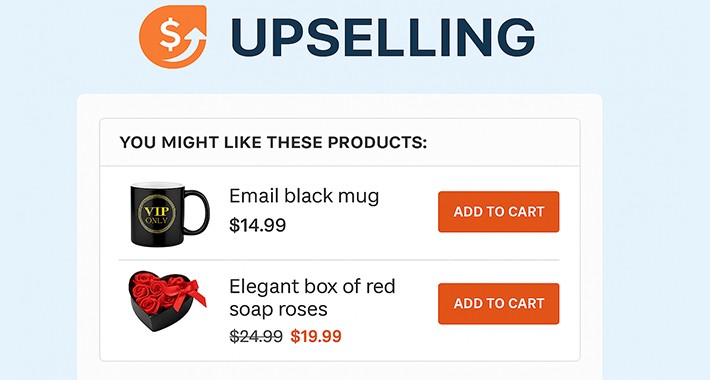
The Upsell Checkout Products extension allows you to display complementary or promotional products directly in the checkout page, right before the order is placed – dynamically, conditionally, and fully managed from your admin panel.
What does this extension do?
Key Features
Admin Settings
How it works
Compatibility
Support & Customization
If your theme requires custom adjustments or you need help setting up, feel free to contact the developer:
teo.catalin@yahoo.com
Boost your sales effortlessly with Upsell Checkout Products.
Simple. Smart. Effective.
Turn your checkout page into a powerful sales tool!
The Upsell Checkout Products extension allows you to display complementary or promotional products directly in the checkout page, right before the order is placed – dynamically, conditionally, and fully managed from your admin panel.
What does this extension do?
- Displays upsell products in the checkout page, before the Terms & Conditions section.
Lets users add recommended products to cart with one click, without leaving the checkout.
Increases average order value and improves conversion rate seamlessly.
Key Features
- Compatible with any theme, including Journal3
Conditional display based on cart product categories
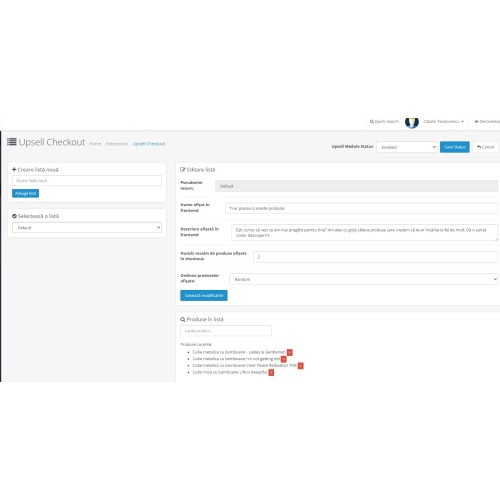
Full list management from admin
Create multiple upsell product lists
Assign a trigger category to each list
Each list can include:
An internal name (admin use only)
A frontend name (shown to customers)
A custom frontend description
Choose how many products to show per list (default: 3)
Product display order options:Random, Price Ascending, Price Descending, Custom order
The "Default" list is used as a fallback if no category matches – it cannot be deleted
Admin Settings
- Enable or disable the entire module with a toggle
All changes are applied immediately – no need to uninstall
How it works
- Create one or more upsell lists in the admin panel.
Add products to each list.
(Optional) Set a category condition so that a list only appears when matching products are in the cart.
Enable the module – and your upsell section will show up in the checkout page.
Compatibility
- OpenCart 3.x
Journal3 & any custom theme
Works with both vQmod and OCMOD
Lightweight and layout-friendly
Mobile responsive
Support & Customization
If your theme requires custom adjustments or you need help setting up, feel free to contact the developer:
teo.catalin@yahoo.com
Boost your sales effortlessly with Upsell Checkout Products.
Simple. Smart. Effective.
Price
$99.00
- Developed by OpenCart Community
- 12 Months Free Support
- Documentation Included
Rating
Compatibility
3.0.0.0, 3.0.1.0, 3.0.1.1, 3.0.1.2, 3.0.1.3, 3.0.2.0, 3.0.3.0, 3.0.3.1, 3.0.3.2, 3.0.3.3, 3.0.3.5, 3.0.3.6, 3.0.3.7, 3.0.3.8, 3.x.x.x, 3.0.3.9, 3.0.4.0, 3.0.4.1
Last Update
26 May 2025
Created
21 May 2025
0 Sales
2 Comments

Login and write down your comment.
Login my OpenCart Account