Cost & Supplier for Products Professional + Profit + Image
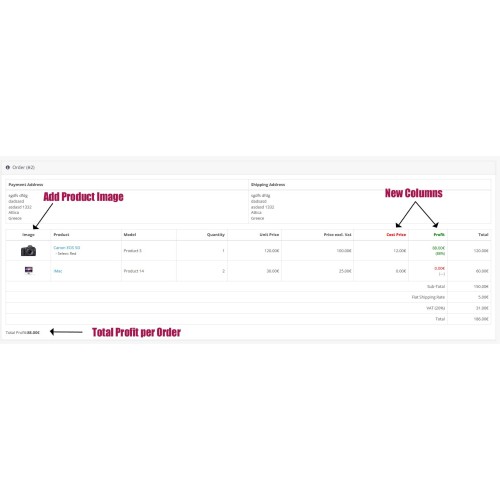
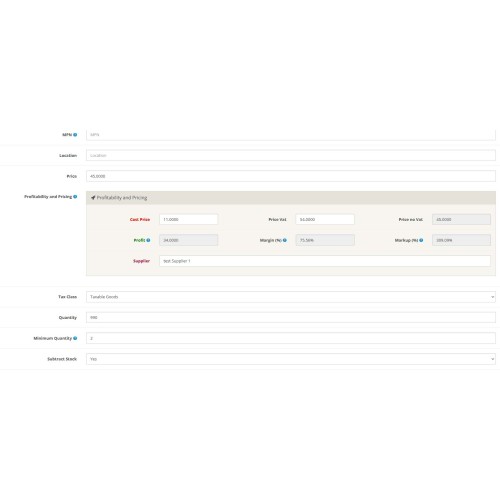
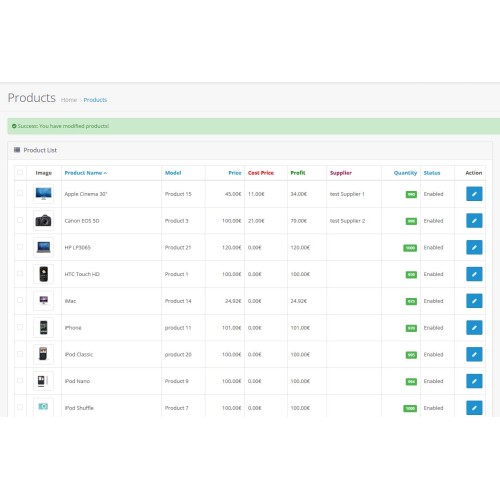

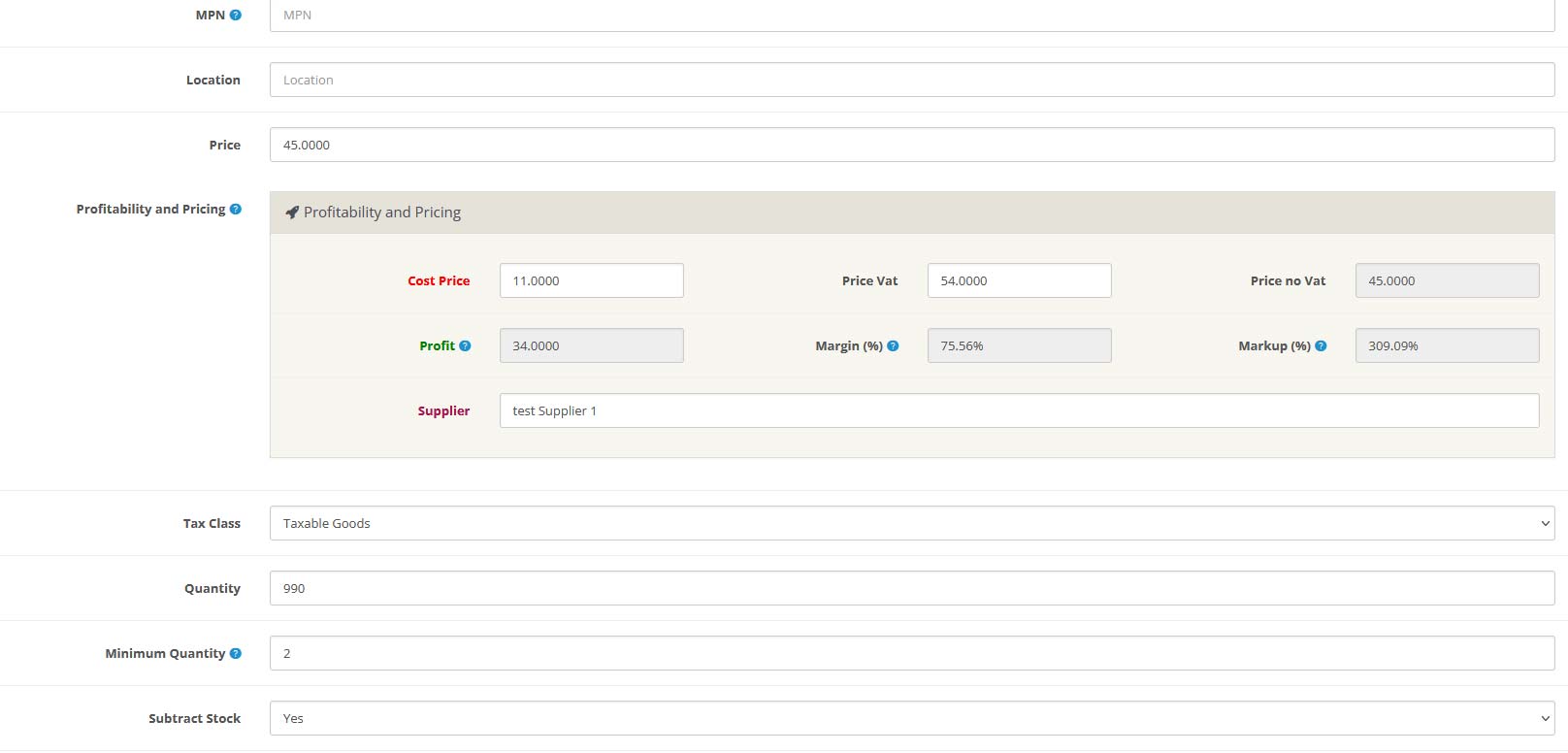
Enhance your product management by tracking supplier name, cost price, and automatically calculating profit, margin, and markup directly in the OpenCart admin panel. This extension enhances your OpenCart admin panel by adding a powerful Profitability section to each product.
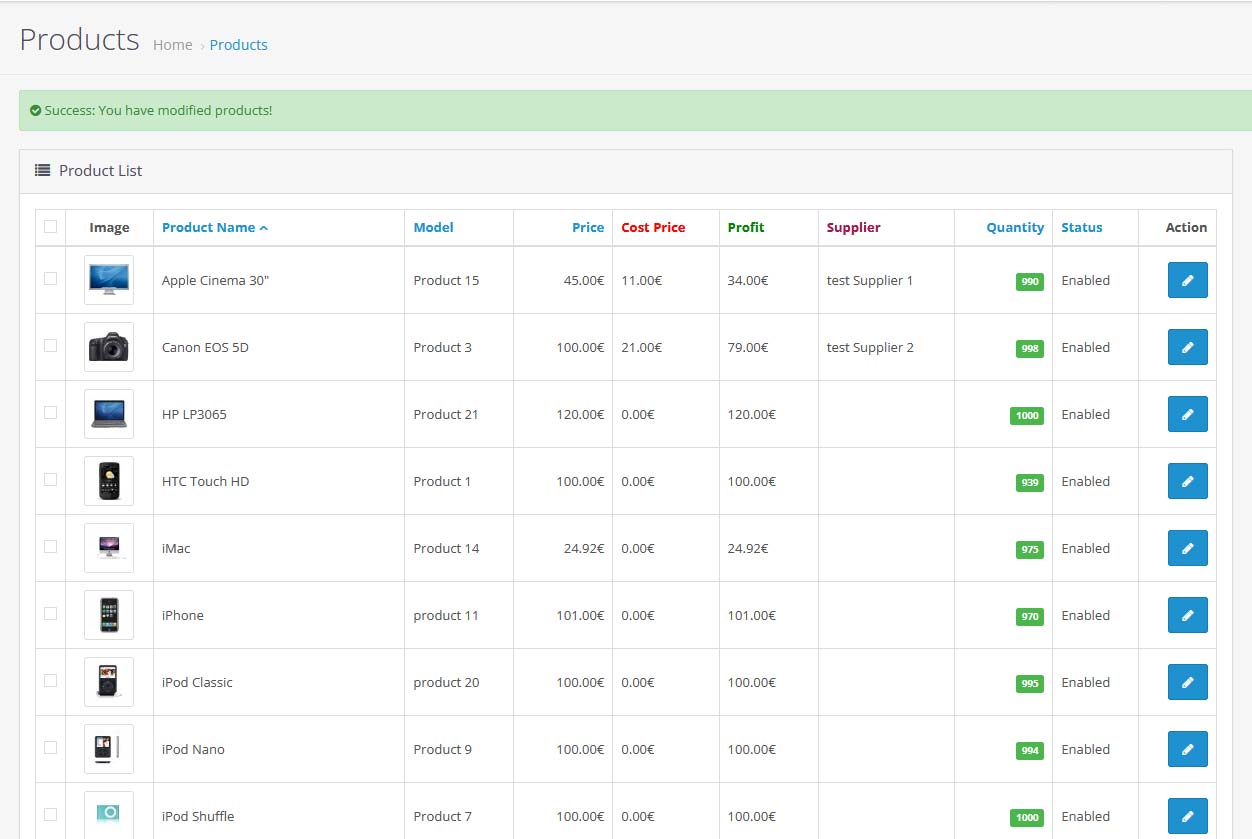
This module extends the product form with cost-related fields and analytics, and displays profitability directly in the product list view. It’s ideal for stores that need to manage their margins and sourcing data efficiently.
Key Features:
-Cost Price
-Price incl. VAT
-Supplier Name
-Profit, Margin (%), and Markup (%)
Ideal for stores needing clear visibility into product profitability!
Features
Technical Notes:
Installation:
1. Log in to your OpenCart admin panel.
2. Go to: Extensions → Extension Installer.
3. Upload the file: cost_supplier_profit_Pro_module.ocmod
4. Go to: Extensions → Extensions → Module and install Cost Supplier Profit Pro Calculation Module.
5. Go to: Extensions → Modifications and click "Refresh".
6. (Optional) Clear your theme cache:
Dashboard → Developer Settings → Clear Theme Cache.
7. Go to: Catalog → Products → Edit any product.
8. You will now see a new "Profitability" section with:
- Cost Price
- Supplier Name
- Price with VAT
- Auto-calculated Profit, Margin, and Markup (%)
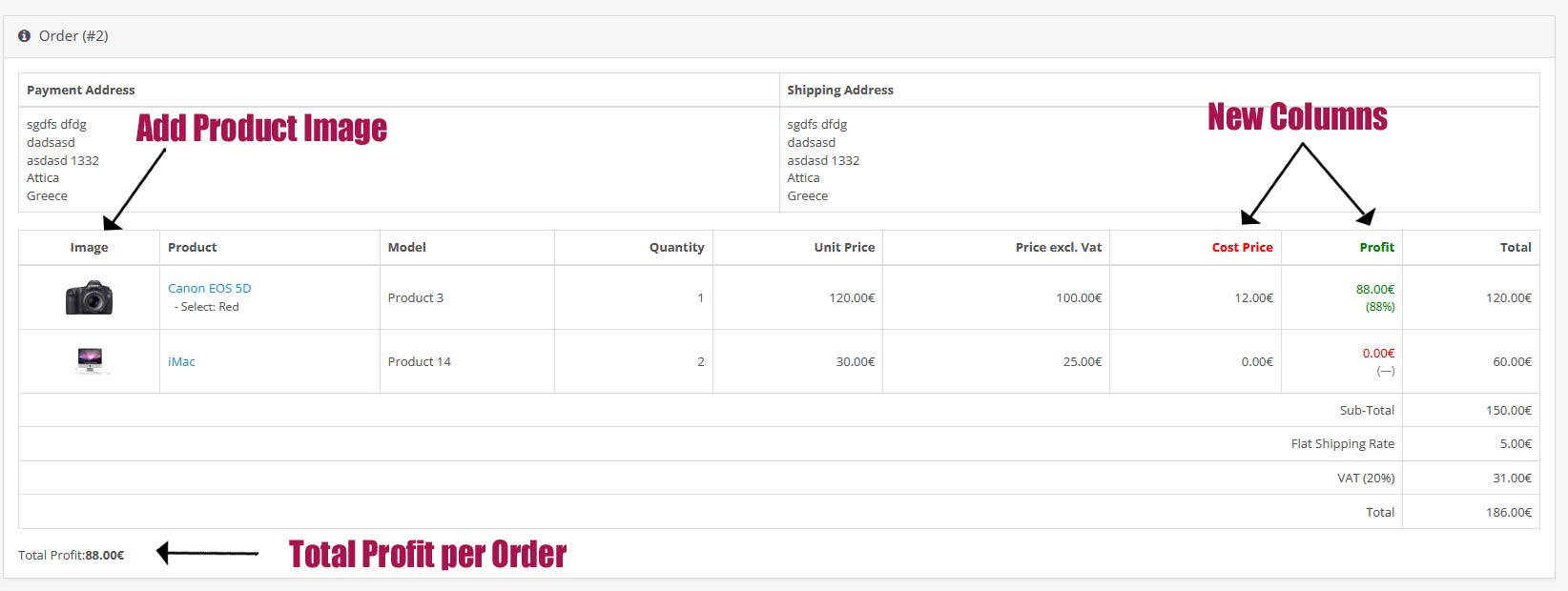
9. Go to: Sales → Orders → Edit any order.
You will now see a new Cost Price and Profit columns and the Total Profit

user: demo
pass: demo
Tested on OpenCart 3.0.4.0 – should work on all 3.x versions
Support via email support@vag.gr for installation issues
Price
$39.99
- Developed by OpenCart Community
- 12 Months Free Support
- Documentation Included
Rating
Compatibility
3.0.0.0, 3.0.1.0, 3.0.1.1, 3.0.1.2, 3.0.1.3, 3.0.2.0, 3.0.3.0, 3.0.3.1, 3.0.3.2, 3.0.3.3, 3.0.3.5, 3.0.3.6, 3.0.3.7, 3.0.3.8, 3.x.x.x, 3.0.3.9, 3.0.4.0, 3.0.4.1
Last Update
27 Dec 2025
Created
31 May 2025
1 Sales
0 Comments

Login and write down your comment.
Login my OpenCart Account