Quantity And Stock-status To Multi-Store

This module enhances your OpenCart store by enabling multi-quantity and multi-stock-status management across multiple stores or locations.
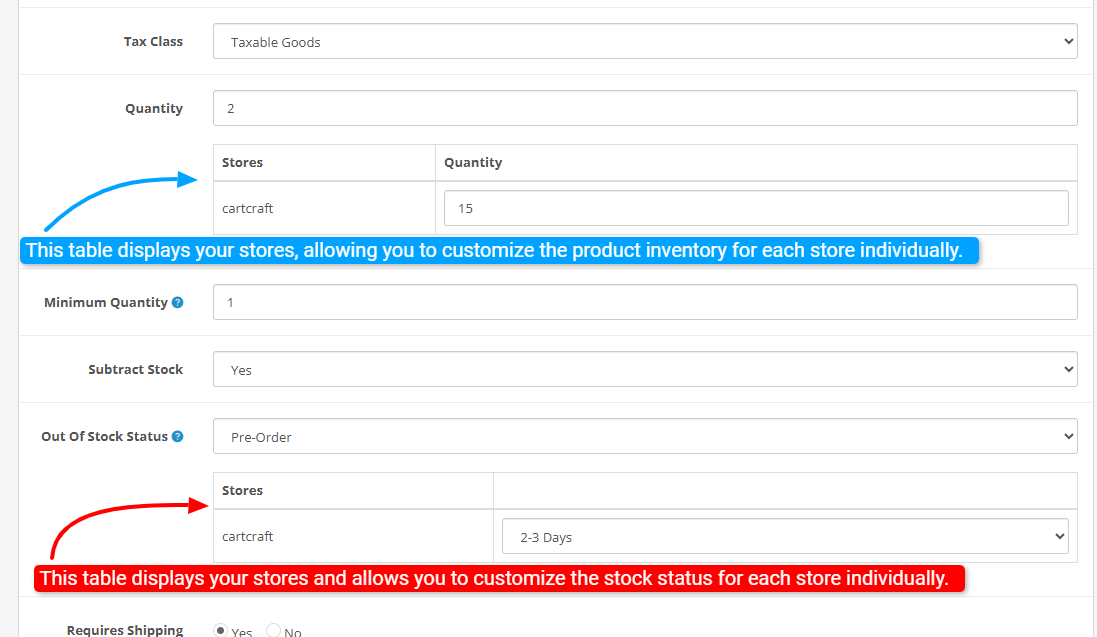
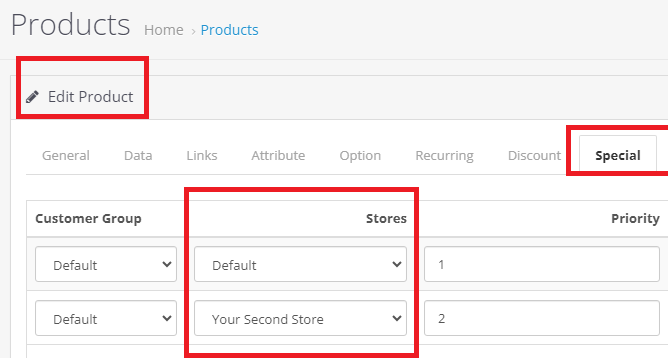
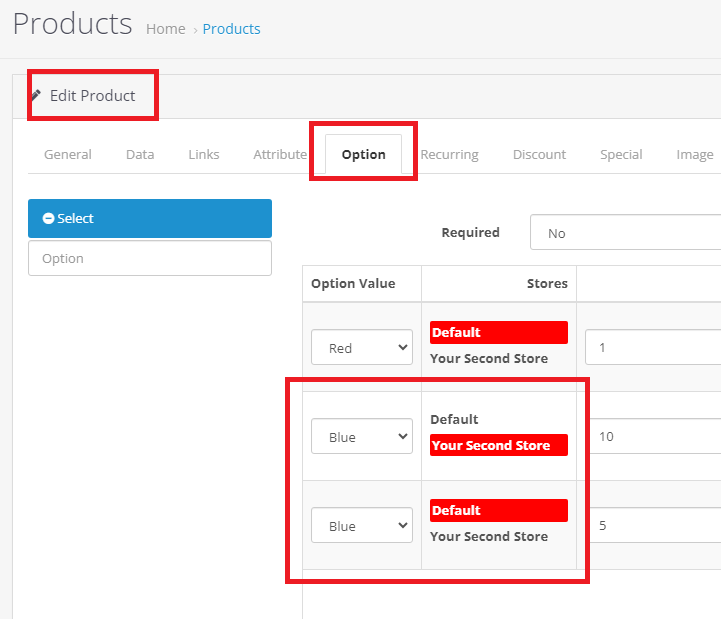
It allows administrators to assign specific stock quantities and statuses to products on a per-store basis, facilitating accurate inventory control and stock visibility for each store or warehouse.
The module extends core functionalities to support store-aware stock levels, store-specific stock statuses, and flexible inventory management, making it ideal for multi-store or multi-warehouse setups.
It integrates seamlessly into product editing forms, providing intuitive interfaces for managing quantities and stock statuses per store, and ensures synchronized stock data throughout the system for improved stock accuracy and customer satisfaction.
Another feature of this module: If the product is available in one store and not available in another store, the stock status you have selected for that store will be displayed in that store. And if the product is out of stock in two stores, the stock status will change to "Out of Stock".
(This module also works for the journal version.)
Install:
First, download the ZIP file.
Then go to Extension>Installer:
Click on the (upload) button
And upload the downloaded ZIP file.
Then go to: Plugins > Modifications and click the refresh button in the top right.
Support:
cartcraft.oc@gmail.com
It allows administrators to assign specific stock quantities and statuses to products on a per-store basis, facilitating accurate inventory control and stock visibility for each store or warehouse.
The module extends core functionalities to support store-aware stock levels, store-specific stock statuses, and flexible inventory management, making it ideal for multi-store or multi-warehouse setups.
It integrates seamlessly into product editing forms, providing intuitive interfaces for managing quantities and stock statuses per store, and ensures synchronized stock data throughout the system for improved stock accuracy and customer satisfaction.
Another feature of this module: If the product is available in one store and not available in another store, the stock status you have selected for that store will be displayed in that store. And if the product is out of stock in two stores, the stock status will change to "Out of Stock".
(This module also works for the journal version.)
Install:
First, download the ZIP file.
Then go to Extension>Installer:
Click on the (upload) button
And upload the downloaded ZIP file.
Then go to: Plugins > Modifications and click the refresh button in the top right.
Support:
cartcraft.oc@gmail.com
Price
$20.00
- Developed by OpenCart Community
- 12 Months Free Support
- Documentation Included
Rating
Compatibility
2.0.0.0, 2.0.1.0, 2.0.1.1, 2.0.2.0, 2.0.3.1, 2.1.0.1, 2.1.0.2, 2.2.0.0, 2.3.0.0, 2.3.0.1, 2.3.0.2, 3.0.0.0, 3.0.1.0, 3.0.1.1, 3.0.1.2, 3.0.1.3, 3.0.2.0, 3.0.3.0, 3.0.3.1, 3.0.3.2, 3.0.3.3, 3.0.3.5, 3.0.3.6, 3.0.3.7, 3.0.3.8, 3.x.x.x, 3.0.3.9, 3.0.4.0, 3.0.4.1, 3.0.5.0
Last Update
26 May 2026
Created
5 Jun 2025
1 Sales
1 Comments

Login and write down your comment.
Login my OpenCart Account