Bank of America QR Payment method
OpenCart Bank of America QR Pay Payment Gateway Add-On
Bank of America QR payment enhance your OpenCart store with the Bank of America QR Pay Payment Gateway, a seamless payment solution designed for Bank of America bank users. This extension enables customers to process transactions effortlessly using Bank of America QR Pay, offering a secure and convenient checkout experience.
Key Features & Functionality
1. Bank of America QR Pay Payment Processing:
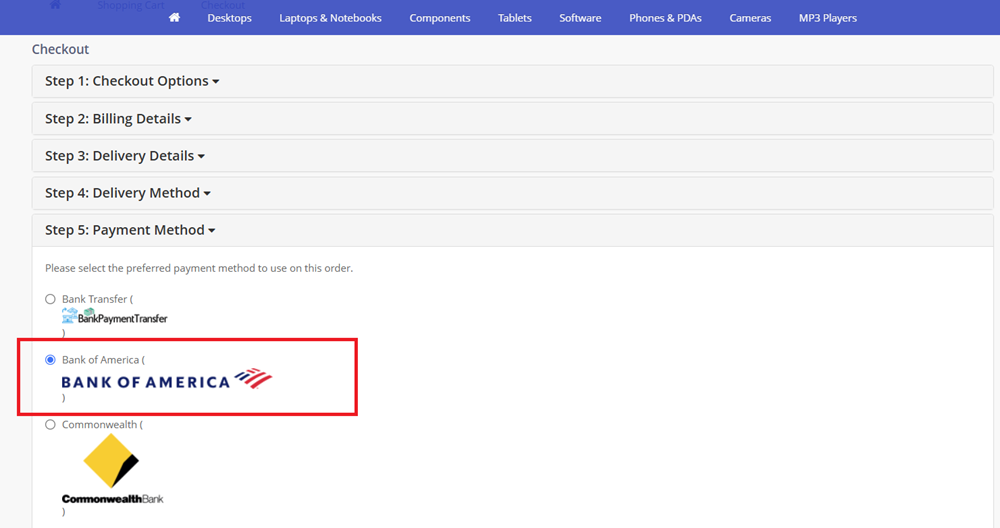
✅Customers can select Bank of America QR Pay at checkout and follow simple instructions for payment.
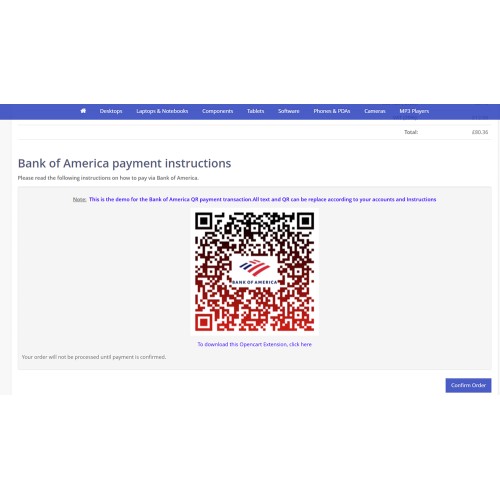
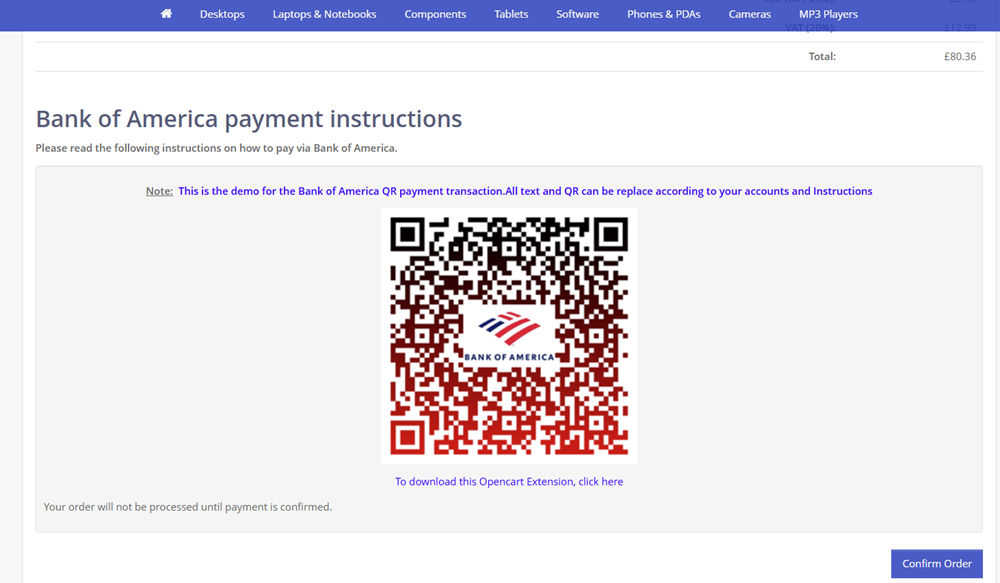
✅Generates a unique Bank of America QR code that customers can scan to complete the transaction.
✅Supports both manual payment processing and auto-generated QR codes for efficient transactions.
2. Seamless Installation & Setup:
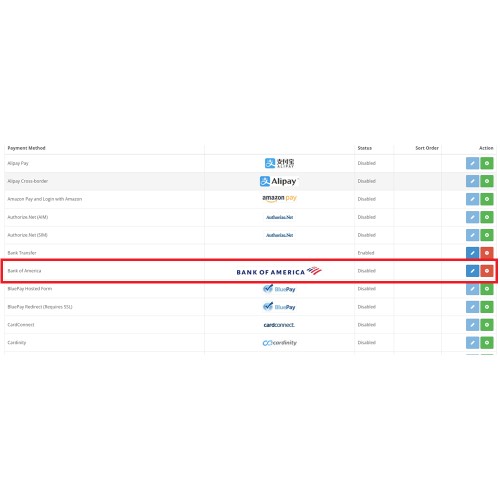
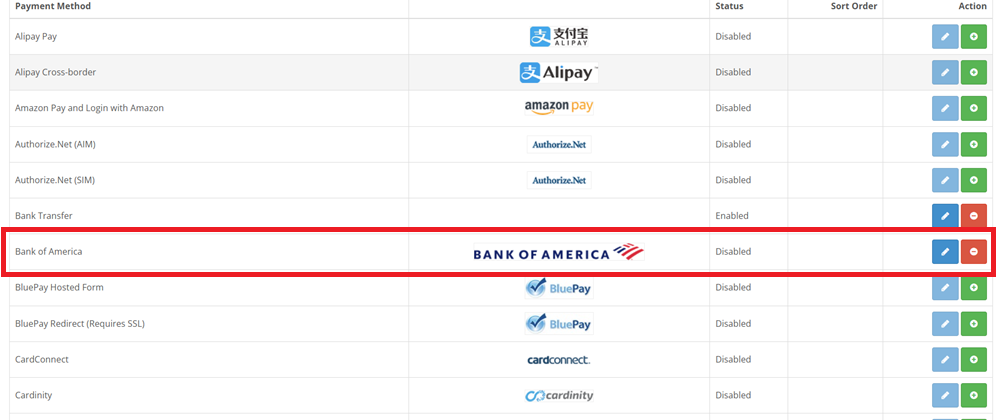
✅Quick installation by simply uploading the OCMOD file via the OpenCart admin panel.
✅No complex configurations needed—activate and start using immediately.
✅Easy-to-follow setup instructions included in the package.
3. Customizable Payment Interface:
✅Displays the official Bank of America QR Pay logo during checkout for customer trust and recognition.
✅Store owners can insert a custom Bank of America QR code to provide direct payment details.
✅Allows HTML customization, enabling merchants to add personalized instructions for a better user experience.
4. Flexible Branding & Content Customization:
✅Supports the insertion of images and logos, including Bank of America QR Pay payment-related visuals.
✅Merchants can define their own payment instructions, ensuring clarity and ease of use for customers.
✅Enables copy-paste functionality for HTML code, making it simple to apply design elements or additional guidance.
5. User-Friendly Payment Experience:
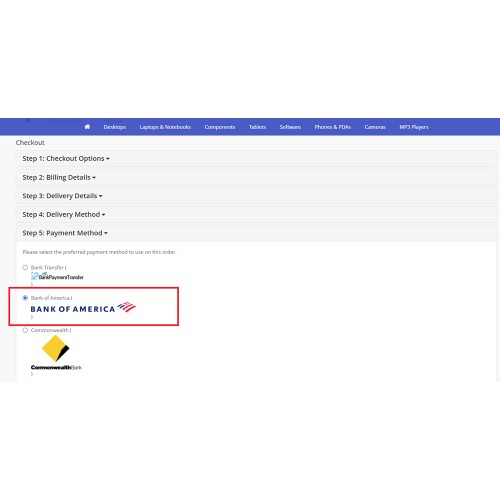
✅Payment method clearly displayed in checkout options for hassle-free selection.
✅Customers can view transaction history, payment status, and order updates in their dashboard after completing payment.
✅Enhances trust and transparency by reflecting the payment details within the customer’s order history for reference.
6. Comprehensive Documentation & Support:
✅Comes with a detailed video tutorial and step-by-step user guide for installation and configuration.
✅Store owners can quickly troubleshoot or modify payment settings with included documentation.
7. Simple Uninstall & Maintenance:
✅Easily removable via OpenCart admin—one-click uninstall for store maintenance flexibility.
✅No risk of system conflicts—designed to integrate smoothly with OpenCart’s payment framework.
How It Works for Customers
✅Select Bank of America QR Pay as the payment method at checkout.
✅Scan the Bank of America QR code displayed on the page using their mobile banking app.
✅Follow on-screen instructions to confirm payment.
✅Transaction status updates in real-time on the customer dashboard.
✅Store admins receive the payment confirmation and process the order accordingly.
Why Use This Module?
✅ Secure & Trusted – Officially supports Bank of America QR Pay for safe transactions.
✅ User-Friendly – Simple checkout flow with instant QR payment option.
✅ Flexible Customization – Modify QR codes, instructions, logos, and branding.
✅ Hassle-Free Installation – OCMOD-based setup with complete documentation.
✅ Mobile-Friendly & Responsive – Works across devices for seamless payment processing.
This Bank of America QR Pay payment gateway is the perfect addition for OpenCart stores looking to provide customers with a modern, efficient, and locally trusted payment solution. This process is similar to bank transfer payment.
CLICK HERE TO EXPERIENCE THE LIVE DEMO - add a product and check out until you reached to payment and you will find Bank of America payment.
Bank of America QR payment enhance your OpenCart store with the Bank of America QR Pay Payment Gateway, a seamless payment solution designed for Bank of America bank users. This extension enables customers to process transactions effortlessly using Bank of America QR Pay, offering a secure and convenient checkout experience.
Key Features & Functionality
1. Bank of America QR Pay Payment Processing:
✅Customers can select Bank of America QR Pay at checkout and follow simple instructions for payment.
✅Generates a unique Bank of America QR code that customers can scan to complete the transaction.
✅Supports both manual payment processing and auto-generated QR codes for efficient transactions.
2. Seamless Installation & Setup:
✅Quick installation by simply uploading the OCMOD file via the OpenCart admin panel.
✅No complex configurations needed—activate and start using immediately.
✅Easy-to-follow setup instructions included in the package.
3. Customizable Payment Interface:
✅Displays the official Bank of America QR Pay logo during checkout for customer trust and recognition.
✅Store owners can insert a custom Bank of America QR code to provide direct payment details.
✅Allows HTML customization, enabling merchants to add personalized instructions for a better user experience.
4. Flexible Branding & Content Customization:
✅Supports the insertion of images and logos, including Bank of America QR Pay payment-related visuals.
✅Merchants can define their own payment instructions, ensuring clarity and ease of use for customers.
✅Enables copy-paste functionality for HTML code, making it simple to apply design elements or additional guidance.
5. User-Friendly Payment Experience:
✅Payment method clearly displayed in checkout options for hassle-free selection.
✅Customers can view transaction history, payment status, and order updates in their dashboard after completing payment.
✅Enhances trust and transparency by reflecting the payment details within the customer’s order history for reference.
6. Comprehensive Documentation & Support:
✅Comes with a detailed video tutorial and step-by-step user guide for installation and configuration.
✅Store owners can quickly troubleshoot or modify payment settings with included documentation.
7. Simple Uninstall & Maintenance:
✅Easily removable via OpenCart admin—one-click uninstall for store maintenance flexibility.
✅No risk of system conflicts—designed to integrate smoothly with OpenCart’s payment framework.
How It Works for Customers
✅Select Bank of America QR Pay as the payment method at checkout.
✅Scan the Bank of America QR code displayed on the page using their mobile banking app.
✅Follow on-screen instructions to confirm payment.
✅Transaction status updates in real-time on the customer dashboard.
✅Store admins receive the payment confirmation and process the order accordingly.
Why Use This Module?
✅ Secure & Trusted – Officially supports Bank of America QR Pay for safe transactions.
✅ User-Friendly – Simple checkout flow with instant QR payment option.
✅ Flexible Customization – Modify QR codes, instructions, logos, and branding.
✅ Hassle-Free Installation – OCMOD-based setup with complete documentation.
✅ Mobile-Friendly & Responsive – Works across devices for seamless payment processing.
This Bank of America QR Pay payment gateway is the perfect addition for OpenCart stores looking to provide customers with a modern, efficient, and locally trusted payment solution. This process is similar to bank transfer payment.
CLICK HERE TO EXPERIENCE THE LIVE DEMO - add a product and check out until you reached to payment and you will find Bank of America payment.
Price
$49.99
- Developed by OpenCart Partner
- 1 Months Free Support
- Documentation Included
Rating
Compatibility
3.0.0.0, 3.0.1.0, 3.0.1.1, 3.0.1.2, 3.0.1.3, 3.0.2.0, 3.0.3.0, 3.0.3.1, 3.0.3.2, 3.0.3.3, 3.0.3.5, 3.0.3.6, 3.0.3.7, 3.0.3.8, 3.x.x.x, 3.0.3.9, 3.0.4.0, 3.0.4.1, 3.0.5.0
Last Update
25 Jan 2026
Created
13 Jun 2025
0 Sales
0 Comments

Login and write down your comment.
Login my OpenCart Account