Dashboard Notes on Admin Home Page
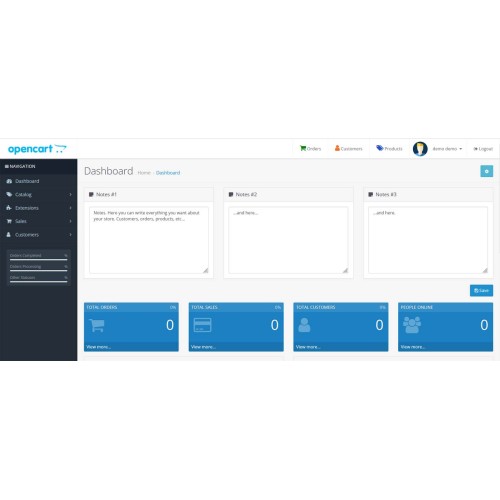

Add private notes directly to your OpenCart admin dashboard to stay organized and efficient.
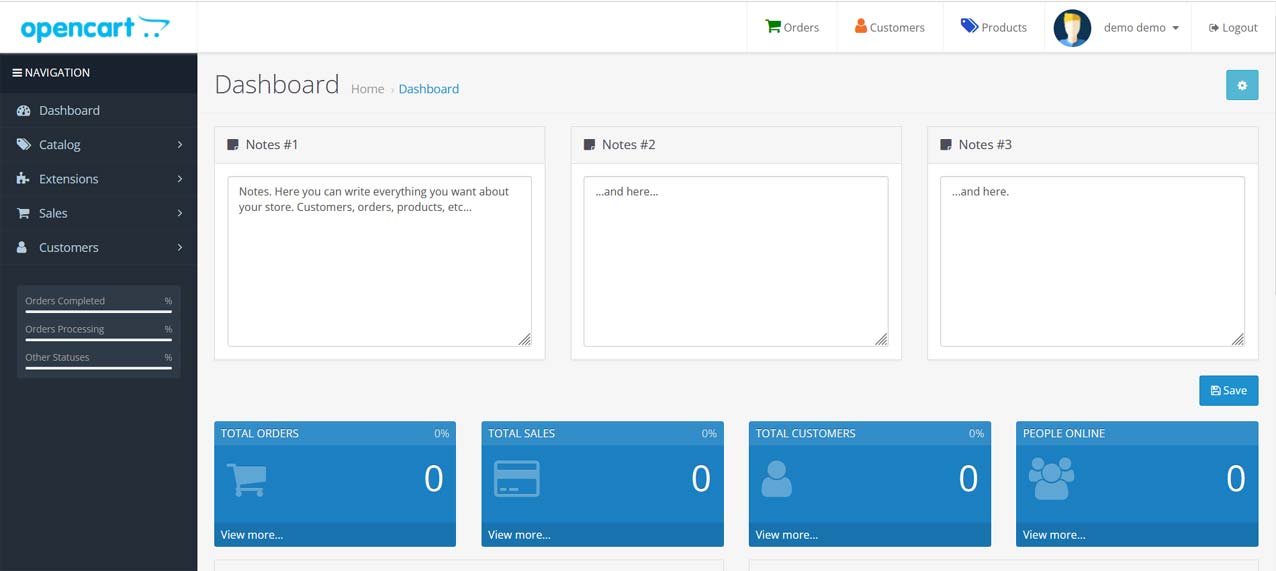
This lightweight extension adds a custom notes section to your admin dashboard, making it easy for store owners or staff to leave internal messages, reminders, or task lists—right where they manage their store.
It’s the perfect tool for solo admins or multi-user teams who want a quick, built-in way to keep track of important things without using third-party tools.

user: demo
pass: demo
Features:
Technical Notes:
Installation Instructions
1. Log in to your OpenCart admin panel.
2. Go to: **Extensions → Extension Installer**
3. Upload the file: `notes_module.ocmod.zip`
4. Go to: **Extensions → Modifications**, and click **Refresh**
5. (Optional) Go to: **Dashboard → Developer Settings → Clear & Refresh Theme Cache**
6. Go to: **System → Users → User Groups**
7. Edit the **Administrator** group (or your custom group)
8. Under both **Access Permission** and **Modify Permission**, check:
extension/notes
9. Click **Save**
10. Go to: **Dashboard** — You will now see a custom notes block at the top.
Ideal for store owners who want:
- A built-in, zero-setup way to leave dashboard notes
- A clean and native UI experience without external services
- Simple team communication inside the admin
Tested on OpenCart 3.0.4.0 – should work on all 3.x versions
Support via email for installation issues
Price
$29.99
- Developed by OpenCart Community
- 12 Months Free Support
- Documentation Included
Rating
Compatibility
3.0.0.0, 3.0.1.0, 3.0.1.1, 3.0.1.2, 3.0.1.3, 3.0.2.0, 3.0.3.0, 3.0.3.1, 3.0.3.2, 3.0.3.3, 3.0.3.5, 3.0.3.6, 3.0.3.7, 3.0.3.8, 3.x.x.x, 3.0.3.9, 3.0.4.0, 3.0.4.1
Last Update
20 Jun 2025
Created
20 Jun 2025
0 Sales
0 Comments

Login and write down your comment.
Login my OpenCart Account