File - Directory Manager v3.0
Power File Manager v3.0
The Ultimate File & Directory Tool With Advanced Storage Analytics
________________________________________
Admin Panel Demo (ID/PW - demo/demo)
Power File Manager v3.0 - Demo Link
________________________________________
Discounted link
1. Description
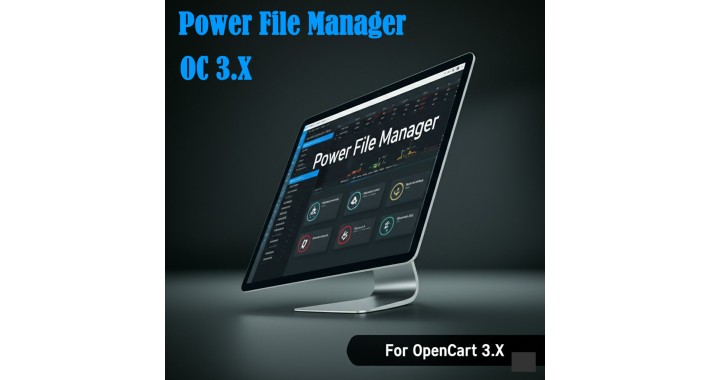
Power File Manager is the professional-grade file utility that OpenCart administrators have always needed. It completely replaces the default, image-only manager with a fast, intuitive, and powerful interface for managing your entire server file system.
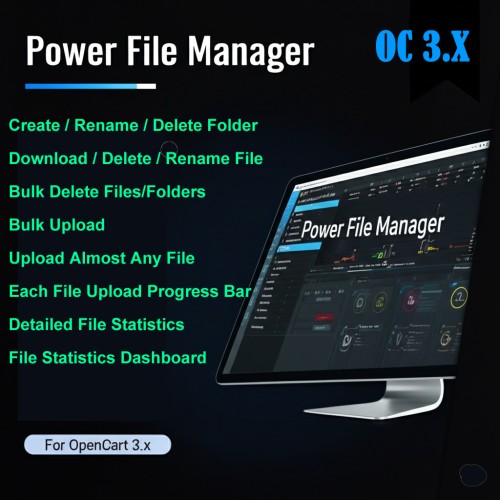
Designed for efficiency and control, this extension allows you to browse directories, upload almost any file type, create, rename, download and delete functions for files, for folders Create, rename and delete functions are available, besides managing your storage with an unprecedented level of insight. It moves beyond simple image uploads and transforms your admin panel into a true file management hub, essential for maintaining a clean, organized, and professional e-commerce operation.
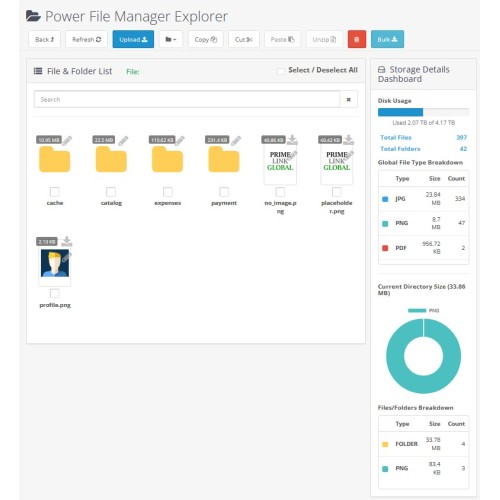
The standout feature of Power File Manager is its integrated Storage Analytics Dashboard. This professional-grade tool provides a comprehensive, real-time overview of your website's directory storage, giving you both a high-level, site-wide health check and the granular, folder-specific details needed for effective management and optimization.
2. The Problem: OpenCart's File Management Weaknesses
The standard OpenCart file manager is one of the platform's most significant limitations for a growing business. It is slow, restrictive, and lacks the basic features needed for proper site maintenance.
• You can't upload essential business documents: The default manager is restricted to images, making it impossible to upload PDFs, DOCX price lists, ZIP archives, or technical datasheets.
• You can't manage your storage: There is no built-in way to see file or folder sizes, making it impossible to identify what is consuming valuable space.
• You can't clean up your directories: The default manager provides no option to delete folders. Over time, your server fills up with old test images, unused extension files, and cached data that you simply cannot remove from the admin panel.
• You can't upload multiple files: The one-by-one upload process is incredibly slow and tedious for managing more than a few images.
Without a tool like Power File Manager, you simply cannot properly manage your file system or clean up your server storage from within the OpenCart admin.
3. The Solution: The Strengths of Power File Manager
This extension was built to solve every one of these weaknesses, giving you complete control.
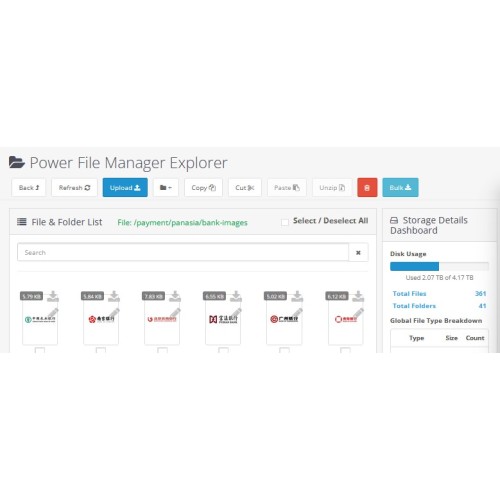
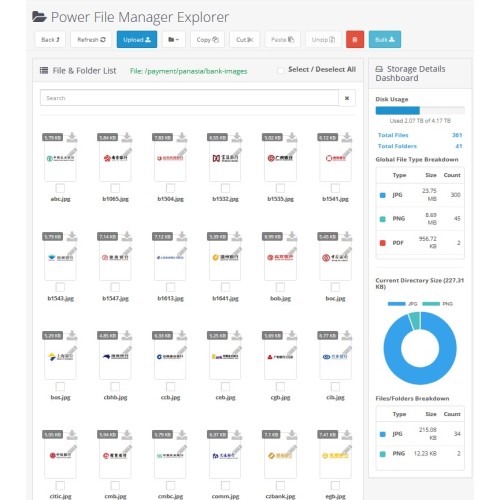
• Advanced Storage Analytics: Make informed decisions with a powerful sidebar dashboard. Instantly see your server's total disk usage, a global breakdown of every file type on your site, and a dynamic, color-coded chart that analyzes the contents of the specific folder you are viewing.
• Upload Almost Any File Type: Break free from the image-only restriction. Upload PDFs, Word documents, Excel spreadsheets, ZIP archives, MSG/Outlook emails, and any other format your business needs.
• Full Directory Control: Create new folders, rename folder and delete folder, besides it allows user to delete all files/folder with bulk delete option. Finally, you can clean up your server and remove obsolete data.
• Complete Visibility: Instantly see image previews or file-type-specific, color-coded icons (for folders, PDFs, ZIPs, etc.). The size of every file and folder is displayed, so you know exactly what's on your server.
• Efficient Bulk Operations: Select multiple files or use the "Select All" checkbox to delete items in bulk, saving you hours of administrative work.
• Advanced Search: Instantly find any file with the real-time search filter and autocomplete suggestions. You also can sort your view by typing any file name keywords.
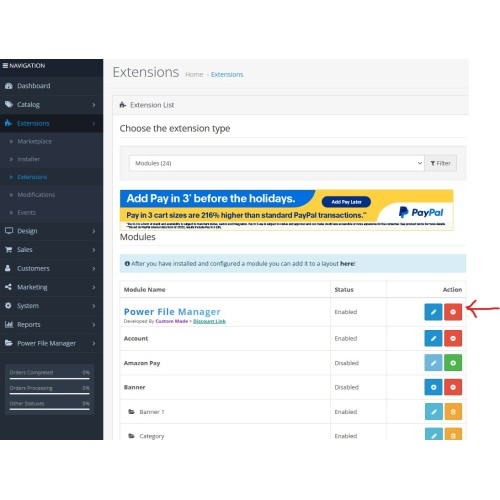
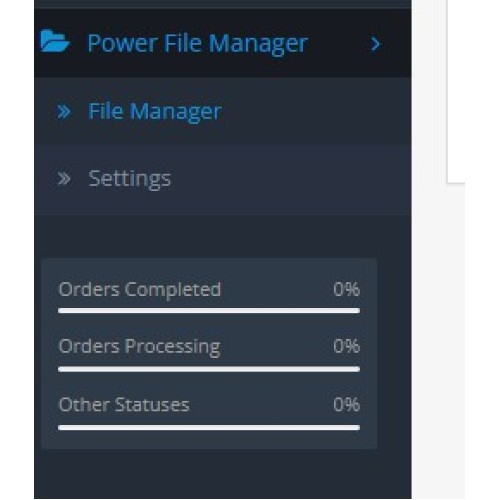
• Easy Menu Access: After installation, the extension is available directly from the admin menu under "Admin Panel" below the Reports, and its settings accessible at your fingertips.
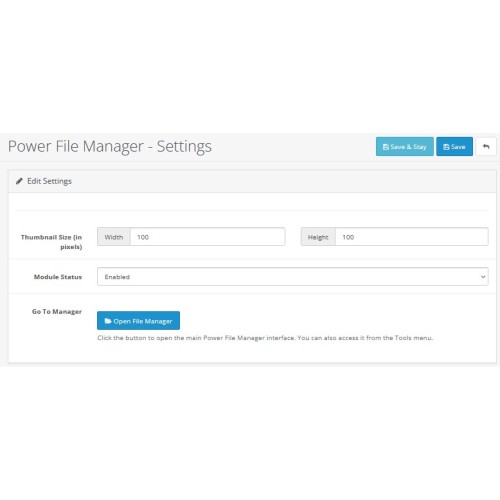
• Display Icon Size Control: In the extension "Settings", an option to set the display icon (File/Folder) width/height is given for your convenience to adjust size of the icon as per your like.
The Ultimate File & Directory Tool With Advanced Storage Analytics
________________________________________
Admin Panel Demo (ID/PW - demo/demo)
Power File Manager v3.0 - Demo Link
________________________________________
Discounted link
1. Description
Power File Manager is the professional-grade file utility that OpenCart administrators have always needed. It completely replaces the default, image-only manager with a fast, intuitive, and powerful interface for managing your entire server file system.
Designed for efficiency and control, this extension allows you to browse directories, upload almost any file type, create, rename, download and delete functions for files, for folders Create, rename and delete functions are available, besides managing your storage with an unprecedented level of insight. It moves beyond simple image uploads and transforms your admin panel into a true file management hub, essential for maintaining a clean, organized, and professional e-commerce operation.
The standout feature of Power File Manager is its integrated Storage Analytics Dashboard. This professional-grade tool provides a comprehensive, real-time overview of your website's directory storage, giving you both a high-level, site-wide health check and the granular, folder-specific details needed for effective management and optimization.
2. The Problem: OpenCart's File Management Weaknesses
The standard OpenCart file manager is one of the platform's most significant limitations for a growing business. It is slow, restrictive, and lacks the basic features needed for proper site maintenance.
• You can't upload essential business documents: The default manager is restricted to images, making it impossible to upload PDFs, DOCX price lists, ZIP archives, or technical datasheets.
• You can't manage your storage: There is no built-in way to see file or folder sizes, making it impossible to identify what is consuming valuable space.
• You can't clean up your directories: The default manager provides no option to delete folders. Over time, your server fills up with old test images, unused extension files, and cached data that you simply cannot remove from the admin panel.
• You can't upload multiple files: The one-by-one upload process is incredibly slow and tedious for managing more than a few images.
Without a tool like Power File Manager, you simply cannot properly manage your file system or clean up your server storage from within the OpenCart admin.
3. The Solution: The Strengths of Power File Manager
This extension was built to solve every one of these weaknesses, giving you complete control.
• Advanced Storage Analytics: Make informed decisions with a powerful sidebar dashboard. Instantly see your server's total disk usage, a global breakdown of every file type on your site, and a dynamic, color-coded chart that analyzes the contents of the specific folder you are viewing.
• Upload Almost Any File Type: Break free from the image-only restriction. Upload PDFs, Word documents, Excel spreadsheets, ZIP archives, MSG/Outlook emails, and any other format your business needs.
• Full Directory Control: Create new folders, rename folder and delete folder, besides it allows user to delete all files/folder with bulk delete option. Finally, you can clean up your server and remove obsolete data.
• Complete Visibility: Instantly see image previews or file-type-specific, color-coded icons (for folders, PDFs, ZIPs, etc.). The size of every file and folder is displayed, so you know exactly what's on your server.
• Efficient Bulk Operations: Select multiple files or use the "Select All" checkbox to delete items in bulk, saving you hours of administrative work.
• Advanced Search: Instantly find any file with the real-time search filter and autocomplete suggestions. You also can sort your view by typing any file name keywords.
• Easy Menu Access: After installation, the extension is available directly from the admin menu under "Admin Panel" below the Reports, and its settings accessible at your fingertips.
• Display Icon Size Control: In the extension "Settings", an option to set the display icon (File/Folder) width/height is given for your convenience to adjust size of the icon as per your like.
Price
$60.00
- Developed by OpenCart Community
- 3 Months Free Support
- Documentation Included
Rating
Compatibility
3.x.x.x
Last Update
4 Sep 2025
Created
28 Jun 2025
0 Sales
0 Comments

Login and write down your comment.
Login my OpenCart Account