Smart Currency & Language Selector To Store

Enhance your online store experience with our versatile Language & Currency Selector Module! This powerful tool allows store owners to tailor language and currency settings for individual stores, providing a customized shopping experience for each target audience. For example, you can set Store 1 to display in English with Euro (€), and Store 2 to use Italian with the US Dollar ($), ensuring your customers feel at home no matter which store they visit.
Make your customers comfortable and boost sales by offering a seamless and localized shopping interface. This module is easy to configure and adapts perfectly to your business needs, helping you attract more international customers and improve their shopping experience.
Admin:
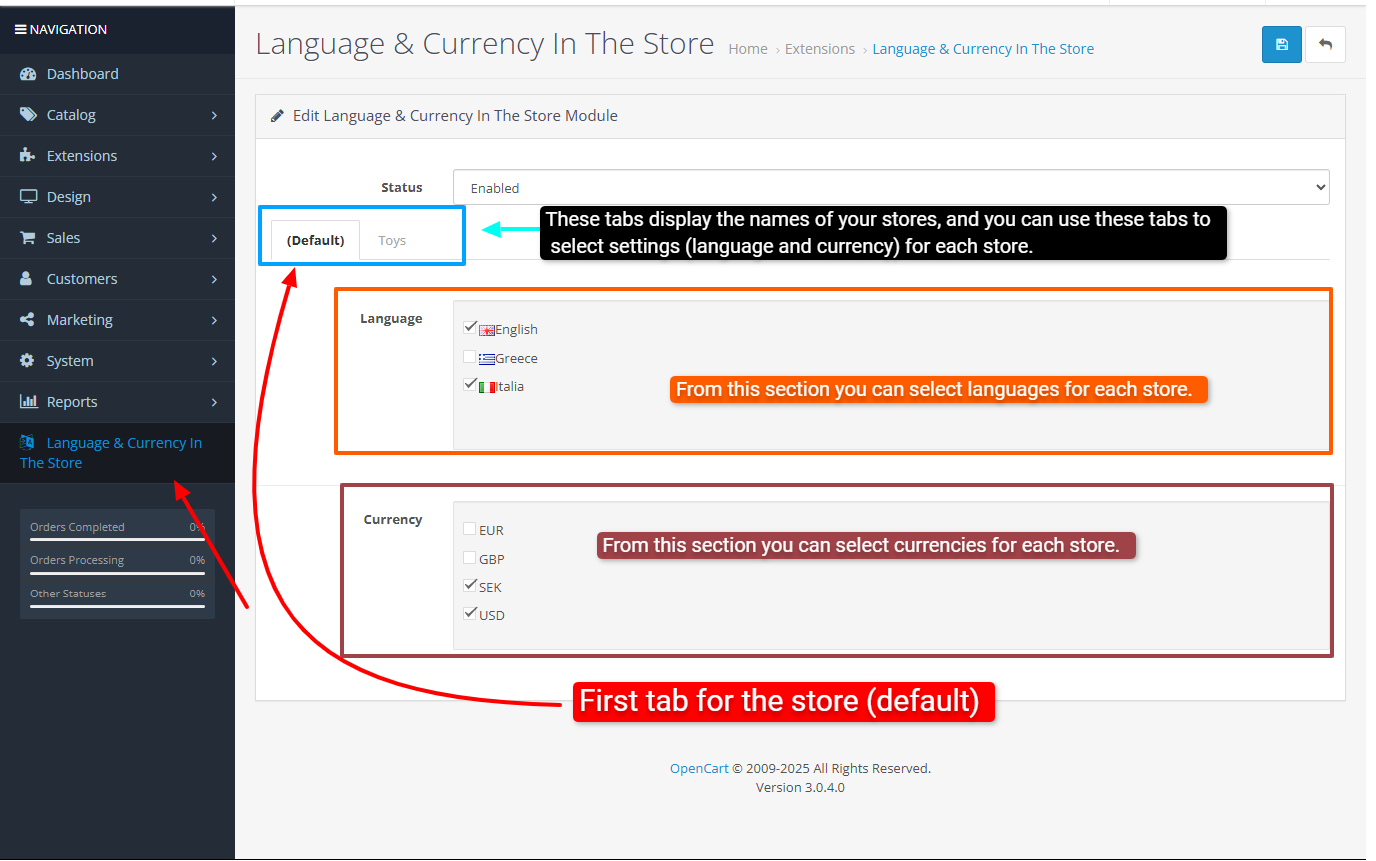
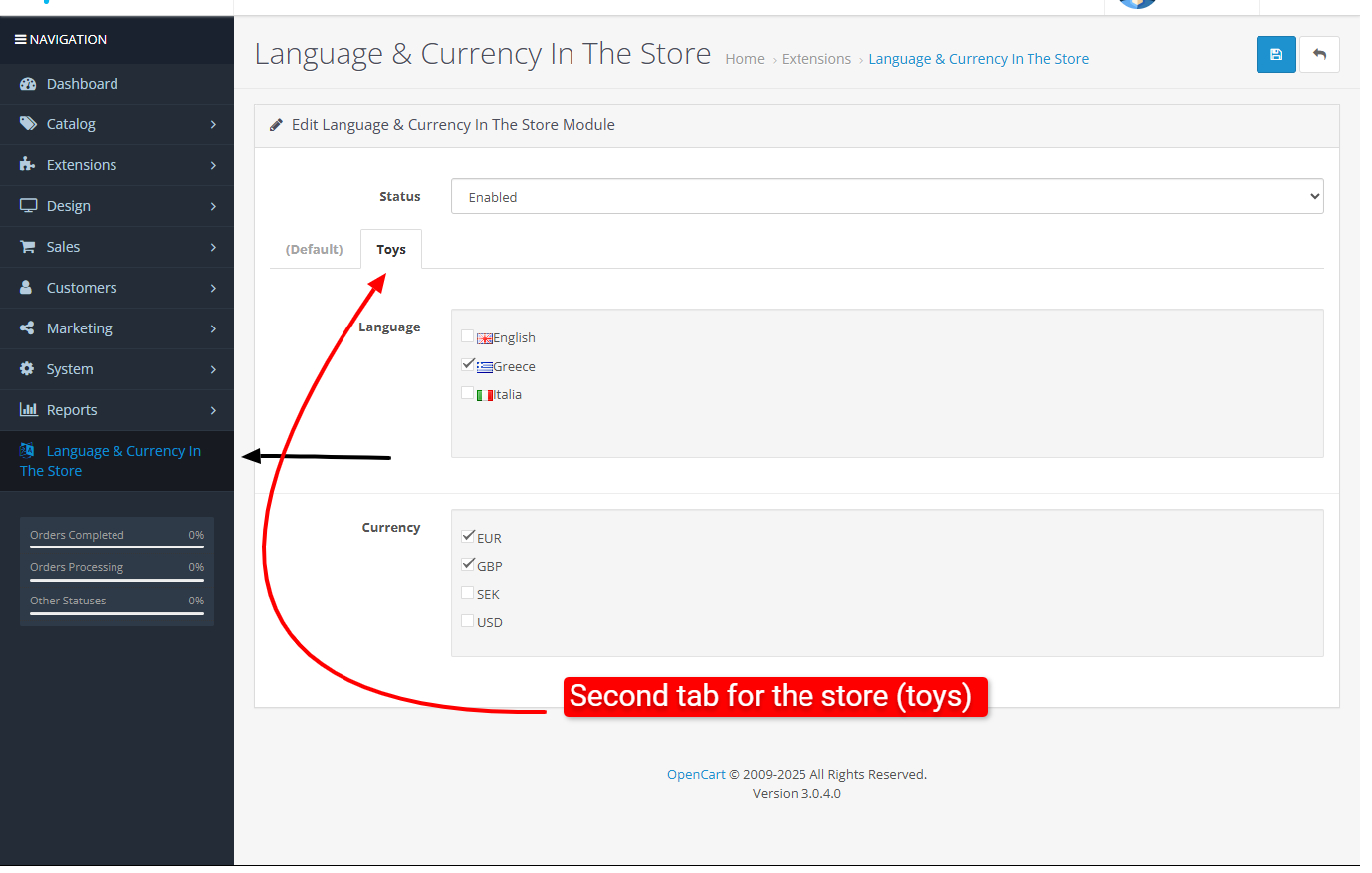
catalog:
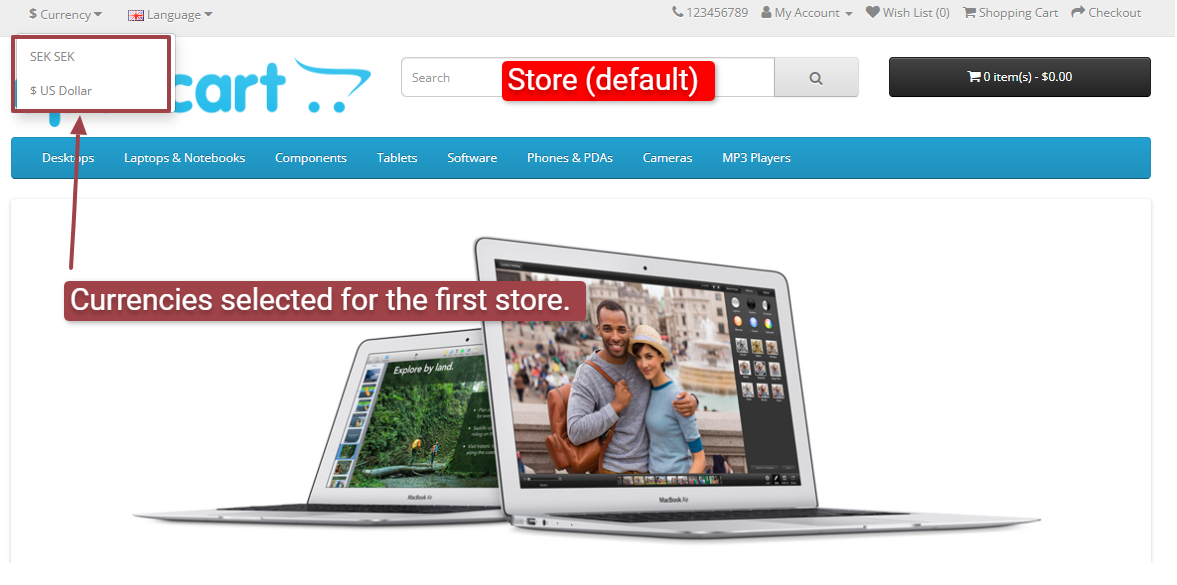
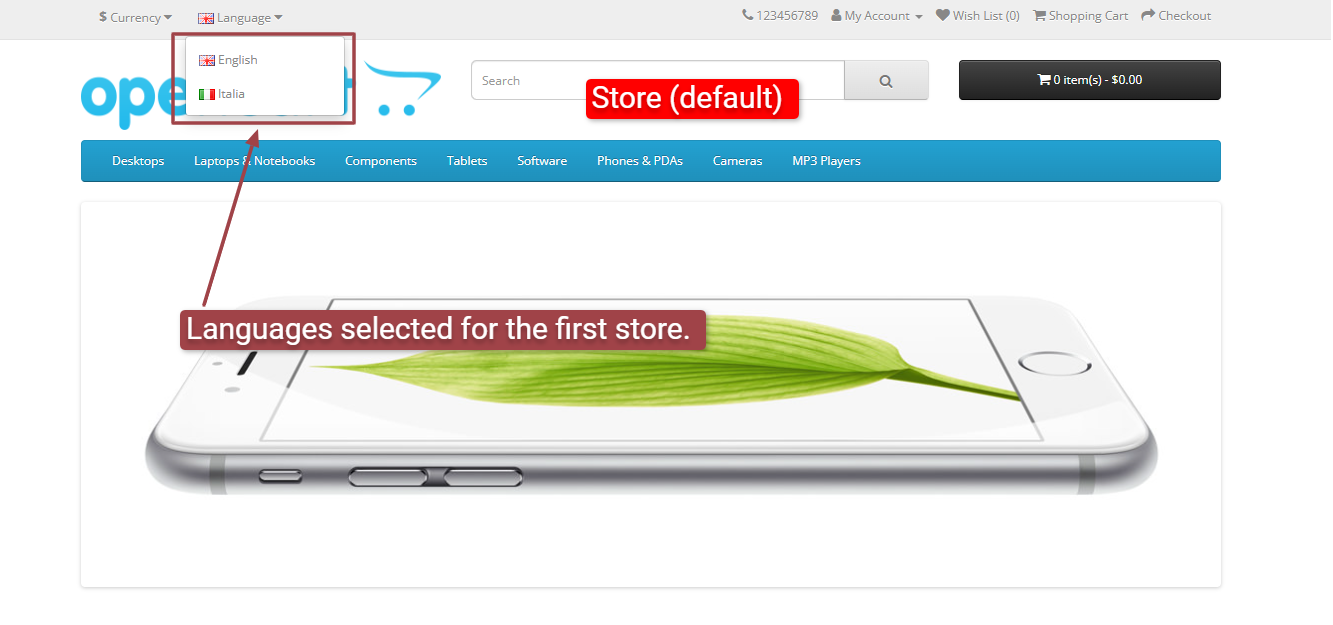
Install:
First download the ZIP file.
Then go to Extension>Installer Click on the (Upload) button And upload the downloaded ZIP file.
Extension>Modifications Click on the (Refresh) button in the upper right corner to apply the new changes.
Go to Extensions>Extension>Modules and enable the "Language and Currency in Store" module.
Support:
cartcraft.oc@gmail.com
Make your customers comfortable and boost sales by offering a seamless and localized shopping interface. This module is easy to configure and adapts perfectly to your business needs, helping you attract more international customers and improve their shopping experience.
Admin:
catalog:
Install:
First download the ZIP file.
Then go to Extension>Installer Click on the (Upload) button And upload the downloaded ZIP file.
Extension>Modifications Click on the (Refresh) button in the upper right corner to apply the new changes.
Go to Extensions>Extension>Modules and enable the "Language and Currency in Store" module.
Support:
cartcraft.oc@gmail.com
Price
$20.00
- Developed by OpenCart Community
- 12 Months Free Support
- Documentation Included
Rating
Compatibility
3.0.0.0, 3.0.1.0, 3.0.1.1, 3.0.1.2, 3.0.1.3, 3.0.2.0, 3.0.3.0, 3.0.3.1, 3.0.3.2, 3.0.3.3, 3.0.3.5, 3.0.3.6, 3.0.3.7, 3.0.3.8, 3.x.x.x, 3.0.3.9, 3.0.4.0, 3.0.4.1, 3.0.5.0
Last Update
26 May 2026
Created
21 Jul 2025
0 Sales
0 Comments

Login and write down your comment.
Login my OpenCart Account