Social Login Using Google Facebook

Supports


Title
Social Login Using Google Facebook – OpenCart 2.x + 3.x + 4.x
Short Description
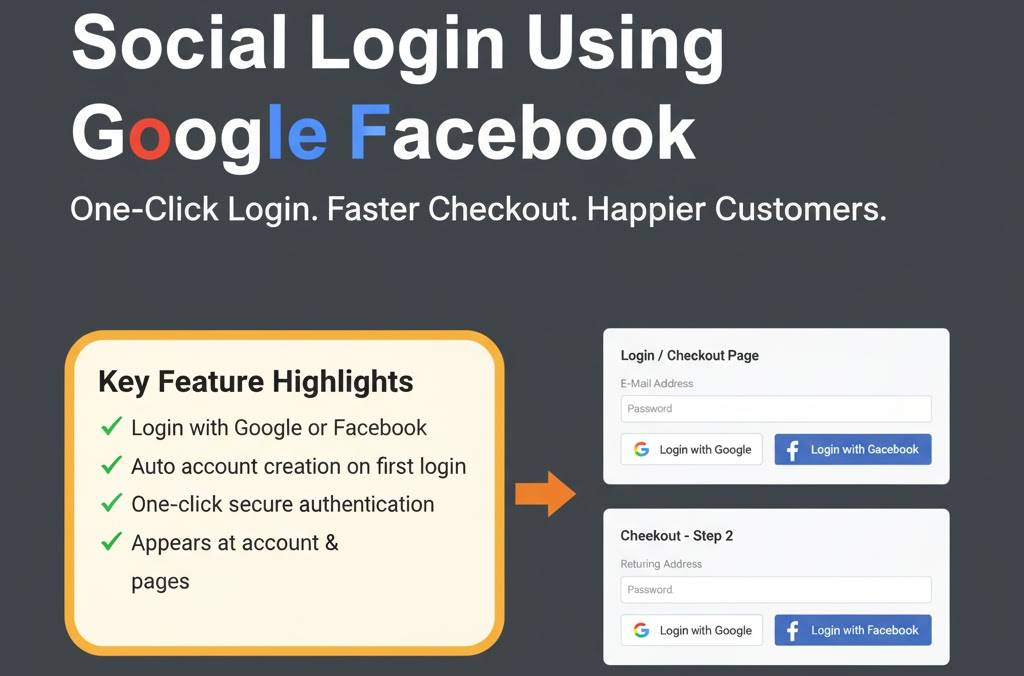
Allow customers to quickly sign up or log in using their Google or Facebook accounts. Simplify the login process, increase conversions, and enhance user experience with secure social authentication.
Demo Links
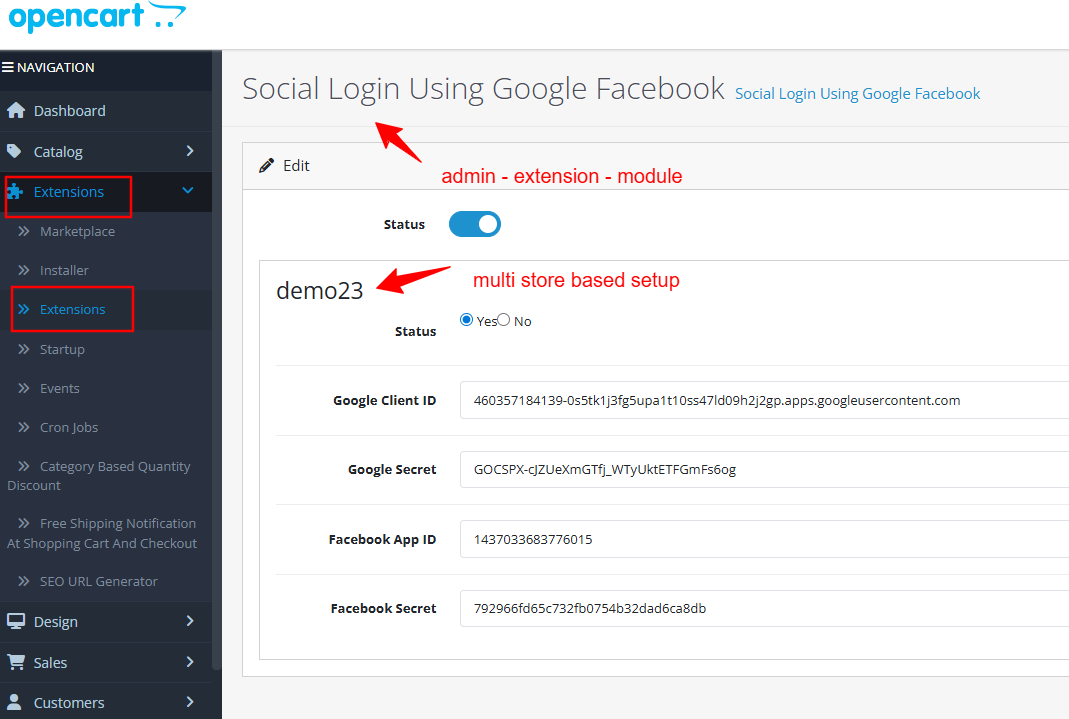
Admin:- Admin > Extension > Module
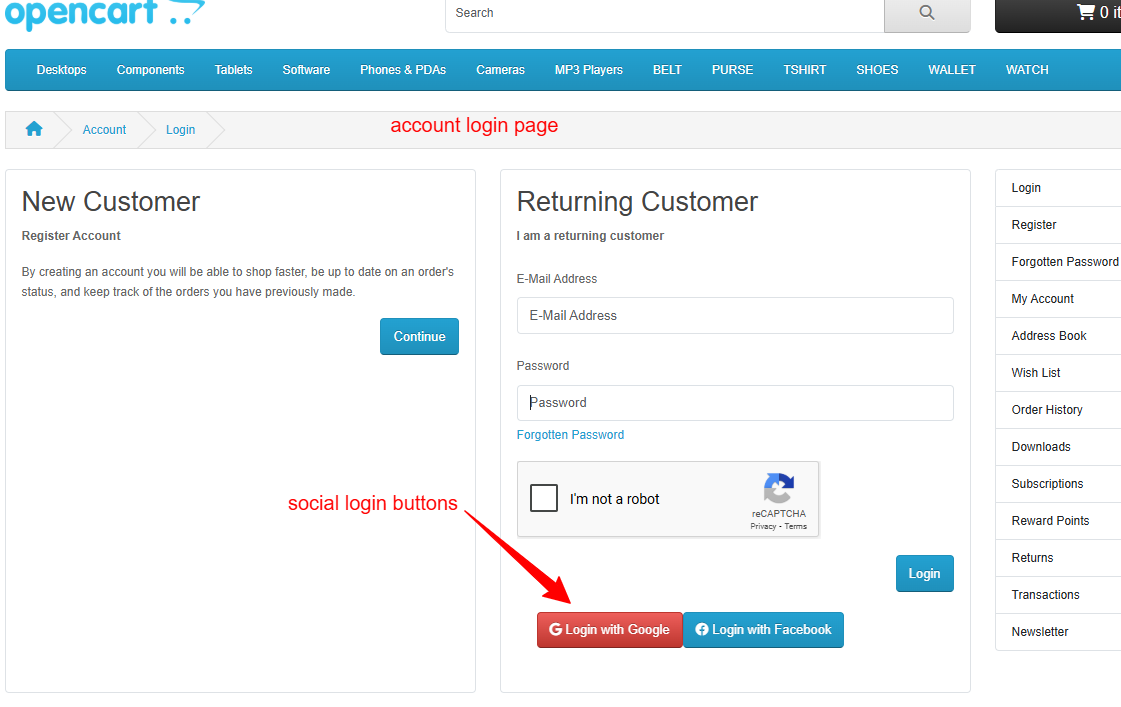
Front:- Account Login
Key Features
• Login or register instantly using Google or Facebook credentials
• Auto account creation for new users via social media login (if not exists email id)
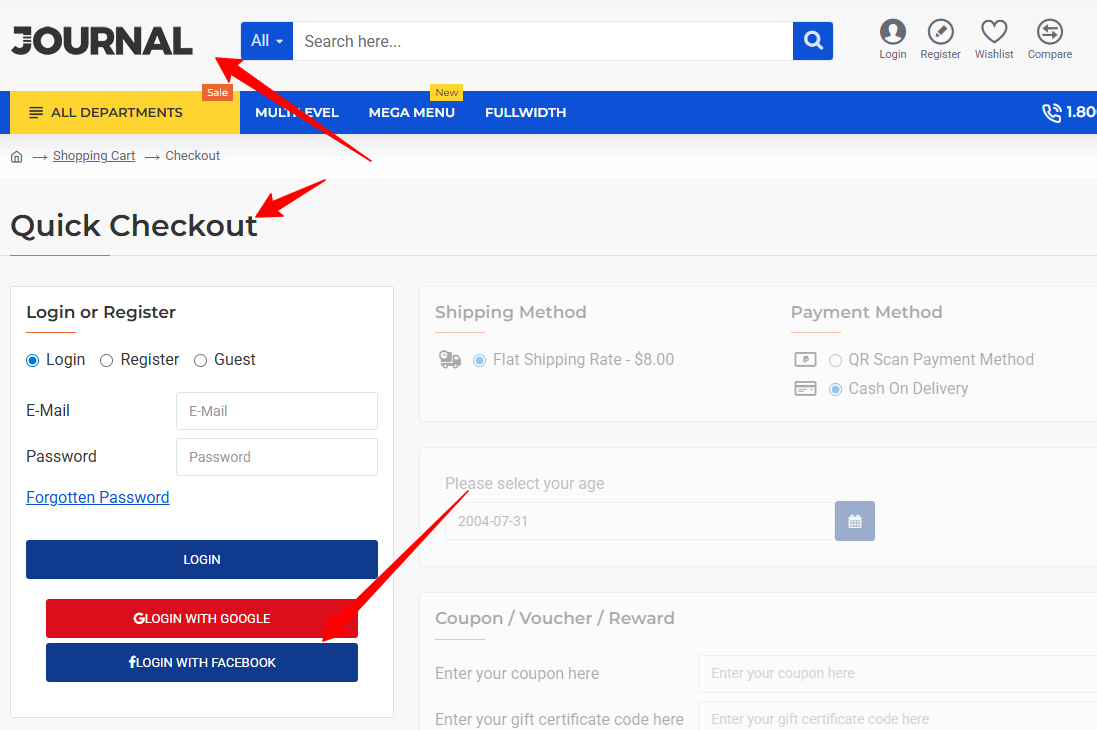
• Buttons appear at account login and checkout login pages
• Automatic login for returning customers without re-authentication
• Once logged in the redirect to my account page
• if customer already signup using social media google and facebook and come back after few days for login then it will not ask for authentication, it will automatically login and redirect to my account page
Google & Facebook Login Setup guide To get credentials
Step-by-Step: Google OAuth Setup
1. Visit https://console.cloud.google.com/
2. Create a new project (e.g., OpenCart Social Login)
3. Go to "APIs & Services" > "Library", search and enable "Google People API"
4. Go to "OAuth Consent Screen" and set:
- User Type: External
- App Name, Email, etc.
5. Go to "Credentials" > "Create Credentials" > OAuth Client ID
- Choose Web Application
- Add Redirect URI:
for oc 2.0, 2.1 and 2.2 : https://yourdomain.com/index.php?route=module/soclogingglfb/google
for oc 2.3 and 3.X : https://yourdomain.com/index.php?route=extension/module/soclogingglfb/google
for oc 4.0.X : https://yourdomain.com/index.php?route=extension/module/soclogingglfb|google
for oc 4.1.X : https://yourdomain.com/index.php?route=extension/module/soclogingglfb.google
6. Save and copy your Client ID and Secret.
7. Enter these values into OpenCart Admin > Extensions > Modules > Social Login
Step-by-Step: Facebook Login Setup
1. Visit https://developers.facebook.com/
2. Click "My Apps" > "Create App" (type: Consumer)
3. Fill App Name and Contact Email
4. Add "Facebook Login" product > Select "Web" platform
5. Add Site URL (e.g., https://yourdomain.com)
6. Under "Facebook Login > Settings", add:
Valid OAuth Redirect URI:
for oc 2.0, 2.1 and 2.2 : https://yourdomain.com/index.php?route=module/soclogingglfb/facebook
for oc 2.3 and 3.X : https://yourdomain.com/index.php?route=extension/module/soclogingglfb/facebook
for oc 4.0.X : https://yourdomain.com/index.php?route=extension/module/soclogingglfb|facebook
for oc 4.1.X : https://yourdomain.com/index.php?route=extension/module/soclogingglfb.facebook
7. Go to Settings > Basic to get App ID and App Secret
8. To go live, toggle your app to "Live" from top right
9. Paste credentials into OpenCart Admin > Extensions > Modules > Social Login
Compatibility
• OpenCart 2.X + 3.X + 4.X
• Supports PHP 5.6 – 8.3
• Tested with default theme & Journal 3
• No core file changes
• Built using OpenCart coding standards
• Lightweight and performance-friendly
• Multi-language & Multi-store supported
Support & Updates
• Free installation and free support
• Response time: within 24 hours
• Support all themes: Journal2, Journal3, Pavo, Foster template
• Note: Extension license valid for single domain only
Installation Steps
• Upload the extension via Extensions - Installer
• Install module from Admin - Extensions - Module
Why Choose This Module
• Boosts user signups and reduces checkout friction
• Increases customer convenience with one-click login
• Fully secure and compliant with Google & Facebook APIs
• Quick setup with step-by-step credential guide included
Images & Screenshots View all screenshots
• admin module to set App ID and Secret credentials
• Google and Facebook login buttons at login and checkout pages
Price
$30.00
- Developed by OpenCart Community
- 12 Months Free Support
- Documentation Included
Rating
Compatibility
2.0.0.0, 2.0.1.0, 2.0.1.1, 2.0.2.0, 2.0.3.1, 2.1.0.1, 2.1.0.2, 2.2.0.0, 2.3.0.0, 2.3.0.1, 2.3.0.2, 3.0.0.0, 3.0.1.0, 3.0.1.1, 3.0.1.2, 3.0.1.3, 3.0.2.0, 4.x.x.x, 3.0.3.0, 3.0.3.1, 3.0.3.2, 3.0.3.3, 3.0.3.5, 3.0.3.6, 3.0.3.7, 3.0.3.8, 4.0.0.0, 4.0.1.0, 4.0.1.1, 3.x.x.x, 4.0.2.0, 4.0.2.1, 4.0.2.2, 4.0.2.3, 3.0.3.9, 3.0.4.0, 4.1.0.0, 4.1.0.1, 4.1.0.2, 4.1.0.3, 3.0.4.1, 3.0.5.0
Last Update
3 Apr 2026
Created
31 Jul 2025
0 Sales
0 Comments

Login and write down your comment.
Login my OpenCart Account