Status Indicator Colors
Simplify and Clarify Your Order Statuses with Our Color-Coding Module!
This powerful tool allows you to easily customize how your order statuses look on your website.
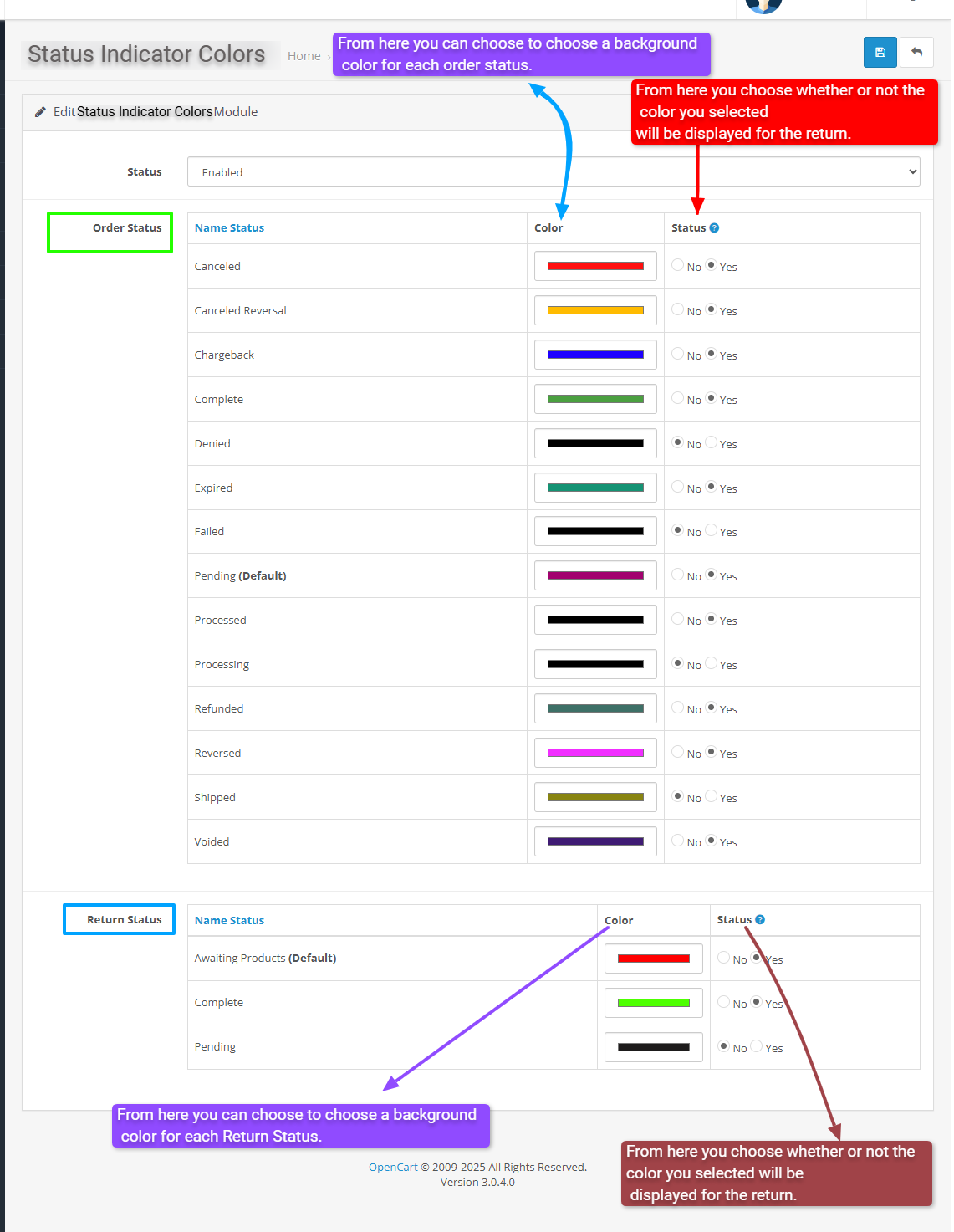
Each status, like "Shipped," "Cancelled," or "Processing," can be assigned a special background color that makes them stand out.
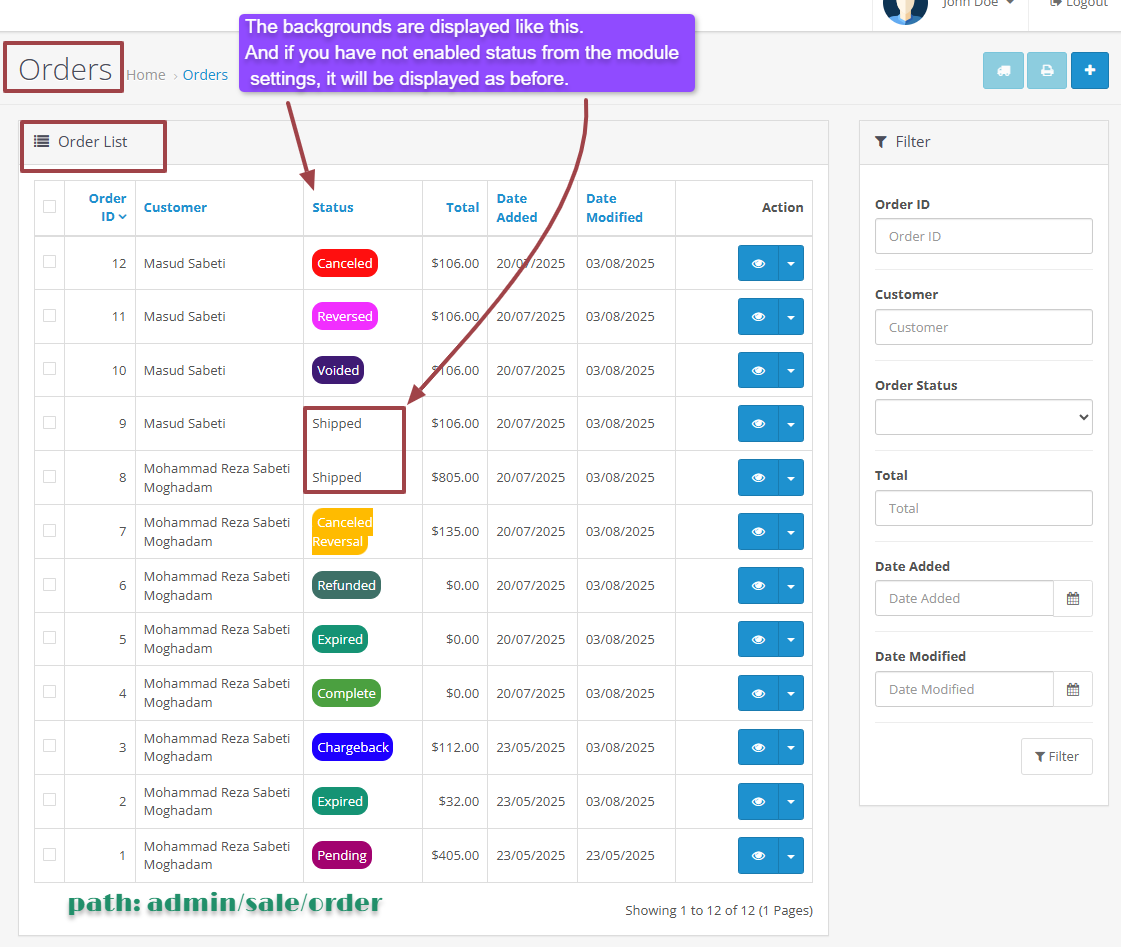
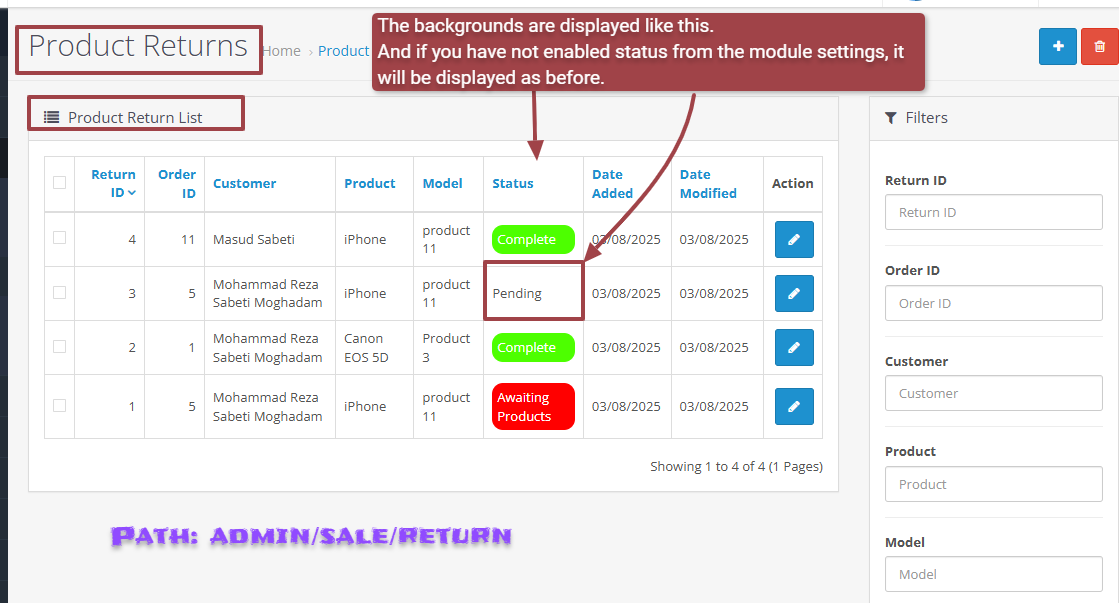
When your customers view their order or return history, these colors help them quickly understand the current stage of their orders at a glance — without having to read through long text.
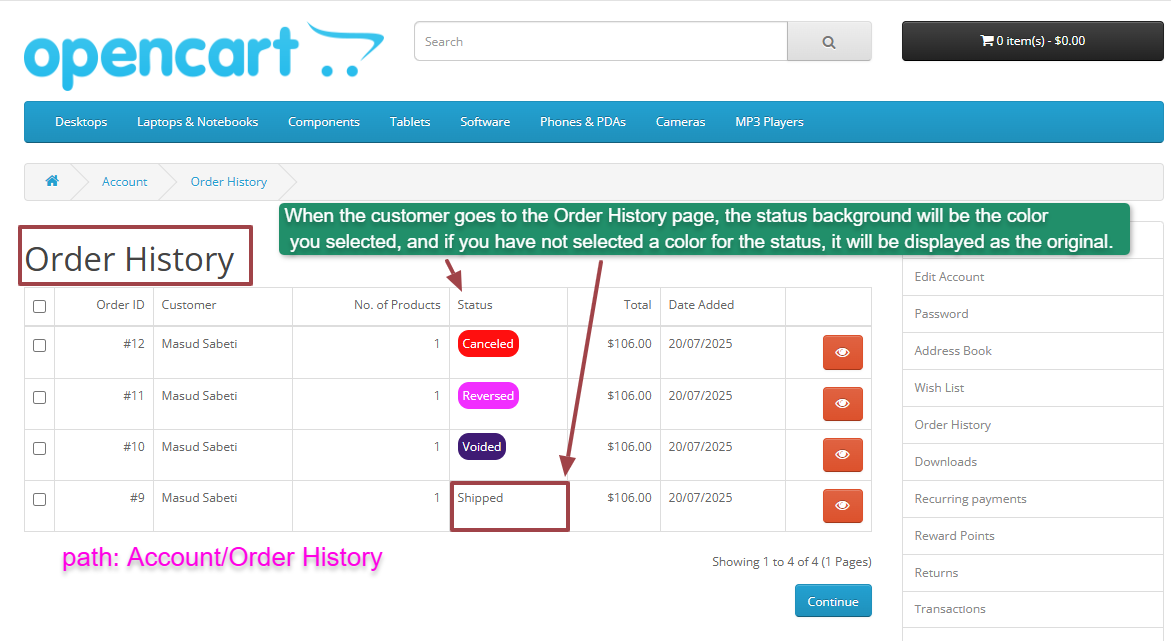
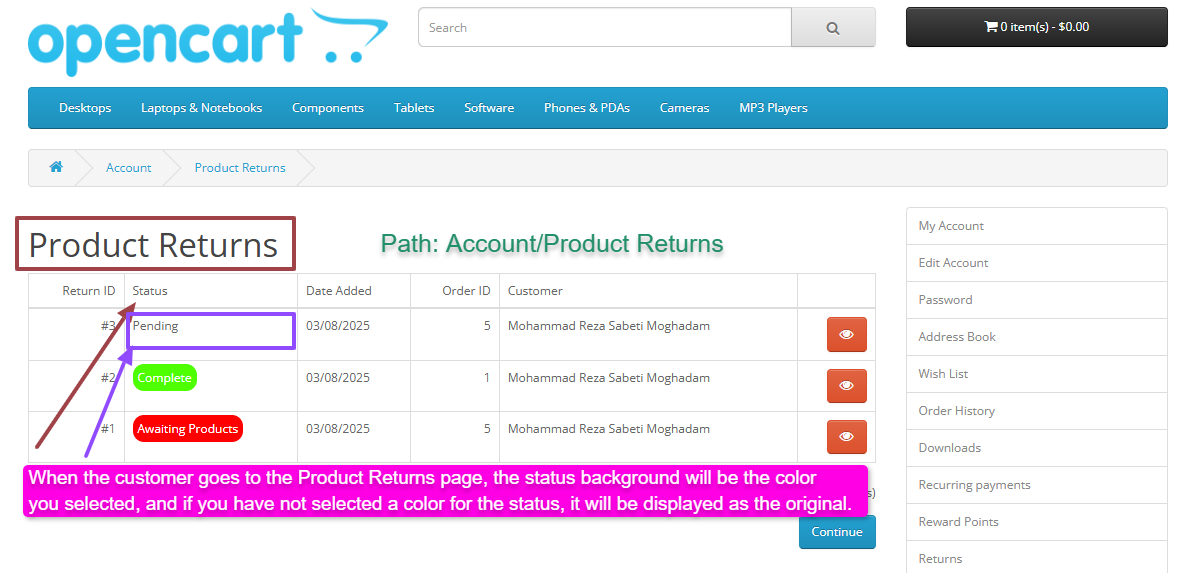
You can choose to turn on or off the color display for each status, making it simple to manage how your information appears. This way, your customers get a clearer, more organized experience, and you improve the professionalism of your online store.
Key features:
Bring clarity and a professional touch to your website with just a few clicks!
Live Setting Module
usename:demo/password:demo
Live Account Customer
email:cartcraft.oc@gmail.com/password:demo
Install:
Free installation and support:
This powerful tool allows you to easily customize how your order statuses look on your website.
Each status, like "Shipped," "Cancelled," or "Processing," can be assigned a special background color that makes them stand out.
When your customers view their order or return history, these colors help them quickly understand the current stage of their orders at a glance — without having to read through long text.
You can choose to turn on or off the color display for each status, making it simple to manage how your information appears. This way, your customers get a clearer, more organized experience, and you improve the professionalism of your online store.
Key features:
- Easy to set colors for each status without any technical skills.
- Clear visual cues that help customers easily identify order stages.
- Works both in the admin panel for management and on the customer-facing pages.
- Customize the look of order and return statuses to match your store’s style.
Bring clarity and a professional touch to your website with just a few clicks!
Live Setting Module
usename:demo/password:demo
Live Account Customer
email:cartcraft.oc@gmail.com/password:demo
Install:
- First download the ZIP file.
- Then go to Extension>Installer Click on the (Upload) button And upload the downloaded ZIP file.
- Go to Extension>Extension>Module and enable the "Status Indicator Colors" module and configure it as you wish.
- Go to Extension>Modifications and hit the Refresh button to apply the changes.
Free installation and support:
- cartcraft.oc@gmail.com
Price
$20.00
- Developed by OpenCart Community
- 12 Months Free Support
- Documentation Included
Rating
Compatibility
3.0.0.0, 3.0.1.0, 3.0.1.1, 3.0.1.2, 3.0.1.3, 3.0.2.0, 3.0.3.0, 3.0.3.1, 3.0.3.2, 3.0.3.3, 3.0.3.5, 3.0.3.6, 3.0.3.7, 3.0.3.8, 3.x.x.x, 3.0.3.9, 3.0.4.0, 3.0.4.1, 3.0.5.0
Last Update
26 May 2026
Created
3 Aug 2025
0 Sales
0 Comments

Login and write down your comment.
Login my OpenCart Account