Custom Fields Column At Customer List

Email Support: opencarttools@gmail.com
WhatsApp Live Chat: Click Here
Live Demo
See the module in action before purchase.
Admin
Admin > Extension > Module
Admin > Sales > customer list
Title
Custom Fields Column At Customer List – OpenCart 2.x + 3.x + 4.x
Short Description
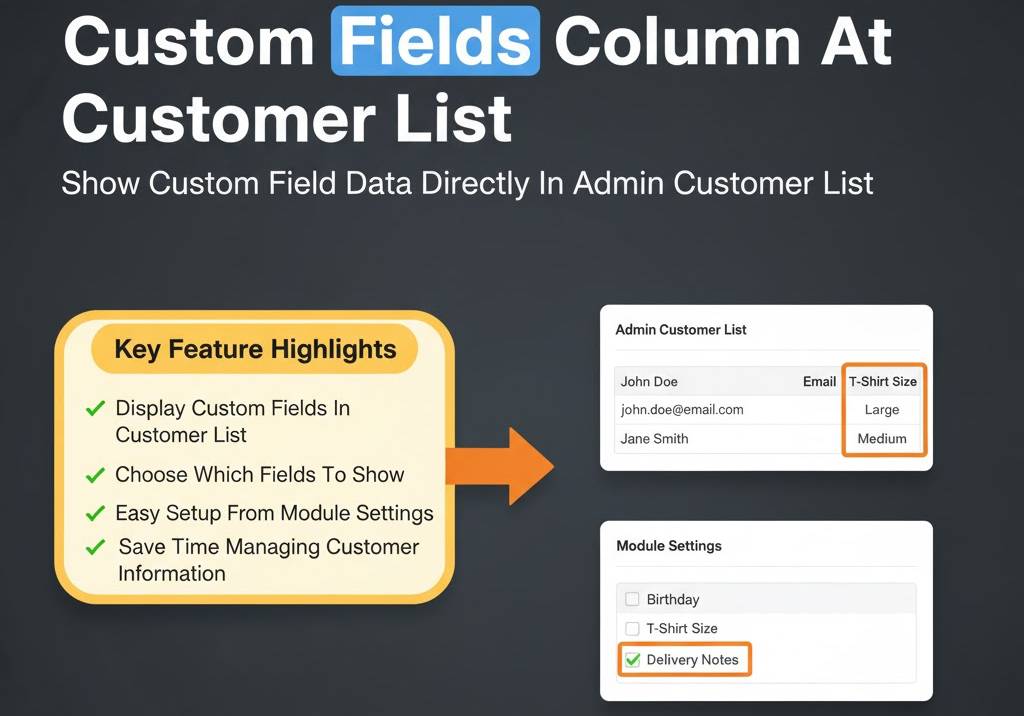
Easily display selected customer custom field data directly in the admin customer list.
Choose which custom fields to show and manage customer information faster without opening each profile.
Free Dedicated Support Included
We provide dedicated technical support to ensure smooth installation and usage of this module.
✔ Fast response time
✔ Installation guidance
✔ Bug fixes assistance
Key Features
Display Custom Fields in Customer List
✔ Show customer custom field data as columns in Admin → Customers list
✔ View important custom information instantly
✔ No need to open individual customer profiles
✔ Improves admin productivity
Flexible Field Selection
✔ Choose which custom fields to display
✔ Enable or disable fields anytime
✔ Configure easily from module settings
✔ Full admin control over visible columns
Supports Multiple Field Types
✔ Text type custom fields supported
✔ Dropdown type custom fields supported
✔ Displays selected values clearly in list view
✔ Works with existing OpenCart custom fields
Enhanced Customer Management
✔ Faster filtering and review of customer data
✔ Ideal for B2B stores collecting company or tax details
✔ Helps manage registration-based data
✔ Improve workflow efficiency
Easy Configuration
✔ Simple setup from Admin → Extensions → Modules
✔ Clean integration with default customer list
✔ No complicated settings
✔ Plug-and-play functionality
Safe & Lightweight Integration
✔ 100% OCMOD Based
✔ No Core File Changes
✔ Lightweight & Performance Friendly
✔ Built using OpenCart Coding Standards
✔ Compatible with OpenCart 2.x, 3.x & 4.x
✔ Supports PHP 5.6 – 8.3
✔ Works seamlessly with default and custom admin themes
Installation Steps
✔ Upload the extension via Admin → Extensions → Installer
✔ Go to Admin → Extensions → Modules
✔ Install and enable the module
✔ Select custom fields to display
✔ Save settings
How It Works
✔ Admin selects desired custom fields in module settings
✔ Selected fields appear as columns in Customer List
✔ Customer data displayed instantly in list view
No database changes. No manual coding.
Why Choose This Module
✔ Improves efficiency by showing essential customer information at a glance
✔ Saves time by avoiding repetitive profile checks
✔ Full control over visible custom field columns
✔ Perfect for B2B stores and advanced registration forms
✔ Simple setup with no core modifications
Money-Back Guarantee
We stand behind the quality of our module.
If the extension does not work as described or is incompatible with your supported OpenCart version, we offer a 7-Day Money-Back Guarantee.
✔ Full refund if confirmed technical issue
✔ Dedicated support before refund decision
✔ Transparent and fair resolution process
Your satisfaction and store performance are our priority.
Requirements
✔ OpenCart 2.X + 3.X + 4.X
✔ Supports PHP 5.6 – 8.3
✔ No core file changes
✔ Built using OpenCart coding standards
Ideal For
✔ B2B eCommerce stores
✔ Stores using custom registration fields
✔ Businesses collecting GST, Company, or Tax details
✔ Admin teams managing large customer databases
✔ Multi-store OpenCart setups
Images & Screenshots View all screenshots
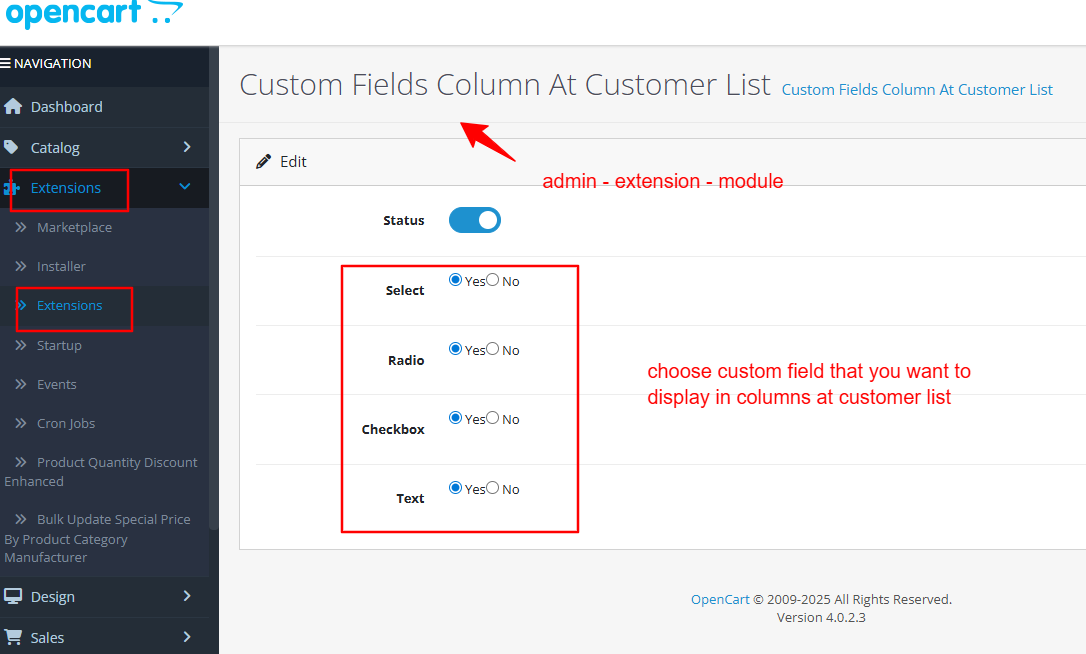
• Admin Module setting screen to select which custom fields to show.
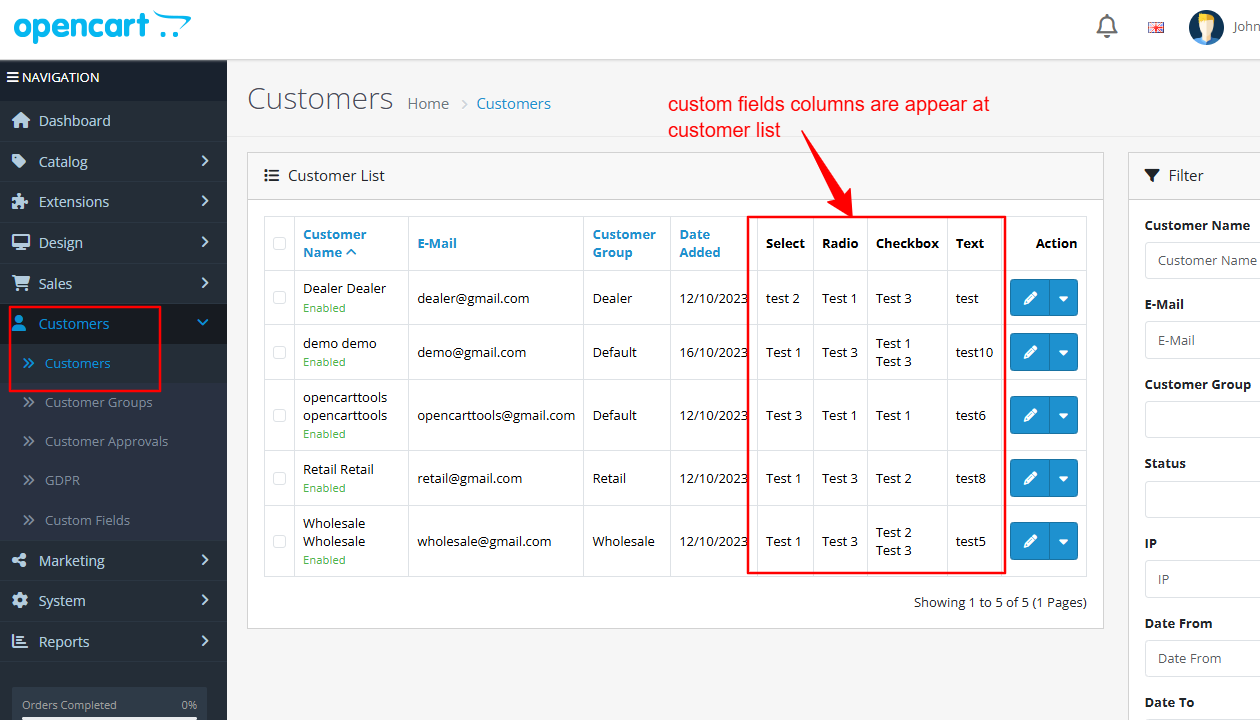
• Customer list page displaying additional custom field columns.
Price
$25.00
- Developed by OpenCart Community
- 12 Months Free Support
- Documentation Included
Rating
Compatibility
2.0.0.0, 2.0.1.0, 2.0.1.1, 2.0.2.0, 2.0.3.1, 2.1.0.1, 2.1.0.2, 2.2.0.0, 2.3.0.0, 2.3.0.1, 2.3.0.2, 3.0.0.0, 3.0.1.0, 3.0.1.1, 3.0.1.2, 3.0.1.3, 3.0.2.0, 4.x.x.x, 3.0.3.0, 3.0.3.1, 3.0.3.2, 3.0.3.3, 3.0.3.5, 3.0.3.6, 3.0.3.7, 3.0.3.8, 4.0.0.0, 4.0.1.0, 4.0.1.1, 3.x.x.x, 4.0.2.0, 4.0.2.1, 4.0.2.2, 4.0.2.3, 3.0.3.9, 3.0.4.0, 4.1.0.0, 4.1.0.1, 4.1.0.2, 4.1.0.3, 3.0.4.1, 3.0.5.0
Last Update
4 May 2026
Created
4 Aug 2025
1 Sales
0 Comments

Login and write down your comment.
Login my OpenCart Account