Sales + Out Of Stock + Abandoned Cart Report - Cronjobs

Supports


Title
Sales + Out Of Stock + Abandoned Cart Report - Cronjobs for OpenCart 2.x + 3.x + 4.x
Short Description
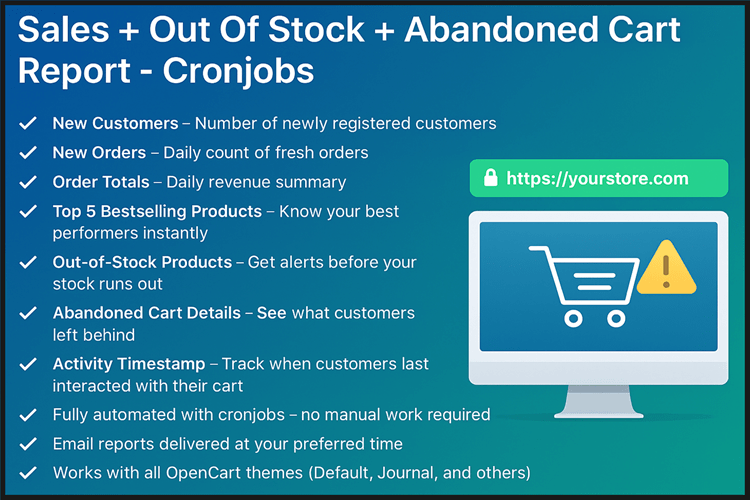
Automated Cronjob Reports for OpenCart – Get daily email updates with new customers, new orders, sales totals, top 5 bestselling products, out-of-stock alerts, and abandoned cart details with activity timestamps. Stay informed without logging into admin!
Demo Links
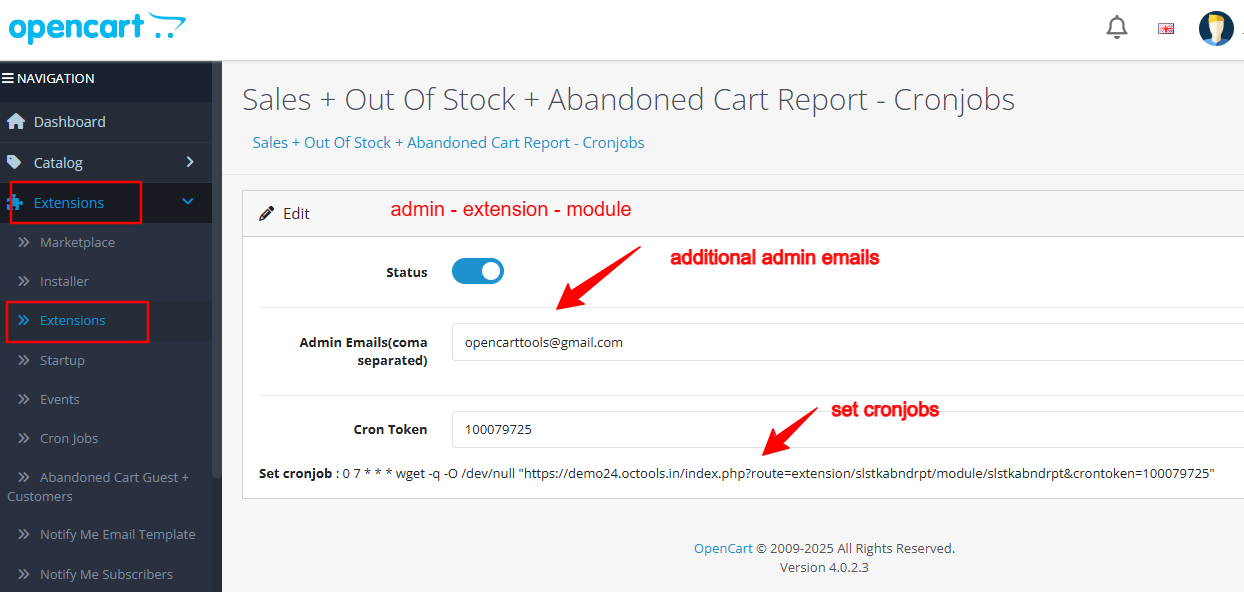
Admin:- Admin > Extension > Module
Main Description
• Sales + Out Of Stock + Abandoned Cart Report with Cronjobs is the ultimate automation module for OpenCart store owners who want to save time and stay updated with their business performance
• This module automatically sends you a daily email report with the most important store insights – no need to log in to your admin panel. From sales to stock alerts, everything is delivered straight to your inbox.
Key Features
• New Customers – Number of newly registered customers
• New Orders – Daily count of fresh orders
• Order Totals – Daily revenue summary
• Top 5 Bestselling Products – Know your best performers instantly
• Out-of-Stock Products – Get alerts before your stock runs out.
• Abandoned Cart Details – See what customers left behind.
• Activity Timestamp – Track when customers last interacted with their cart
• Fully automated with cronjobs – no manual work required.
• Email reports delivered at your preferred time.
• Works with all OpenCart themes (Default, Journal, and others).
• Multi-Language & Multi-Store ready.
• Lightweight & secure (OCMOD – no core changes).
• Easy installation in just a few steps.
Compatibility
• OpenCart 2.X + 3.X + 4.X
• Supports PHP 5.6 – 8.3
• Tested with default theme & Journal 3
• No core file changes
• Built using OpenCart coding standards
• Lightweight and performance-friendly
• Multi-language & Multi-store supported
Support & Updates
• Free installation and free support
• Response time: within 24 hours
• Support all themes: Journal2, Journal3, Pavo, Foster template
• Note: Extension license valid for single domain only
Installation Steps
• Upload the extension via Extensions - Installer
• Install module from Admin - Extensions - Module - Configure module
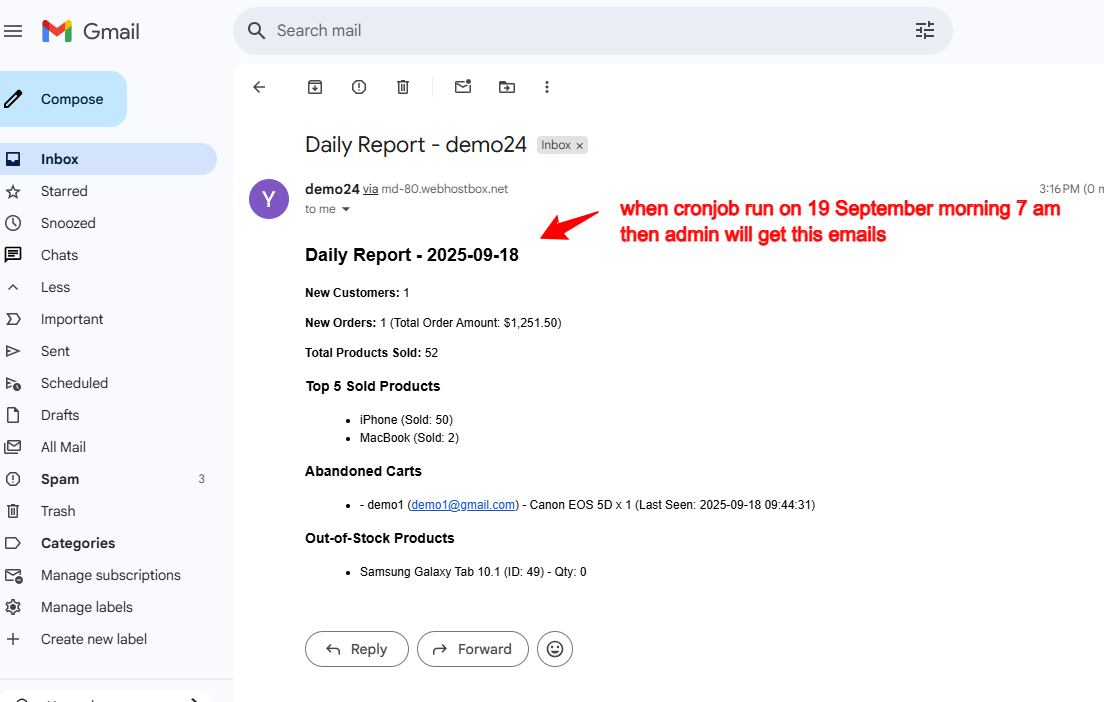
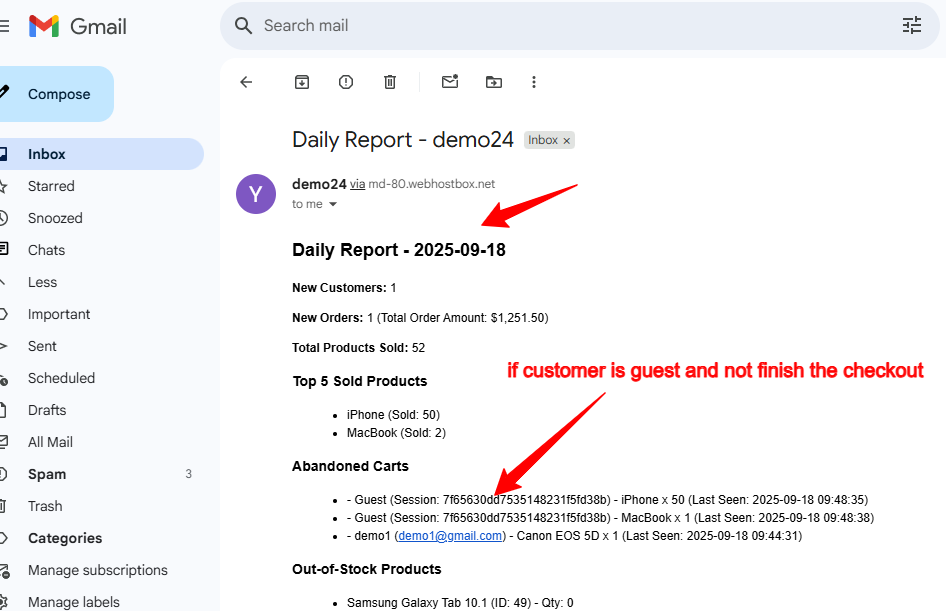
Example Email
New Customers: 2
New Orders: 1 (Total Order Amount: $733.20)
Total Products Sold: 2
Top 5 Sold Products
• iPhone (Sold: 1)
• MacBook (Sold: 1)
Abandoned Carts
• Customer Name (Email) - MacBook x 1 (Last Seen: Date Time)
• Customer Name (Email) - HP LP3065 x 1 (Last Seen: Date Time)
• Customer Name (Email) - Nikon D300 x 1 (Last Seen: Date Time)
Out-of-Stock Products
• iPod Nano (ID: 36) - Qty: 0
• Samsung Galaxy Tab 10.1 (ID: 49) - Qty: 0
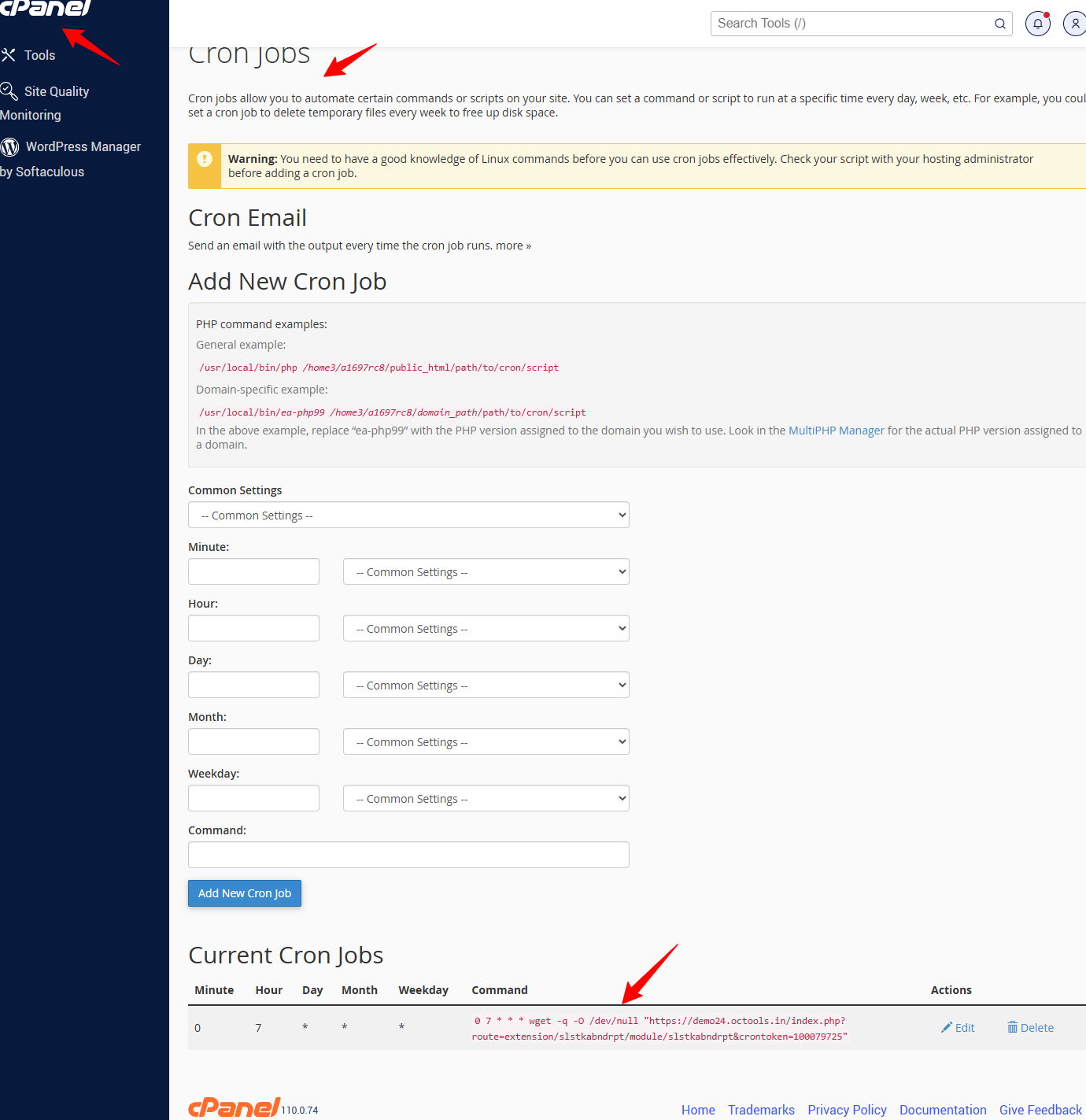
Setting cronjob in Cpanel
• CPanel - Search for Cron Jobs under "Advanced".
• Add New Cron Job
• Choose Once Per Day
• In the Command box, add one of the following:
0 7 * * * wget -q -O /dev/null "https://yourstore.com/index.php?route=extension/slstkabndrpt/module/slstkabndrpt&crontoken=100079725"
Why Choose This Module
• Save time – no need to manually check orders or stock.
• Boost revenue – recover lost sales via abandoned cart insights.
• Stay informed – always know your store's performance.
• Whether you're running a small shop or a large eCommerce business, this module ensures you never miss important updates about your customers, orders, products, and abandoned carts
• Ready to start? Install this module, add the cronjob, and wake up every day to a complete store performance summary delivered to your inbox.
Images & Screenshots View all screenshots
• Admin Settings
• Cronjob setting
• Daily Email Notification
Price
$20.00
- Developed by OpenCart Community
- 12 Months Free Support
- Documentation Included
Rating
Compatibility
2.0.0.0, 2.0.1.0, 2.0.1.1, 2.0.2.0, 2.0.3.1, 2.1.0.1, 2.1.0.2, 2.2.0.0, 2.3.0.0, 2.3.0.1, 2.3.0.2, 3.0.0.0, 3.0.1.0, 3.0.1.1, 3.0.1.2, 3.0.1.3, 3.0.2.0, 4.x.x.x, 3.0.3.0, 3.0.3.1, 3.0.3.2, 3.0.3.3, 3.0.3.5, 3.0.3.6, 3.0.3.7, 3.0.3.8, 4.0.0.0, 4.0.1.0, 4.0.1.1, 3.x.x.x, 4.0.2.0, 4.0.2.1, 4.0.2.2, 4.0.2.3, 3.0.3.9, 3.0.4.0, 4.1.0.0, 4.1.0.1, 4.1.0.2, 4.1.0.3, 3.0.4.1, 3.0.5.0
Last Update
26 May 2026
Created
18 Sep 2025
0 Sales
0 Comments

Login and write down your comment.
Login my OpenCart Account