Extra Product and Video Tabs with Admin Memo
Extra Product and Video Tabs with Admin Memo
- Enhances product management and storefront display using events and OCMOD (no core edits).
Check Out Discounted Price
What it adds to each product
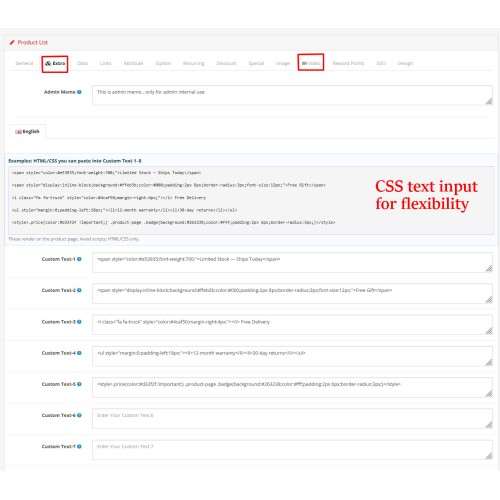
- Admin Memo (admin-only): private notes visible only in Admin, not rendered on storefront.
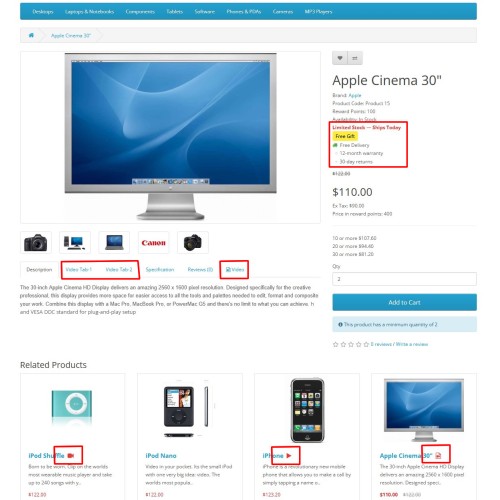
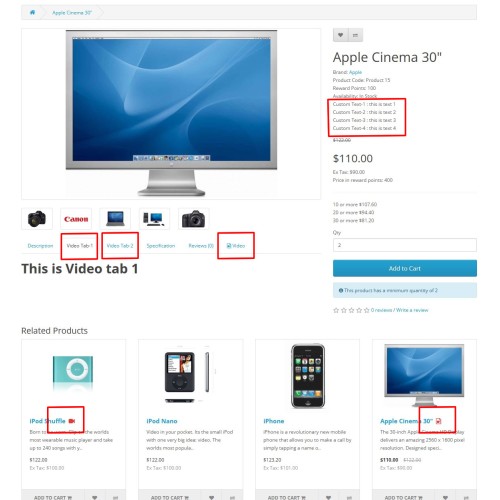
- Custom Text 1–8: eight short lines shown on product page (e.g., “Free Shipping”, “Brand New”) with CSS and fa fa-icon flexibility, customize your text as you like.
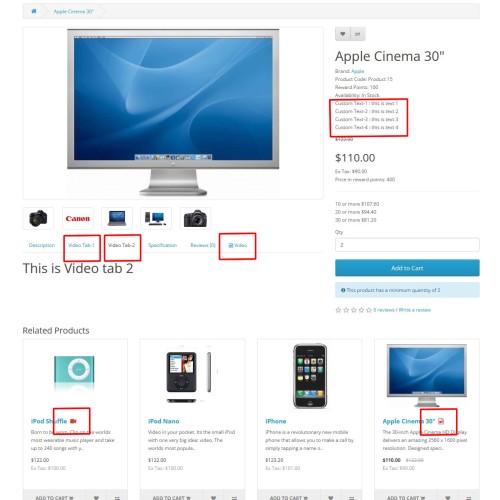
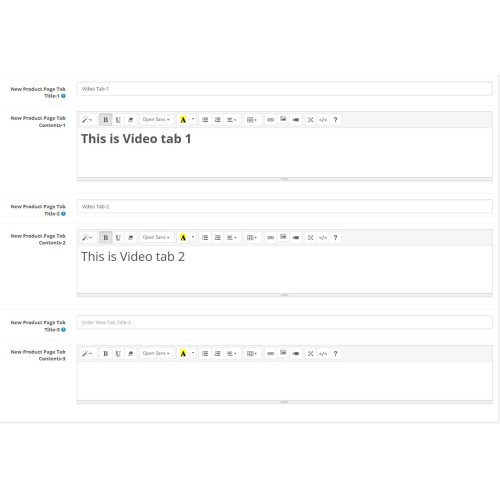
- New Product Page Tabs x 3: three customizable tabs with per-language title and content.
- Product Video:
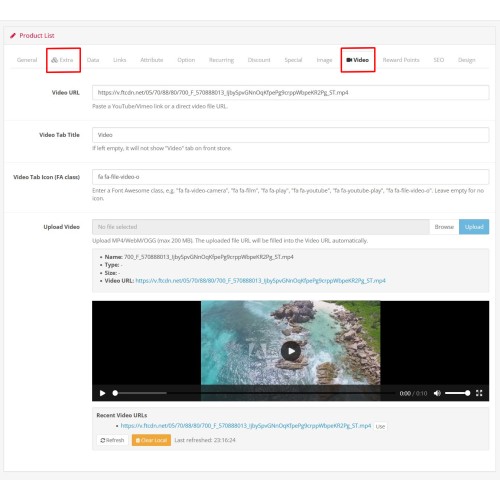
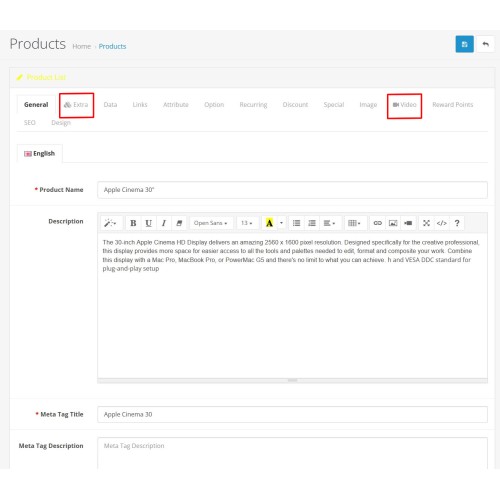
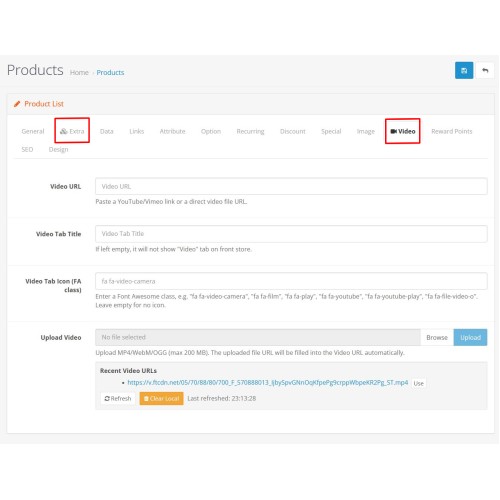
- Admin: Adds a “Video” tab (next to Image), allowing YouTube/Vimeo/direct file URL input, tab title, icon class, file upload with progress, preview, and recent-URL list.
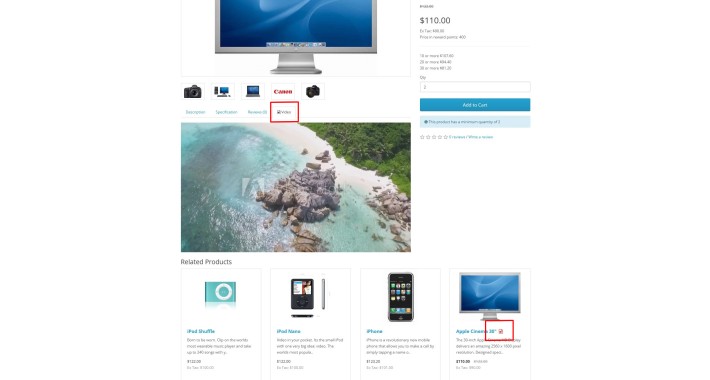
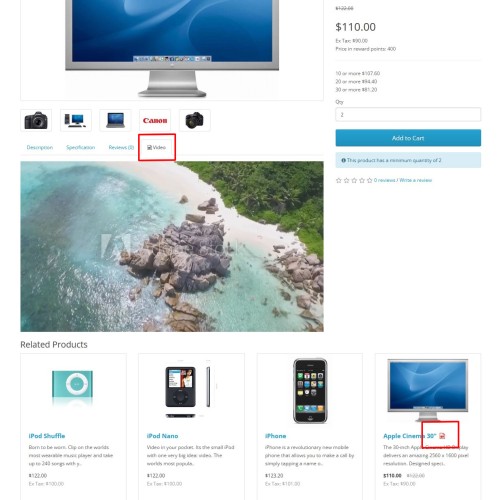
- Storefront: Displays a Video tab when configured; embeds YouTube/Vimeo or plays direct files via HTML5 video.
How the Video tab appears on the storefront
- Events-based insertion (all themes):
- Tab appears when both “Video Tab Title” and “Video URL” are provided.
- Tab label can include chosen icon class (e.g., “fa fa-video-camera”).
- Typically appears after existing tabs.
- Default OpenCart theme OCMOD:
- Ensures Video tab appears when Video URL exists.
- Tab header inserted after the Reviews tab; content added in the tab content block.
- Recommendation: always set both Video Tab Title and Video URL for consistent behavior.
Language support
- Custom Text 1–8 and the 3 New Tabs are per-language.
- Video Tab Title is a single (non-language specific) value.
Video icon on product titles
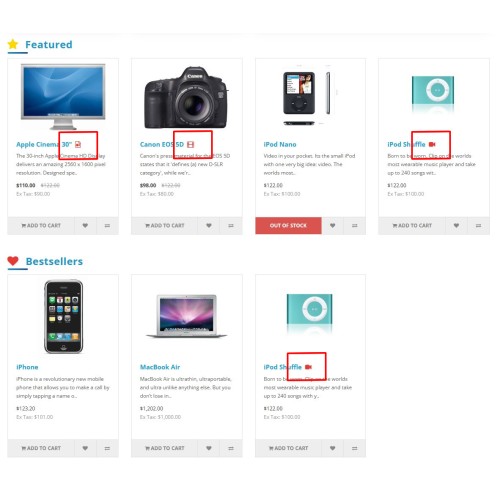
- Storefront lists: optional small video icon appended to product titles (Category, Search, Related, Featured, Latest, Special, Bestseller).
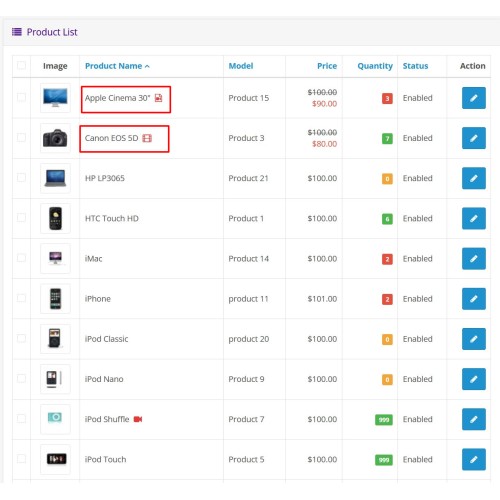
- Admin list (Catalog > Products): red video icon displayed beside Product Name when a video is configured (independent of storefront icon setting).
Benefits
- Enrich product pages without cluttering main description.
- Highlight selling points with quick custom text.
- Keep internal notes using Admin Memo.
- Drive engagement with integrated YouTube/Vimeo or local videos.
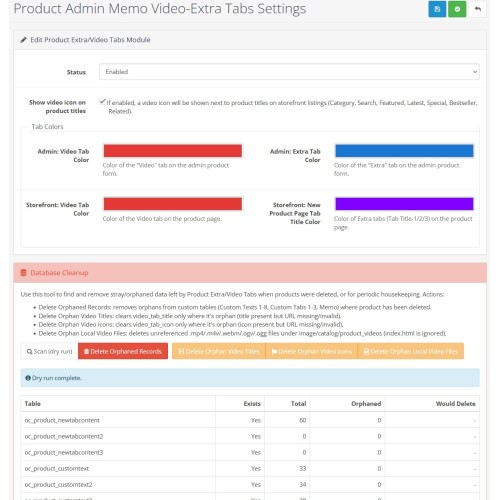
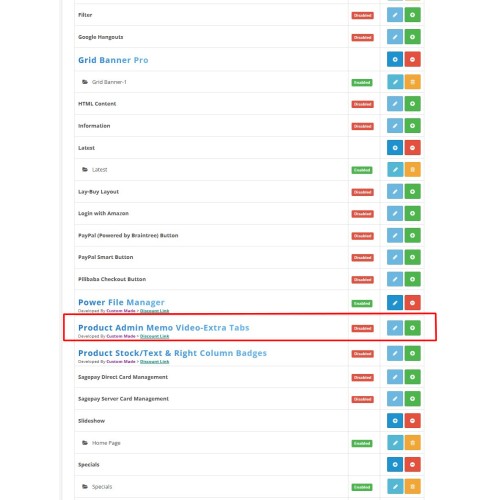
Settings (Extensions > Extensions > Modules > Product Extra/Video Tabs)
- Status: enable or disable module.
- Show video icon on product titles: toggles storefront icon display (does not affect Admin icons).
- Enhances product management and storefront display using events and OCMOD (no core edits).
Check Out Discounted Price
What it adds to each product
- Admin Memo (admin-only): private notes visible only in Admin, not rendered on storefront.
- Custom Text 1–8: eight short lines shown on product page (e.g., “Free Shipping”, “Brand New”) with CSS and fa fa-icon flexibility, customize your text as you like.
- New Product Page Tabs x 3: three customizable tabs with per-language title and content.
- Product Video:
- Admin: Adds a “Video” tab (next to Image), allowing YouTube/Vimeo/direct file URL input, tab title, icon class, file upload with progress, preview, and recent-URL list.
- Storefront: Displays a Video tab when configured; embeds YouTube/Vimeo or plays direct files via HTML5 video.
How the Video tab appears on the storefront
- Events-based insertion (all themes):
- Tab appears when both “Video Tab Title” and “Video URL” are provided.
- Tab label can include chosen icon class (e.g., “fa fa-video-camera”).
- Typically appears after existing tabs.
- Default OpenCart theme OCMOD:
- Ensures Video tab appears when Video URL exists.
- Tab header inserted after the Reviews tab; content added in the tab content block.
- Recommendation: always set both Video Tab Title and Video URL for consistent behavior.
Language support
- Custom Text 1–8 and the 3 New Tabs are per-language.
- Video Tab Title is a single (non-language specific) value.
Video icon on product titles
- Storefront lists: optional small video icon appended to product titles (Category, Search, Related, Featured, Latest, Special, Bestseller).
- Admin list (Catalog > Products): red video icon displayed beside Product Name when a video is configured (independent of storefront icon setting).
Benefits
- Enrich product pages without cluttering main description.
- Highlight selling points with quick custom text.
- Keep internal notes using Admin Memo.
- Drive engagement with integrated YouTube/Vimeo or local videos.
Settings (Extensions > Extensions > Modules > Product Extra/Video Tabs)
- Status: enable or disable module.
- Show video icon on product titles: toggles storefront icon display (does not affect Admin icons).
Price
$40.00
- Developed by OpenCart Community
- 3 Months Free Support
- Documentation Included
Rating
Compatibility
3.x.x.x
Last Update
22 Oct 2025
Created
20 Sep 2025
0 Sales
0 Comments

Login and write down your comment.
Login my OpenCart Account