Dynamic Logo by Language

Overview
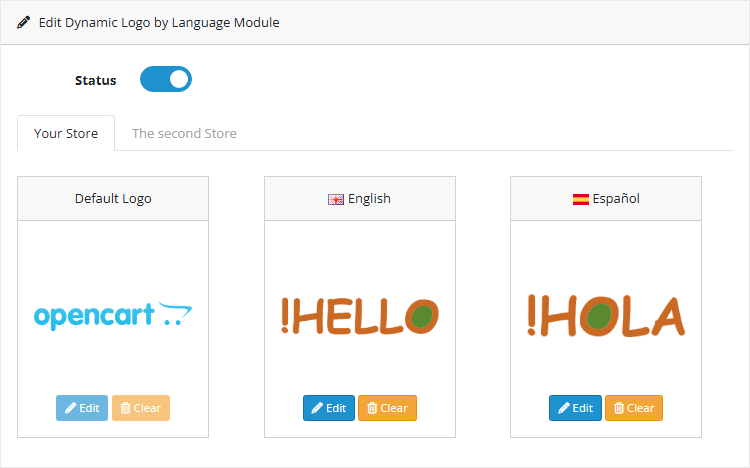
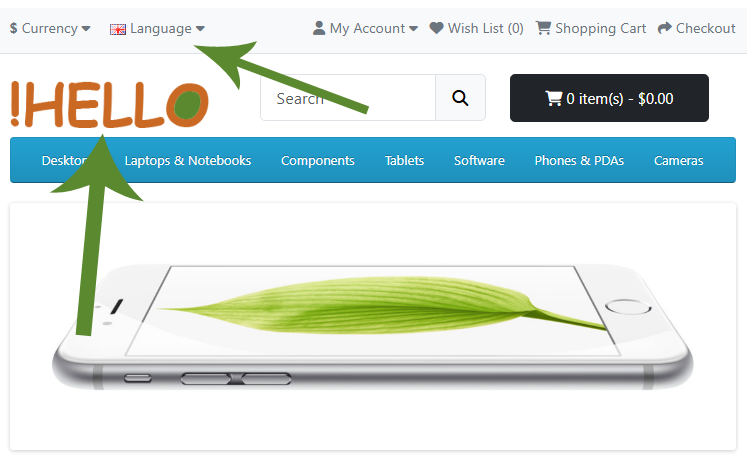
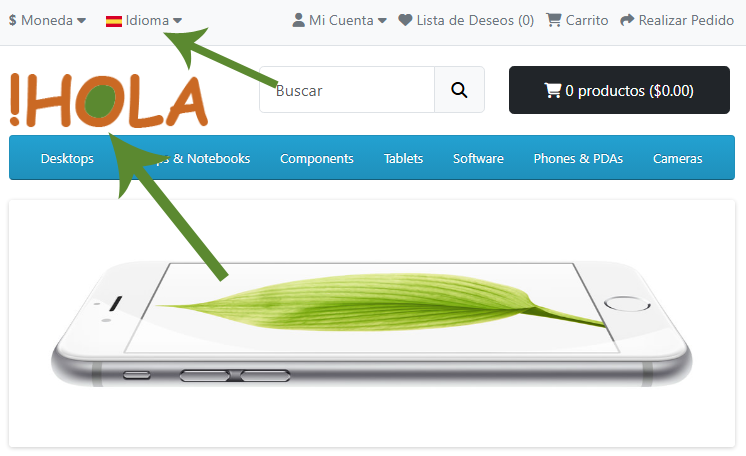
Dynamic Logo by Language automatically changes your store logo to match the visitor’s language. Ideal for multilingual OpenCart stores, it delivers a cohesive brand experience across locales. The extension supports per-language logos.
Why you need it
- Improve localization: display language-appropriate branding without duplicating assets.
- Seamless UX: visitors instantly see a logo in their language.
- Easy setup: minimal configuration with an intuitive admin panel.
Key Features
Install Instructions
- Log in to your OpenCart Admin panel.
- Navigate to Extensions > Installer and upload the file compatible with your OpenCart version.
- Go to Extensions > Extensions > Modules, find Dynamic Logo by Language automatically, and install and configure it.
Free Installation and Support
Dynamic Logo by Language automatically changes your store logo to match the visitor’s language. Ideal for multilingual OpenCart stores, it delivers a cohesive brand experience across locales. The extension supports per-language logos.
Why you need it
- Improve localization: display language-appropriate branding without duplicating assets.
- Seamless UX: visitors instantly see a logo in their language.
- Easy setup: minimal configuration with an intuitive admin panel.
Key Features
- Automatic logo switching per language
- Fallback logo when a language has no dedicated asset
- Admin panel to manage logos per language
Install Instructions
- Log in to your OpenCart Admin panel.
- Navigate to Extensions > Installer and upload the file compatible with your OpenCart version.
- Go to Extensions > Extensions > Modules, find Dynamic Logo by Language automatically, and install and configure it.
Free Installation and Support
- DigitCart Support
- Email: sabeti05 [at] gmail.com
Price
$20.00
- Developed by OpenCart Community
- 12 Months Free Support
- Documentation Included
Rating
Compatibility
4.x.x.x, 4.0.2.0, 4.0.2.1, 4.0.2.2, 4.0.2.3, 4.1.0.0, 4.1.0.1, 4.1.0.2, 4.1.0.3
Last Update
26 May 2026
Created
17 Oct 2025
0 Sales
1 Comments

Login and write down your comment.
Login my OpenCart Account