Admin Manage Option Values

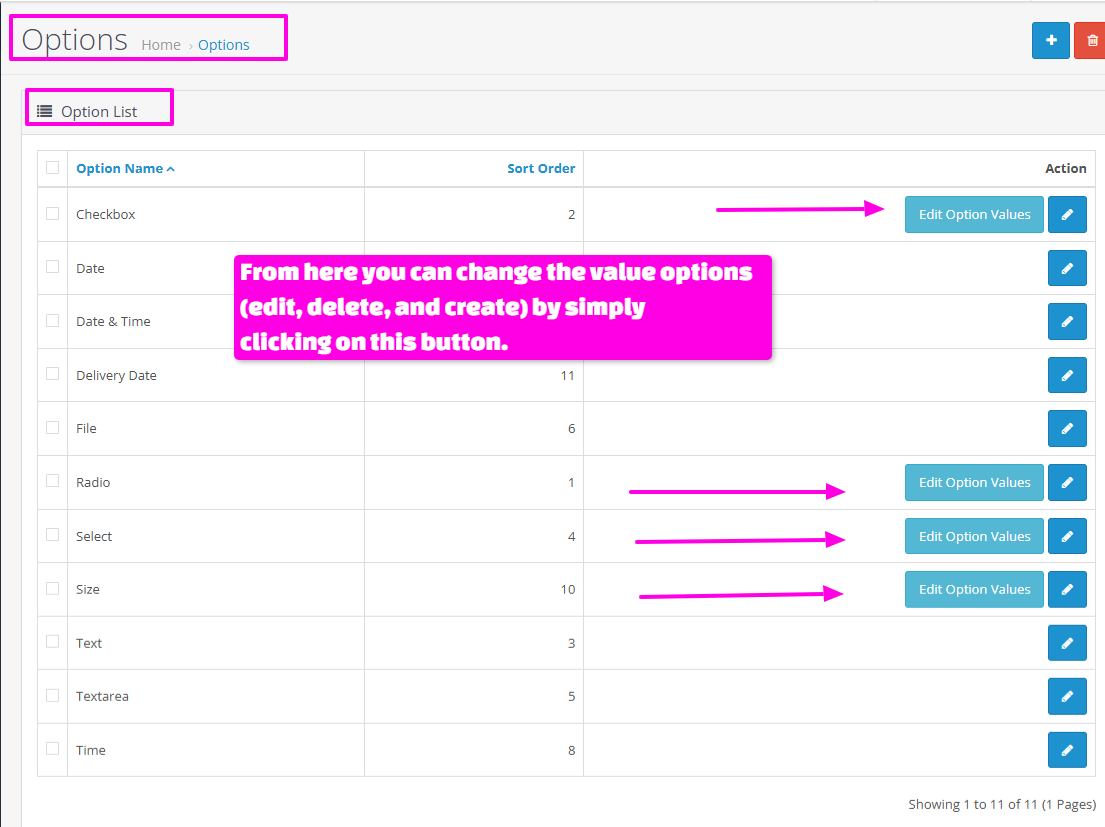
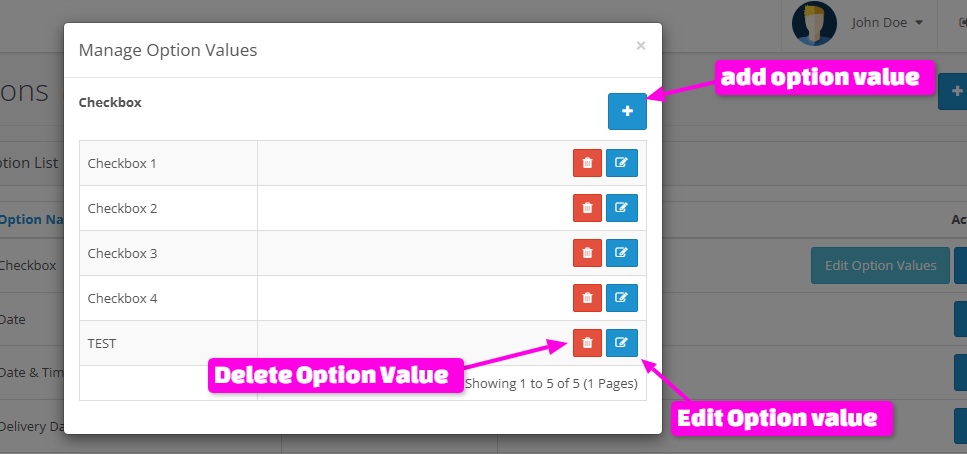
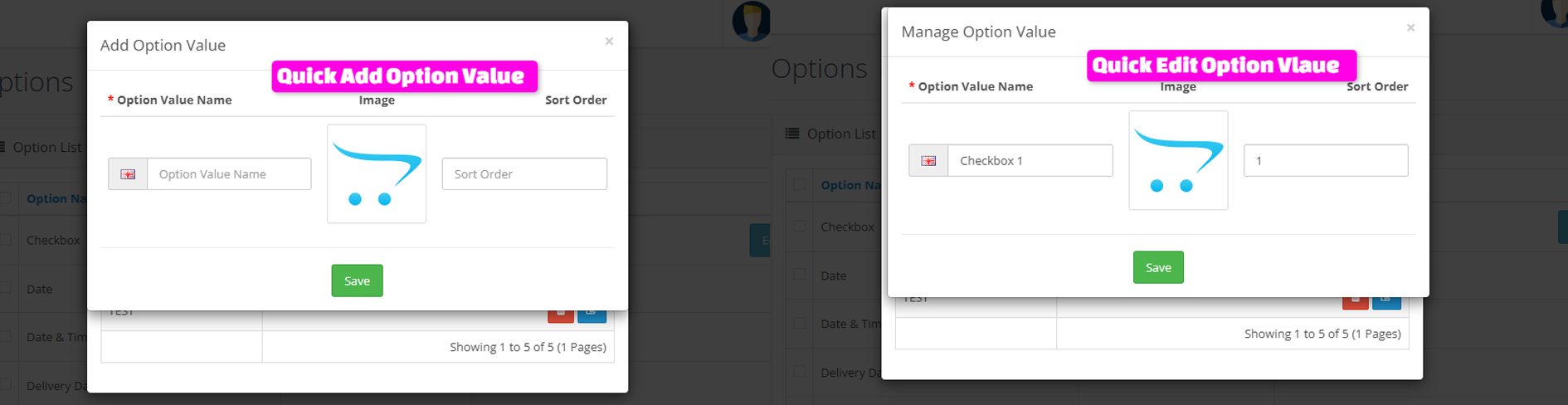
This module helps you manage your product options with ease. Using this tool, you can quickly add, edit, or delete various options such as color, size, design, and other attributes.
It also provides a simple and clear interface for viewing and configuring product options.
You can easily view the list of options and make the necessary changes without requiring technical knowledge.
This tool is designed to make managing your product options faster and easier, without the need to dive into complex sections of programming or coding.
Live Demo:
username and password for login to admin panel:demo
Installation method for (Opencart 3.x):
OpenCart Installation Method 4.x (vqmod):
First download the ZIP file.
Free installation and support:
cartcraft.oc@gmail.com
It also provides a simple and clear interface for viewing and configuring product options.
You can easily view the list of options and make the necessary changes without requiring technical knowledge.
This tool is designed to make managing your product options faster and easier, without the need to dive into complex sections of programming or coding.
Live Demo:
username and password for login to admin panel:demo
Installation method for (Opencart 3.x):
- First download the ZIP file.
- Then go to Extension>Installer Click on the (Upload) button And upload the downloaded ZIP file.
- Then go to extensions>Modifications and click on the Refresh button to apply the new changes.
OpenCart Installation Method 4.x (vqmod):
First download the ZIP file.
- Then go to Extension>Installer Click on the (Upload) button And upload the downloaded ZIP file.
- Then go to Extensions>Extension>Module and Active The "Admin Manage Option Values" Module.
Free installation and support:
cartcraft.oc@gmail.com
Price
$20.00
- Developed by OpenCart Community
- 12 Months Free Support
- Documentation Included
Rating
Compatibility
3.0.0.0, 3.0.1.0, 3.0.1.1, 3.0.1.2, 3.0.1.3, 3.0.2.0, 3.0.3.0, 3.0.3.1, 3.0.3.2, 3.0.3.3, 3.0.3.5, 3.0.3.6, 3.0.3.7, 3.0.3.8, 3.x.x.x, 3.0.3.9, 3.0.4.0, 3.0.4.1, 3.0.5.0, 4.0.0.0, 4.0.1.0, 4.0.1.1, 4.0.2.0, 4.0.2.1, 4.0.2.2, 4.0.2.3, 4.1.0.0, 4.1.0.1, 4.1.0.2, 4.1.0.3
Last Update
30 May 2026
Created
22 Oct 2025
0 Sales
0 Comments

Login and write down your comment.
Login my OpenCart Account