Next / Previous Order quick buttons in Order info
Prev/Next Order Navigation – OCMOD Extension for OpenCart
Overview
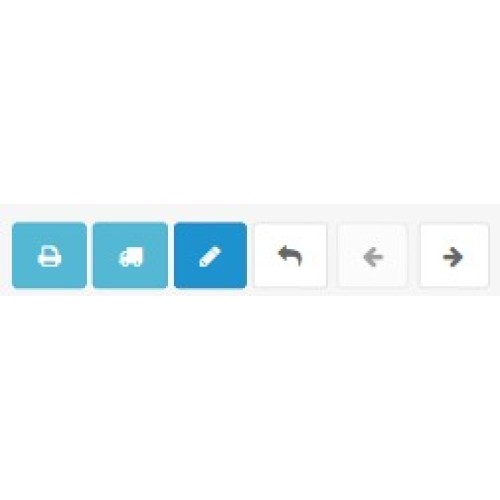
Prev/Next Order Navigation is a lightweight OCMOD extension that adds simple JS script and enhances the OpenCart admin panel by adding two convenient navigation buttons — Previous Order and Next Order — directly on the order details page.
It allows administrators to browse between orders instantly without returning to the Orders list, resulting in a smoother and faster workflow.
The extension intelligently scans nearby order IDs and automatically skips missing or deleted orders. It works flawlessly on both desktop and mobile devices, adapting button layout and icons for smaller screens.
No core modifications are made.
Key Features
How It Works
When viewing an order (Sales → Orders → View), the extension detects the current order_id, searches up to ±5 numbers around it, and identifies the nearest valid orders.
If a valid previous or next order is found, the corresponding button becomes clickable.
If not, the button appears disabled.
This ensures reliable navigation even in stores where order IDs are not sequential.
Installation Instructions
1. Open your OpenCart admin panel.
2. Go to Extensions → Installer and upload the provided .ocmod.xml file.
3. Navigate to Extensions → Modifications and click Refresh.
4. Open any order page — the new buttons will appear automatically.
Uninstallation: disable or delete the modification in Extensions → Modifications, then refresh.
Support & Compatibility
Overview
Prev/Next Order Navigation is a lightweight OCMOD extension that adds simple JS script and enhances the OpenCart admin panel by adding two convenient navigation buttons — Previous Order and Next Order — directly on the order details page.
It allows administrators to browse between orders instantly without returning to the Orders list, resulting in a smoother and faster workflow.
The extension intelligently scans nearby order IDs and automatically skips missing or deleted orders. It works flawlessly on both desktop and mobile devices, adapting button layout and icons for smaller screens.
No core modifications are made.
Key Features
- Adds Prev and Next buttons to the admin order view page.
- Automatically finds the closest valid previous and next order IDs.
- Skips non-existent or deleted orders.
- Mobile-friendly button display (icons only on smaller screens).
- Pure OCMOD implementation – zero core file editing.
- Fast installation and instant usability.
- Compatible with OpenCart 3.x and most custom admin themes.
How It Works
When viewing an order (Sales → Orders → View), the extension detects the current order_id, searches up to ±5 numbers around it, and identifies the nearest valid orders.
If a valid previous or next order is found, the corresponding button becomes clickable.
If not, the button appears disabled.
This ensures reliable navigation even in stores where order IDs are not sequential.
Installation Instructions
1. Open your OpenCart admin panel.
2. Go to Extensions → Installer and upload the provided .ocmod.xml file.
3. Navigate to Extensions → Modifications and click Refresh.
4. Open any order page — the new buttons will appear automatically.
Uninstallation: disable or delete the modification in Extensions → Modifications, then refresh.
Support & Compatibility
- OpenCart 3.0.x
- Compatible with most admin themes
- No code conflicts expected
- No core files modified
Price
$20.00
- Developed by OpenCart Community
- Documentation Included
Rating
Compatibility
3.0.3.8, 3.0.3.9, 3.0.4.0, 3.0.4.1
Last Update
11 Dec 2025
Created
11 Dec 2025
0 Sales
0 Comments

Login and write down your comment.
Login my OpenCart Account