NACS Facebook and Instagram Product Feed XML CSV - Opencart 4
Description
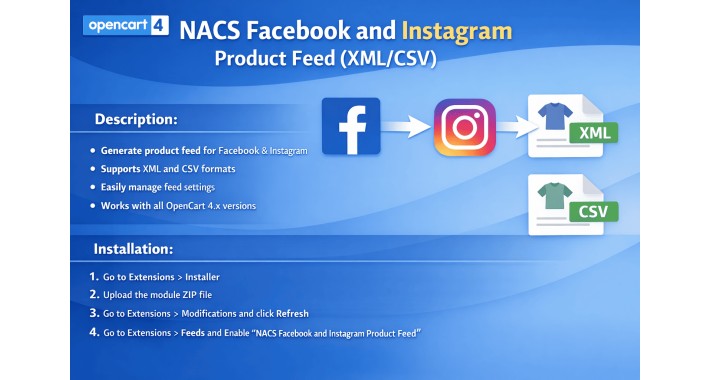
Generate a product feed for Facebook Shop and Instagram Shopping from your OpenCart 4 store
Supports XML CSV and TSV feed formats
Secure feed access with token based URL
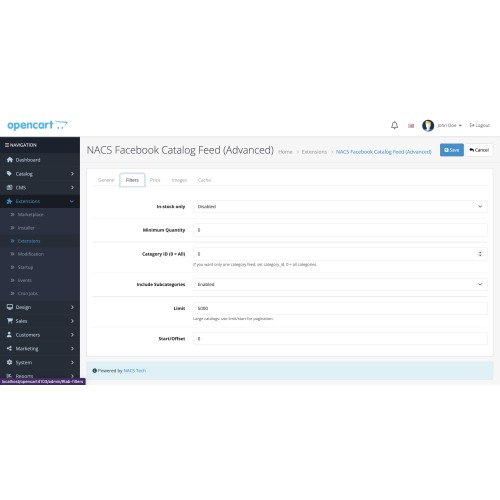
Includes filters like in stock only minimum quantity category id and subcategory option
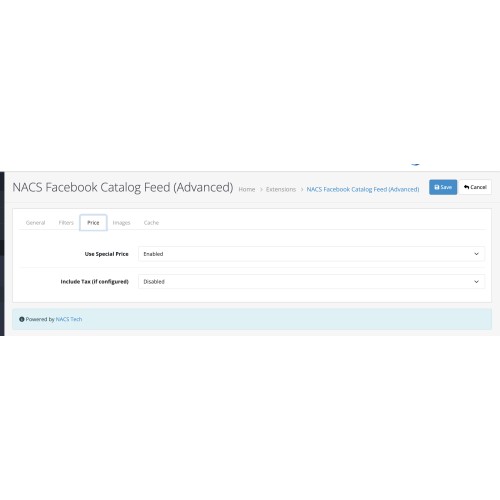
Supports special price and optional tax calculation based on store settings
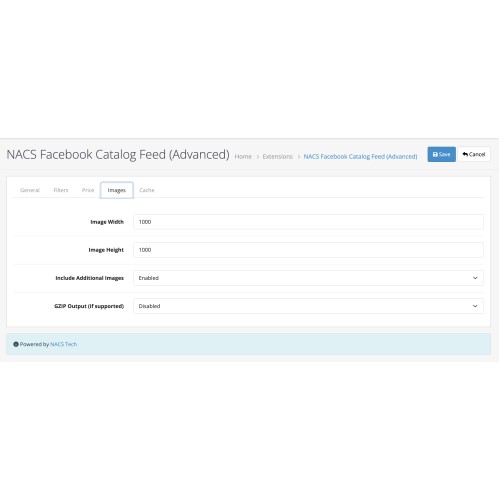
Supports additional product images and configurable image size
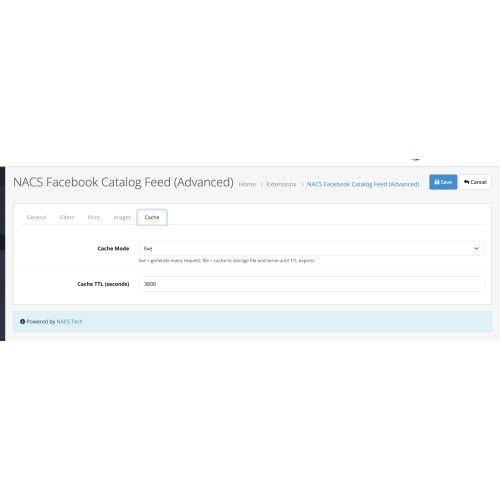
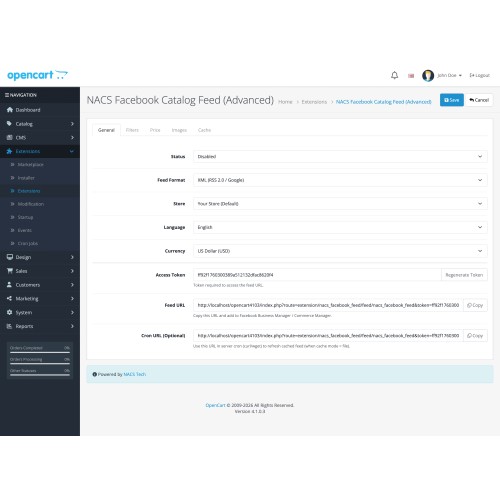
Supports caching mode live or file with TTL and optional cron refresh URL
Supports multi store language and currency parameters in feed URL
Designed for OpenCart 4 and works across all OpenCart 4.x versions
Installation
Step 1 Login to OpenCart Admin
Step 2 Go to Extensions then Installer
Step 3 Upload the file nacs_facebook_feed.ocmod.zip
Step 4 After upload click the green Install button for this extension in the Installer list
Step 5 Go to Extensions then Extensions
Step 6 Select the type Feeds
Step 7 Find NACS Facebook and Instagram Product Feed XML CSV
Step 8 Click Install then click Edit
Step 9 Enable the feed and save settings
Step 10 Go to Dashboard then Developer Settings and refresh cache
Step 11 Copy the Feed URL from the settings page and add it in Facebook Commerce Manager Catalog Data Sources
Usage
Open the Feed URL in browser to view the feed
Use the Cron URL if you are using cache mode file and want to refresh the feed automatically via cron job
For More Details >>
Generate a product feed for Facebook Shop and Instagram Shopping from your OpenCart 4 store
Supports XML CSV and TSV feed formats
Secure feed access with token based URL
Includes filters like in stock only minimum quantity category id and subcategory option
Supports special price and optional tax calculation based on store settings
Supports additional product images and configurable image size
Supports caching mode live or file with TTL and optional cron refresh URL
Supports multi store language and currency parameters in feed URL
Designed for OpenCart 4 and works across all OpenCart 4.x versions
Installation
Step 1 Login to OpenCart Admin
Step 2 Go to Extensions then Installer
Step 3 Upload the file nacs_facebook_feed.ocmod.zip
Step 4 After upload click the green Install button for this extension in the Installer list
Step 5 Go to Extensions then Extensions
Step 6 Select the type Feeds
Step 7 Find NACS Facebook and Instagram Product Feed XML CSV
Step 8 Click Install then click Edit
Step 9 Enable the feed and save settings
Step 10 Go to Dashboard then Developer Settings and refresh cache
Step 11 Copy the Feed URL from the settings page and add it in Facebook Commerce Manager Catalog Data Sources
Usage
Open the Feed URL in browser to view the feed
Use the Cron URL if you are using cache mode file and want to refresh the feed automatically via cron job
For More Details >>
Download
- Developed by OpenCart Community
- 1 Months Free Support
- Documentation Included
Rating
Compatibility
4.x.x.x, 4.0.0.0, 4.0.1.0, 4.0.1.1, 4.0.2.0, 4.0.2.1, 4.0.2.2, 4.0.2.3, 4.1.0.0, 4.1.0.1, 4.1.0.2, 4.1.0.3
Last Update
14 Mar 2026
Created
5 Jan 2026
50 Downloads
0 Comments

Login and write down your comment.
Login my OpenCart Account