GEO Shield Pro for OpenCart (with Cloudflare check)


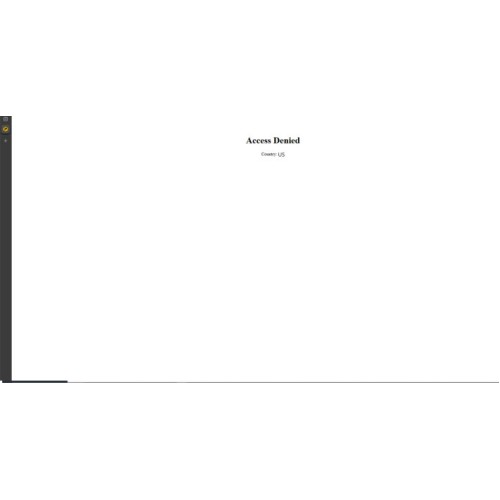
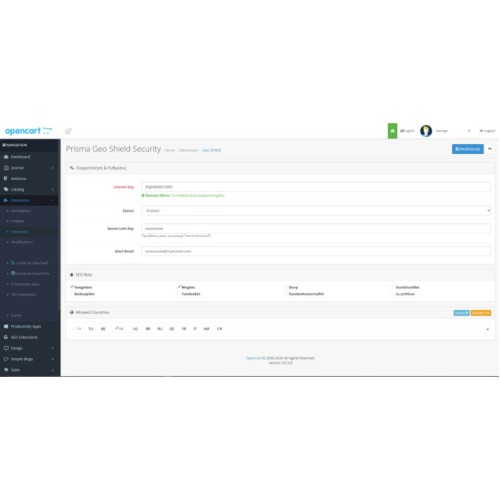
Website Prisma GEO Shield for OpenCart is the protection plugin to limit access from unwanted counties.
The blugin is so simple and at the same time so usefull!
If you want to block access from the countries, which are characterized by hack attempts, spamming of your comments and so on, you can do it in a one click.
Main features:
- Frontend & Backend Protect with Cloudflare check
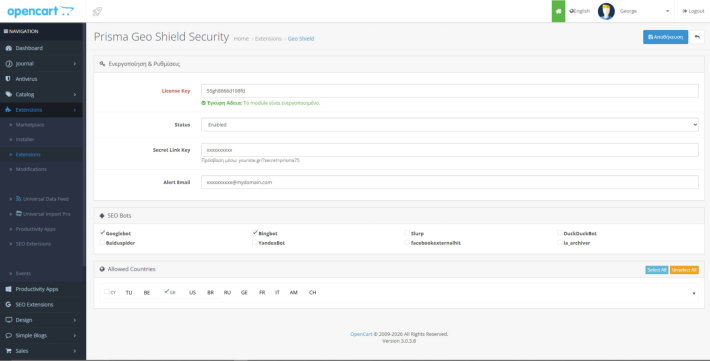
- Ban visitors from the countries or continent you don’t want to see.
- Ban IP addresses which are characterized by hack attempts, spamming and etc.
- You choose which bots you want to crawl your site.
- Send an email message in case of an attempted attack on your website.
- In case you are locked out of your website, you have the ability to enter through the backdoor with a secret code that you define.
- It’s easy to setup
*** Universal Compatibility: The module will play correctly whether the customer has Cloudflare or not.
*** Accuracy: It will block the hacker's real IP, even if they try to hide behind Cloudflare.
Compatible with journal 3 & journal 4
Installation Steps in OpenCart
Upload: Go to Extensions -> Installer and upload the .zip file.
Permissions: Go to System -> Users -> User Groups -> Administrator.
Click Edit and find extension/module/geo_shield.
Check it in both lists (Access/Modify) and click Save.
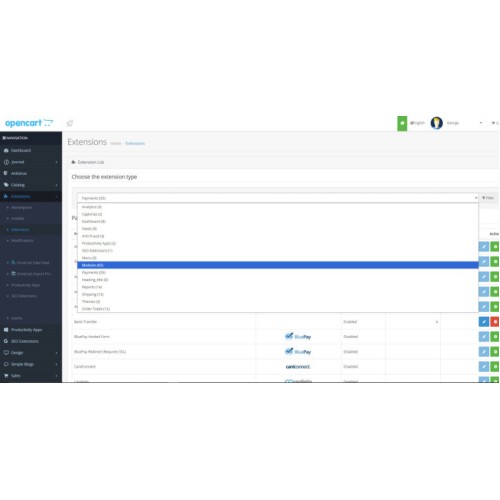
Activation: Go to Extensions -> Extensions -> Modules.
Find Prisma Geo Shield, click Install (Green button) and then Edit (Blue button).
Refresh: Go to Extensions -> Modifications.
Click Clear and then Refresh (Blue button). This step is necessary after every change.
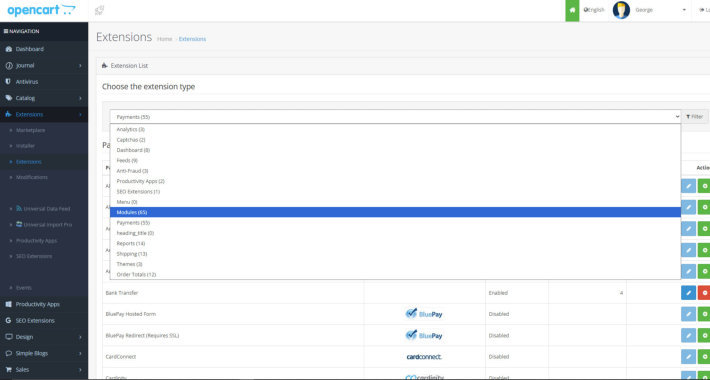
Then,we will send your License Key.
Please contact us for any questions.
The blugin is so simple and at the same time so usefull!
If you want to block access from the countries, which are characterized by hack attempts, spamming of your comments and so on, you can do it in a one click.
Main features:
- Frontend & Backend Protect with Cloudflare check
- Ban visitors from the countries or continent you don’t want to see.
- Ban IP addresses which are characterized by hack attempts, spamming and etc.
- You choose which bots you want to crawl your site.
- Send an email message in case of an attempted attack on your website.
- In case you are locked out of your website, you have the ability to enter through the backdoor with a secret code that you define.
- It’s easy to setup
*** Universal Compatibility: The module will play correctly whether the customer has Cloudflare or not.
*** Accuracy: It will block the hacker's real IP, even if they try to hide behind Cloudflare.
Compatible with journal 3 & journal 4
Installation Steps in OpenCart
Upload: Go to Extensions -> Installer and upload the .zip file.
Permissions: Go to System -> Users -> User Groups -> Administrator.
Click Edit and find extension/module/geo_shield.
Check it in both lists (Access/Modify) and click Save.
Activation: Go to Extensions -> Extensions -> Modules.
Find Prisma Geo Shield, click Install (Green button) and then Edit (Blue button).
Refresh: Go to Extensions -> Modifications.
Click Clear and then Refresh (Blue button). This step is necessary after every change.
Then,we will send your License Key.
Please contact us for any questions.
Price
$55.00
- Developed by OpenCart Community
- Documentation Included
Rating
Compatibility
3.0.0.0, 3.0.1.0, 3.0.1.1, 3.0.1.2, 3.0.1.3, 3.0.2.0, 3.0.3.0, 3.0.3.1, 3.0.3.2, 3.0.3.3, 3.0.3.5, 3.0.3.6, 3.0.3.7, 3.0.3.8, 3.x.x.x, 3.0.3.9, 3.0.4.0, 3.0.4.1, 3.0.5.0
Last Update
10 Jan 2026
Created
10 Jan 2026
0 Sales
0 Comments

Login and write down your comment.
Login my OpenCart Account