Advanced Survey Manager
1. Description
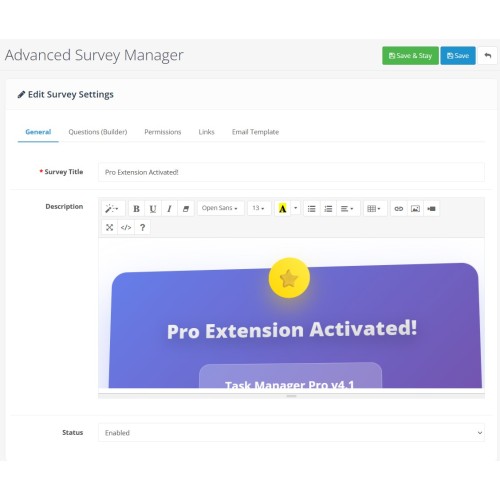
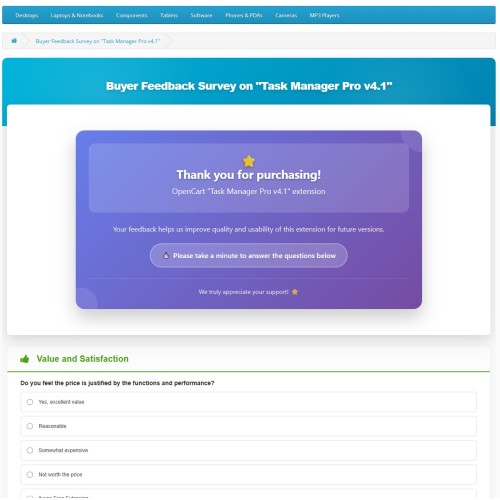
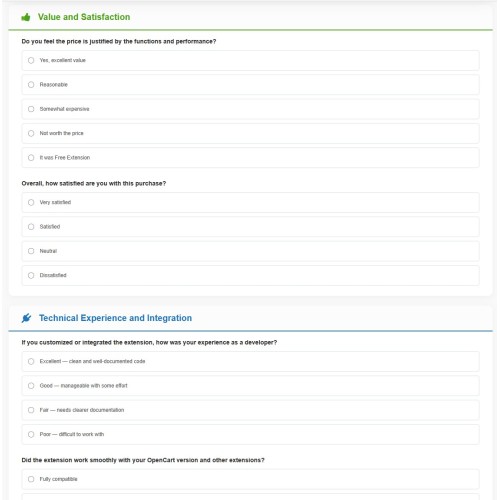
The Advanced Survey Manager is a powerful and flexible OpenCart 3.X extension designed to bridge the communication gap between store owners and customers. It goes beyond simple contact forms by allowing administrators to create dynamic, multi-purpose questionnaires that can be linked to specific products, restricted to specific customer groups, or shared publicly.
Check out latest "Advanced Survey Manager" with Discounted Price .
Extension Demo Link
ID/PW = demo/demo
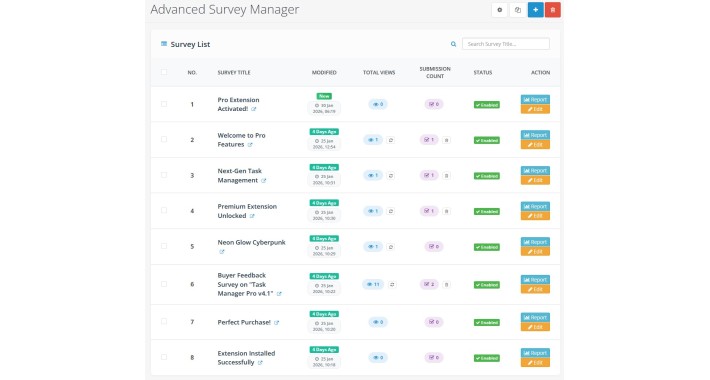
The module features a sophisticated Admin Interface for building forms, managing permissions, and visualizing data with professional charts, while seamlessly integrating into the OpenCart Storefront (Product Pages and Customer Account areas).
2. Benefits
Deep Customer Insights: Gather actionable feedback directly from your user base to improve products and services.
Targeted Feedback: Link surveys to specific products to ask relevant questions right on the product page.
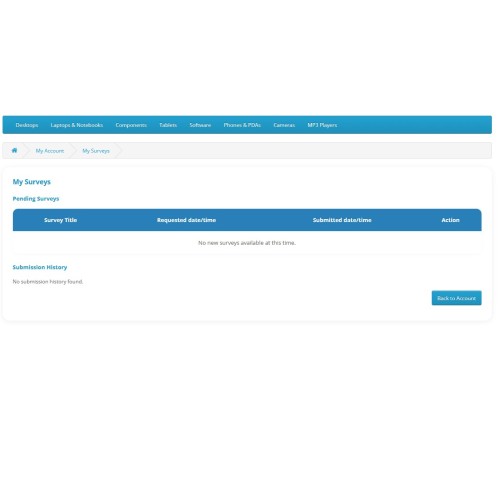
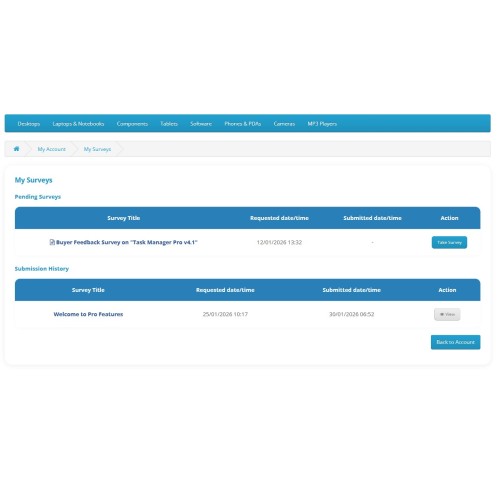
Increased Engagement: The "My Surveys" section in the customer account area (with notification badges) encourages users to participate.
Professional Analytics: visualizing response rates and data helps in making quick, informed decisions without digging through raw data.
Access Control: versatile permission settings allow you to use the tool for everything from public polls to private VIP customer feedback or internal employee surveys.
3. Functions & Features
Form Builder & Management
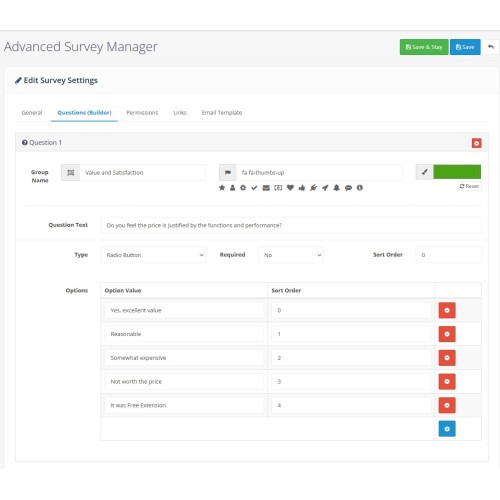
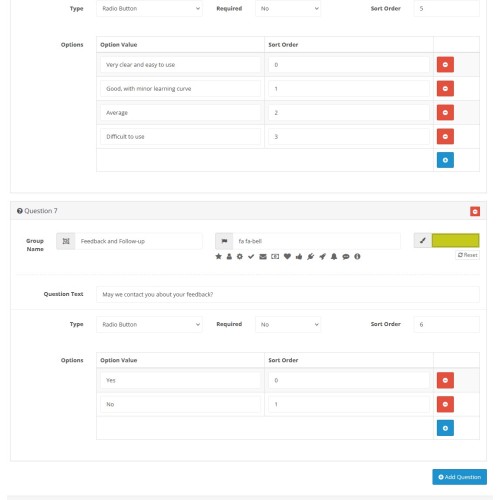
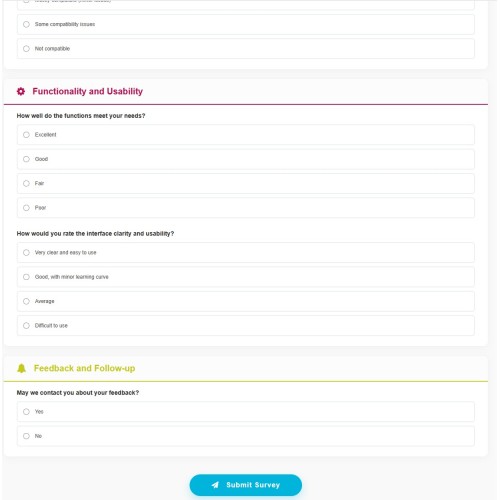
Dynamic Input Types: Support for Text Input, Textarea, Select Dropdown, Radio Buttons, and Checkboxes.
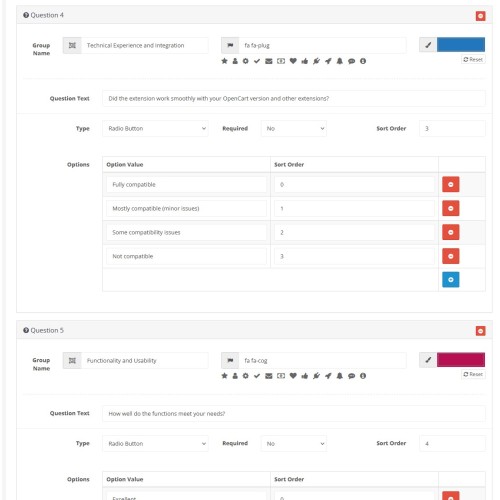
Question Grouping: Organize questions into sections (Groups) with custom names, icons, and color coding for a polished frontend look.
Validation: Option to mark specific questions as "Required".
Sorting: Full control over question and option order.
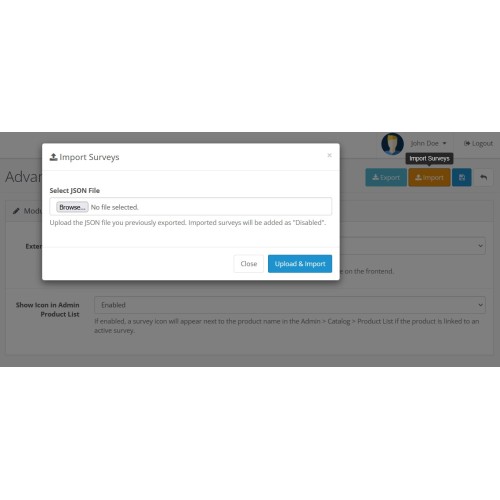
Import/Export: Ability to export survey structures to JSON and import them elsewhere (useful for backups or staging sites).
Permissions & Security
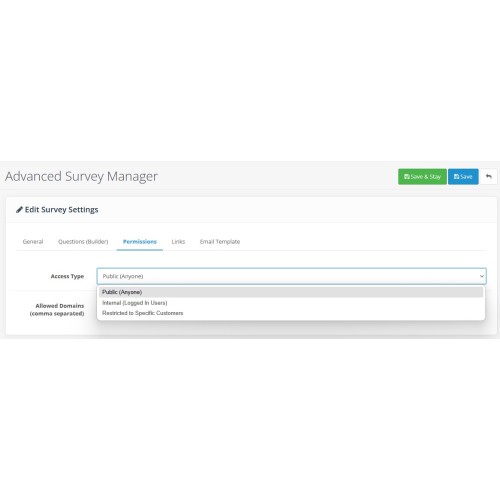
Public (Anyone): Accessible via a direct link by any visitor.
Internal (Logged In): Restricted to registered customers only.
External (Domain): Restricted to email addresses matching specific domains (e.g., `@company.com`).
Assigned (Specific Customers): Strictly restricted to specific Customer IDs.
Integration
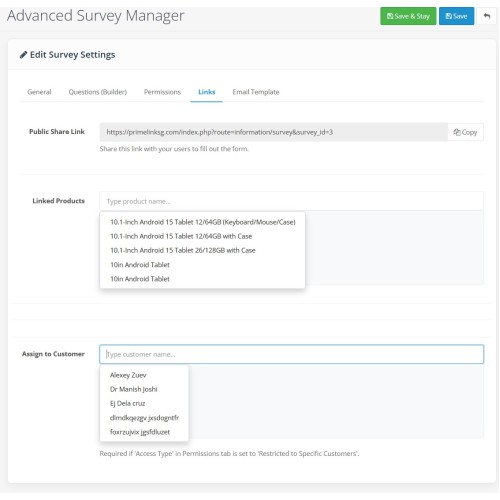
Product Linkage: Link surveys to products. A "We value your feedback" block automatically appears on the product page.
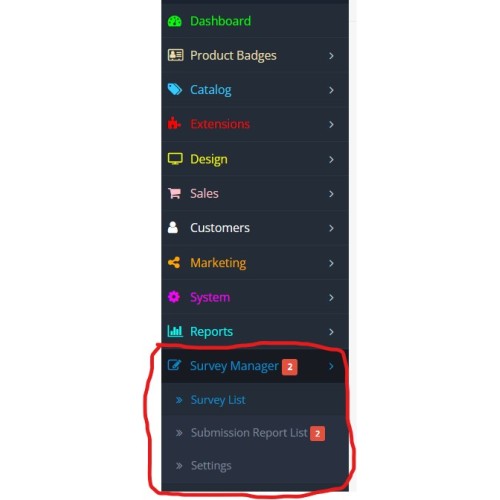
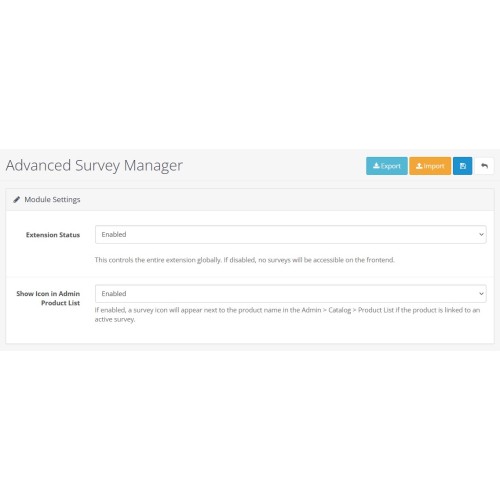
Admin Product List: An indicator icon appears next to products in the admin catalog if they have an active survey attached.
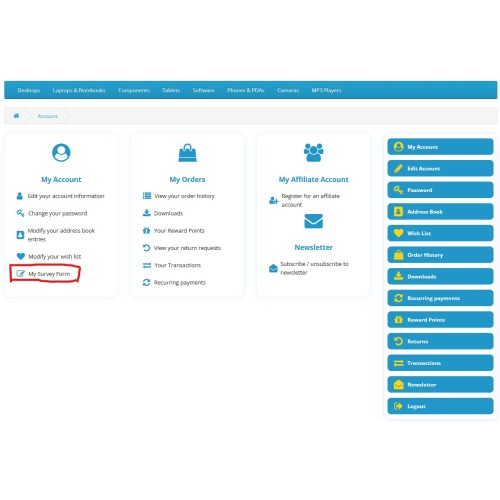
Customer Account: Adds a "My Survey Form" link to the account sidebar with a dynamic badge showing the count of pending surveys.
Reporting & Analytics
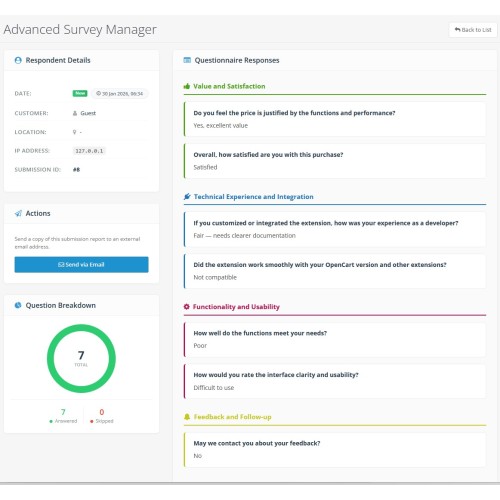
Visual Charts: Elegant Doughnut charts in the submission detail view showing "Answered vs. Skipped" ratios.
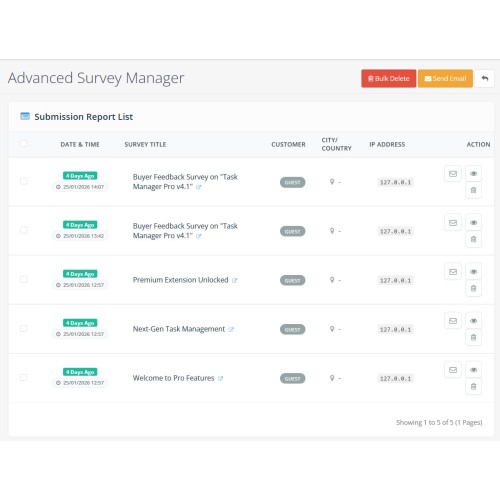
Geo-Location: Automatically detects and displays the respondent's City, Country, and Flag based on IP address.
Submission History: Track when surveys were requested versus when they were submitted.
Email Actions:
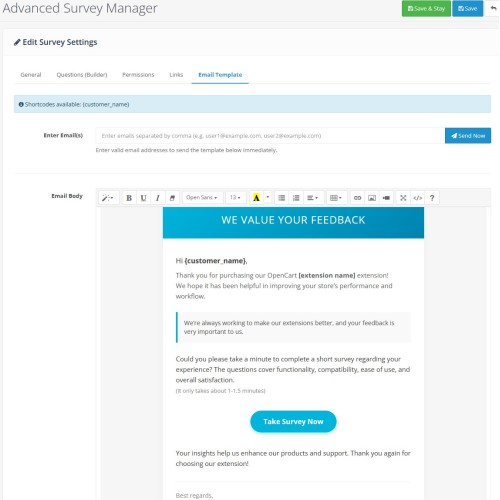
Send survey invitations to specific customers.
Forward individual submission reports via email directly from the admin panel.
4. Use Cases
Scenario A: Post-Purchase Product Satisfaction
Setup: Create a survey asking about build quality and shipping speed.
Link: Assign this survey to specific products in your catalog.
Result: Customers visiting the product page see the survey link, providing highly relevant product feedback.
Scenario B: VIP Customer Feedback
Setup: Create a detailed feedback form.
Permission: Set Access Type to "Restricted to Specific Customers".
Action: Assign specific high-value Customer IDs in the "Links" tab.
Result: Only those specific VIPs see the survey in their "My Account" area.
Scenario C: Employee Internal Poll
Setup: Create a policy review survey.
Permission: Set Access Type to "External" and allow only `@yourstore.com` emails.
Result: Ensure only your staff can submit responses.
The Advanced Survey Manager is a powerful and flexible OpenCart 3.X extension designed to bridge the communication gap between store owners and customers. It goes beyond simple contact forms by allowing administrators to create dynamic, multi-purpose questionnaires that can be linked to specific products, restricted to specific customer groups, or shared publicly.
Check out latest "Advanced Survey Manager" with Discounted Price .
Extension Demo Link
ID/PW = demo/demo
The module features a sophisticated Admin Interface for building forms, managing permissions, and visualizing data with professional charts, while seamlessly integrating into the OpenCart Storefront (Product Pages and Customer Account areas).
2. Benefits
Deep Customer Insights: Gather actionable feedback directly from your user base to improve products and services.
Targeted Feedback: Link surveys to specific products to ask relevant questions right on the product page.
Increased Engagement: The "My Surveys" section in the customer account area (with notification badges) encourages users to participate.
Professional Analytics: visualizing response rates and data helps in making quick, informed decisions without digging through raw data.
Access Control: versatile permission settings allow you to use the tool for everything from public polls to private VIP customer feedback or internal employee surveys.
3. Functions & Features
Form Builder & Management
Dynamic Input Types: Support for Text Input, Textarea, Select Dropdown, Radio Buttons, and Checkboxes.
Question Grouping: Organize questions into sections (Groups) with custom names, icons, and color coding for a polished frontend look.
Validation: Option to mark specific questions as "Required".
Sorting: Full control over question and option order.
Import/Export: Ability to export survey structures to JSON and import them elsewhere (useful for backups or staging sites).
Permissions & Security
Public (Anyone): Accessible via a direct link by any visitor.
Internal (Logged In): Restricted to registered customers only.
External (Domain): Restricted to email addresses matching specific domains (e.g., `@company.com`).
Assigned (Specific Customers): Strictly restricted to specific Customer IDs.
Integration
Product Linkage: Link surveys to products. A "We value your feedback" block automatically appears on the product page.
Admin Product List: An indicator icon appears next to products in the admin catalog if they have an active survey attached.
Customer Account: Adds a "My Survey Form" link to the account sidebar with a dynamic badge showing the count of pending surveys.
Reporting & Analytics
Visual Charts: Elegant Doughnut charts in the submission detail view showing "Answered vs. Skipped" ratios.
Geo-Location: Automatically detects and displays the respondent's City, Country, and Flag based on IP address.
Submission History: Track when surveys were requested versus when they were submitted.
Email Actions:
Send survey invitations to specific customers.
Forward individual submission reports via email directly from the admin panel.
4. Use Cases
Scenario A: Post-Purchase Product Satisfaction
Setup: Create a survey asking about build quality and shipping speed.
Link: Assign this survey to specific products in your catalog.
Result: Customers visiting the product page see the survey link, providing highly relevant product feedback.
Scenario B: VIP Customer Feedback
Setup: Create a detailed feedback form.
Permission: Set Access Type to "Restricted to Specific Customers".
Action: Assign specific high-value Customer IDs in the "Links" tab.
Result: Only those specific VIPs see the survey in their "My Account" area.
Scenario C: Employee Internal Poll
Setup: Create a policy review survey.
Permission: Set Access Type to "External" and allow only `@yourstore.com` emails.
Result: Ensure only your staff can submit responses.
Price
$30.00
- Developed by OpenCart Community
- 3 Months Free Support
- Documentation Included
Rating
Compatibility
3.x.x.x
Last Update
30 Jan 2026
Created
30 Jan 2026
0 Sales
0 Comments

Login and write down your comment.
Login my OpenCart Account