Text To Price

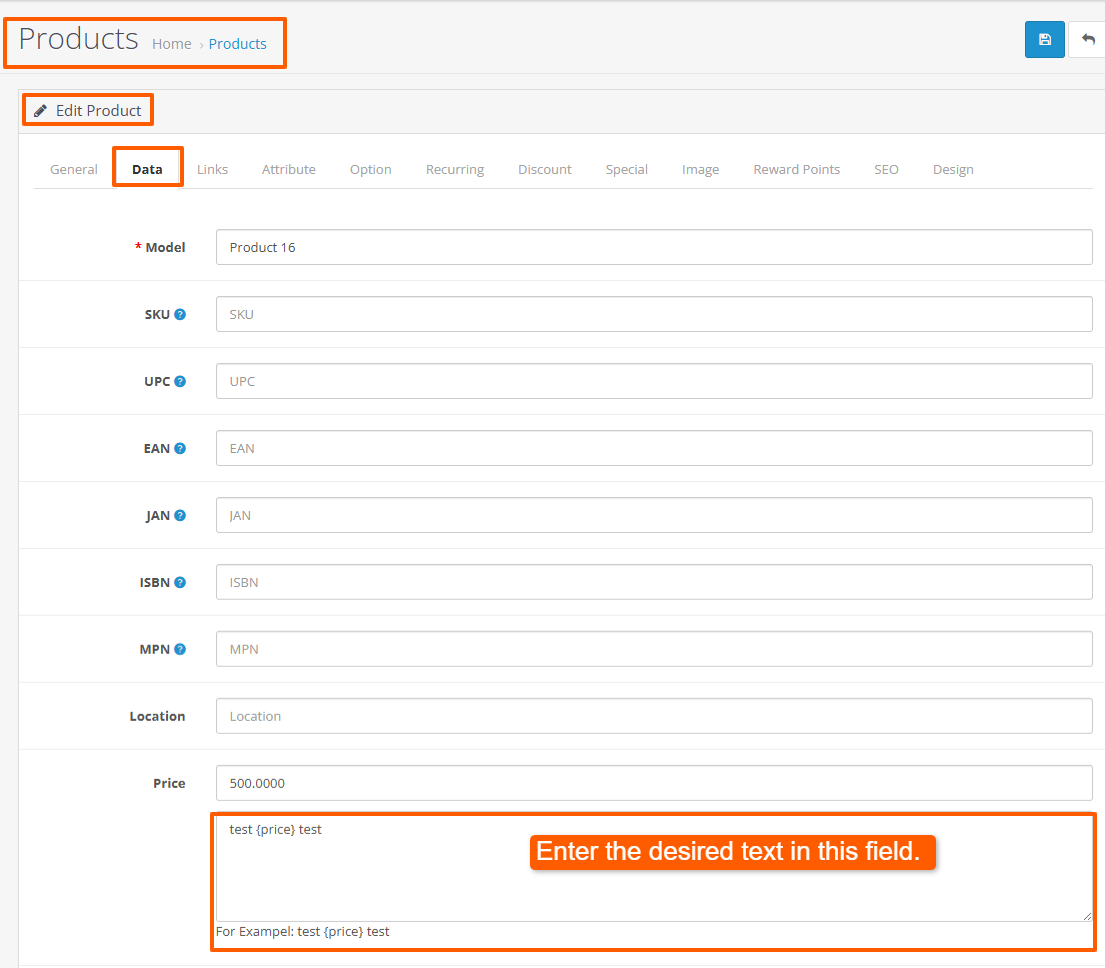
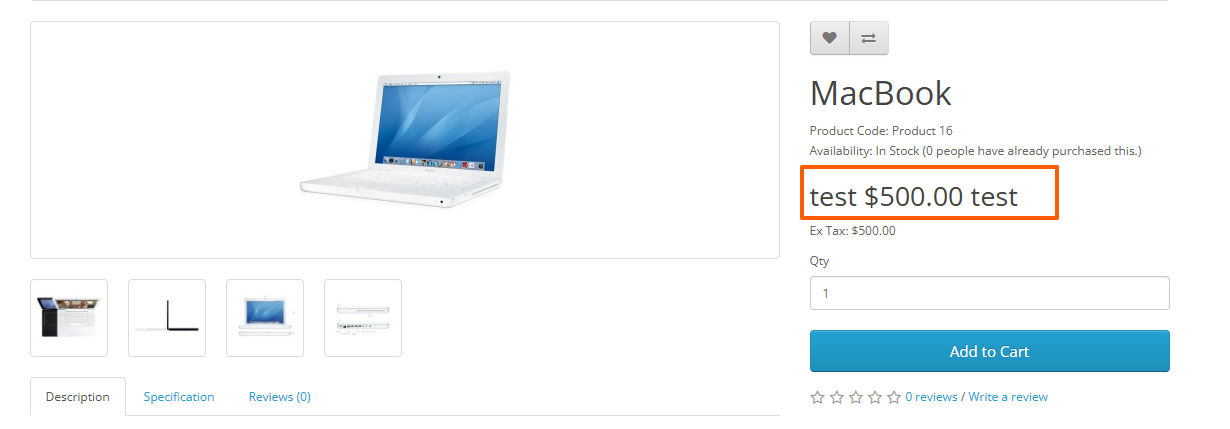
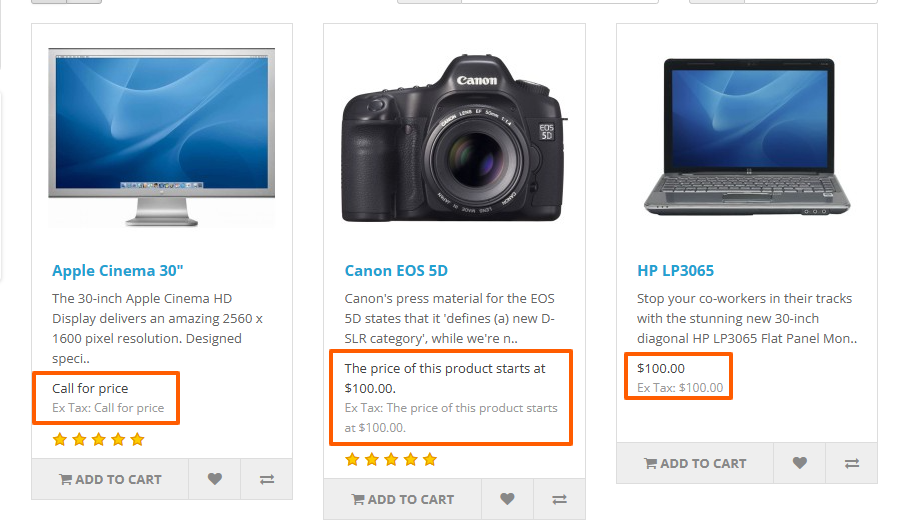
In the price section of a product or listing, there is a dedicated text area where you can write a message that will appear near or inside the price display. Dynamic placeholders (for example, {price}) are supported to automatically insert the actual price value when the page renders.
Example usage:
Price: 15.00
Message: “Price starts at {price}$”
Result on the product page: “Price starts at 15$”.
FEATURES
✯ Show on Product page.
✯ Show on Featured Module.
✯ Show on Latest Module.
✯ Show on Special Module.
✯ Show on Search Page.
✯ Show on Category Page.
✯ Show on Special Page.
✯ Show on Related Product.
✯ Show on Bestseller Module.
✯ Show on Manufacturer Page.
If you want this module for other themes or other versions, just let me know and I will make it available to you (for free).
Installation method for (Opencart 3.x):
Free installation and support:
cartcraft.oc@gmail.com
Example usage:
Price: 15.00
Message: “Price starts at {price}$”
Result on the product page: “Price starts at 15$”.
FEATURES
✯ Show on Product page.
✯ Show on Featured Module.
✯ Show on Latest Module.
✯ Show on Special Module.
✯ Show on Search Page.
✯ Show on Category Page.
✯ Show on Special Page.
✯ Show on Related Product.
✯ Show on Bestseller Module.
✯ Show on Manufacturer Page.
If you want this module for other themes or other versions, just let me know and I will make it available to you (for free).
Installation method for (Opencart 3.x):
- First download the ZIP file.
- Then go toExtension>Installer Click on the (Upload) button And upload the downloaded ZIP file.
- Then go to extensions>Modifications and click on the Refresh button to apply the new changes.
Free installation and support:
cartcraft.oc@gmail.com
Price
$20.00
- Developed by OpenCart Community
- 12 Months Free Support
- Documentation Included
Rating
Compatibility
3.0.0.0, 3.0.1.0, 3.0.1.1, 3.0.1.2, 3.0.1.3, 3.0.2.0, 3.0.3.0, 3.0.3.1, 3.0.3.2, 3.0.3.3, 3.0.3.5, 3.0.3.6, 3.0.3.7, 3.0.3.8, 3.x.x.x, 3.0.3.9, 3.0.4.0, 3.0.4.1, 3.0.5.0
Last Update
26 May 2026
Created
6 Feb 2026
0 Sales
0 Comments

Login and write down your comment.
Login my OpenCart Account