payware Mobile Payments
payware Mobile Payments for OpenCart
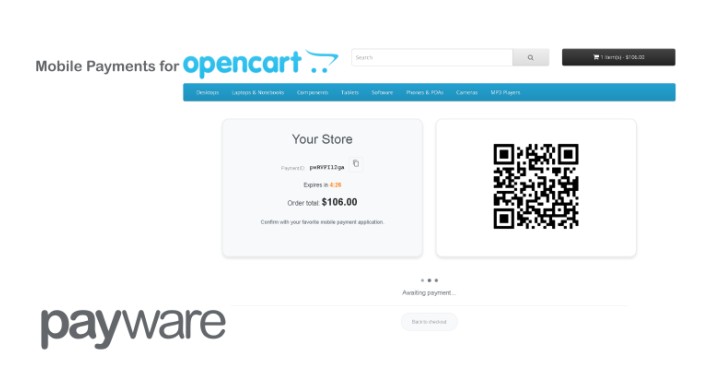
Enable your customers to pay using their favorite mobile payment application. payware Mobile Payments generates a unique QR code at checkout that
customers scan with their mobile payment app to complete the purchase.
How it works
1. Customer selects "Mobile payments" at checkout and confirms the order
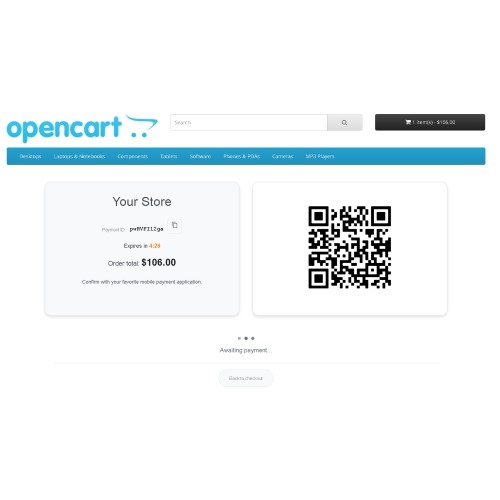
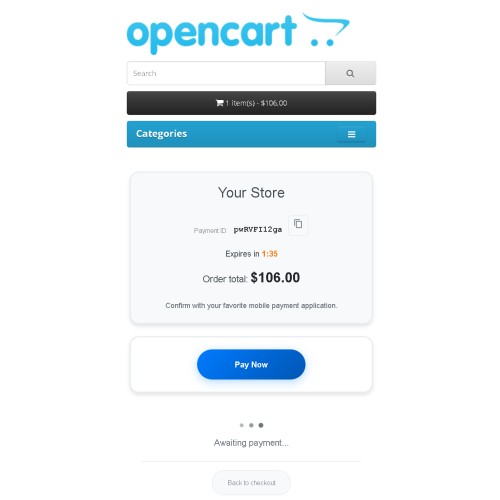
2. A payment page displays a QR code (desktop) or a "Pay Now" button (mobile)
3. Customer scans the QR code or taps the button to open their payment app
4. Payment status updates automatically — no page refresh needed
5. Customer is redirected to the order confirmation page upon successful payment
Features
- QR code payments — generated client-side for fast rendering, no external image dependencies
- Mobile deep linking — "Pay Now" button opens the payment app directly on mobile devices
- Real-time status polling — payment confirmation updates automatically without page refresh
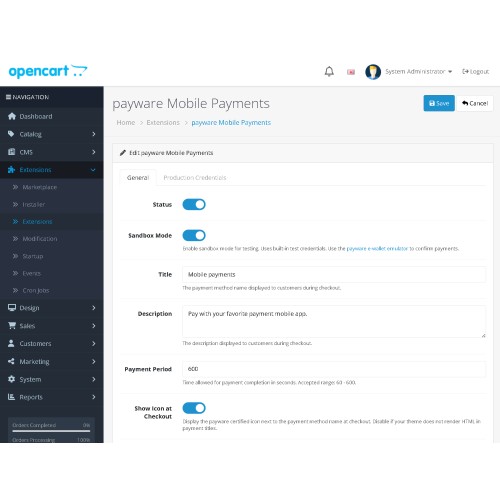
- Configurable payment period — set the time allowed for payment completion (60–600 seconds)
- Countdown timer — visual countdown shows remaining time to complete payment
- Sandbox mode — test the full payment flow using the https://play.google.com/store/apps/details?id=eu.payware.demo.fi with built-in test credentials
- Webhook verification — secure RS256 JWT signature validation for payment callbacks
- payware certified icon — optional icon displayed next to the payment method name at checkout
- Debug logging — optional detailed logging for troubleshooting
Supported languages
- English
- Bulgarian (Български)
- Spanish (Español)
Requirements
- OpenCart 4.x (or 3.x for the OpenCart 3 version)
- A payware merchant account — https://payware.euwhat
- SSL certificate (HTTPS) recommended for production use
Configuration
1. Install the extension via Extensions > Installer
2. Go to Extensions > Extensions > Payments and enable payware Mobile Payments
3. Enable Sandbox Mode to test with the emulator
4. For production, enter your Partner ID, webPOS Identifier, and payware Public Key
Enable your customers to pay using their favorite mobile payment application. payware Mobile Payments generates a unique QR code at checkout that
customers scan with their mobile payment app to complete the purchase.
How it works
1. Customer selects "Mobile payments" at checkout and confirms the order
2. A payment page displays a QR code (desktop) or a "Pay Now" button (mobile)
3. Customer scans the QR code or taps the button to open their payment app
4. Payment status updates automatically — no page refresh needed
5. Customer is redirected to the order confirmation page upon successful payment
Features
- QR code payments — generated client-side for fast rendering, no external image dependencies
- Mobile deep linking — "Pay Now" button opens the payment app directly on mobile devices
- Real-time status polling — payment confirmation updates automatically without page refresh
- Configurable payment period — set the time allowed for payment completion (60–600 seconds)
- Countdown timer — visual countdown shows remaining time to complete payment
- Sandbox mode — test the full payment flow using the https://play.google.com/store/apps/details?id=eu.payware.demo.fi with built-in test credentials
- Webhook verification — secure RS256 JWT signature validation for payment callbacks
- payware certified icon — optional icon displayed next to the payment method name at checkout
- Debug logging — optional detailed logging for troubleshooting
Supported languages
- English
- Bulgarian (Български)
- Spanish (Español)
Requirements
- OpenCart 4.x (or 3.x for the OpenCart 3 version)
- A payware merchant account — https://payware.euwhat
- SSL certificate (HTTPS) recommended for production use
Configuration
1. Install the extension via Extensions > Installer
2. Go to Extensions > Extensions > Payments and enable payware Mobile Payments
3. Enable Sandbox Mode to test with the emulator
4. For production, enter your Partner ID, webPOS Identifier, and payware Public Key
Download
- Developed by OpenCart Community
- Documentation Included
Rating
Compatibility
3.0.4.1, 3.0.5.0, 4.1.0.3
Last Update
6 Apr 2026
Created
18 Feb 2026
13 Downloads
0 Comments

Login and write down your comment.
Login my OpenCart Account