Recently purchased products

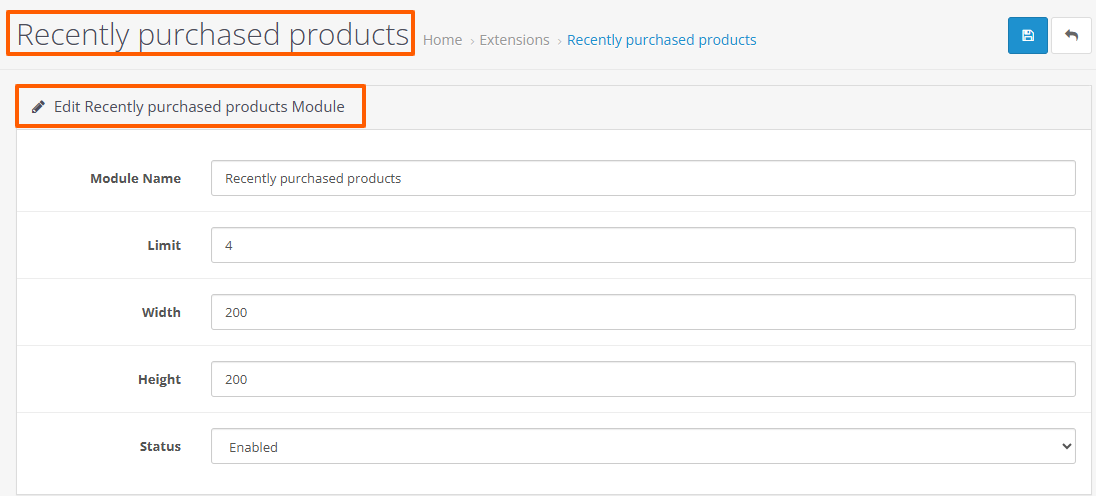
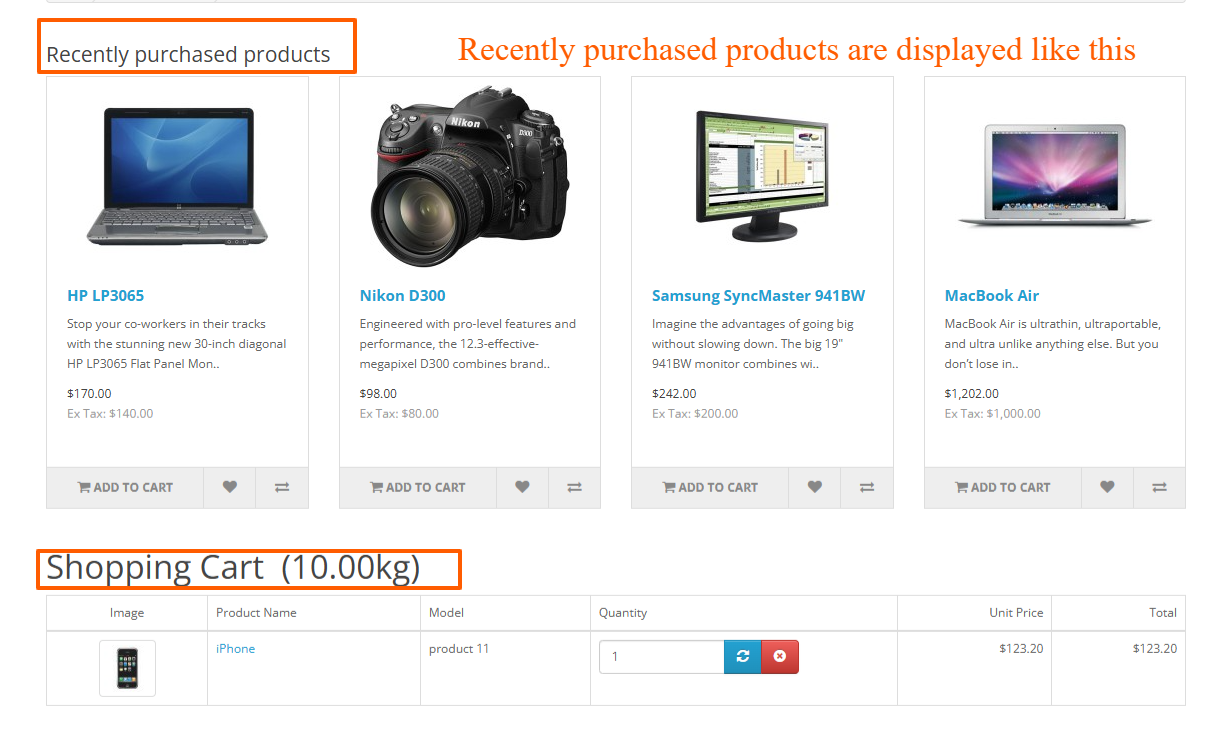
Store managers can set the name, dimensions, and display limit through quick settings, attach the module to Layouts, and intelligently display customers’ latest purchased products to increase sales.
Key points:
attach-to-layout: Adds to any page or Layout.
Show recent purchases: Displays customers’ latest purchased products.
Sales Boost: Displays suggested products related to customers’ recent purchases.
Live Demo:
Username And Password For Login To Admin Panel:demo
Install:
First download the Zip file.
Then go to Extensions>Installer and click on the "Upload" button.
Then select the downloaded Zip file and upload it.
Go to Extensions>Extensions and select the "Module" option and activate the new plugin called "Recently purchased products".
Go to Extensions>Modifications and click on the "Refresh" button to apply the new changes.
After installation, enter the module settings and activate it, and finally go to the "Layouts" section and add the module to the page you want.
Free Install And Support:
cartcraft.oc@gmail.com
Key points:
attach-to-layout: Adds to any page or Layout.
Show recent purchases: Displays customers’ latest purchased products.
Sales Boost: Displays suggested products related to customers’ recent purchases.
Live Demo:
Username And Password For Login To Admin Panel:demo
Install:
First download the Zip file.
Then go to Extensions>Installer and click on the "Upload" button.
Then select the downloaded Zip file and upload it.
Go to Extensions>Extensions and select the "Module" option and activate the new plugin called "Recently purchased products".
Go to Extensions>Modifications and click on the "Refresh" button to apply the new changes.
After installation, enter the module settings and activate it, and finally go to the "Layouts" section and add the module to the page you want.
Free Install And Support:
cartcraft.oc@gmail.com
Price
$20.00
- Developed by OpenCart Community
- 12 Months Free Support
- Documentation Included
Rating
Compatibility
3.0.0.0, 3.0.1.0, 3.0.1.1, 3.0.1.2, 3.0.1.3, 3.0.2.0, 3.0.3.0, 3.0.3.1, 3.0.3.2, 3.0.3.3, 3.0.3.5, 3.0.3.6, 3.0.3.7, 3.0.3.8, 3.x.x.x, 3.0.3.9, 3.0.4.0, 3.0.4.1, 3.0.5.0
Last Update
26 May 2026
Created
24 Feb 2026
0 Sales
0 Comments

Login and write down your comment.
Login my OpenCart Account