Admin language
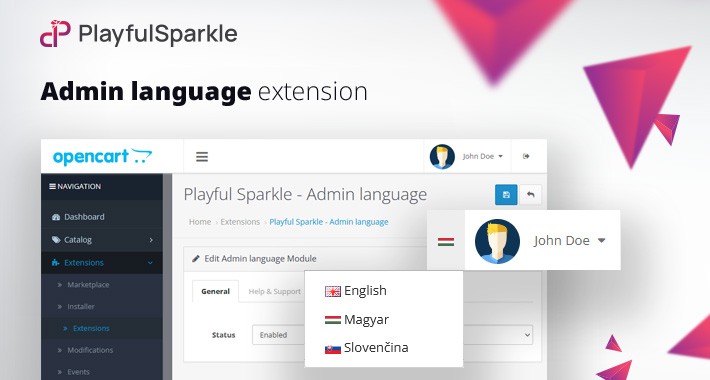
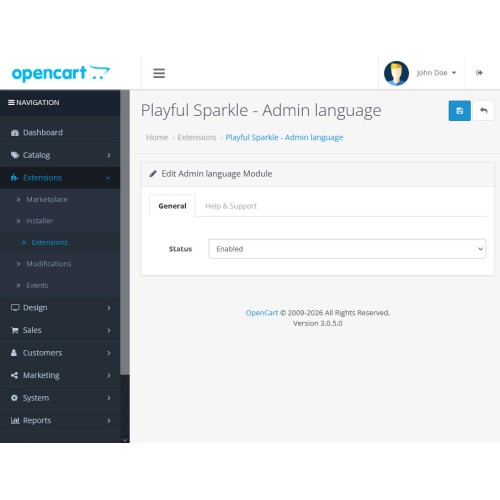
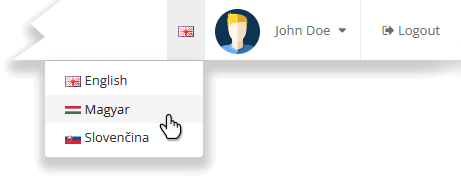
Playful Sparkle - Important Security Notification extension for OpenCart 3.x+ enhances the OpenCart 3.x administration interface by introducing a dedicated language selection dropdown directly in the admin header. This feature, designed to mimic the modern user experience of OpenCart 4.x, allows store owners and administrators to switch between installed languages instantly without navigating through system settings.
Features
For more information, visit the extension's GitHub page at https://github.com/playfulsparkle/oc3_admin_language.


Installation Instructions
Installation Instructions for OpenCart 3.x+
MD5 Checksum: 2477d68095168e4ed68dbbd6a7afe941
SHA256 Checksum: 54774ca7b910174f2ff27be92d46fcc97405c42792cf1d11c79c91ff29db0d01
Support & Inquiries
For assistance or inquiries regarding this extension, please visit our support website or contact us via email at support@playfulsparkle.com.
Features
- Quick Language Switching: Adds a convenient dropdown menu to the admin header for one-click language changes.
- Seamless Integration: Designed to look and feel like a native part of your dashboard without cluttering the workspace.
- Compatibility: Integrates smoothly with OpenCart 3.x+, supporting a range of online store setups.
- Multilingual Support: Ready for international use with languages including العربية (ar), Български (bg), 中文(简体) (zh-cn), 中文(繁體) (zh-tw), Čeština (cs-cz), English (UK) (en-gb), English (US) (en-us), Français (fr-fr), Deutsch (de-de), Ελληνικά (el-gr), Magyar (hu-hu), Italiano (it-it), 日本語 (ja), 한국어 (ko-kr), Polski (pl-pl), Português (Brasil) (pt-br), Русский (ru-ru), Slovenčina (sk-sk), Español (es-es), and Türkçe (tr-tr).
For more information, visit the extension's GitHub page at https://github.com/playfulsparkle/oc3_admin_language.
Installation Instructions
Installation Instructions for OpenCart 3.x+
- 1) Download the latest version from the OpenCart Marketplace.
2) Log in to your OpenCart admin panel.
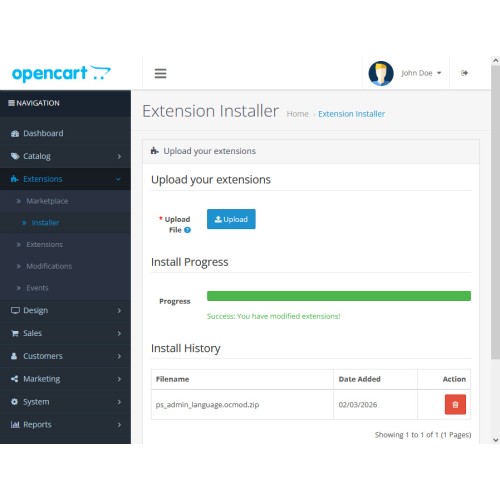
3) Navigate to Extensions > Installer.
4) Click the Upload button and upload the ps_admin_language.ocmod.zip file.
5) Navigate to Extensions > Extensions and select Modules from the Choose the extension type dropdown list.
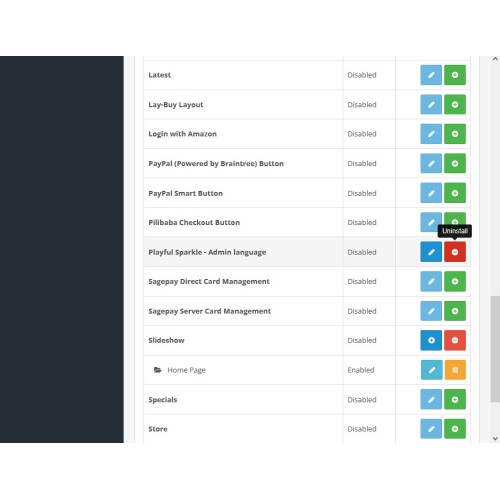
6) Locate the extension in the Modules list and click the Install button.
7) Click the Edit button, configure the extension parameters, and click the Save button to save your settings.
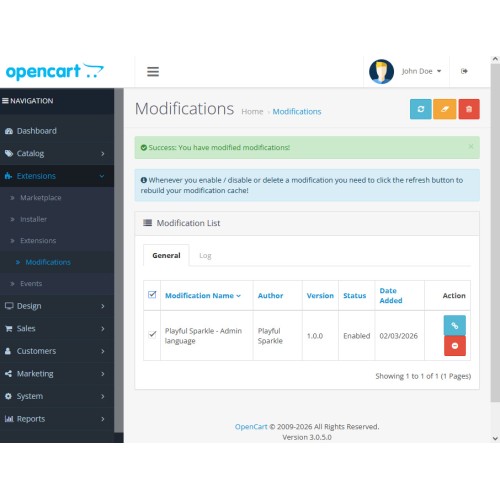
8) Navigate to Extensions > Modifications, select all your modifications and click the Refresh button to update the modification cache and apply the changes.
MD5 Checksum: 2477d68095168e4ed68dbbd6a7afe941
SHA256 Checksum: 54774ca7b910174f2ff27be92d46fcc97405c42792cf1d11c79c91ff29db0d01
Support & Inquiries
For assistance or inquiries regarding this extension, please visit our support website or contact us via email at support@playfulsparkle.com.
Download
- Developed by OpenCart Community
- 3 Months Free Support
- Documentation Included
Rating
Compatibility
3.0.0.0, 3.0.1.0, 3.0.1.1, 3.0.1.2, 3.0.1.3, 3.0.2.0, 3.0.3.0, 3.0.3.1, 3.0.3.2, 3.0.3.3, 3.0.3.5, 3.0.3.6, 3.0.3.7, 3.0.3.8, 3.x.x.x, 3.0.3.9, 3.0.4.0, 3.0.4.1, 3.0.5.0
Last Update
1 Apr 2026
Created
2 Mar 2026
16 Downloads
0 Comments

Login and write down your comment.
Login my OpenCart Account