Demo admin login
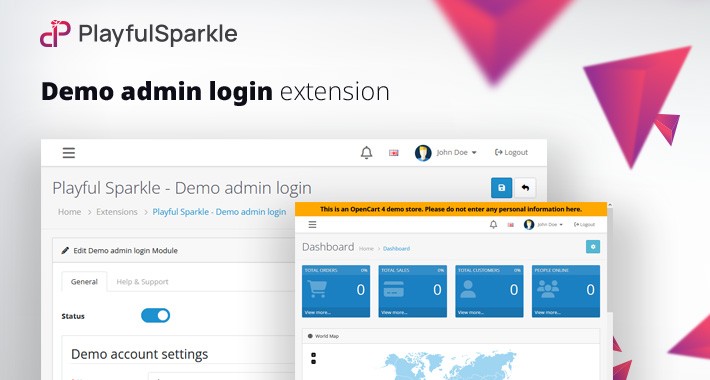
The Playful Sparkle - Demo admin login extension for OpenCart 3.x+, 4.x+ helps you run demo stores by allowing limited admin access to selected extension settings pages using a preconfigured demo account.
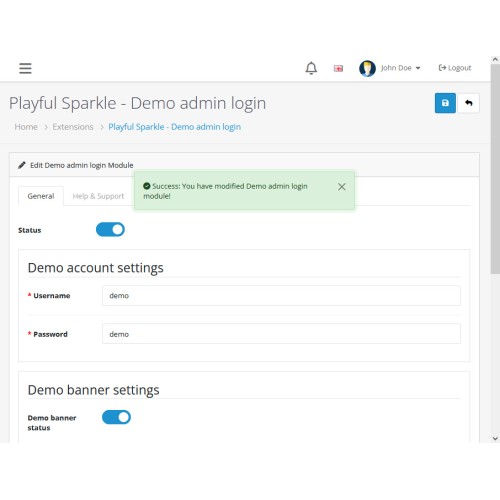
In the extension configuration, you select which demo admin user account will be used for demo access, usually a dedicated demo account.
To make sharing fast, the extension adds a Copy demo URL button near the Save button on the extension settings page. One click copies a ready-to-paste demo link, so you can send it to clients or testers without manually building URLs.
The extension can also display a customizable notice at the top of every page:
This is an OpenCart 4 demo store. Please do not enter any personal information here.
Important security warning
You are responsible for selecting and configuring the demo account used by this extension. Use a dedicated demo-only admin user with the minimum permissions required for the pages you want to share, and never reuse a real administrator account.
Playful Sparkle is not responsible for any damage, data loss, unauthorized access, or other consequences caused by incorrect demo account selection, excessive permissions or improper demo store configuration.
Features
For more information, visit the extension's GitHub page at https://github.com/playfulsparkle/oc3_demo_admin_login or https://github.com/playfulsparkle/oc4_demo_admin_login.




Installation Instructions
Installation Instructions for OpenCart 3.x+
MD5 Checksum: eb4a85ca0b4ca05d0b1d5a881c59c521
SHA256 Checksum: 8fe3306376b879fc51143bf37ec4bb3c2005dd67e51056555b4965dfd0d0df50
Installation Instructions for OpenCart 4.x+
MD5 Checksum: c57ce1d5157f0e4413c5acf5712674ae
SHA256 Checksum: 805c00f717b2de397ce3de60aa5d9ede5d8459d034a27f9d5441362a1a707256
Support & Inquiries
For assistance or inquiries regarding this extension, please visit our support website or contact us via email at support@playfulsparkle.com.
In the extension configuration, you select which demo admin user account will be used for demo access, usually a dedicated demo account.
To make sharing fast, the extension adds a Copy demo URL button near the Save button on the extension settings page. One click copies a ready-to-paste demo link, so you can send it to clients or testers without manually building URLs.
The extension can also display a customizable notice at the top of every page:
This is an OpenCart 4 demo store. Please do not enter any personal information here.
Important security warning
You are responsible for selecting and configuring the demo account used by this extension. Use a dedicated demo-only admin user with the minimum permissions required for the pages you want to share, and never reuse a real administrator account.
Playful Sparkle is not responsible for any damage, data loss, unauthorized access, or other consequences caused by incorrect demo account selection, excessive permissions or improper demo store configuration.
Features
- Selectable Demo Account: Designate a specific admin user account for demo access through the extension configuration.
- One-Click Sharing: Adds a "Copy demo URL" button near the Save button for instant link generation.
- Customizable Global Notice: Displays a notification banner at the top of every admin page to identify the demo environment.
- Compatibility: Integrates smoothly with OpenCart 3.x+, 4.x+, supporting a range of online store setups.
- Multilingual Support: Ready for international use with languages including العربية (ar), Български (bg), 中文(简体) (zh-cn), 中文(繁體) (zh-tw), Čeština (cs-cz), English (UK) (en-gb), English (US) (en-us), Français (fr-fr), Deutsch (de-de), Ελληνικά (el-gr), Magyar (hu-hu), Italiano (it-it), 日本語 (ja), 한국어 (ko-kr), Polski (pl-pl), Português (Brasil) (pt-br), Русский (ru-ru), Slovenčina (sk-sk), Español (es-es), and Türkçe (tr-tr).
For more information, visit the extension's GitHub page at https://github.com/playfulsparkle/oc3_demo_admin_login or https://github.com/playfulsparkle/oc4_demo_admin_login.
Installation Instructions
Installation Instructions for OpenCart 3.x+
- 1) Download the latest version from the OpenCart Marketplace.
2) Log in to your OpenCart admin panel.
3) Navigate to Extensions > Installer.
4) Click the Upload button and upload the ps_demo_admin_login.ocmod.zip file.
5) Navigate to Extensions > Extensions and select Modules from the Choose the extension type dropdown list.
6) Locate the extension in the Modules list and click the Install button.
7) Click the Edit button, configure the extension parameters, and click the Save button to save your settings.
8. Navigate to Extensions > Modifications, select all your modifications and click the Refresh button to update the modification cache and apply the changes.
MD5 Checksum: eb4a85ca0b4ca05d0b1d5a881c59c521
SHA256 Checksum: 8fe3306376b879fc51143bf37ec4bb3c2005dd67e51056555b4965dfd0d0df50
Installation Instructions for OpenCart 4.x+
- 1) Download the latest version from the OpenCart Marketplace.
2) Log in to your OpenCart admin panel.
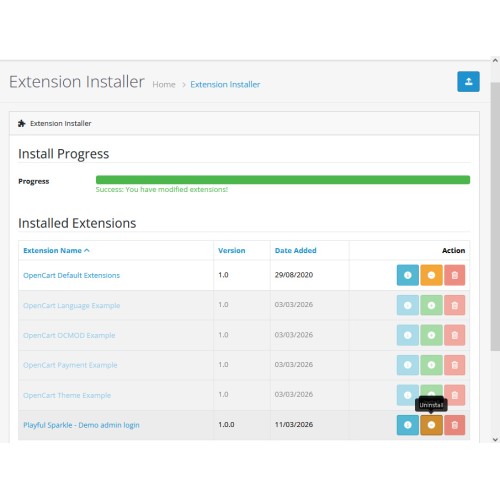
3) Navigate to Extensions > Installer.
4) Click the Upload button and upload the ps_demo_admin_login.ocmod.zip file.
5) Locate the extension in the Installed Extensions list and click the Install button.
6) Navigate to Extensions > Extensions and select Modules from the Choose the extension type dropdown list.
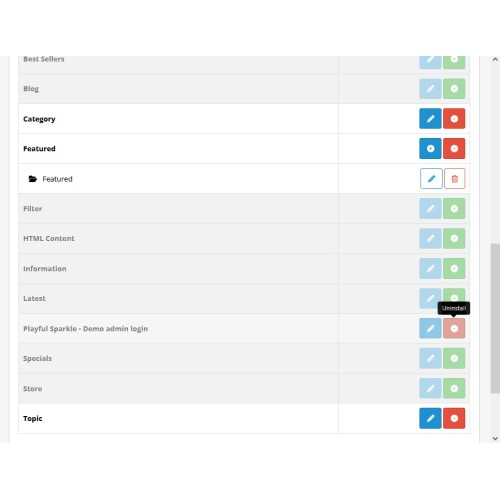
7) Locate the extension in the Modules list and click the Install button.
8) Click the Edit button, configure the extension parameters, and click the Save button to save your settings.
MD5 Checksum: c57ce1d5157f0e4413c5acf5712674ae
SHA256 Checksum: 805c00f717b2de397ce3de60aa5d9ede5d8459d034a27f9d5441362a1a707256
Support & Inquiries
For assistance or inquiries regarding this extension, please visit our support website or contact us via email at support@playfulsparkle.com.
Download
- Developed by OpenCart Community
- 3 Months Free Support
- Documentation Included
Rating
Compatibility
3.0.0.0, 3.0.1.0, 3.0.1.1, 3.0.1.2, 3.0.1.3, 3.0.2.0, 3.0.3.0, 3.0.3.1, 3.0.3.2, 3.0.3.3, 3.0.3.5, 3.0.3.6, 3.0.3.7, 3.0.3.8, 3.x.x.x, 3.0.3.9, 3.0.4.0, 3.0.4.1, 3.0.5.0, 4.x.x.x, 4.0.0.0, 4.0.1.0, 4.0.1.1, 4.0.2.0, 4.0.2.1, 4.0.2.2, 4.0.2.3, 4.1.0.0, 4.1.0.1, 4.1.0.2, 4.1.0.3
Last Update
1 Apr 2026
Created
12 Mar 2026
16 Downloads
0 Comments

Login and write down your comment.
Login my OpenCart Account