Yespo CDP for OpenCart — Email Marketing & Automation
What is Yespo?
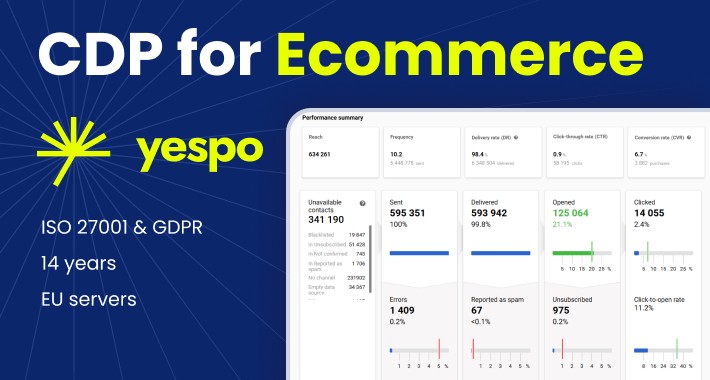
Yespo is an AI powered omnichannel Customer Data Platform (CDP) that helps ecommerce brands get more sales from existing customers. Yespo collects customer data, unifies profiles, and uses it for segmentation, automation, and product recommendations.
What this OpenCart integration does
This extension lets OpenCart store owners connect to Yespo in minutes and automatically send key ecommerce data into Yespo CDP company profile.
The extension transfers to Yespo:
When changes happen in your store (contacts created/updated/deleted, orders created/updated), the data stays synchronized in Yespo.
What you can do using this data in Yespo
Once your OpenCart data is inside Yespo, you can run high-performing ecommerce automation and personalization:
✅ Abandoned cart recovery
✅ Browse abandonment / viewed products campaigns
✅ Win-back and reactivation
✅ Personalized product recommendations
✅ Customer segmentation based on orders + behavior
✅ Omnichannel communication across up to 9 channels (email, SMS, web push, etc.)
Web Tracking (events sent from your OpenCart store)
The plugin can send these events to Yespo (used for automation + personalization):
Installation
Additional information is available in the technical manual.
Data privacy and compliance
This plugin sends data from your OpenCart store to the external Yespo system to enable:
If a customer’s personal data is deleted in the store, it is also deleted in Yespo.
Yespo is GDPR compliant and ISO/IEC 27001 certified.
Yespo is an AI powered omnichannel Customer Data Platform (CDP) that helps ecommerce brands get more sales from existing customers. Yespo collects customer data, unifies profiles, and uses it for segmentation, automation, and product recommendations.
What this OpenCart integration does
This extension lets OpenCart store owners connect to Yespo in minutes and automatically send key ecommerce data into Yespo CDP company profile.
The extension transfers to Yespo:
- Customer data (registration and historical customers)
- Order data (new orders + status updates + historical orders)
- Website behavior events (visited pages, cart contents, purchases, etc.)
When changes happen in your store (contacts created/updated/deleted, orders created/updated), the data stays synchronized in Yespo.
What you can do using this data in Yespo
Once your OpenCart data is inside Yespo, you can run high-performing ecommerce automation and personalization:
✅ Abandoned cart recovery
✅ Browse abandonment / viewed products campaigns
✅ Win-back and reactivation
✅ Personalized product recommendations
✅ Customer segmentation based on orders + behavior
✅ Omnichannel communication across up to 9 channels (email, SMS, web push, etc.)
Web Tracking (events sent from your OpenCart store)
The plugin can send these events to Yespo (used for automation + personalization):
- PageView — tracks page URLs (required for other events)
- ProductPage — product views (viewed-product campaigns, price-drop alerts)
- CategoryPage — category browsing (category-based recommendations)
- CustomerData — identifies users after login/registration/purchase
- StatusCart — current cart state (abandoned cart workflows)
- PurchasedItems — completed order items (cross-sell/upsell/recs)
- MainPage — used for on-site recommendations
- NotFound (404) — used for on-site recommendations
- ProductImpression — used for recommendation reporting
- AddToWishList — used for wishlist-based campaigns
- SearchRequest — statistics on search queries
Installation
- Download the latest yespo.ocmod.zip from the Releases page.
- Log in to your OpenCart Admin Panel.
- Navigate to Extensions > Extension Installer.
- Click Upload and select the downloaded yespo.ocmod.zip file. Wait for the success message.
- Go to Extensions > Modifications and click the Refresh button (top right corner) to rebuild the cache and apply event hooks.
- Navigate to Extensions > Extensions, choose Modules from the dropdown list.
- Find Yespo CDP Integration in the list and click the green Install button.
- If this is a module update, first navigate to Extensions → Modifications and delete the Yespo CDP for OpenCart modification. Then upload new file and go to Extensions > Modifications and click the Refresh button (top right corner) to rebuild the cache and apply event hooks.
Additional information is available in the technical manual.
Data privacy and compliance
This plugin sends data from your OpenCart store to the external Yespo system to enable:
- data unification into customer profiles
- segmentation
- automation and personalization across direct channels
If a customer’s personal data is deleted in the store, it is also deleted in Yespo.
Yespo is GDPR compliant and ISO/IEC 27001 certified.
Download
- Developed by OpenCart Community
- 12 Months Free Support
- Documentation Included
Rating
Compatibility
2.3.0.0, 2.3.0.1, 2.3.0.2, 3.0.0.0, 3.0.1.0, 3.0.1.1, 3.0.1.2, 3.0.1.3, 3.0.2.0, 3.0.3.0, 3.0.3.1, 3.0.3.2, 3.0.3.3, 3.0.3.5, 3.0.3.6, 3.0.3.7, 3.0.3.8, 3.x.x.x, 3.0.3.9, 3.0.4.1, 3.0.5.0
Last Update
7 May 2026
Created
19 Mar 2026
3 Downloads
0 Comments

Login and write down your comment.
Login my OpenCart Account