Google Merchant Center Feed Opencart 3
Overview
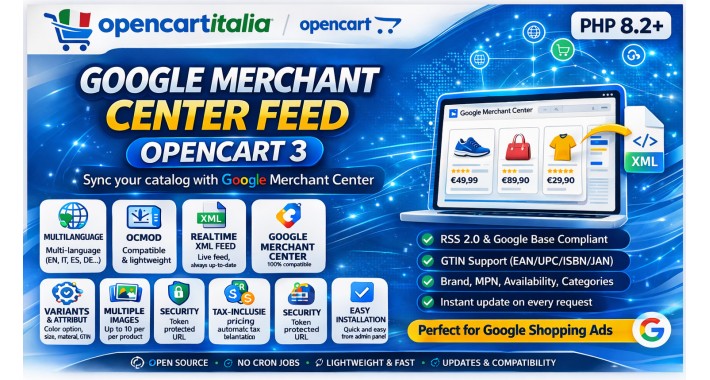
Google Merchant Center Feed is a free, open-source OpenCart 3 extension that automatically exports your entire product catalog to Google Merchant Center through a live, real-time XML feed. No cron jobs, no manual exports — just configure it once, paste the URL into Google Merchant Center, and your products stay in sync at every request.
The feed is fully compliant with the RSS 2.0 / Google Base namespace specification and supports all the fields Google requires for Shopping Ads: pricing, availability, images, variants, GTIN identifiers, brand, and product categories.
Key Features
Real-time XML Feed
The feed is generated live on every HTTP request, meaning Google always fetches the most up-to-date product data directly from your database. There is no need for cron jobs or scheduled tasks to keep the feed fresh.
Product Variants
Products with options (size, color, material, etc.) are exported as individual items, each with a shared `g:item\_group\_id` pointing to the parent product. OpenCart option names are automatically mapped to Google's standard variant attributes (`g:color`, `g:size`, `g:material`).
Multiple Images
The main product image is exported as `g:image\_link`. Additional gallery images from OpenCart's product image table are exported as `g:additional\_image\_link`, up to Google's limit of 10 additional images per item.
Full Identifier Support (GTIN / MPN / Brand)
The extension reads EAN, JAN, UPC, and ISBN fields from OpenCart and exports the first non-empty value as `g:gtin`. The product model is used as `g:mpn`. The manufacturer name is exported as `g:brand`. When both GTIN and brand are absent, the feed automatically sets `g:identifier\_exists: no` to avoid Google disapprovals.
Google Product Categories
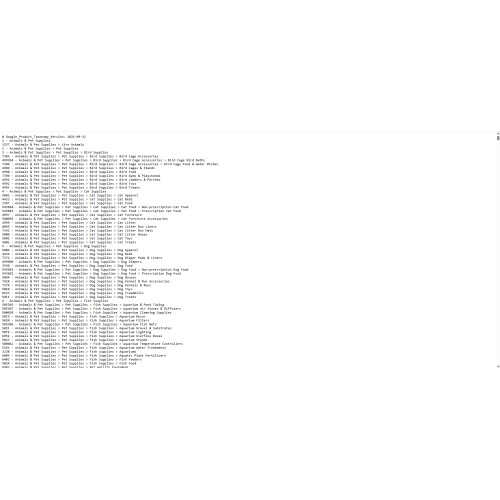
A default Google taxonomy ID or name can be configured in the admin panel and applied to all products. The extension also reads each product's OpenCart category and exports it as `g:product\_type` for more granular classification.
Tax-Inclusive Pricing
Product prices are automatically calculated including the applicable tax rate from OpenCart's tax class configuration, ensuring the prices shown in Google Shopping Ads match what customers see at checkout.
Security Token
An optional secret token can be set to protect the feed URL from unauthorized access. The token can be regenerated with a single click from the admin panel. When the token is set, any request without the correct `?token=` parameter receives a 401 Unauthorized response.
Multi-language Support
The language used for product names, descriptions, and category labels is configurable from the admin panel. You can run separate feeds for different languages by duplicating the URL with different settings.
Admin Panel
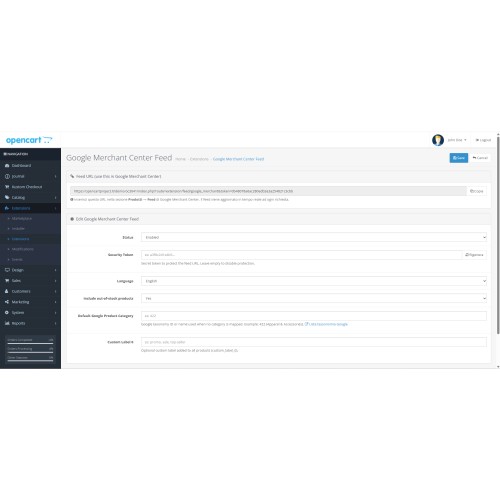
A fully integrated admin panel is available under Extensions → Feeds in the OpenCart back-end. It provides:
On/off toggle for the feed
Live feed URL preview with one-click copy
Token management with regeneration
Language selector
Out-of-stock inclusion toggle
Default Google Product Category field with a direct link to Google's taxonomy list
Custom Label 0 field for campaign segmentation in Google Ads
Google Merchant Center Feed is a free, open-source OpenCart 3 extension that automatically exports your entire product catalog to Google Merchant Center through a live, real-time XML feed. No cron jobs, no manual exports — just configure it once, paste the URL into Google Merchant Center, and your products stay in sync at every request.
The feed is fully compliant with the RSS 2.0 / Google Base namespace specification and supports all the fields Google requires for Shopping Ads: pricing, availability, images, variants, GTIN identifiers, brand, and product categories.
Key Features
Real-time XML Feed
The feed is generated live on every HTTP request, meaning Google always fetches the most up-to-date product data directly from your database. There is no need for cron jobs or scheduled tasks to keep the feed fresh.
Product Variants
Products with options (size, color, material, etc.) are exported as individual items, each with a shared `g:item\_group\_id` pointing to the parent product. OpenCart option names are automatically mapped to Google's standard variant attributes (`g:color`, `g:size`, `g:material`).
Multiple Images
The main product image is exported as `g:image\_link`. Additional gallery images from OpenCart's product image table are exported as `g:additional\_image\_link`, up to Google's limit of 10 additional images per item.
Full Identifier Support (GTIN / MPN / Brand)
The extension reads EAN, JAN, UPC, and ISBN fields from OpenCart and exports the first non-empty value as `g:gtin`. The product model is used as `g:mpn`. The manufacturer name is exported as `g:brand`. When both GTIN and brand are absent, the feed automatically sets `g:identifier\_exists: no` to avoid Google disapprovals.
Google Product Categories
A default Google taxonomy ID or name can be configured in the admin panel and applied to all products. The extension also reads each product's OpenCart category and exports it as `g:product\_type` for more granular classification.
Tax-Inclusive Pricing
Product prices are automatically calculated including the applicable tax rate from OpenCart's tax class configuration, ensuring the prices shown in Google Shopping Ads match what customers see at checkout.
Security Token
An optional secret token can be set to protect the feed URL from unauthorized access. The token can be regenerated with a single click from the admin panel. When the token is set, any request without the correct `?token=` parameter receives a 401 Unauthorized response.
Multi-language Support
The language used for product names, descriptions, and category labels is configurable from the admin panel. You can run separate feeds for different languages by duplicating the URL with different settings.
Admin Panel
A fully integrated admin panel is available under Extensions → Feeds in the OpenCart back-end. It provides:
On/off toggle for the feed
Live feed URL preview with one-click copy
Token management with regeneration
Language selector
Out-of-stock inclusion toggle
Default Google Product Category field with a direct link to Google's taxonomy list
Custom Label 0 field for campaign segmentation in Google Ads
Price
$60.00
- Developed by OpenCart Community
- 6 Months Free Support
- Documentation Included
Rating
Compatibility
3.0.4.1, 3.0.5.0
Last Update
8 Apr 2026
Created
8 Apr 2026
0 Sales
0 Comments

Login and write down your comment.
Login my OpenCart Account